
Omarchy Typing Test
A local-first Omarchy 4 typing test by LeoMoon Studios with English and Parsi passages, timed and completion-based tests, detailed error analysis, and history.
Preview
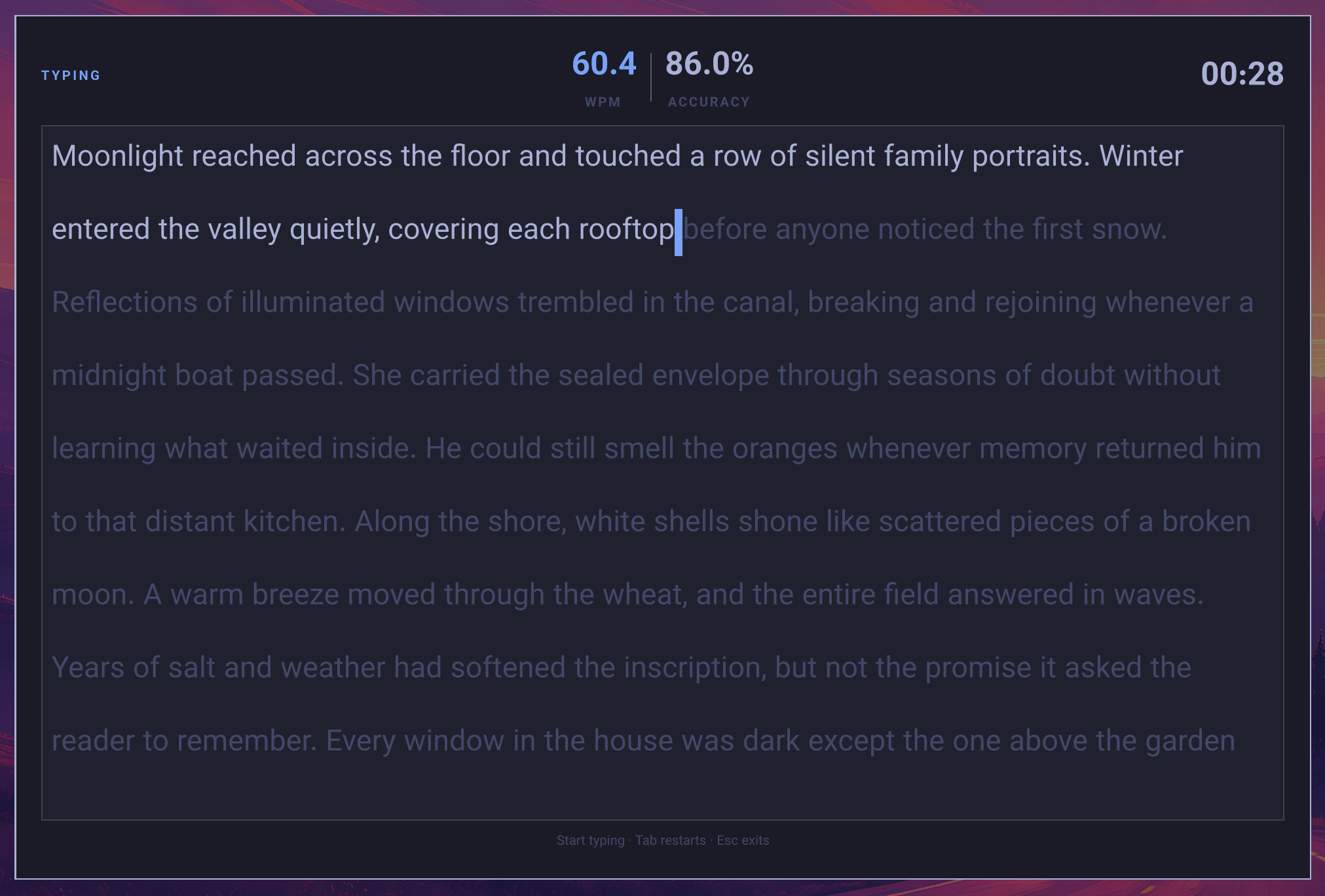
Typing test
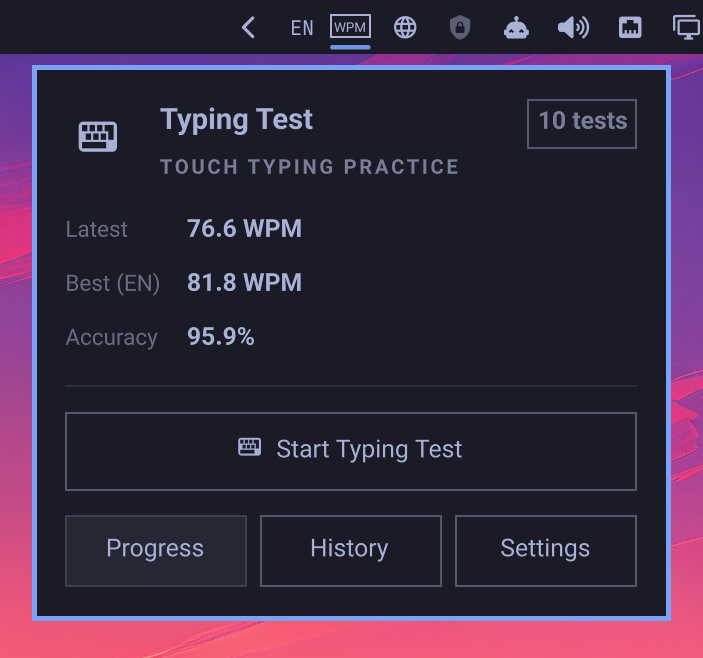
Statistics popout
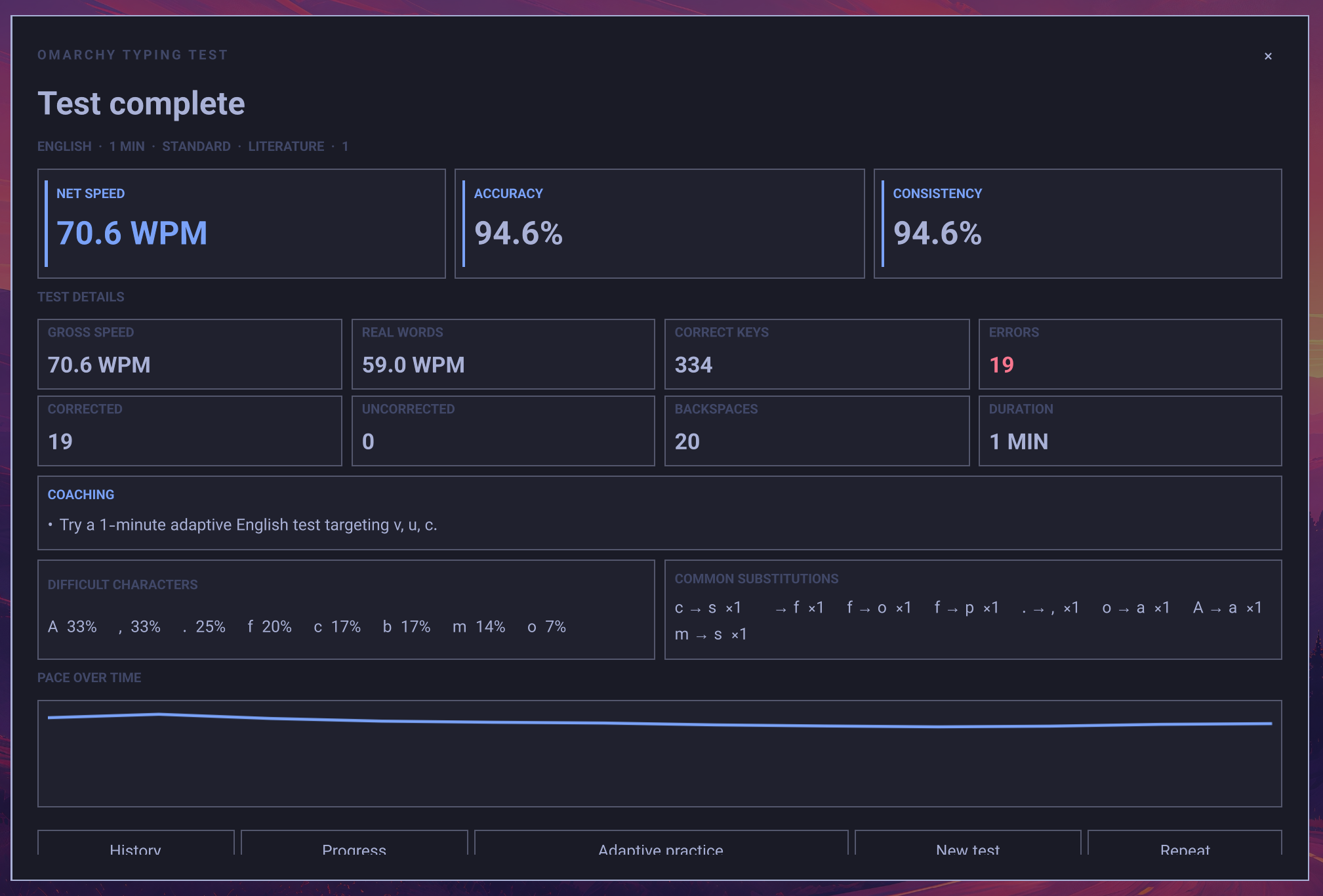
Detailed results
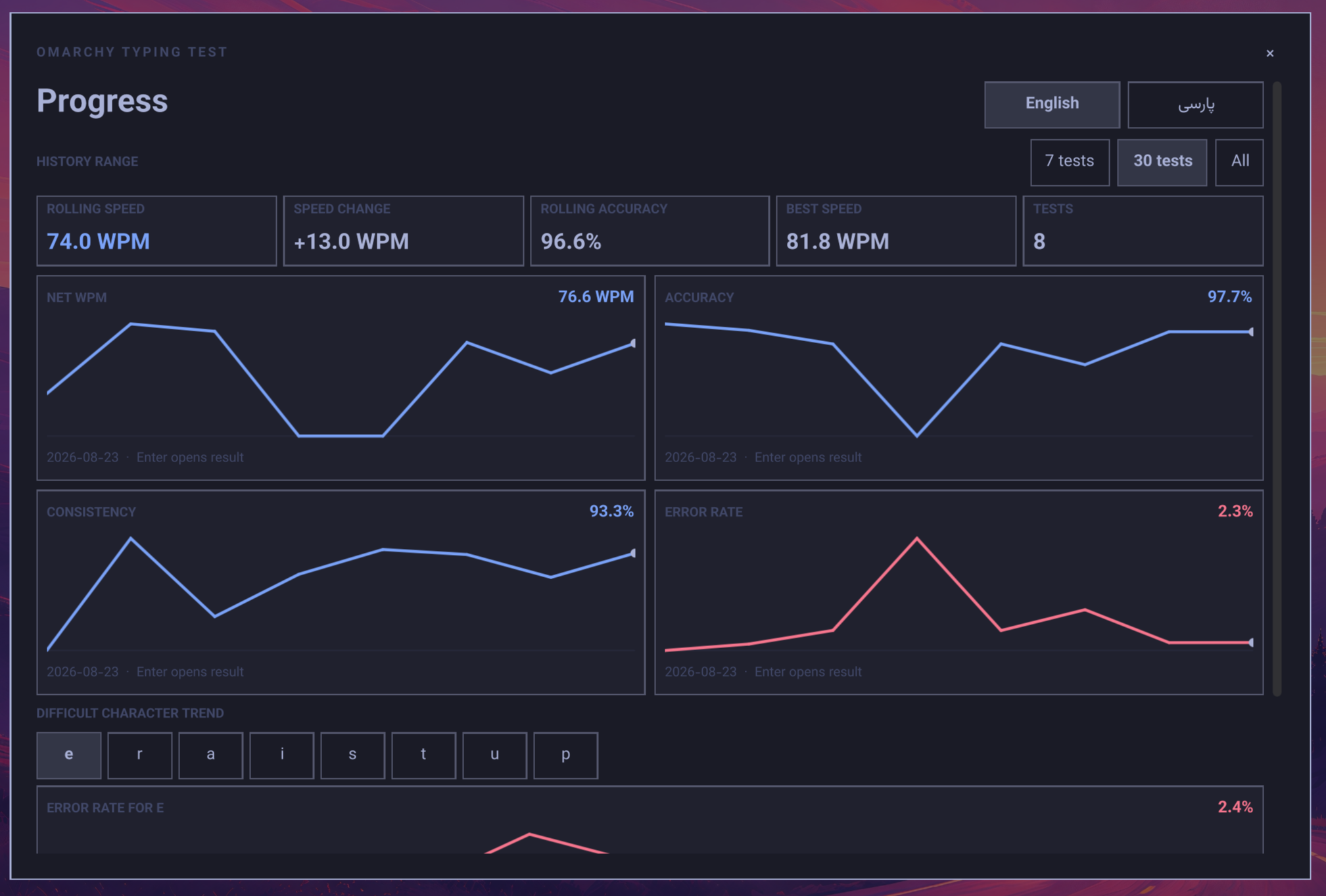
Progress
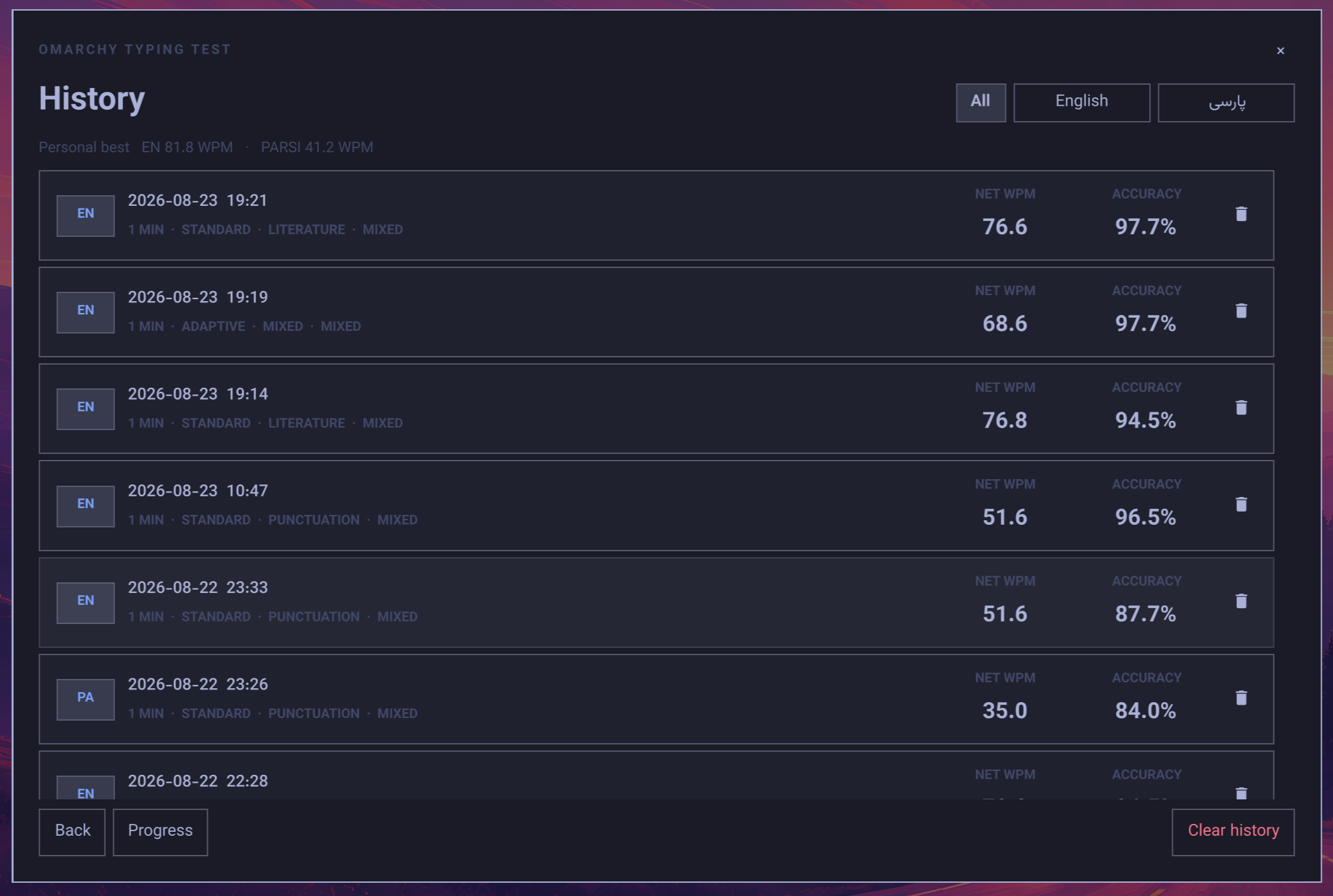
History
Features
- Omarchy bar widget with latest WPM, personal best, accuracy, and test count
- Centered, keyboard-focused typing panel
- Stationary typing pages that replace only after the displayed page is complete
- English and Parsi input with correct LTR/RTL presentation
- 1, 3, 5, and 10 minute presets plus custom durations
- Fixed 10, 25, 50, and 100-word tests
- Full-passage completion tests with an elapsed timer and no countdown
- Separate result actions for retrying the exact passage or choosing a new passage with the same settings
- Adaptive English and Parsi practice based on recent difficult characters, pairs, words, and hesitations
- Local coaching summaries with practical next-test recommendations
- Progress charts for WPM, accuracy, consistency, errors, and character trends
- English and Parsi keyboard heatmaps with per-key speed, opportunities, and error rate
- Targeted drills for a key, hand, finger, or the current comparison's weakest keys
- 400 bundled passages: 200 English and 200 Parsi
- Gross WPM, net WPM, literal WPM, accuracy, and consistency
- Corrected/uncorrected errors plus difficult-character, bigram, word, and hesitation analysis
- Targeted practice using aggregate patterns from previous tests
- Local JSON/JSONL settings and history
- UTF-8
.txtpassage imports - Bundled Vazirmatn font for consistent English and Parsi rendering
- No accounts, telemetry, or network requests
Test Content
| Language | Categories |
|---|---|
| English | Common, Literature, Programming, Numbers & punctuation, Difficult-character practice, Imported, Mixed |
| Parsi | Common, Formal, Literature, Numbers & punctuation, Difficult-character practice, Imported, Mixed |
Standard tests support Easy, Medium, Hard, and Mixed difficulty levels.
Requirements
- Omarchy 4
- The standard
omarchy-shellpackages included with Omarchy - Python 3 (used for descriptor-bound local data reads and atomic writes)
Install
Once this repository is published, install it with:
omarchy plugin add https://github.com/leomoon-studios/omarchy-typing-test.git --enable
Omarchy installs the repository into:
~/.config/omarchy/plugins/leomoon-studios.omarchy-typing-test/
The widget defaults to the right section of the bar. It can be moved with the normal Omarchy bar controls.
Use
Click the outlined WPM badge in the Omarchy bar. The popout shows quick statistics and actions for starting a test, viewing progress or history, and opening settings. Tests run inside a larger centered overlay.
Choose Timed, Words, or Passage on Setup. Timed tests end when the countdown expires, word tests end after the selected number of words, and passage tests end after one complete source passage. Adaptive practice is available for timed and word-count tests.
The popout is keyboard navigable: use the arrow keys to select an action,
Enter or Space to open it, and Escape to close the popout.
Setup, History, Progress, and Settings are also keyboard navigable. Arrow keys
move between controls, Enter or Space activates the focused control, and
all confirmation dialogs support arrow selection, Enter/Space, and Escape.
Inside History, Up/Down moves through results and Delete opens the delete
confirmation. Focused controls and result cards use the active theme cursor.
Choose Adaptive Practice on Setup to build a test around recent difficult characters. Adaptive analysis is kept separate for English and Parsi and unlocks after three tests in that language when a character has enough useful history. Completed tests include a short local coaching summary, while Progress shows language-specific trends and keyboard heatmaps without sending history anywhere. The heatmap follows the active comparison filters. Select any key directly, or start a drill for one hand, one finger, or the weakest measured keys.
On Results, choose Retry same passage to reconstruct the test from its saved passage IDs, or New passage, same settings for a fresh selection. If a saved import has since been removed, the retry automatically selects another available passage and displays a fallback notice.
Keyboard controls during a test:
- Start typing: begin the countdown or elapsed timer
Backspace: correct the previous characterTab: open restart confirmation after typing has begunLeft/Right(orUp/Down): select Cancel or Restart in the confirmationEnter/Space: activate the selected confirmation actionEscape: close, with confirmation after typing has begun
The centered panel can also be opened directly:
omarchy-shell shell summon leomoon-studios.omarchy-typing-test '{"view":"setup"}'
Supported views are setup, progress, history, and settings.
Local Data
~/.config/leomoon-studios.typing-test/settings.json
~/.config/leomoon-studios.typing-test/settings-recovery.json
~/.local/share/leomoon-studios.typing-test/history.jsonl
~/.local/share/leomoon-studios.typing-test/history-backup.jsonl
~/.local/share/leomoon-studios.typing-test/history-recovery.jsonl
~/.local/share/leomoon-studios.typing-test/custom-texts/
XDG_CONFIG_HOME and XDG_DATA_HOME are honored when set. Full passages,
free-form typed input, and individual hesitation events are not stored in history.
History keeps bounded aggregate counts and rates for difficult characters,
character pairs, words, and pause-heavy keys. Recovery files are created only when
malformed data is found. The latest history snapshot before deleting one or all
results is kept in history-backup.jsonl. Storage failures are shown in the plugin
instead of being silently ignored.
Removal
Unload the plugin and remove its installed checkout:
omarchy plugin remove leomoon-studios.omarchy-typing-test --yes
Omarchy intentionally leaves the plugin's settings, history, and imported texts in place so they remain available after a reinstall. To permanently remove that data too:
rm -rf ~/.config/leomoon-studios.typing-test
rm -rf ~/.local/share/leomoon-studios.typing-test
Import Text
Open Settings, choose a language and collection name, then select a UTF-8
.txt file. Blank lines separate passages. Imports are limited to 10 MiB and
symbolic links are rejected.
Bundled font
Vazirmatn Regular v33.003 is bundled and used throughout the bar widget, statistics popover, centered panel, controls, results, and typing surface. It does not depend on a system-installed Parsi font.
Vazirmatn is distributed under the SIL Open Font License 1.1. Its unmodified
license and author list are included in assets/fonts/.
Development
Validate the plugin manifest and entry points:
omarchy plugin validate .
Lint QML against the installed Omarchy shell modules:
qmllint -I /usr/share/omarchy/shell \
  BarWidget.qml StatsPopover.qml DataStore.qml PassageLibrary.qml \
  TypingTestPanel.qml components/*.qml
Run logic and corpus tests:
node tests/run-tests.mjs
Run the isolated English and Parsi high-priority session scenarios through the
real QML TestView:
tests/run-high-priority-sessions.sh
The complete feature-by-feature verification matrix is in
tests/HIGH_PRIORITY_VERIFICATION.md.
Licensing
The plugin source is MIT licensed. The bundled passage corpus is dedicated under CC0 1.0; see texts/SOURCES.md. Vazirmatn retains its SIL Open Font License 1.1 terms; see THIRD_PARTY_NOTICES.md.