
Omarchy World Clock
An offline world clock and timezone converter for the Omarchy 4 bar.
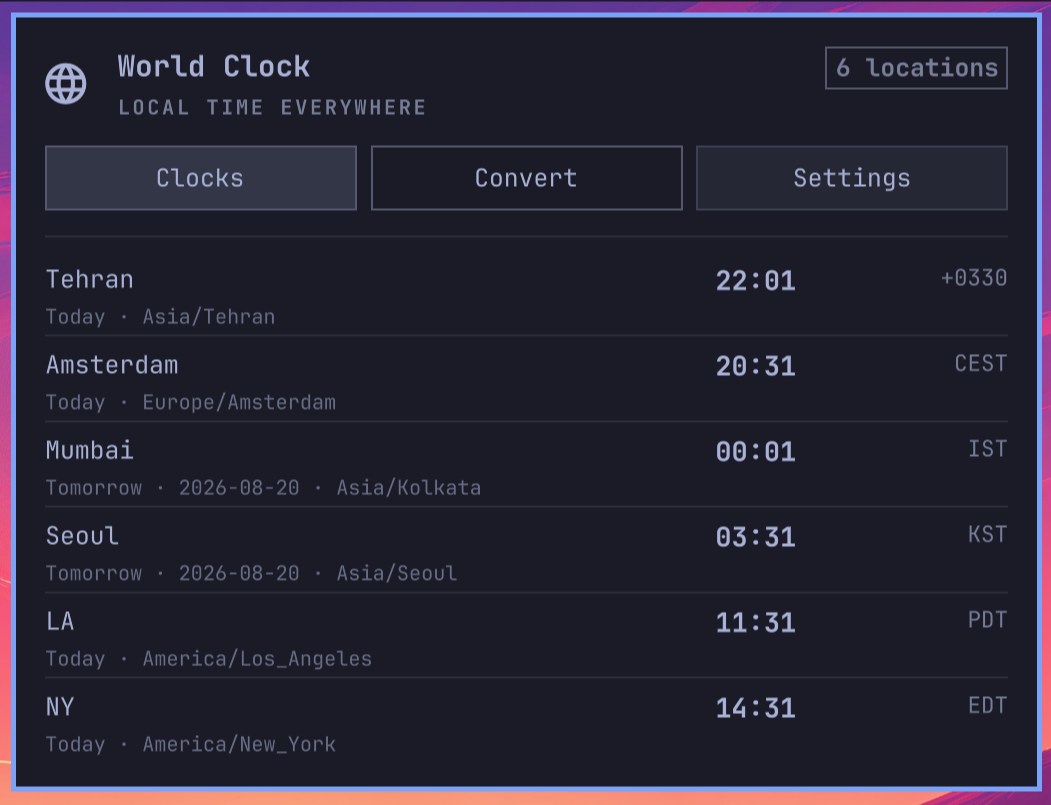
The bar stays minimal with a single world glyph. Clicking it opens a native, theme-aware Omarchy panel where you can view clocks, convert a future meeting time, and manage locations.
Preview
Features
- Live clocks for up to 20 configured IANA timezones
- Today, Tomorrow, and Yesterday labels
- 12-hour and 24-hour display
- Optional timezone abbreviations and UTC offsets
- Reorder, remove, and rename saved locations
- Future date/time conversion using the system timezone database
- Searchable timezone pickers covering every installed IANA timezone; searches match timezone IDs, countries (including Iran), and regional descriptions
- Validation for nonexistent spring-forward wall times
- Completely offline with no telemetry or additional package
Install
omarchy plugin add https://github.com/leomoon-studios/omarchy-world-clock --enable --yes
The manifest places the widget in the right bar section by default. Move it if desired:
omarchy bar move leomoon-studios.omarchy-world-clock --section right --after omarchy.tray
Remove
omarchy plugin remove leomoon-studios.omarchy-world-clock --yes
Saved locations and display preferences are retained. To remove them too:
rm -r -- "$HOME/.config/leomoon-studios.omarchy-world-clock"
Automation
Locations and display settings are owned by the plugin and saved at
~/.config/leomoon-studios.omarchy-world-clock/settings.json
so bar layout changes cannot reset the saved locations. Use the plugin's
Settings panel to add, remove, reorder, or rename locations.
The shell.json bar entry controls placement only; it is not used for plugin
settings.
Security and privacy
The plugin performs no network access and stores no secrets. It runs only fixed
command arrays using /usr/bin/env, /usr/bin/date, /usr/bin/readlink,
/usr/bin/cat, and /usr/bin/mkdir. It
does not invoke a shell interpreter, request root access, or accept a custom
executable path. Timezone data comes from the system's
/usr/share/zoneinfo/iso3166.tab, zone.tab, and tzdata.zi from installed
tzdata.
Development
omarchy plugin validate .
qmllint -I /usr/share/omarchy/shell BarWidget.qml Panel.qml TimezoneService.qml
License
MIT