
Omaspotify
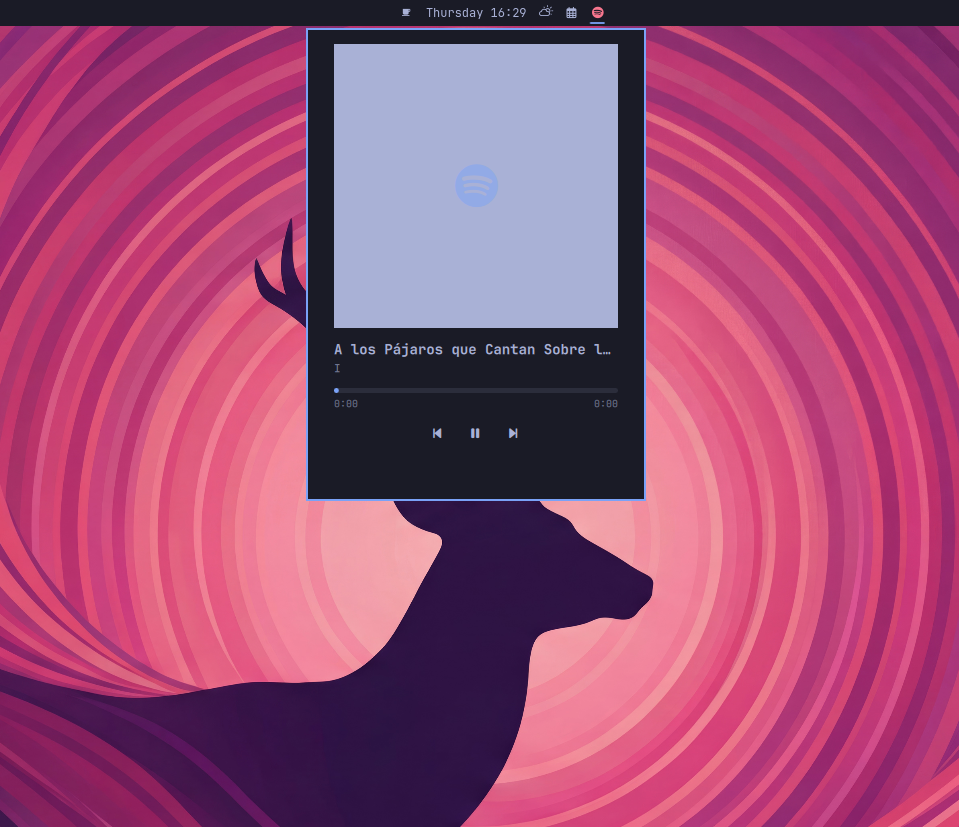
Bar widget + popup panel for Spotify via MPRIS (Quickshell.Services.Mpris).
No background service or persisted state — everything is read live from Spotify's D-Bus interface. Click the Spotify icon in the bar to open the popup with album art, track info, seekable progress bar, and playback controls.
Requirements
- Omarchy (Quickshell-based desktop environment)
- Spotify official Linux client running — exposes MPRIS while open
- Nerd Fonts (for the Spotify icon glyph in the bar)
If the official client doesn't report position/volume reliably (a known
MPRIS limitation), you can use spotifyd or a shim like mpris-proxy as
an alternative; the widget still works with the basic MPRIS fields
(title, artist, play/pause, next/prev).
Install
omarchy plugin add https://github.com/archlatam/omaspotify.git
The plugin is disabled by default so you can review the code first:
omarchy plugin enable m4teo.omaspotify
Then add it to the bar — you'll be asked where to place it:
omarchy bar plugin add m4teo.omaspotify
You can also drag-and-drop it to reposition it later, or edit
~/.config/omarchy/shell.json manually.
Usage
- Left click — open/close the popup panel
- Middle click — toggle play/pause directly without opening the panel
- Popup controls — previous, play/pause, next; drag the progress bar to seek
Keyboard shortcuts
Inside the popup:
| Key | Action |
|---|---|
Space |
Play / Pause |
n |
Next track |
p |
Previous track |
Left / Right |
Previous / Next track |
Enter |
Play / Pause |
Escape |
Close popup |
Tab |
Switch to adjacent panel |
Suggested global keybinding (~/.config/hypr/bindings.lua):
o.bind("SUPER + M", "Toggle Omaspotify", "omarchy-shell m4teo.omaspotify toggle")
Update
omarchy plugin update m4teo.omaspotify
Uninstall
omarchy plugin disable m4teo.omaspotify
omarchy plugin remove m4teo.omaspotify
Then remove the entry from ~/.config/omarchy/shell.json.
Multi-source note
If you have multiple MPRIS players active (e.g. a browser with YouTube),
the widget filters specifically by identity === "Spotify" /
desktopEntry === "spotify" so it doesn't jump between sources. To make
it source-agnostic (any active player), remove that filter in
Panel.qml and use Mpris.players.values[0] instead.