
Omahub
← All plugins
M

Obsidian Quick Switcher

by Mateusz Kowalczyk

An Omarchy search panel that mimics Obsidian's built-in Quick Switcher

Security review

No obvious issues detected

Deterministic scan — not a security guarantee

None
Risk level
None
Analyzed commit
6eef23c
Scanned
1 month ago

No potentially dangerous behavior detected in the analyzed commit.

Automated analysis only — not a security guarantee.

AI advisory review

No obvious issues detected

Language-model assessment · ~deepseek/deepseek-v4-flash-latest — advisory only

Low
AI risk level
Low
Recommendation
install
Model
~deepseek/deepseek-v4-flash-latest
Analyzed commit
6eef23c
Reviewed
1 month ago

The plugin is a search panel for Obsidian vaults that runs bounded shell commands to query the Obsidian CLI and fzf. The code is transparent, well-structured, and includes safeguards like output limits and timeouts. The deterministic scan found no issues, and the only minor concern is that it launches Obsidian automatically, which is documented and expected behavior.

  • The plugin automatically launches Obsidian if not running, which is a side effect but clearly documented and necessary for functionality.
  • The bounded-command helper uses mktemp and FIFOs, but cleanup is handled via traps; no security issues found.
How this check works

This review combines the deterministic scan (the rule-based results above) with an independent look at the plugin's code by a language model. The model reads a trimmed sample of the repository's files, the manifest, and the README, then gives a plain-language risk level and a recommendation: install (no notable danger), review (look closer first), or avoid (clearly dangerous).

It runs on the same analyzed commit as the deterministic scan and is strictly advisory — it is not a security guarantee and never blocks a plugin by itself. A human moderator still reviews plugins before they are listed.

AI advisory only — automated analysis, not a security guarantee.

Install
$ omarchy plugin add https://github.com/mateuszkowalczyk/omarchy-obsidian-quick-switcher --enable
Productivity #launcher

Obsidian Quick Switcher for Omarchy

An Omarchy search panel that tries to feel like Obsidian's built-in Quick Switcher. Press a shortcut, start typing, and jump straight to the file you want.

  • Fuzzy-search every vault file - not just Markdown
  • Search aliases and bookmarks
  • Create missing linked notes or a new note from any query
  • Open files in Obsidian, launching Obsidian first when needed
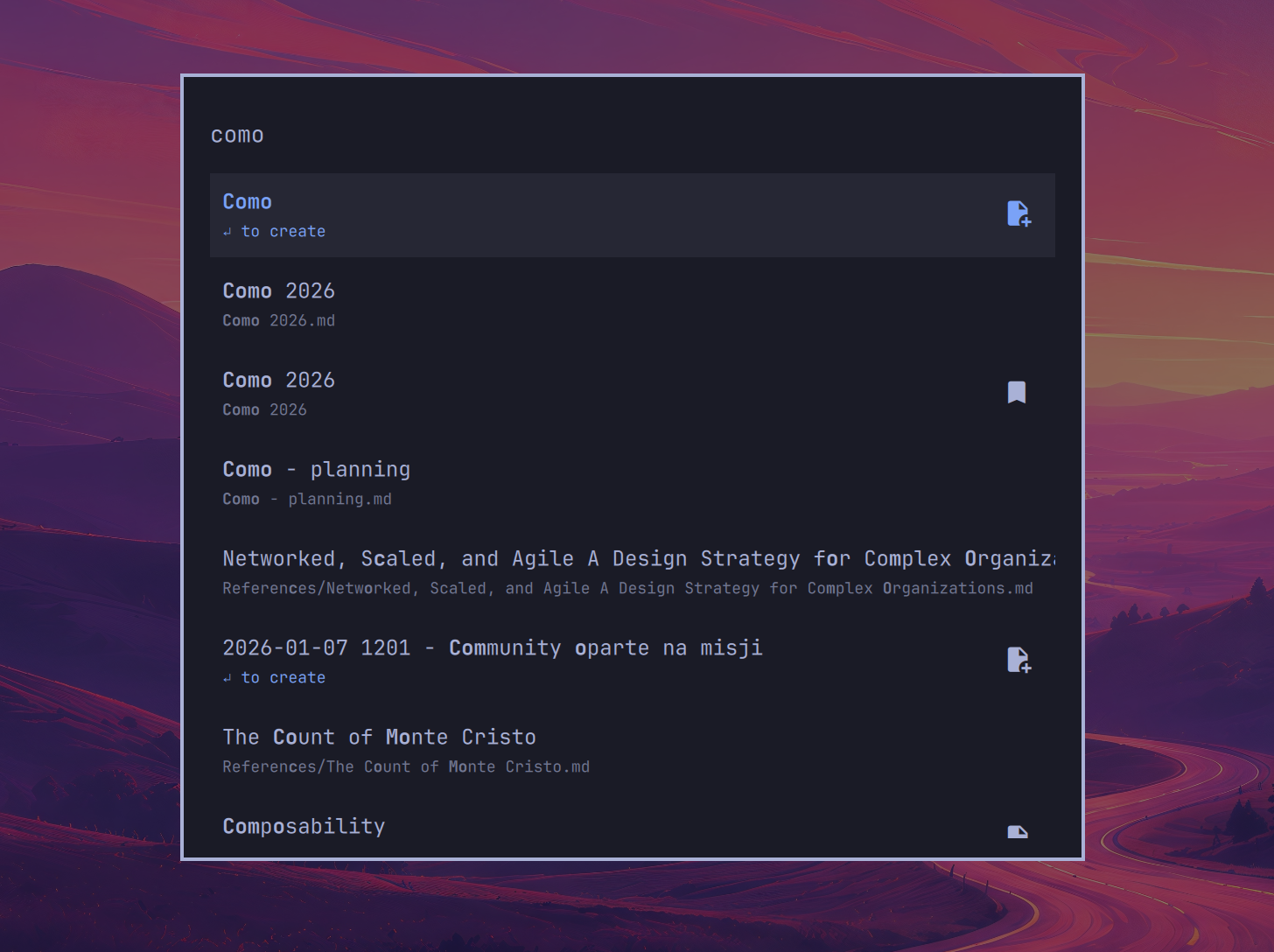
Obsidian Quick Switcher for Omarchy

Requirements

  • Omarchy Quattro or newer
  • Obsidian with its CLI enabled
  • fzf

Install

omarchy plugin add https://github.com/mateuszkowalczyk/omarchy-obsidian-quick-switcher --enable

Enable the Obsidian CLI

The switcher uses the CLI to find and open files in your vault.

In Obsidian, go to Settings → General → Advanced and turn on Command line interface.

When Obsidian asks you to "Set up CLI to work in the terminal," select Skip. Omarchy's default Obsidian installation uses the Electron version, so this setup isn't supported or needed.

Binding

Add this to ~/.config/hypr/bindings.lua:

hl.unbind("SUPER + SHIFT + O")
o.bind(
  "SUPER + SHIFT + O",
  "Obsidian quick switcher",
  "omarchy-shell shell toggle mateuszkowalczyk.obsidian-quick-switcher '{}'"
)

The switcher launches Obsidian automatically if it is not already running.

Keys

Key Action
Type Fuzzy-search file names, paths, aliases, bookmarks, and unresolved links
↑ / ↓ or Ctrl + P / N Move through results
Page Up / Page Down Move by a page
Enter Open the selected file
Shift + Enter Create and open a new note using the query
Esc Clear the query, then close the panel

Remove

omarchy plugin remove mateuszkowalczyk.obsidian-quick-switcher

License

MIT