
Mirador 
An external Omarchy Shell plugin that presents a fullscreen overview of workspaces and their windows. It supports keyboard navigation, window activation, spatial previews that reflect each window's compositor geometry, and dragging windows between workspaces.
https://github.com/user-attachments/assets/09c0177a-f018-4ca7-8e4c-a7e059a66d4f
overview and focused modes, keyboard and wheel navigation, drag-to-create, scratchpad activation, workspace creation, and carousel window selection, moves, closing, and jiggle physics. Captions show the bindings alongside each action; the carousel demonstration starts with five populated workspaces.
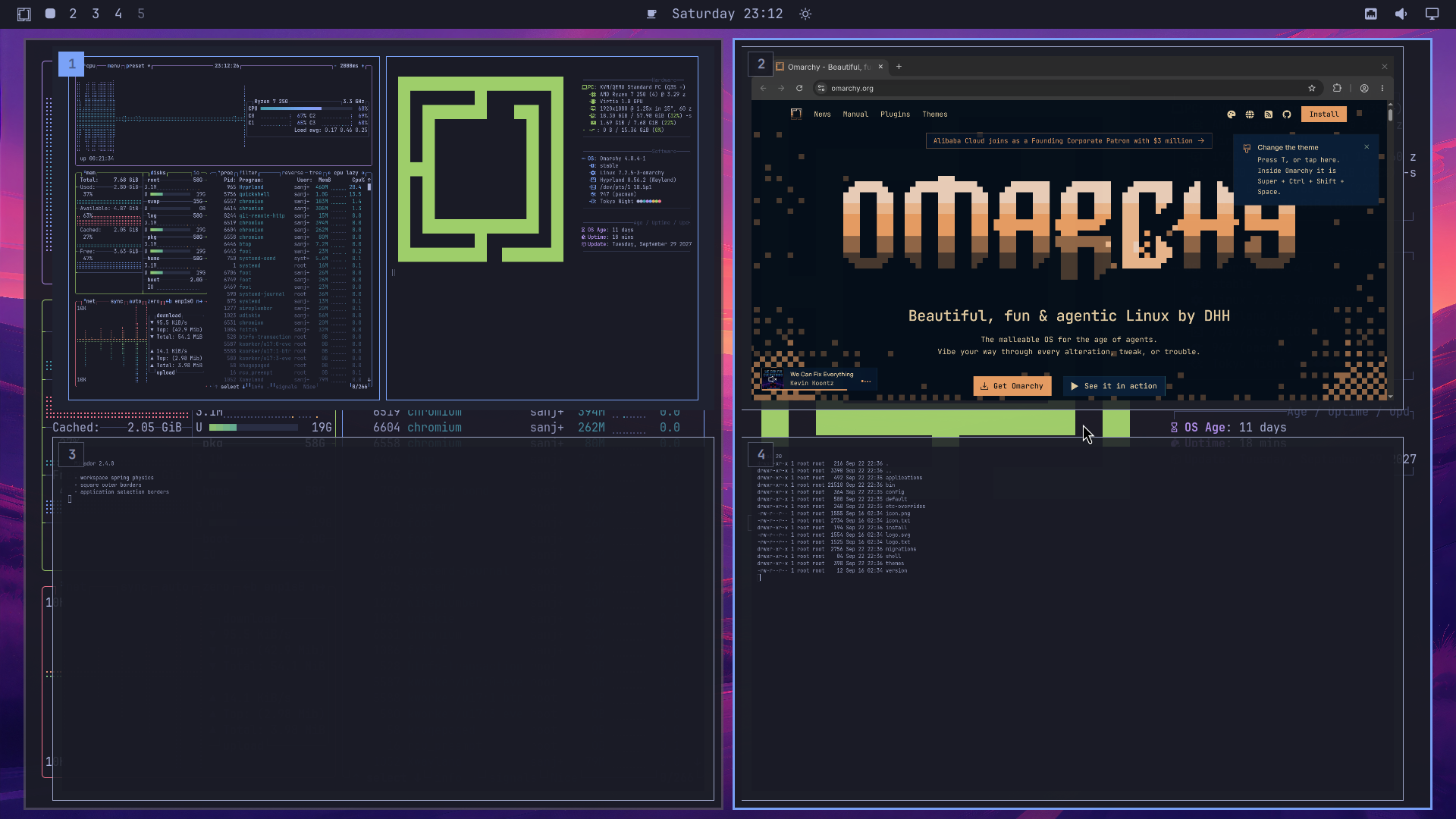
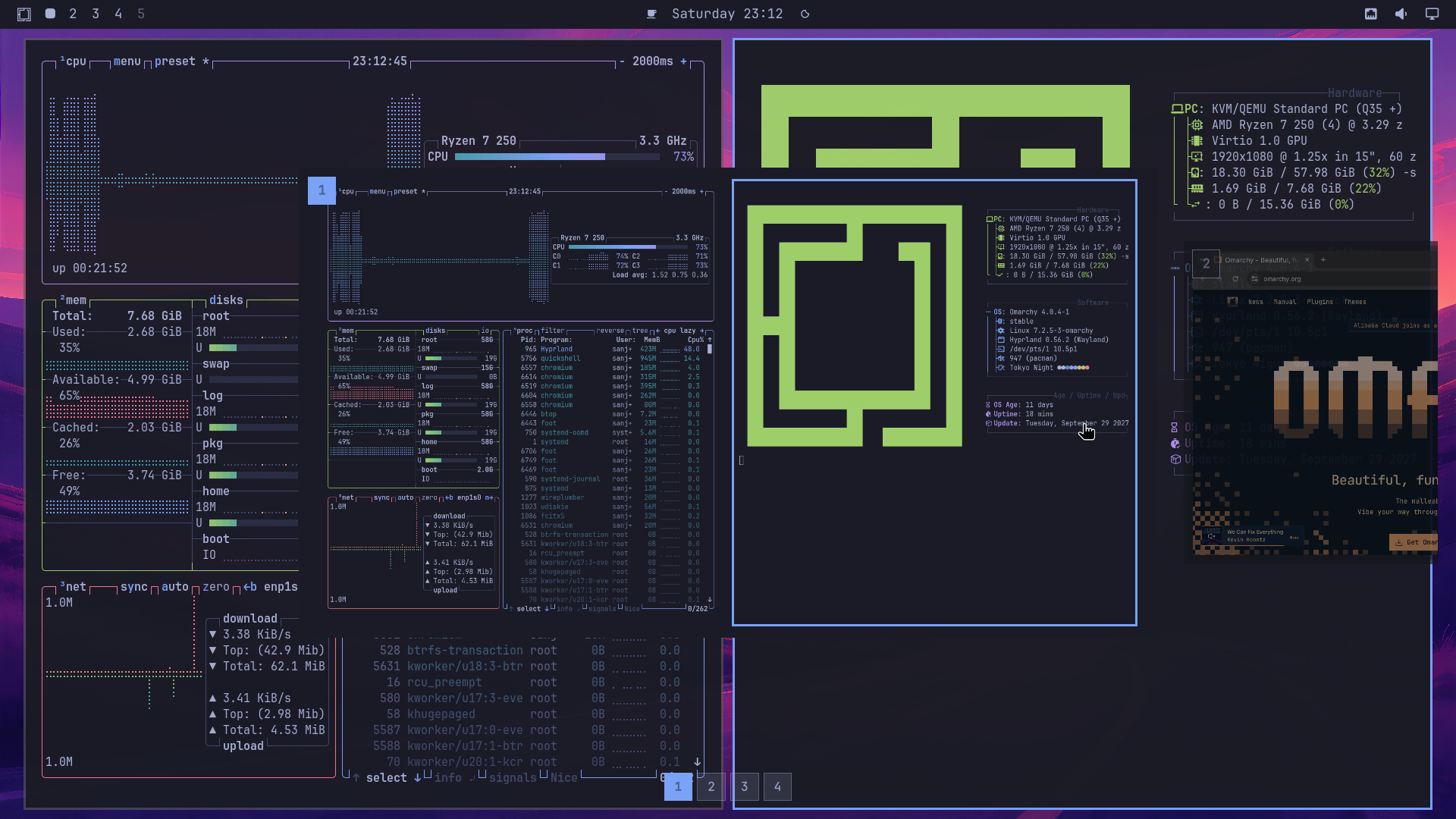
Install
Install through Omarchy:
omarchy plugin add https://github.com/sanjyay/Mirador.git
Add the keyboard bindings
-- Super+Tab — carousel cycle
hl.unbind("SUPER + TAB")
hl.unbind("SUPER + SHIFT + TAB")

o.bind("SUPER + TAB", "Workspace carousel next", "mirador --cycle-next")
o.bind("SUPER + SHIFT + TAB", "Workspace carousel prev", "mirador --cycle-prev")

-- Alt+Tab — full overview cycle (release Alt to select)
hl.unbind("ALT + TAB")
hl.unbind("ALT + SHIFT + TAB")
o.bind("ALT + TAB", "Workspace overview next",
  [[omarchy-shell shell summon mirador '{"step":1,"modifier":"alt","cycleUI":"full","keybindMode":"cycle"}']])
o.bind("ALT + SHIFT + TAB", "Workspace overview prev",
  [[omarchy-shell shell summon mirador '{"step":-1,"modifier":"alt","cycleUI":"full","keybindMode":"cycle"}']])

-- Required for closing the highlighted window while Mirador owns exclusive
-- keyboard focus. Outside Mirador this retains the normal close behavior.
hl.unbind("SUPER + W")
o.bind("SUPER + W", "Close window", "mirador --close-window")

-- Inside the carousel these select a window by its rendered position.
-- Outside Mirador they retain Hyprland's normal directional focus behavior.
hl.unbind("SUPER + LEFT")
hl.unbind("SUPER + RIGHT")
hl.unbind("SUPER + UP")
hl.unbind("SUPER + DOWN")
o.bind("SUPER + LEFT", "Focus left window", "mirador --window-left")
o.bind("SUPER + RIGHT", "Focus right window", "mirador --window-right")
o.bind("SUPER + UP", "Focus upper window", "mirador --window-up")
o.bind("SUPER + DOWN", "Focus lower window", "mirador --window-down")

-- Navigate to workspaces 1-10, or move the highlighted carousel window.
-- Outside Mirador, switch workspaces or move the active window and follow it.
for workspace = 1, 10 do
  local key = workspace == 10 and "0" or tostring(workspace)
  local keycode = "code:" .. tostring(workspace + 9)
  hl.unbind("SUPER + " .. key)
  hl.unbind("SUPER + " .. keycode)
  hl.unbind("SUPER + SHIFT + " .. key)
  hl.unbind("SUPER + SHIFT + " .. keycode)
  o.bind("SUPER + " .. keycode, "Navigate Mirador to workspace " .. workspace,
    "mirador --workspace " .. workspace)
  o.bind("SUPER + SHIFT + " .. keycode, "Move selected Mirador window to workspace " .. workspace,
    "mirador --move-window-to-workspace " .. workspace)
end

-- Shift+Tab — full overview
hl.unbind("SHIFT + TAB")
o.bind("SHIFT + TAB", "Workspace full overview", "mirador --full")
The numeric bindings are required for reliable carousel selection and addressed
window movement: Hyprland can consume its native shortcuts before Mirador sees
them. Keycodes 10–19 match Omarchy's number-row bindings; 0 selects workspace 10.
Add this block only once. Do not also load mirador.bindings.lua, which defines
the same close, arrow, and numeric bindings.
Reload Hyprland and confirm that the configuration is valid:
hyprctl reload
hyprctl configerrors
Optional background blur
Current Omarchy installations may have Hyprland's global blur engine disabled.
To enable Mirador blur, add the following to a user-owned Hyprland Lua config,
such as ~/.config/hypr/looknfeel.lua:
hl.config({
  decoration = {
    blur = {
      enabled = true,
    },
  },
})

hl.layer_rule({
  name = "mirador-blur",
  match = { namespace = "^omarchy-workspace-overview$" },
  blur = true,
})
Mirador does not modify Hyprland configuration automatically. Do not add this override to vendor-managed Omarchy files. Enabling the global blur engine makes Hyprland's blur functionality available system-wide, while the anchored layer rule matches only Mirador. Apply and validate the user override with:
hyprctl reload
hyprctl configerrors
Uninstall
To remove Mirador through Omarchy:
omarchy plugin remove mirador
[!WARNING]
Remove Mirador keybindings from
~/.config/hypr/bindings.luaDuring setup, you added custom keybindings to
~/.config/hypr/bindings.luathat explicitly unbindSUPER + TAB(hl.unbind("SUPER + TAB")) and route it to Mirador.
omarchy plugin removeremoves the plugin files, but it does not modify your custom configuration files. Unless you remove or comment out the Mirador bindings in~/.config/hypr/bindings.lua,SUPER + TABwill remain unbound and you will not be able to useSUPER + TABlike how vanilla Omarchy has it.To restore vanilla Omarchy behavior:
- Open
~/.config/hypr/bindings.luaand remove the Mirador configuration block (including theSUPER + TAB,ALT + TAB,SUPER + W,SUPER + Arrow, numeric workspace, andSHIFT + TABbindings).- If you added touchpad gestures to
~/.config/hypr/input.luaor blur rules to~/.config/hypr/looknfeel.lua, remove those entries as well.- Reload Hyprland to restore default bindings:
hyprctl reload
hyprctl configerrors
What's new
Version 2.4.0
- Workspace motion (experimental): neighbouring workspace cards respond with a vertical spring bounce when windows open, close, or move between workspaces. The affected workspace stays steady and previews remain live.
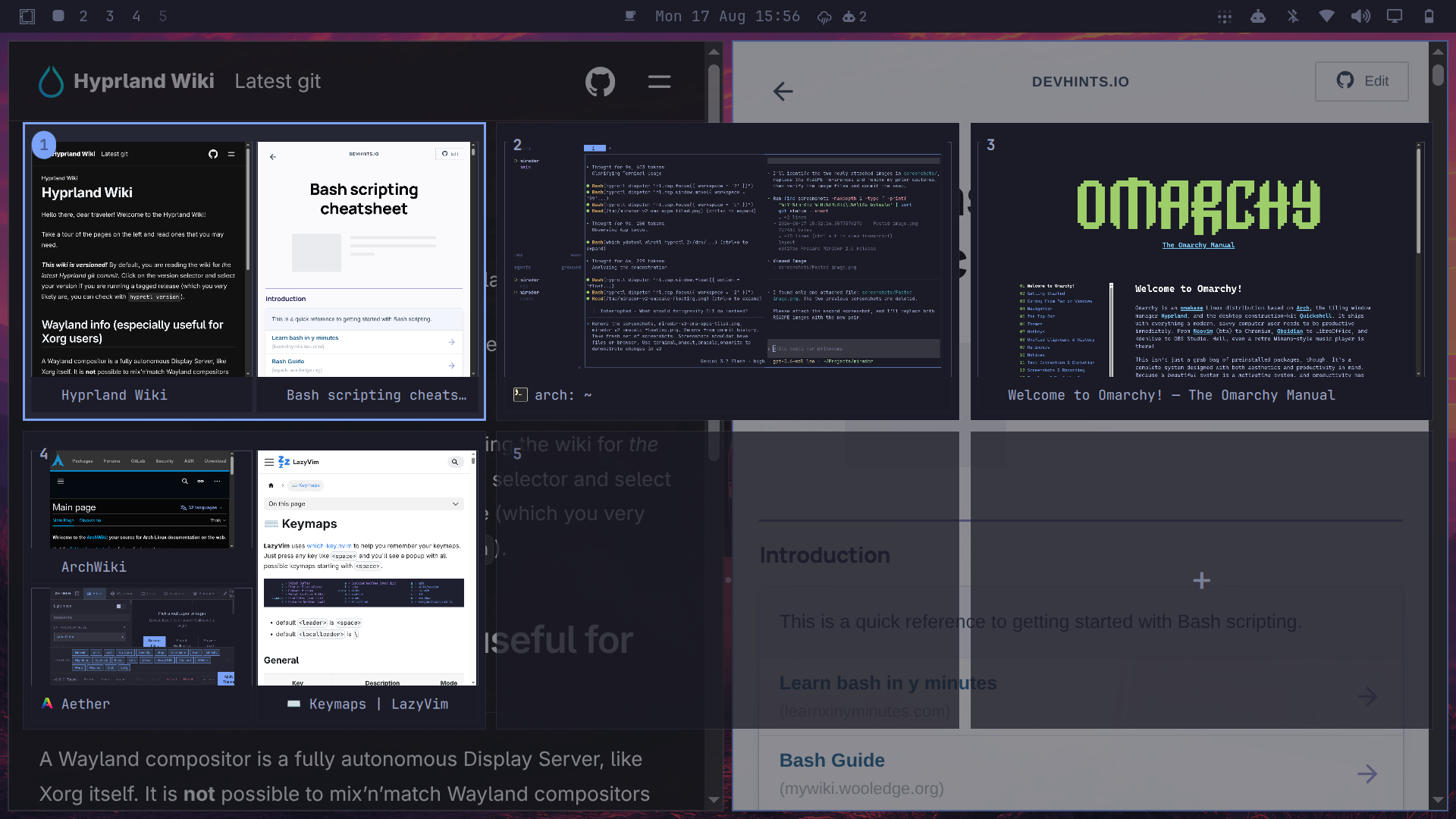
- Clearer preview borders: square workspace outlines in the overview and carousel; workspaces containing multiple windows outline individual application previews instead of adding an outer workspace border.
- Focused mode restored: Space reliably toggles the focused overview again.
- Named workspace fixes: closing a window during cycling restores the originating named workspace, and workspace names containing quotes or backslashes are escaped correctly in compositor commands.
- Plain-text compact titles: window titles in the compact switcher display literally, including text that resembles HTML.
- Regression coverage: workspace tests exercise the production algorithms directly, alongside coverage for motion, borders, and title rendering.
Features & Fixes
-
Named & Per-Monitor Workspace Support:
- Hyprland named workspaces (e.g.
DP-1:1,Web,code) are properly recognized and handled as standard desktop workspaces rather than misclassified as scratchpads due to negative IDs. - Custom badges display their alphanumeric name (or formatted numeric representation) instead of a generic
"S"badge. - Full navigation and interaction support: direct name matching, numeric suffix matching (e.g. key
1navigates toDP-1:1), window drag-and-drop targeting, and propername:<name>dispatching.
- Hyprland named workspaces (e.g.
-
Scratchpad & Special Workspace Cycle Wraparound:
- Scratchpad and special workspaces are now first-class destinations in cycle mode (
Super + TabandSuper + Shift + Tab). - Continuous forward cycle (
1 → 2 → ... → Scratchpad → 1) and symmetrical reverse cycle (1 → Scratchpad → ... → 1). - Full multi-special workspace support with exact canonical name matching for initial card selection.
- Live synchronization with compositor socket events (
liveSpecialWorkspaceName) to prevent stale monitor snapshots or active toplevel pointers from overriding state.
- Scratchpad and special workspaces are now first-class destinations in cycle mode (
-
Rapid Modifier-Release Switching:
- Resolved a race condition during rapid
Super + Tabtaps where modifier release occurred before or during initial window creation. - Cycle mode now commits and switches workspaces deterministically even on instant taps (0ms modifier hold) as well as sustained held cycling.
- Resolved a race condition during rapid
-
Per-Card Monitor Aspect Ratio Sizing:
- In multi-monitor setups with mixed aspect ratios (ultrawide, 16:9, portrait), each workspace card in the grid is rendered using its respective monitor's true aspect ratio rather than forcing the focused monitor's aspect ratio across all cards.
-
CI & Documentation:
- Added automated CI validation workflow with GitHub Actions running QML tests and plugin validation.
- Added uninstallation instructions and keybinding cleanup warnings.
Key Changes in Version 2.3
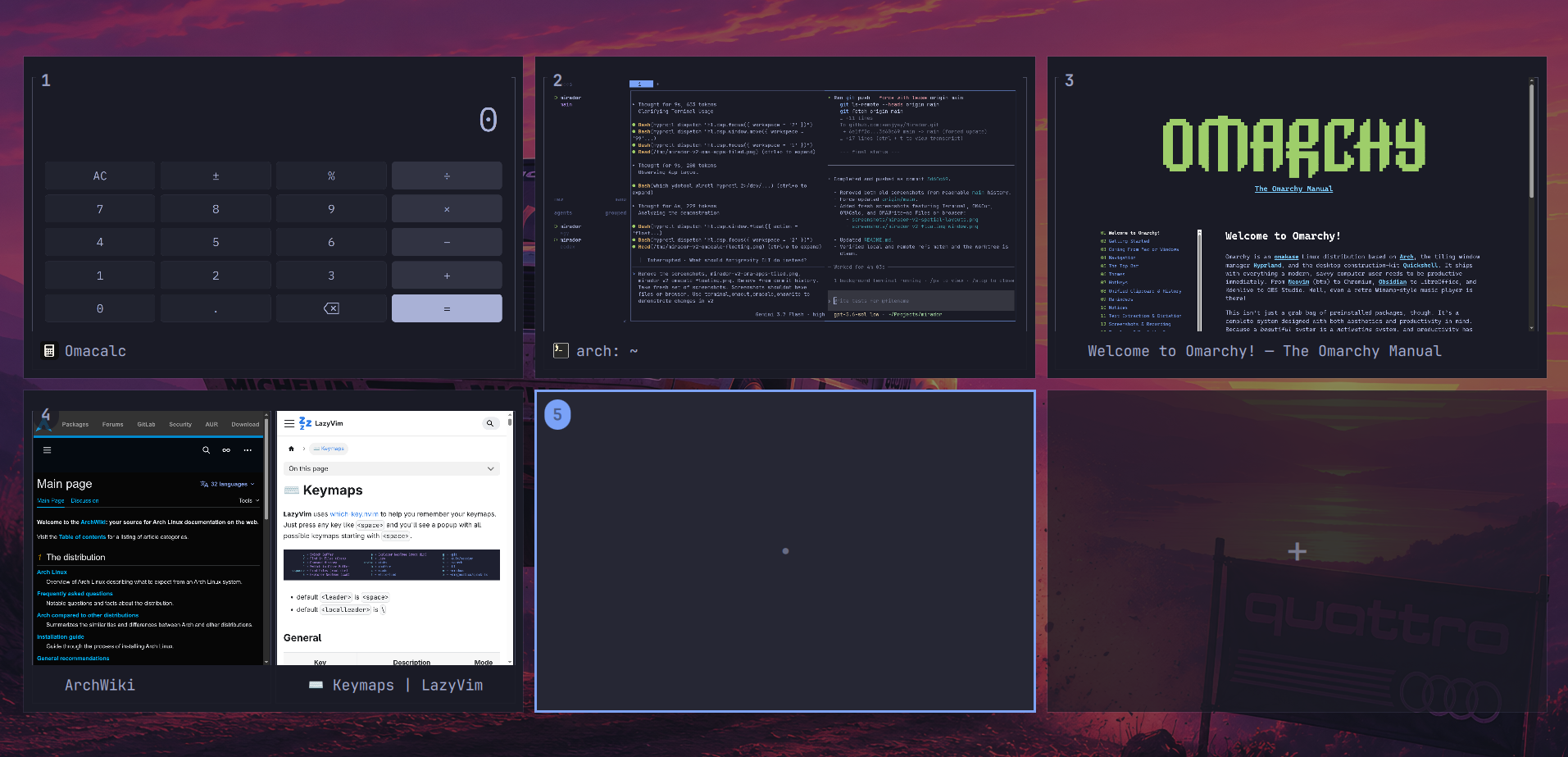
Fullscreen Workspace Overview
Spatial Window Previews
Launching the overview
The overview can be opened with Shift+Tab or a three-finger swipe up on the
touchpad. A three-finger swipe down closes it. Pressing Space or performing a
two-finger pinch on the touchpad toggles between Normal and Focused overview modes.
Add the keyboard binding to ~/.config/hypr/bindings.lua:
o.bind(
  "SHIFT + TAB",
  "Workspace overview",
  "omarchy-shell shell toggle mirador '{}'"
)
Carousel and full overview bindings
Use the complete installation binding block above for Super+Tab, Alt+Tab, window selection/closing, and numeric workspace actions. Do not add a second copy here.
Changing the keyboard binding
Edit the key combination in the first argument of o.bind in
~/.config/hypr/bindings.lua. For example, to use Super+Tab instead:
o.bind(
  "SUPER + TAB",
  "Workspace overview",
  "omarchy-shell shell toggle mirador '{}'"
)
If the replacement shortcut already has an Omarchy binding, unbind it first.
Super+Tab, for example, normally switches to the next workspace:
hl.unbind("SUPER + TAB")
o.bind(
  "SUPER + TAB",
  "Workspace overview",
  "omarchy-shell shell toggle mirador '{}'"
)
To inspect existing shortcuts before choosing one, run:
omarchy menu keybindings --print
Add the touchpad gestures to ~/.config/hypr/input.lua:
hl.gesture({
  fingers = 3,
  direction = "up",
  action = function()
    hl.dispatch(hl.dsp.exec_cmd("omarchy-shell shell summon mirador '{\"cycleUI\":\"full\",\"keybindMode\":\"normal\"}'"))
  end,
})

hl.gesture({
  fingers = 3,
  direction = "down",
  action = function()
    hl.dispatch(hl.dsp.exec_cmd("omarchy-shell shell hide mirador"))
  end,
})
Hyprland reloads these files automatically. You can also apply and validate the configuration manually:
hyprctl reload
hyprctl configerrors
Keyboard navigation and controls
| Key / Action | Description |
|---|---|
Tab / Shift+Tab |
Step forward / backward in carousel cycle mode (hold Super, release to commit) |
Super+Arrow keys |
In carousel mode, move the highlighted window within the selected workspace; otherwise use normal Hyprland directional focus |
Super+1…9 (0 for 10) |
Navigate the carousel directly; otherwise switch to that desktop workspace normally |
Super+Shift+1…9 (0 for 10) |
Move the highlighted carousel window to that workspace; otherwise move the active desktop window and follow it |
Left / h, Right / l |
Continuous global cycling across workspaces in visual reading order (wraps around) |
Up / k, Down / j |
Move selection between visual rows to closest card by center, wrapping top/bottom |
Space |
Toggle between Normal and Focused overview modes (or 2-finger pinch) |
Enter / Return |
Activate the selected workspace (or scratchpad) and dismiss Mirador |
Mouse Wheel |
Endless visual cycle in Normal mode; spatial row move / rail scroll in Focused mode |
+ / = |
Create next contextual workspace |
Escape |
Dismiss Mirador (cancels cycle without activation) |
Click workspace card |
Switch to workspace (in Focused mode, clicking a rail card promotes it to primary) |
Click window preview |
Focus window and dismiss overview |
Drag window preview |
Move window to target workspace, scratchpad, or drop onto insertion card |
License
Mirador is available under the MIT License.