
Omarchy Voyager Disco
Change the color of your ZSA keyboard from Omarchy's bar!
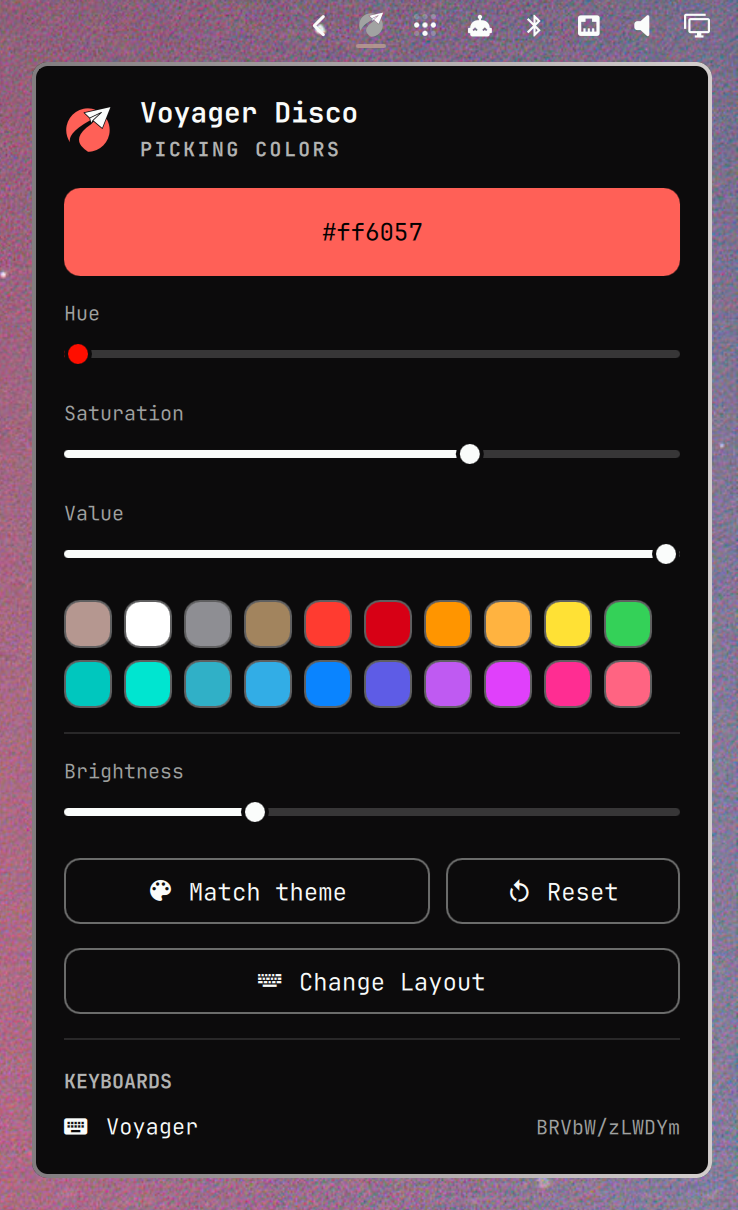
Demo
https://github.com/user-attachments/assets/8a480bcd-bb1f-426d-b203-ebd345176fcb
https://github.com/user-attachments/assets/3086eb4b-86ee-45a4-be59-7a1ae2f85087
Requirements
- Omarchy 4 with
omarchy-shell(bar widgets / Quickshell) voyager-discoon yourPATH(yay -S voyager-discoon Arch)
Installation
omarchy plugin add https://github.com/monorkin/omarchy-voyager-disco.git --enable
Without --enable the plugin lands disabled so you can review the code first; turn it on with omarchy plugin enable monorkin.voyager-disco or from Setup › Plugins. Enabling places the widget in the bar's right section — move it with:
omarchy bar move monorkin.voyager-disco --section right --index 0
Removal
omarchy plugin remove monorkin.voyager-disco
The widget keeps its state in ~/.local/state/voyager-disco/widget.json; delete that file if you want a fully clean removal. The voyager-disco CLI is a separate package and stays installed until you remove it yourself (yay -R voyager-disco on Arch).
Settings
| Key | Type | Default | Description |
|---|---|---|---|
device |
string | "" |
Comma-separated keyboard serials to target (empty = all) |
omarchy bar set monorkin.voyager-disco device ABC123
IPC
The widget registers a monorkin.voyager-disco IPC target:
omarchy-shell monorkin.voyager-disco toggle
omarchy-shell monorkin.voyager-disco setColor ff00aa
omarchy-shell monorkin.voyager-disco matchTheme
omarchy-shell monorkin.voyager-disco reset
License
MIT - see LICENSE for details.