
Multi-Monitor Workspaces
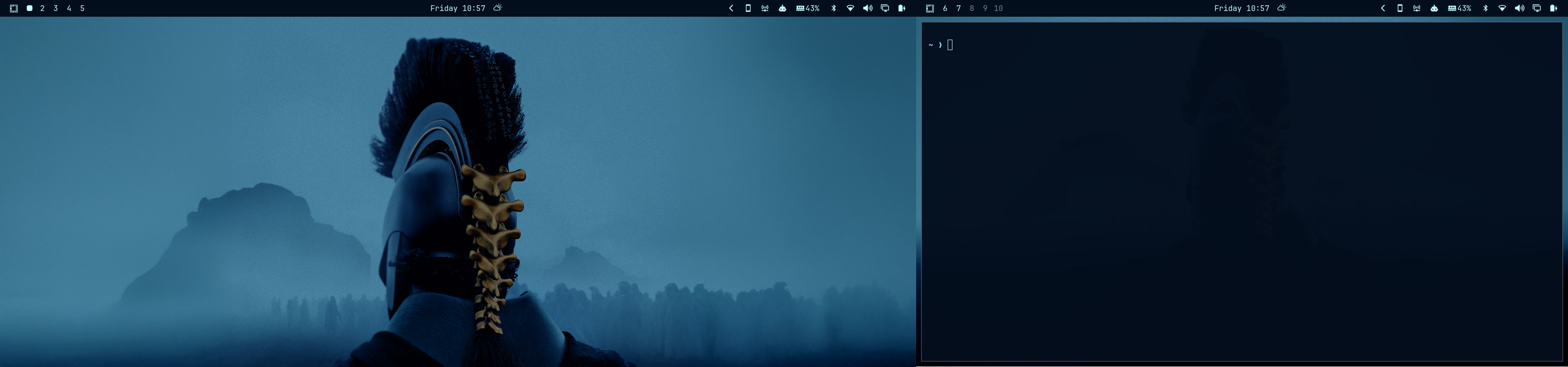
An Omarchy bar widget that assigns workspace indicators across displays:
- External displays: workspaces 1–5
- Built-in laptop display: workspaces 6–10 when an external display is connected
- Single-display setup: workspaces 1–5
The widget shows an occupied or focused state and lets you focus a workspace by clicking its indicator.
Requirements
- Omarchy with the Quattro shell
- Hyprland
The widget recognizes common built-in-display connector families (eDP, LVDS, and DSI) and does not depend on a particular connector suffix such as eDP-1.
Install
Install and enable using Omarchy's plugin command:
omarchy plugin add https://github.com/DillanMateusHkl/multi-monitor-workspaces.git --enable
After installation, enable Multi-Monitor Workspaces in the bar widget settings if it is not already visible.
Validate
omarchy plugin validate .
qmllint -I "$OMARCHY_PATH/shell" Workspaces.qml
Behavior
With an external display connected, external displays use workspaces 1–5 and the built-in laptop display uses workspaces 6–10. With one display, the widget shows workspaces 1–5.