
omaborg
Omarchy bar widget for Vorta / Borg.
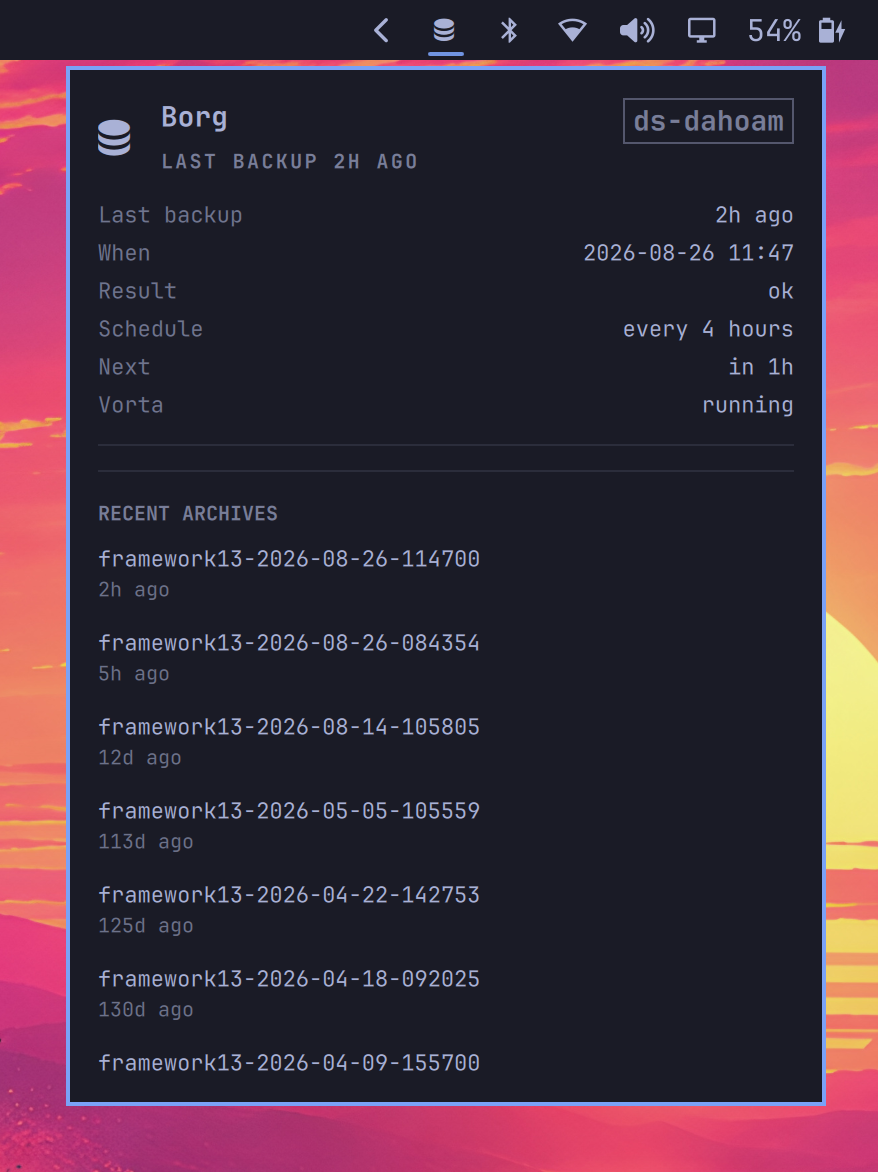
Shows last-backup freshness on the bar and lists recent archives in a panel.
Left click opens basic stats; right click opens the full view with archive
history and a one-click Backup now button. Status is read from Vorta's
local SQLite database and /proc. The widget never SSHs to a backup
server and never reads Borg passphrases or SSH keys.
Install
omarchy plugin add https://github.com/<you>/omaborg.git --enable
Place it on the bar if needed:
omarchy plugin enable oma.borg --section right
Requirements
- Omarchy (Quickshell bar)
vortaandborgonPATH- A Vorta profile already configured
If you have more than one Vorta profile, set Vorta profile name in the
widget settings (or in ~/.config/omarchy/shell.json on the bar entry).
Leave it empty to use the first profile.
The widget greys the Backup now button out and dims the bar icon while the repository host is not answering, so a missing backup does not look like a failure. Nothing to configure: it probes the host from the repository URL that Vorta already stores.
To stop Vorta from even starting a backup it cannot finish, point the
pre-backup command at scripts/vorta-require-repo:
# In Vorta -> profile -> pre-backup command:
~/.local/bin/vorta-require-repo my-nas.example.lan 6666
Both ask the same question - can the repository be reached - so a backup over a VPN tunnel works exactly like one on the home LAN. An earlier version compared the Wi-Fi SSID instead, which asked about location: it blocked backups over a tunnel, and it could not tell apart two places that broadcast the same network name.
When the host is unreachable, scheduled and manual backups are skipped with a
message instead of failing halfway through. The bar stays quiet (not red)
while homeSsid says you are away.
Bar colors
| Appearance | Meaning |
|---|---|
| Normal | Last backup within 24 hours |
| Dim | Older than 24 hours |
| Red with ! | Last backup failed, overdue (> 48 hours), or no backup yet |
| Pulse | A backup is running |
When the icon is red, right-click for the full panel with a short what to do list (usually: get on the home network, then Backup now).
Thresholds are widget settings (staleAfterHours, failedAfterHours).
Clicks and keys
Bar:
- Left click: open basic stats (no archives)
- Right click: open full view with archive history
- Middle click: no action
Panel:
b: backup now- Esc: close
What this repo does not contain
This project is meant to be public. It must not include:
- SSH private keys,
authorized_keys, orknown_hosts - Borg passphrases or key files
- Vorta
settings.db(passwords, repo URLs) - Hostnames, IPs, ports, or remote repo paths
Runtime status (profile name, last archive names) is read on your machine from Vorta. It is not stored in this repository.
Remove
omarchy plugin remove oma.borg
Development
Repo root is the plugin folder (manifest.json at the top level), which
is what omarchy plugin add expects.
omarchy plugin validate .
To run a local checkout on Omarchy without publishing:
rsync -a --delete --exclude .git --exclude .gitignore \
  ./ ~/.config/omarchy/plugins/oma.borg/
omarchy-shell shell rescanPlugins