
Omabreathe
A resonance breathing session overlay for Omarchy.
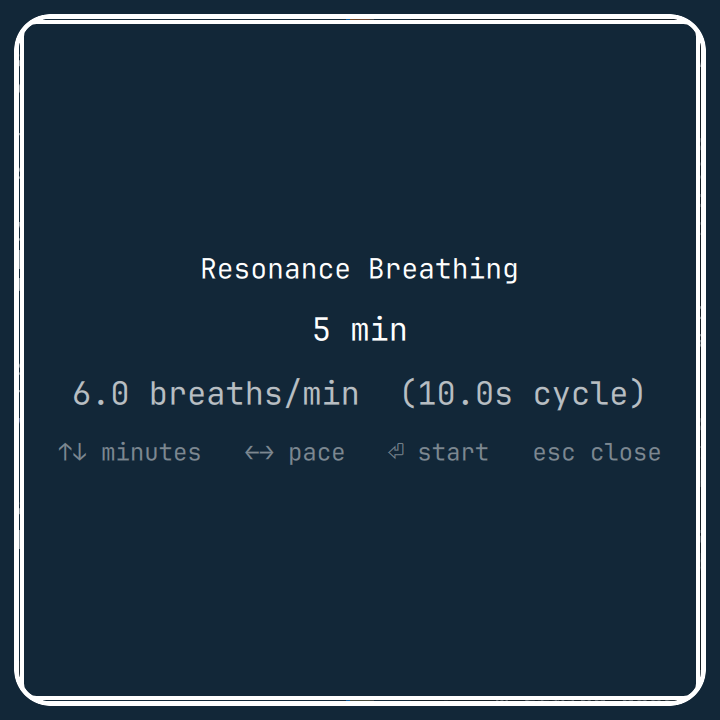
Click the bar icon to open a setup card, choose session length and pace, then follow a growing and shrinking ring with inhale / exhale audio cues.
Install
omarchy plugin add https://github.com/matiacone/omarchy-breathe.git --enable --yes
The bar widget lands in the center section by default. Move it if you want:
omarchy bar move omabreathe --section center --before omarchy.indicators
Use
Click the lotus icon in the bar, or toggle the overlay from a terminal or keybinding:
omarchy-shell shell toggle omabreathe '{}'
On the setup screen:
| Key | Action |
|---|---|
↑ / ↓ |
Session length in minutes |
← / → |
Pace in breaths per minute |
Enter |
Start the session |
Esc |
Close |
During a session, Esc returns to setup. When the session finishes, Enter starts another or Esc closes.
Default pace is 6 breaths per minute (a 10-second cycle: 5 seconds in, 5 seconds out).
Dependencies
- Omarchy Quattro /
omarchy-shell pw-playfrom PipeWire, used for the inhale, exhale, and session-complete cues. Omarchy installs this by default.
Update
omarchy plugin update omabreathe
Uninstall
omarchy plugin remove omabreathe
This removes the plugin checkout from ~/.config/omarchy/plugins/omabreathe/ and disables the overlay and bar widget. It does not change other Omarchy settings.
License
MIT