
Omarchy Overview Plugin
A Hyprland workspace overview plugin with live window previews, seamless theme integration, and app icon resolution for Omarchy Shell.
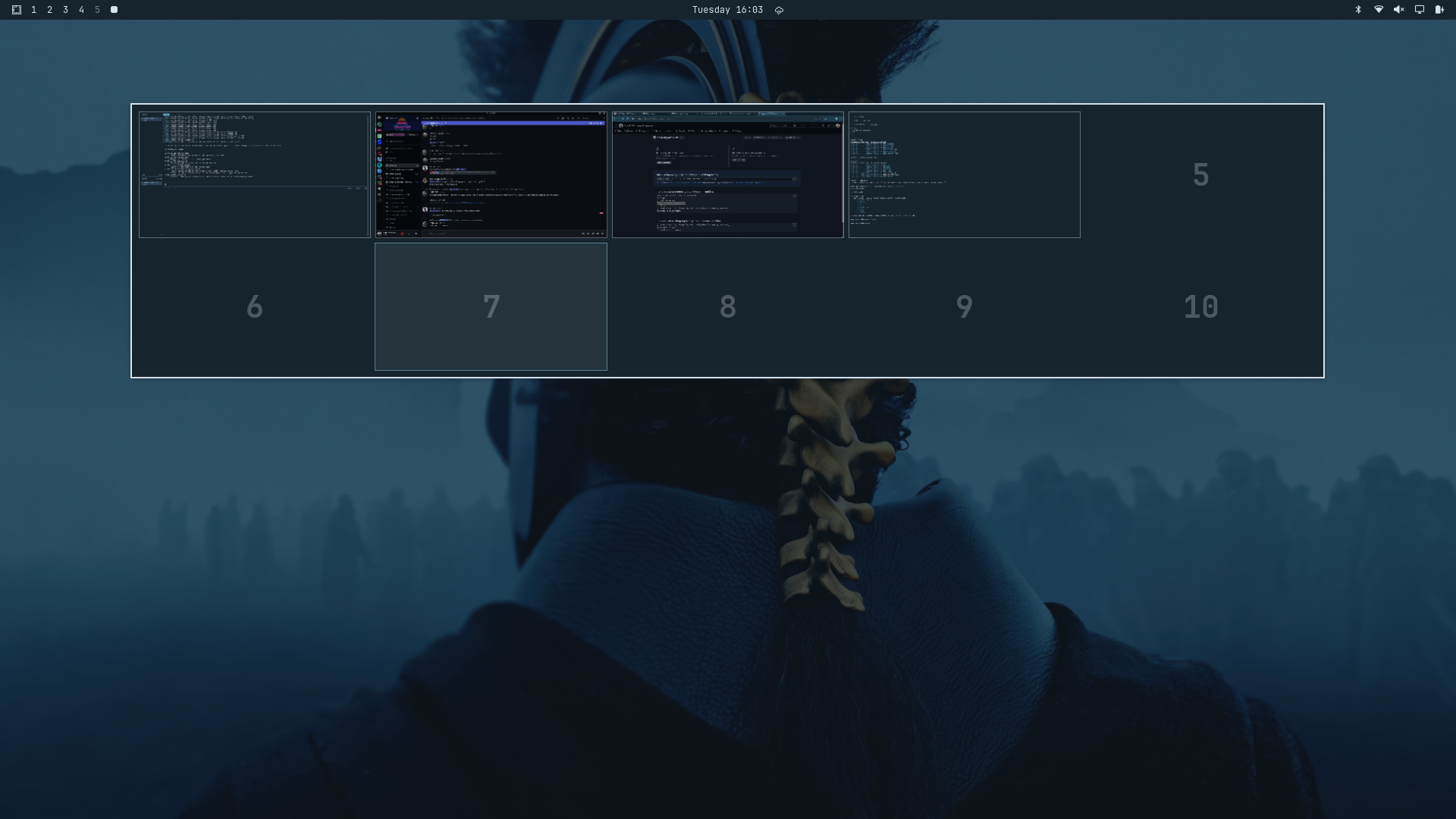
💡 Credits & Attribution: This plugin is adapted from and made compatible with Omarchy based on Shanu-Kumawat/quickshell-overview.
Installation
Via omarchy plugin (Recommended)
Install directly from GitHub using the Omarchy plugin CLI:
omarchy plugin add https://github.com/AyushKr2003/omarchy-overview.git
Manual Installation
Clone or copy this folder directly into your Omarchy plugins directory:
mkdir -p ~/.config/omarchy/plugins/omarchy-overview
cp -r . ~/.config/omarchy/plugins/omarchy-overview/
Then rescan and enable the plugin:
omarchy plugin rescan
omarchy plugin enable omarchy-overview
Uninstallation
Via omarchy plugin (Recommended)
Remove the plugin using the Omarchy CLI:
omarchy plugin remove omarchy-overview
Manual Uninstallation
omarchy plugin disable omarchy-overview
rm -rf ~/.config/omarchy/plugins/omarchy-overview
omarchy plugin rescan
Keybinding & Usage
Toggle via Shell IPC
omarchy-shell shell toggle omarchy-overview
Hyprland Keybinding (bindings.lua)
Add the following binding to your ~/.config/hypr/bindings.lua:
hl.unbind("SUPER + TAB")
o.bind("SUPER + TAB", "Overview", "omarchy-shell shell toggle omarchy-overview")
Configuration
Settings are read inline from ~/.config/omarchy/shell.json inside the plugins array entry:
{
  "id": "omarchy-overview",
  "rows": 2,
  "columns": 5,
  "hideEmptyRows": true,
  "showSpecialWorkspaces": false,
  "specialWorkspaceColumns": 5,
  "showIcons": true
}
Available Settings Schema
| Setting | Type | Default | Description |
|---|---|---|---|
rows |
integer |
2 |
Number of workspace grid rows. |
columns |
integer |
5 |
Number of workspace grid columns. |
hideEmptyRows |
boolean |
true |
Hides empty rows automatically. |
showSpecialWorkspaces |
boolean |
false |
Includes special scratchpad workspaces. |
specialWorkspaceColumns |
integer |
5 |
Columns count for special workspaces. |
showIcons |
boolean |
false |
Display resolution-matched app icons on window delegates. |
Features & Omarchy Integration
- Live Window Previews: Renders real-time Hyprland window thumbnails across workspaces.
- Dynamic App Icon Resolution: Resolves standard GUI apps, webapps/PWAs (Chrome/Brave/Edge), and terminal TUI apps (Yazi, Neovim, btop, ranger) matching
omarchy.menu. - Theme Integration: Follows active Omarchy shell theme tokens (
qs.Commons.Color&qs.Commons.Style). - HiDPI Scaling: Automatically scales icon rendering by
Screen.devicePixelRatiofor sharp rendering.
Credits
- Original Quickshell Overview by Shanu-Kumawat/quickshell-overview.
- Adapted for Omarchy shell plugin architecture, IPC, and icon library integration by AyushKr2003.
License
This project is licensed under the MIT License.