
Omahub
← All plugins
O

Omaprune

by oorestisime

Find forgotten Git worktrees, see what they cost, and prune them safely.

Security review

Review recommended · 2 findings

Deterministic scan — not a security guarantee

Low
Risk level
Low
Analyzed commit
c5be383
Scanned
1 month ago

Automated analysis only — not a security guarantee.

AI advisory review

No obvious issues detected

Language-model assessment · ~deepseek/deepseek-v4-flash-latest — advisory only

Low
AI risk level
Low
Recommendation
install
Model
~deepseek/deepseek-v4-flash-latest
Analyzed commit
c5be383
Reviewed
1 month ago

The plugin is a well-structured Git worktree manager with extensive safety checks (disables fsmonitor, detects filters/submodules, refuses dirty/locked/detached worktrees). The flagged escape sequences are only in test data, not in the actual code. No obfuscation, network calls, or credential access.

  • The plugin scans the home directory and temp directories, which is expected for its purpose but could be slow on large filesystems.
  • It can remove worktrees, but only after user confirmation and with multiple safety guards in place.
How this check works

This review combines the deterministic scan (the rule-based results above) with an independent look at the plugin's code by a language model. The model reads a trimmed sample of the repository's files, the manifest, and the README, then gives a plain-language risk level and a recommendation: install (no notable danger), review (look closer first), or avoid (clearly dangerous).

It runs on the same analyzed commit as the deterministic scan and is strictly advisory — it is not a security guarantee and never blocks a plugin by itself. A human moderator still reviews plugins before they are listed.

AI advisory only — automated analysis, not a security guarantee.

Install
$ omarchy plugin add https://github.com/oorestisime/omaprune --enable
Developer Tools #bar #quickshell
<h1 align="center">Omaprune</h1> <p align="center"> Find forgotten Git worktrees, see what they cost, and prune them safely from the Omarchy bar. </p> <p align="center"> <img src="preview-bar.png" alt="Omaprune in the Omarchy bar" width="244"> </p>

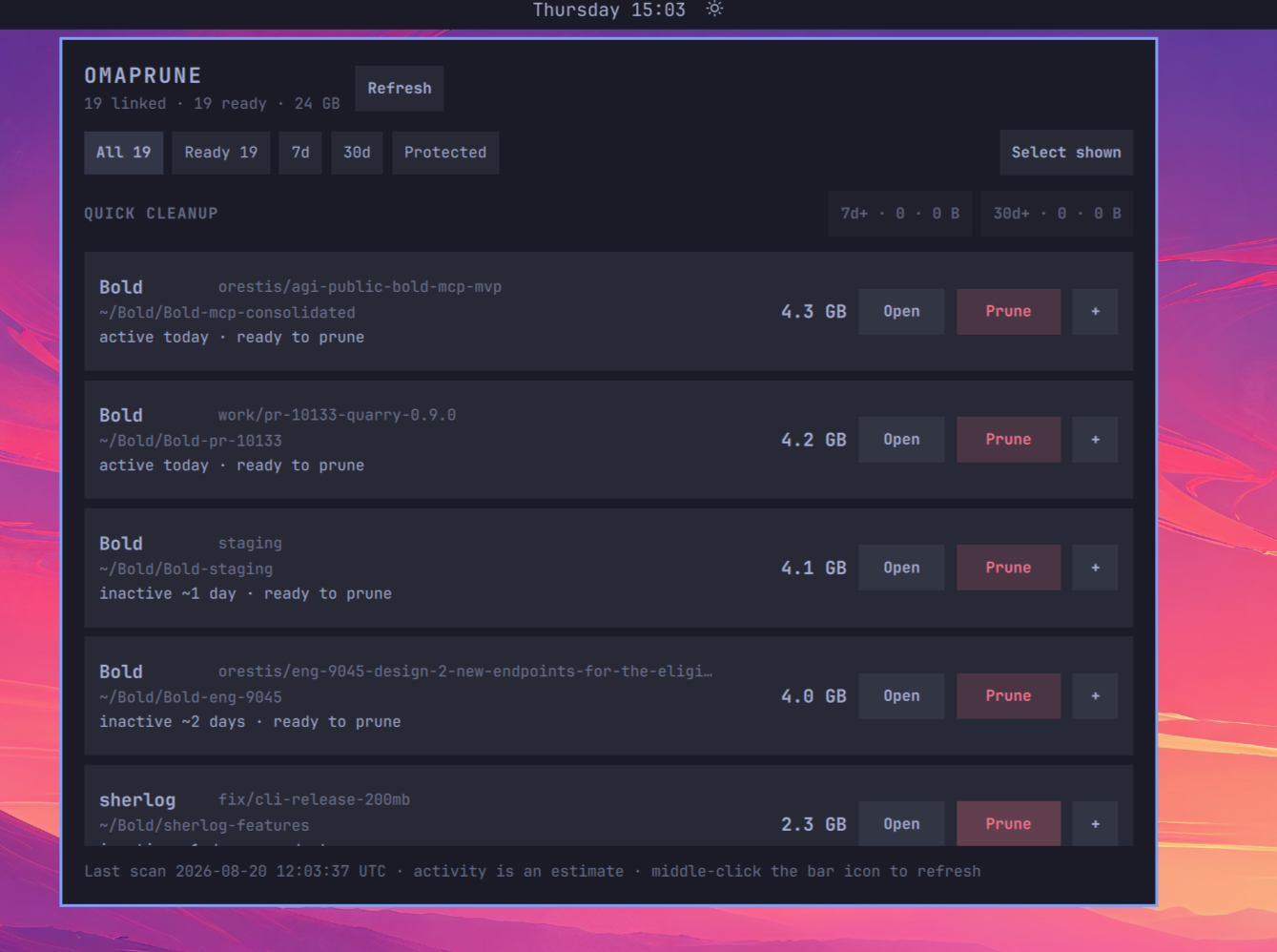
Omaprune worktree cleanup panel

Omaprune finds linked worktrees under your home and temporary directories, groups them by repository, and shows their branch, size, activity estimate, and cleanup status.

Install

omarchy plugin add https://github.com/oorestisime/omaprune.git --enable

Requires Omarchy 4, Git, and Python 3. The widget defaults to the right side of the bar.

Highlights

  • Zero setup. Scans $HOME, $TMPDIR, and /var/tmp automatically.
  • Quick cleanup. Select every safe worktree inactive for 7 or 30 days and confirm once.
  • Precise control. Filter, multi-select, prune one row, or open it in a terminal.
  • Useful context. See the branch, path, estimated age, and allocated size.
  • Native appearance. Uses the active Omarchy theme, fonts, and spacing.
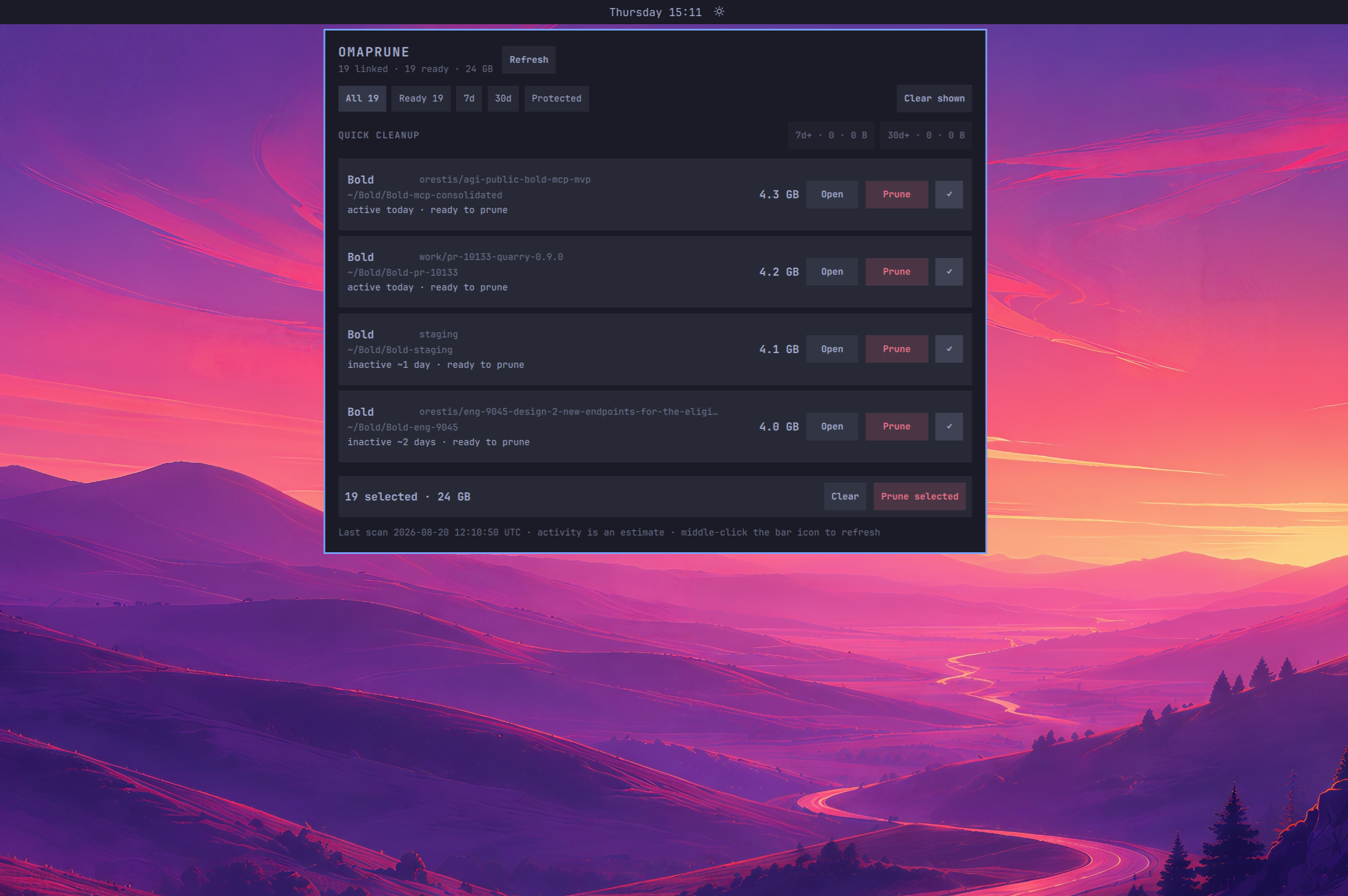
Selecting worktrees for one confirmed batch cleanup

Left-click the bar icon to open Omaprune. Middle-click it, or press Refresh, to force a fresh disk measurement.

Safety

Omaprune uses git worktree remove, never rm or --force. It rechecks every worktree immediately before removal and refuses the main worktree, dirty, locked, detached, unreadable, or mid-operation worktrees.

Automatic Git inspection disables filesystem-monitor hooks. Worktrees with executable filters in repository-local configuration or populated submodules are shown as protected. Status checks never recurse into submodules.

One important Git behavior: ignored files do not make a worktree dirty. Ignored .env files, databases, dependencies, and build outputs are deleted with the worktree, so review unfamiliar entries before confirming.

Activity and size

Activity is the newest of the HEAD commit time, Git worktree metadata, and the newest filesystem modification. It is an estimate: reads do not count, while builds and other background writes do. Background scans may reuse measurements for six hours; refresh when an age boundary matters.

Displayed sizes are estimates too. Hard links, reflinks, snapshots, compression, and shared Git objects can make the space actually freed differ.

Update or remove

omarchy plugin update oorestisime.omaprune
omarchy plugin remove oorestisime.omaprune

Development

python3 -m unittest discover -s tests -v
qmllint -I /usr/share/omarchy/shell BarWidget.qml Panel.qml
omarchy plugin validate .

Licensed under the MIT License.