
Libre WebUI for Omarchy
Libre WebUI server status, health, and launcher in the Omarchy bar — one icon, one panel.
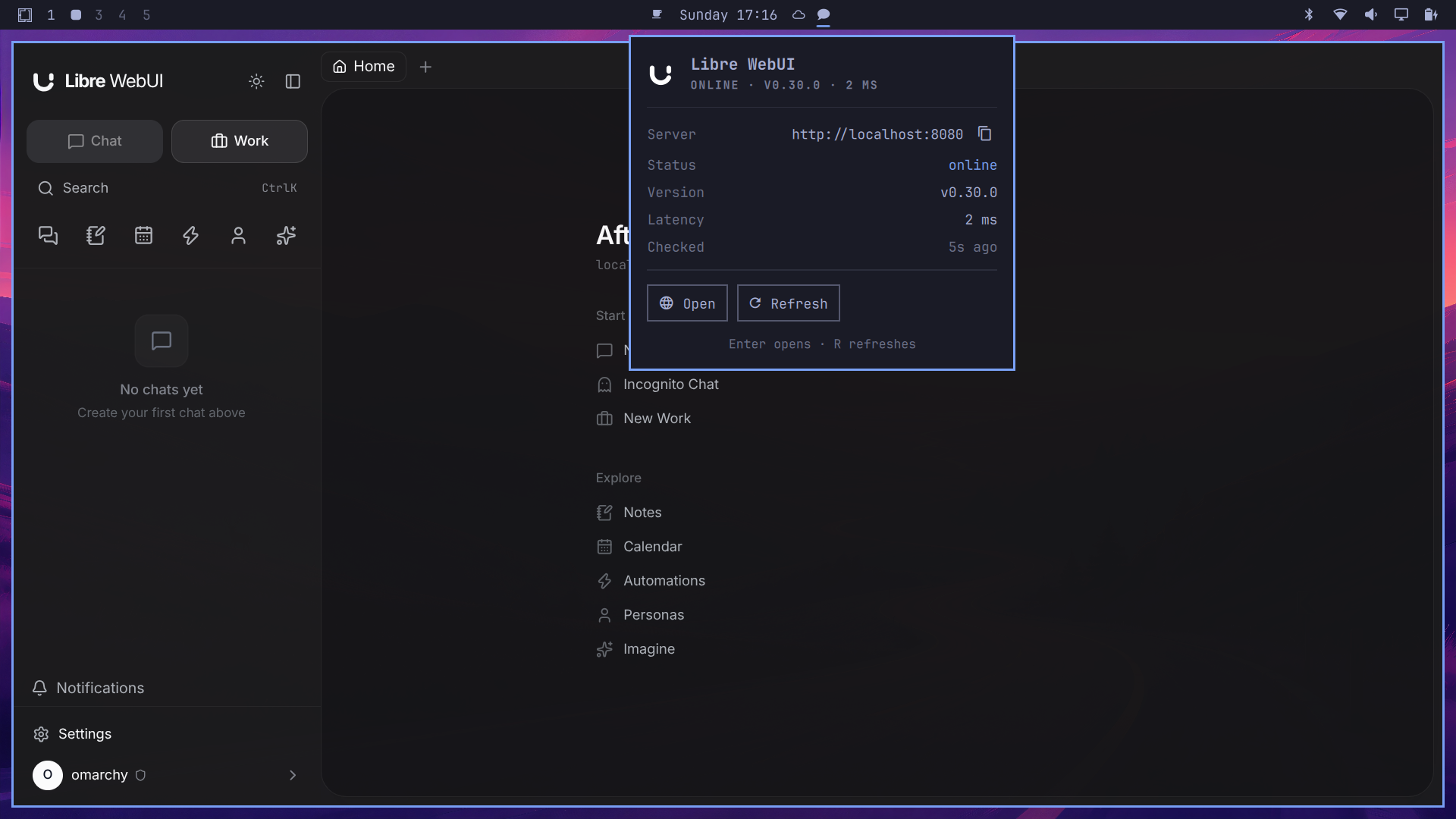
- Status at a glance — the bar icon lights up when your server goes down; the panel shows online/offline, the running version, and response latency, probed from the unauthenticated
/health/liveendpoint (no credentials stored, works against local and remote servers alike). - One-click launch — open Libre WebUI as a chromeless Chromium web-app, a dedicated Firefox window, or a regular browser tab. Right-click the bar icon to launch directly.
- Discover and switch servers — the server selector detects Libre WebUI's standard local production (
:8080) and Vite development (:5173) instances. When the selected address is a Vite development frontend—includingnpm run dev:hoston:8080—the widget retrieves the version through the frontend's configured API proxy. Select either instance directly, or choose Custom URL… for any other HTTP(S) address. The choice is saved in your Omarchy shell configuration. - Start it when it's down — configure an optional start command (
systemctl --user start libre-webui,docker start libre-webui, …) and a Start button appears whenever the server is offline, with fast re-probing until it answers. - Keyboard-first — Enter opens the app,
Rrefreshes, arrow keys and Escape behave like every other Omarchy panel.
Install
omarchy plugin add https://github.com/libre-webui/omarchy-libre-webui.git --enable
Then add the widget to your bar from the bar settings, or place it in ~/.config/omarchy/shell.json.
Don't have Libre WebUI yet? One command:
npx libre-webui@latest
and the widget's defaults (http://localhost:8080) find it immediately.
Settings
| Setting | Default | Purpose |
|---|---|---|
| Server URL | http://localhost:8080 |
Where your Libre WebUI server lives. The panel detects local :8080 and :5173 instances and accepts a custom URL on any port. |
| Refresh interval | 30 s | How often the health probe runs. |
| Open as | Web app window | Choose a chromeless Chromium web app, a dedicated Firefox window, or a tab in the system default browser. |
| Start command | (empty) | Optional command the Start button runs while the server is offline. Empty hides the button. |
Mouse and IPC
| Action | Effect |
|---|---|
| Left click | Toggle the panel |
| Right click | Launch Libre WebUI |
| Middle click | Refresh now |
U (panel open) |
Enter a custom server URL |
The widget answers shell IPC, so you can bind keys in Hyprland:
omarchy-shell shell toggle org.librewebui.companion
Extra IPC verbs: refresh, discover, status, launch.
Remove
omarchy plugin remove org.librewebui.companion
Development
git clone https://github.com/libre-webui/omarchy-libre-webui.git
omarchy plugin validate .
qmllint -I "$OMARCHY_PATH/shell" Panel.qml
The plugin is a single bar-widget (Panel.qml) following the same shape as Omarchy's first-party panels. Issues and PRs welcome.
License
Apache-2.0, same as Libre WebUI itself.