
Agent Bar
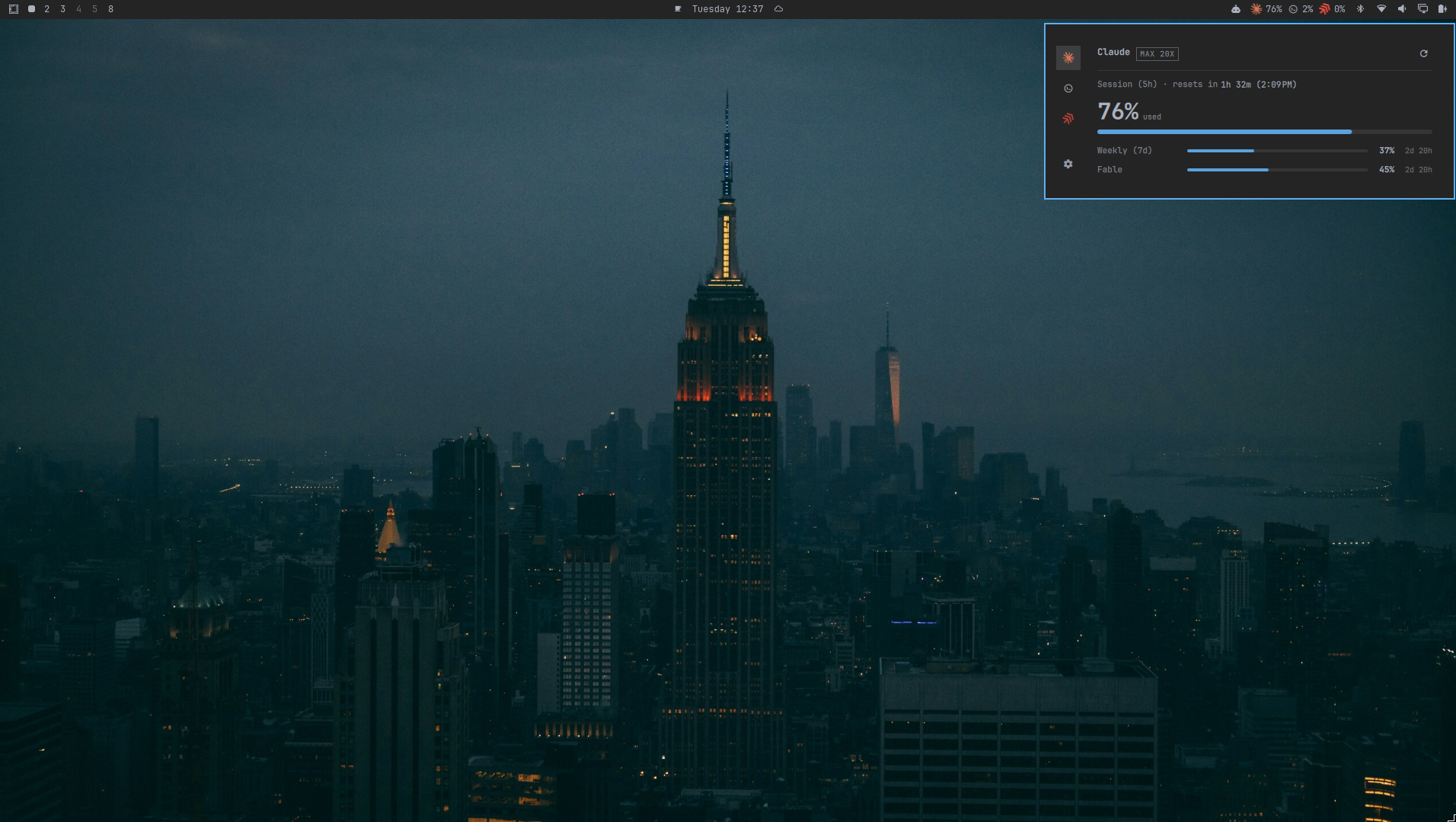
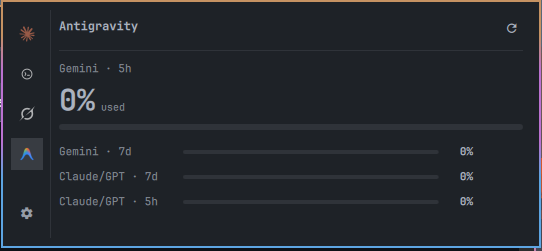
Agent Bar shows your AI quota in the Omarchy bar. Each enabled provider gets a chip with a percentage, and clicking a chip opens a popup with every usage window and the time left until the next reset. A fresh install shows Claude and Codex. Grok and Antigravity can be turned on in Settings.
Install
You need Omarchy with Quickshell (Quattro) on Linux x86_64, plus the CLI of each provider you want to watch.
omarchy plugin add https://github.com/othavi0/omarchy-agent-bar.git
When you enable the plugin, Omarchy asks which bar section gets the widget. If you skip the question, it goes to the right section. To move it later:
omarchy bar move othavi0.agent-bar --section center
What you see
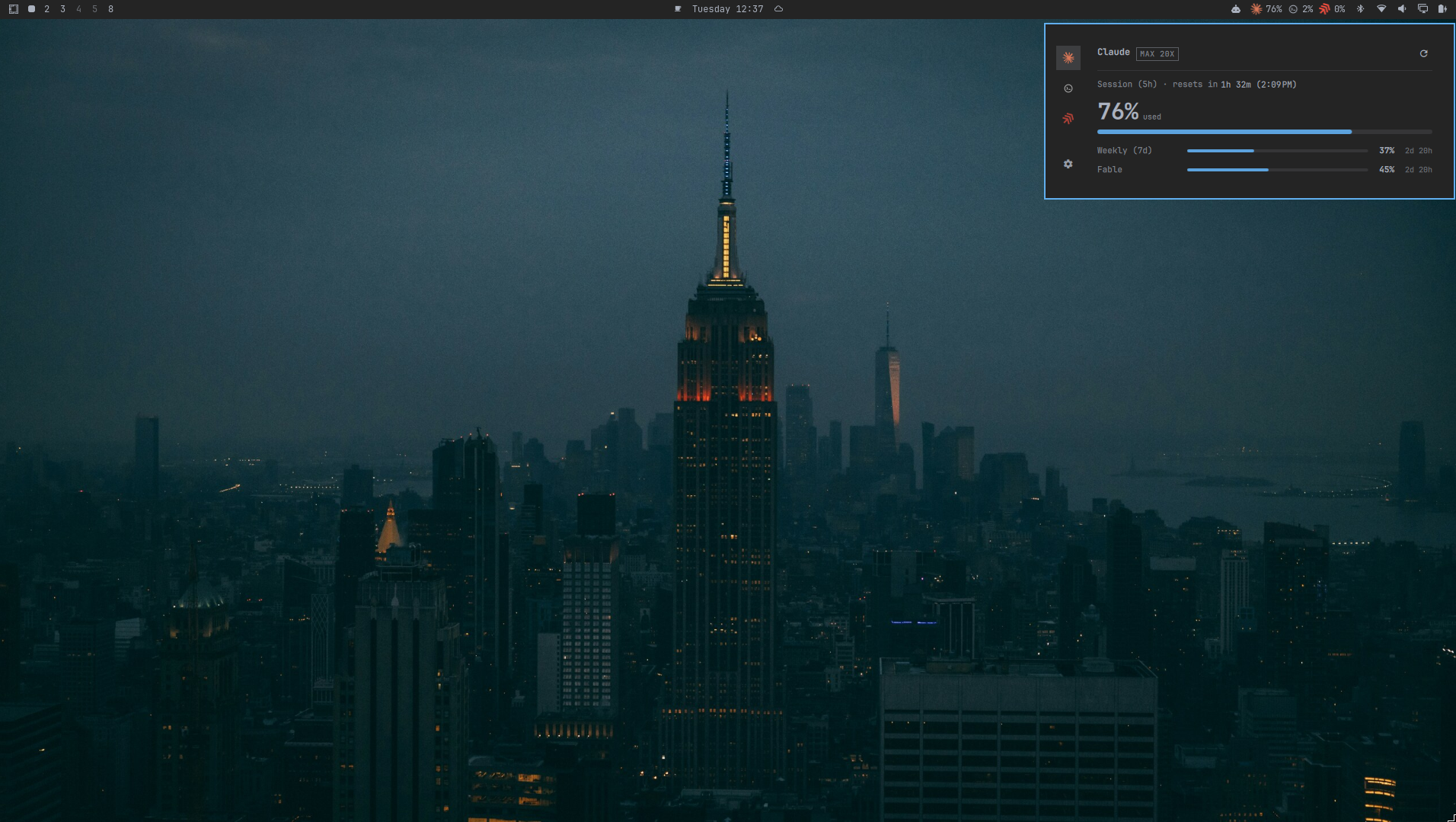
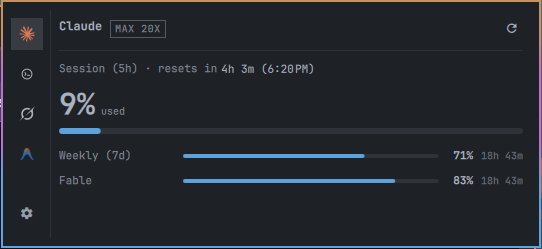
Each chip shows used or remaining percentage, whichever you pick in
Settings. The popup shows the plan tag (MAX 20X, for example), the lead
window with its countdown and reset time, and one row per other window.
| Chip state | Meaning |
|---|---|
| Dimmed | The provider CLI is not installed. Click to see the install page. |
! |
Usage is past the critical threshold. |
— |
The provider is connected but reports no percentage window. |
If a refresh fails, the chip keeps the last good reading and the popup shows when it was taken. When a provider needs login or setup, the popup offers the matching action.
When Claude has a banked usage reset available, its popup section gets a
"Resets" row with a Use reset action; confirming claims it and refreshes
the provider.
| Action | Result |
|---|---|
| Left click | Open or close the popup |
| Middle click | Refresh all providers now |
| Right click | Open Settings |
Agent Bar reads the local data your provider CLIs already keep. It does not install CLIs, touch credentials, or show money.
Settings
Right click any chip to enable, disable, and reorder providers, switch
between used and remaining, set the refresh interval (60 seconds by
default), and toggle notifications. The file is
~/.config/agent-bar/settings.json.
Update
Settings tells you when a new version is out. Click
Update to <version> and confirm. The update runs in the background and
the bar keeps working. When the new version is installed, the popup shows
Restart shell; click it to load the new version.
You can also update from a terminal:
omarchy plugin update othavi0.agent-bar --yes && omarchy-restart-shell
If Settings shows a migration notice, your copy predates the git install. Reinstall it:
omarchy plugin remove othavi0.agent-bar
omarchy plugin add https://github.com/othavi0/omarchy-agent-bar.git
Settings, cache, and backups live outside the plugin directory and survive the reinstall.
Remove
omarchy plugin remove othavi0.agent-bar
Settings also has a Remove button.
[!IMPORTANT] Agent Bar installs an update only when you click it. It never updates on a schedule, and it installs whatever
masterholds at that moment.Versions 10.3.22 and older never loaded on Omarchy 4.0.3. The chips show
···, the popup stays on its loading placeholder, and Settings says "Update check failed". Run the update command once to move to a current release.
Development
This repository is both the plugin tree and its source. CI builds and
commits bin/agent-bar and bundle.json, so don't edit them by hand. See
Contributing, Architecture,
Releasing, and
Troubleshooting.
License
MIT. See LICENSE.