
oxhenri.mouse
Mouse and pointer settings panel for Omarchy (Quickshell).
Two Walker locations, one plugin:
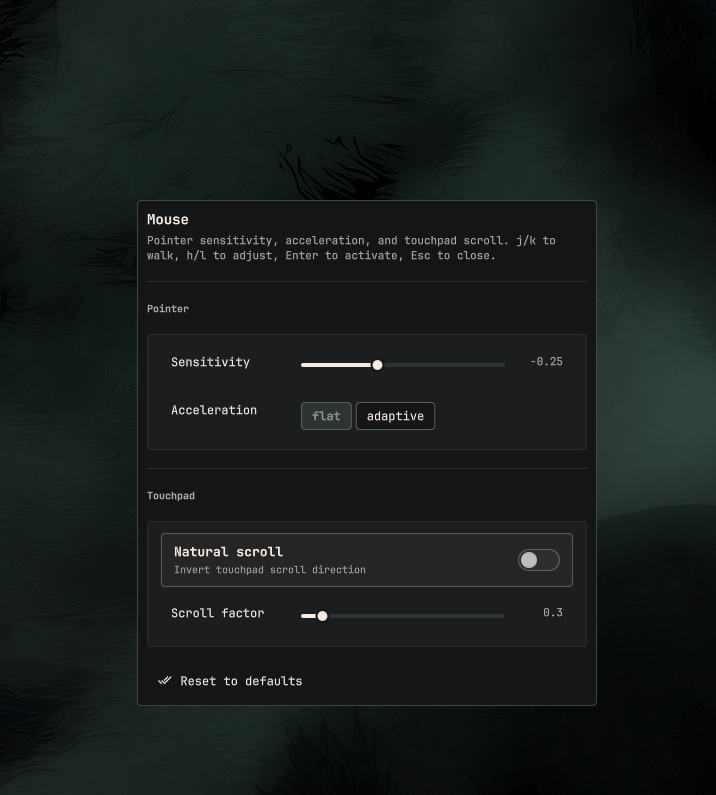
Setup → Mouse — pointer sensitivity, acceleration, touchpad natural scroll and scroll factor
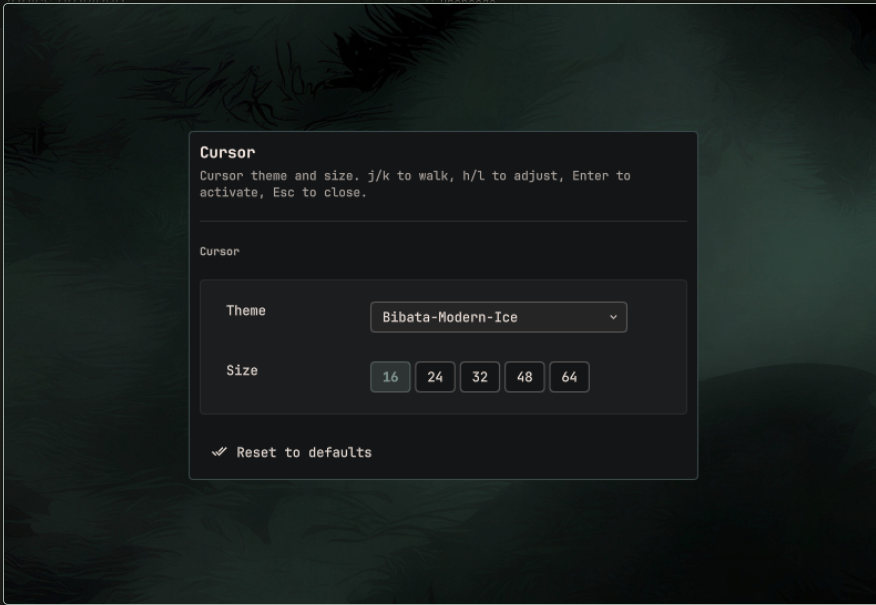
Style → Cursor — cursor theme (hyprcursor and legacy XCursor themes) and cursor size
Changes apply immediately via hyprctl and persist through an Omarchy
hyprland-toggles lua file (~/.local/state/omarchy/toggles/hypr/oxhenri-mouse.lua)
so they survive reloads, in the same way omarchy-hyprland-toggle persists state.
Your existing Hyprland config files are never modified.
Install
omarchy plugin add https://github.com/Dev-Herni/oxhenri.mouse.git --enable
Add these lines to ~/.config/omarchy/extensions/omarchy-menu.jsonc so Walker
shows Setup → Mouse and Style → Cursor:
"setup.mouse": {"icon":"","label":"Mouse","action":"omarchy-shell shell summon oxhenri.mouse '{\"view\":\"input\"}'"},
"style.cursor": {"icon":"","label":"Cursor","action":"omarchy-shell shell summon oxhenri.mouse '{\"view\":\"cursor\"}'"}
A ready-to-merge snippet lives in extras/omarchy-menu.jsonc.
Usage
Open the panel from Walker, or summon it directly:
omarchy-shell shell summon oxhenri.mouse '{"view":"input"}'
omarchy-shell shell summon oxhenri.mouse '{"view":"cursor"}'
Empty payload / missing view opens the input view (backward compatible).
Keyboard: j/k to move between sections, h/l to adjust values, Enter to activate, Esc to close. Mouse input works everywhere too.
Files
manifest.json— plugin contractMousePanel.qml— settings UI (input and cursor views)mouse-ctl.sh— read (get) / apply-input / apply-cursor + persist helperextras/omarchy-menu.jsonc— Walker entries under Setup → Mouse and Style → Cursorpreview.png— Setup → Mousescreenshots/cursor.png— Style → Cursor
Requirements
Everything used here ships with Omarchy: hyprctl, gsettings, and bash.
No extra packages.
Settings are written when you change a value in the panel, and they go to Omarchy's own toggles state dir — your existing Hyprland config files are never modified.
Remove
omarchy plugin remove oxhenri.mouse --yes
Also delete the "setup.mouse" and "style.cursor" lines from
~/.config/omarchy/extensions/omarchy-menu.jsonc if you added them.
Persisted settings live in
~/.local/state/omarchy/toggles/hypr/oxhenri-mouse.lua; delete that file to
forget them.
License
MIT — see LICENSE.