
oxhenri.search
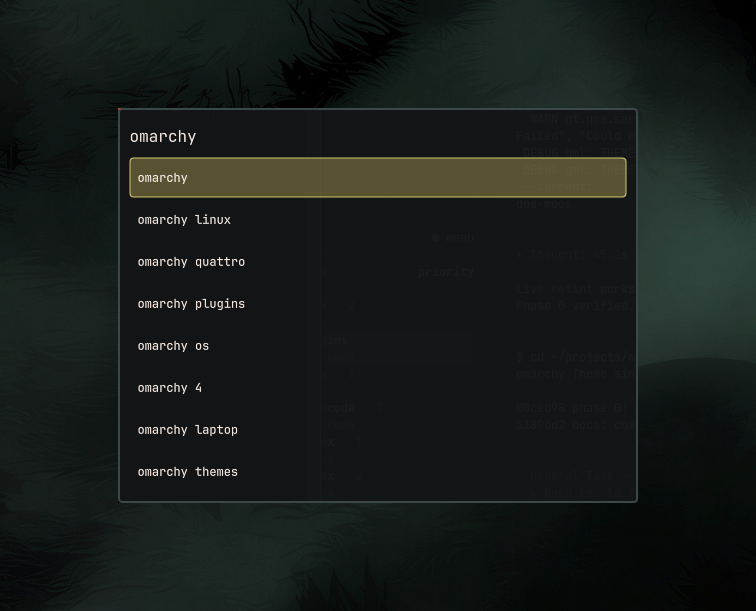
Web-search overlay for Omarchy. Same surface as the Omarchy menu: type a query, pick a suggestion, Enter opens results in your default browser.
Install
omarchy plugin add https://github.com/Dev-Herni/oxhenri.search.git --enable
Bind a hotkey in ~/.config/hypr/bindings.lua:
o.bind("SUPER + SHIFT + L", "Web search", "omarchy-shell shell toggle oxhenri.search")
Then hyprctl reload. Press Super+Shift+L to search.
Any free combo works — change SUPER + SHIFT + L if you prefer.
You can also edit this from Omarchy menu → Setup → Keybindings.
Keys
| Key | Action |
|---|---|
| Type | Live suggestions appear |
↑ ↓ |
Move through suggestions |
Tab |
Fill the selected suggestion into the search box |
Enter |
Search — opens results in your browser |
| Click a suggestion | Search it right away |
Esc / click outside |
Close the overlay |
Requirements
- Omarchy /
omarchy-shell - Network access for Google Suggest and search
- A default browser (
xdg-open)
No extra packages. The plugin writes no files outside its own folder.
Uninstall
omarchy plugin remove oxhenri.search --yes
Remove the keybinding from ~/.config/hypr/bindings.lua if you added one.
License
MIT — see LICENSE.