
TOZO HT3 for Omarchy
<a href="https://subcult.tv"> <picture> <source media="(prefers-color-scheme: dark)" srcset="docs/brand/subcult-dark.svg"> <img src="docs/brand/subcult-light.svg" alt="SUBCULT" width="400"> </picture> </a>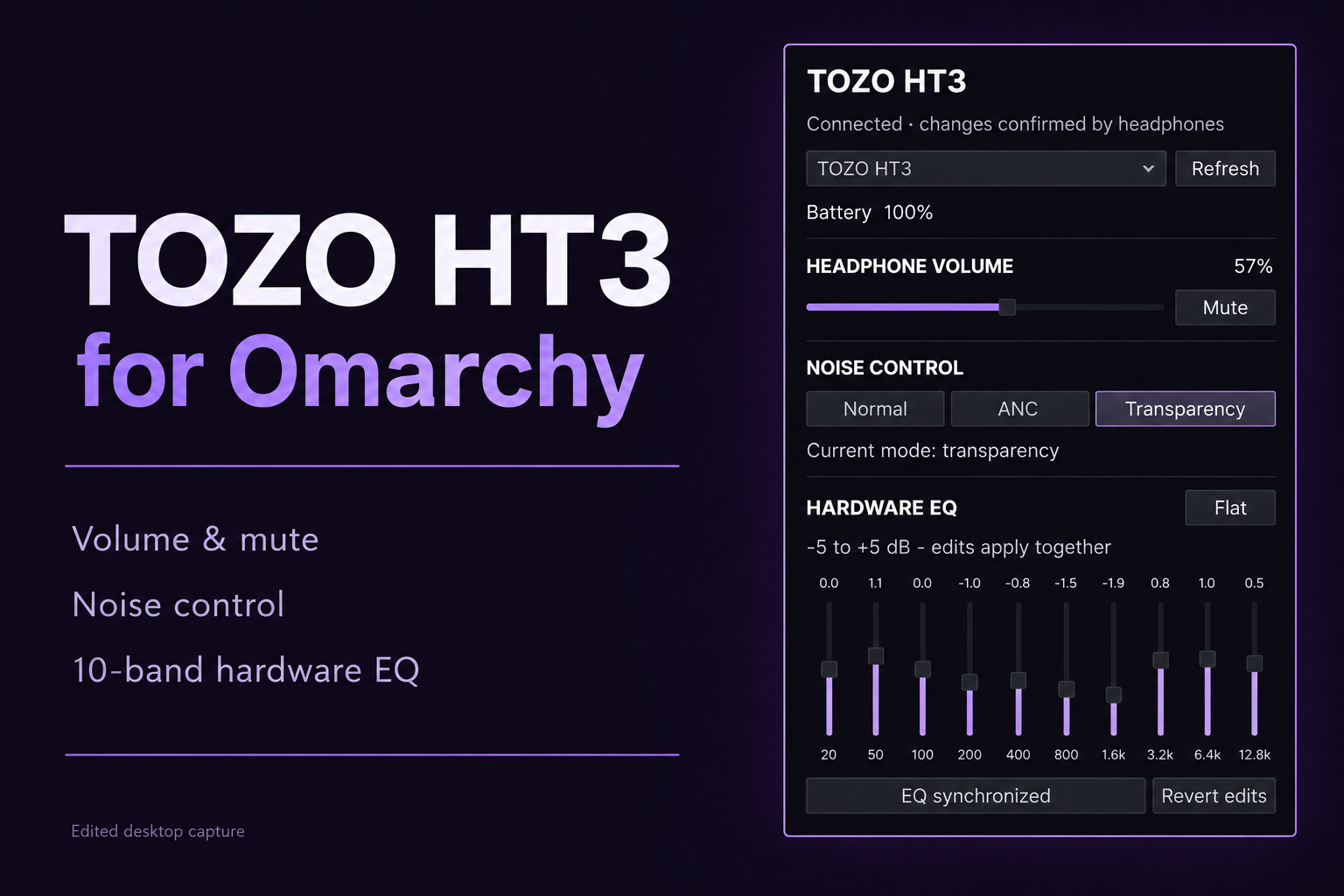
A native Omarchy Shell / Quickshell top-bar widget with a headphone popup:
- HT3 playback volume and mute through PipeWire.
- Normal, ANC and transparency modes, with device readback.
- Ten-band hardware EQ, -5 to +5 dB, with Apply, Flat and Revert edits.
- Battery status, disconnect/error states, keyboard-accessible controls.
Requires Omarchy 4.0.4 or newer with Quickshell, BlueZ, PipeWire and
/usr/bin/python3. No pip packages, elevated privileges, GTK window, network
access or separate system service are required. Pair the HT3 using the normal
Bluetooth settings before opening the plugin.
Screenshots and media
The preview above is an edited desktop capture. It shows the connected HT3 with battery status, playback volume, transparency mode and its hardware EQ. The title and background were added for presentation.
<img src="docs/media/controls.png" alt="Connected HT3 popup showing 100 percent battery, 57 percent volume, ANC mode and the ten EQ bands" width="402">This close-up is an unretouched capture of the installed popup with ANC selected. The wallpaper and window behind it show through the transparent panel. Battery, volume, mode and EQ values are examples from this capture, not defaults. Appearance follows the active Omarchy theme.
See media notes for capture provenance and reuse.
Install
Install and enable the plugin directly from its public repository:
omarchy plugin add https://github.com/PatrickFanella/omarchy-plugin-ht3.git --enable
The standard Omarchy installer clones and validates the repository, then adds the widget to the right side of the current bar. It does not replace the active bar. If the widget is already installed but disabled, enable it with:
omarchy plugin enable patrickfanella.ht3 right
Click the headphone icon to open. One paired HT3 connects its controls automatically; multiple paired HT3s can be selected. Closing the popup releases the RFCOMM control connection without disconnecting Bluetooth audio. A per-device lock prevents two monitor popups from issuing competing commands.
The volume slider only affects the selected HT3 output, even when another device is the default. EQ sliders are drafts until Apply; Flat is also a draft. Closing the popup discards unapplied edits. Noise mode buttons apply immediately and highlight only after readback. Spatial audio must be disabled in the TOZO app before using the hardware EQ.
If the phone app is holding the control channel, close it and reopen the popup. If Bluetooth audio is disconnected, connect it using Omarchy's Bluetooth menu.
Disable with omarchy plugin disable patrickfanella.ht3.
Remove
Remove the installed plugin and its bar entry with:
omarchy plugin remove patrickfanella.ht3 --yes
The plugin stores no settings, credentials, services or files outside its installation directory. Its per-device process lock exists only while the popup is open and is stored in the current user's runtime directory.
Permissions and external dependencies
bluetoothctlfrom BlueZ lists already-paired devices. The helper opens an RFCOMM connection only to the selected paired device whose name identifies it as a TOZO HT3.- Quickshell's PipeWire API finds the selected HT3 output by Bluetooth address and changes only that output's volume or mute state.
/usr/bin/python3runs the bundled standard-library-only helper.- The helper requires no elevated privileges, background service, network access, or mutable external code.
Develop and validate
Run the complete local checks on an Omarchy system:
mise run test
The suite validates the manifest, compiles and tests the helper, and lints the QML entry point against the installed Omarchy shell types.
See PROTOCOL.md for transport evidence and provenance. This project is licensed under the MIT License.
About SUBCULT and support
Made by Patrick Fanella as part of SUBCULT. Explore the tools and projects at subcult.tv.
If this plugin is useful to you, support SUBCULT on Patreon to help fund its development and the wider project.