
Simple Task
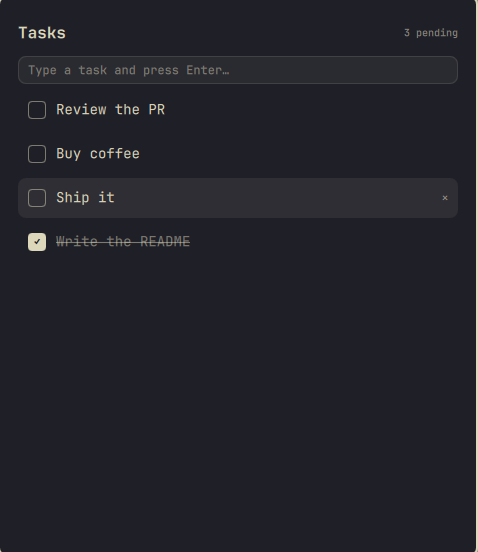
A dead-simple task list for Omarchy: an overlay plugin for the Omarchy shell, styled with whatever theme you have active. No webapp, no separate window, no account. Type a task, hit Enter, check it off.
Requires python3, which is already part of virtually every Arch/Omarchy
install.
Install
omarchy plugin add https://github.com/PMota173/simple-task-omarchy.git --enable
Bind a key to it
Simple Task is an overlay, summoned like Omarchy's built-in Clipboard manager
or Reminders. It doesn't ship with a keybinding of its own, so add one in
~/.config/hypr/bindings.lua. The suggested default is SUPER + SHIFT + T:
o.bind("SUPER + SHIFT + T", "Simple Task", "omarchy-shell shell toggle pedro.simple-task")
If that combo is already taken on your setup, check
omarchy menu keybindings --print and pick a free one instead.
Using it
- Type anything and press Enter to add it as a task
- ↑ / ↓ to move the selection
- Enter (with nothing typed) checks/unchecks the selected task
- Delete removes the selected task
- Shift+Delete clears every completed task (asks to confirm)
- Esc clears what you're typing, or closes the overlay if the input is empty
Completed tasks drop to the bottom of the list, struck through. Everything is
saved to ~/.local/state/omarchy/tasks.json as you go, so it survives restarts.
Theming
Colors come from the active Omarchy theme, so it re-themes itself whenever you
switch themes with omarchy theme set.
Uninstall
omarchy plugin remove pedro.simple-task
Your saved tasks stay at ~/.local/state/omarchy/tasks.json; delete that file
too if you want them gone.
License
MIT