
OmaSwitch




A familiar Alt+Tab switcher for Omarchy—with live window previews.
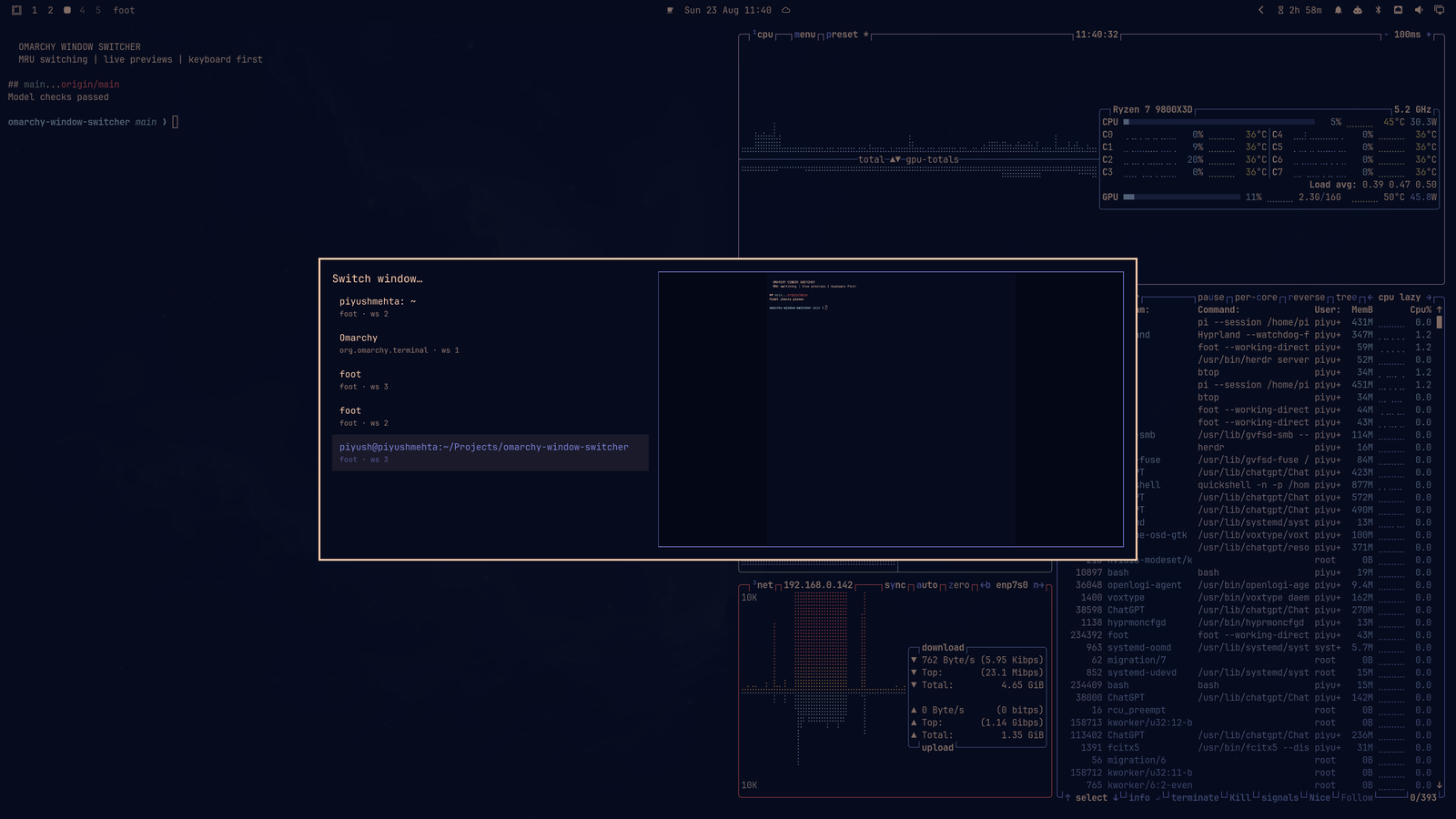
OmaSwitch puts your recently used windows in one fast, keyboard-first overlay. Cycle through them with Alt+Tab, type to find one by name, and see a live preview of the highlighted window before you switch.
Write-up: OmaSwitch: The Alt+Tab Omarchy Has Been Missing
Why you will like it
- Recent windows first. Uses Hyprland focus history, so the window you want is usually next.
- Preview before switching. A live preview follows the selected row instead of showing stale screenshots.
- Made for the keyboard. Repeat
Alt+Tab, search by typing, use arrows or Tab, then press Enter. - Stays light. Only the highlighted window gets a capture stream—never every row.
- Fits Omarchy. Follows your active Omarchy theme and needs no daemon, packages, or privileges.
See it in action
Pick the project window without leaving the keyboard
Search or cycle through windows, then confirm with Enter (or release Alt when the compositor forwards the release event).
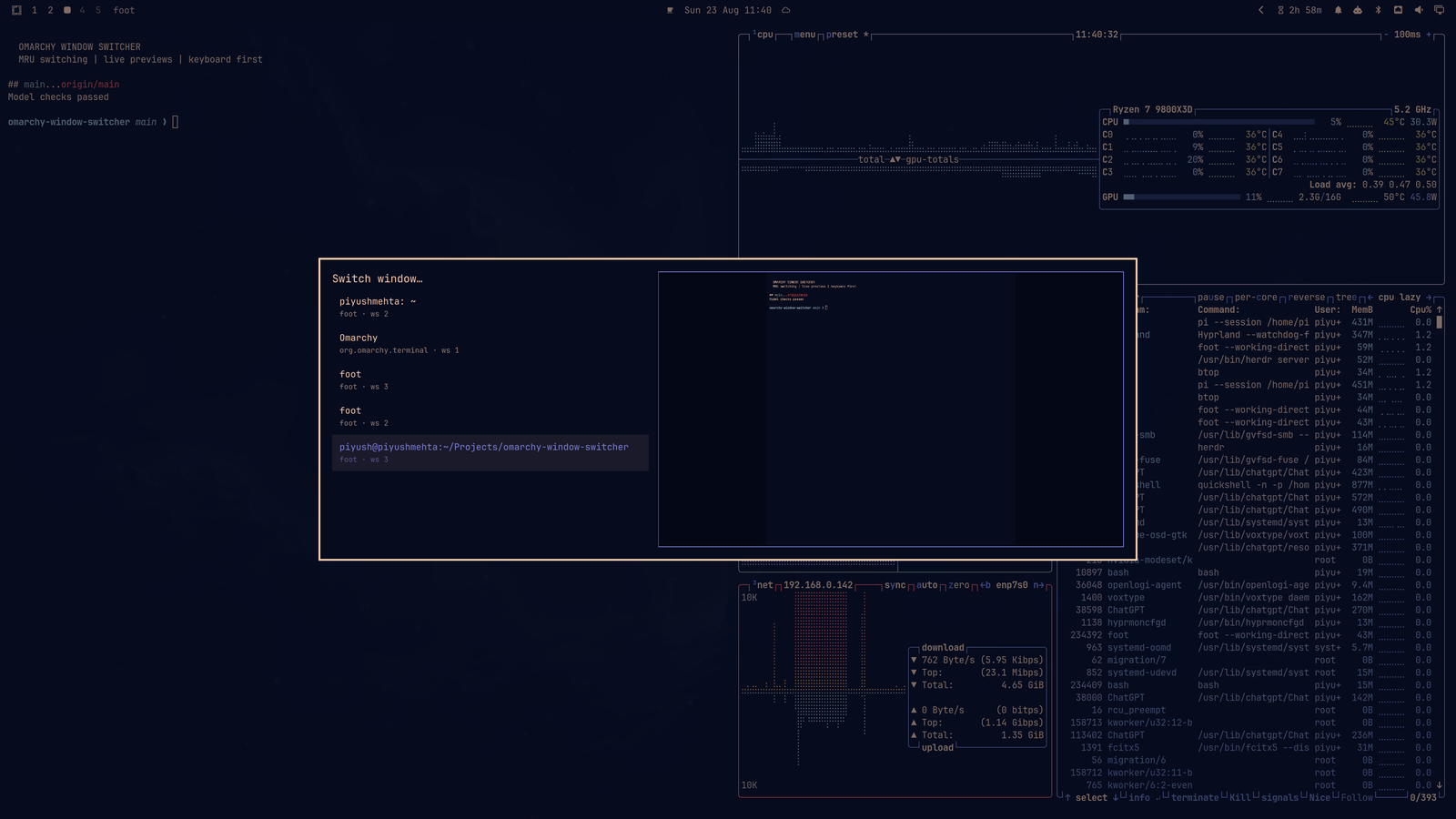
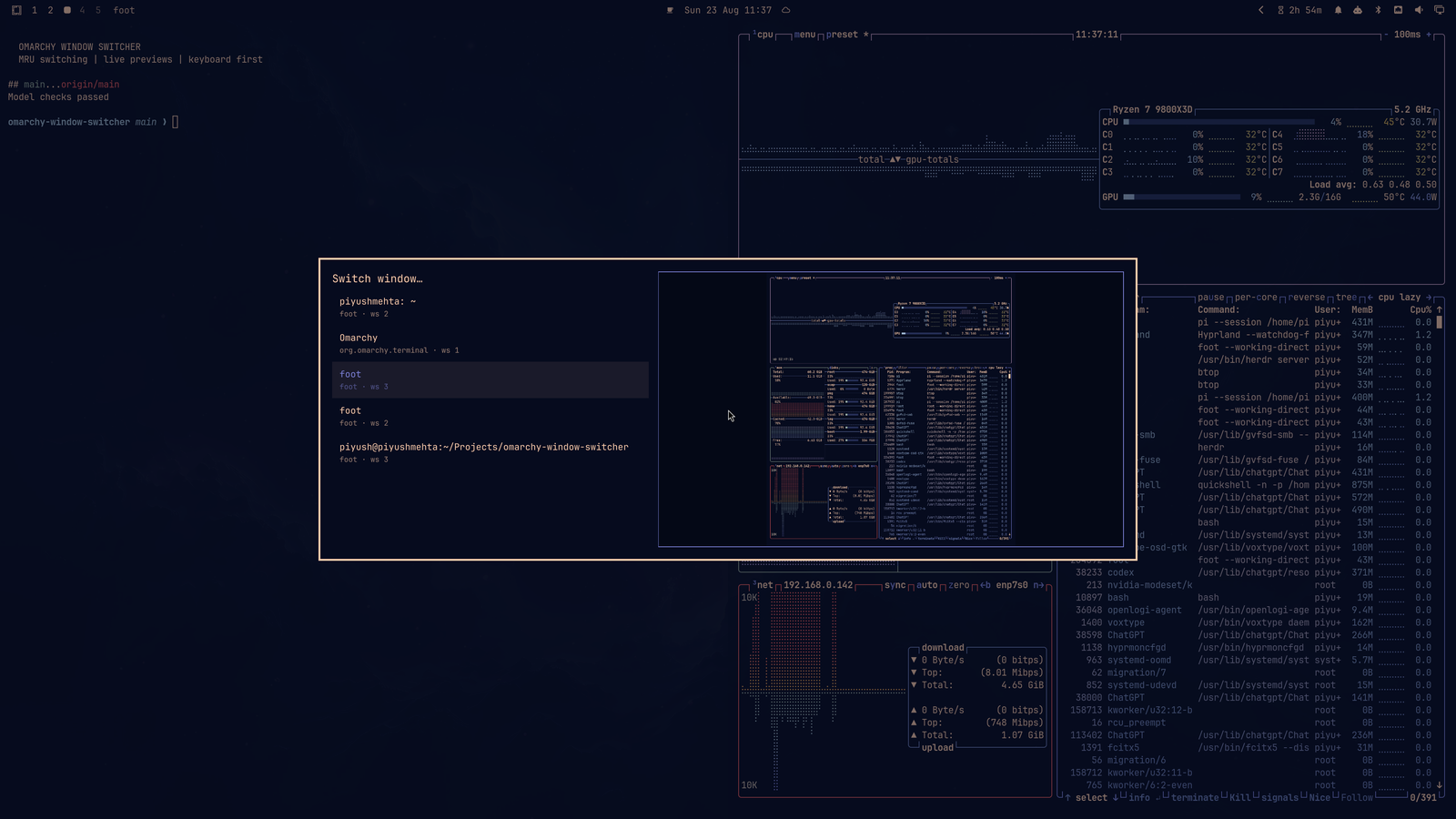
Check a live btop preview before switching
The preview changes with the selected row, making similarly named windows easy to distinguish.
Add it to Omarchy
omarchy plugin add https://github.com/piyush97/omaswitch.git --enable
It installs in your user configuration and needs no extra package, service, or configuration file.
Live previews require Hyprland's
hyprland-toplevel-export-v1protocol. If it is unavailable, switching and search still work; the plugin simply uses its list-only layout.
Make it your Alt+Tab switcher
Omarchy binds Alt+Tab to direct cycling by default. Add this to ~/.config/hypr/bindings.lua to replace those two bindings:
hl.unbind("ALT + TAB")
hl.unbind("ALT + SHIFT + TAB")

o.bind("ALT + TAB", "OmaSwitch", "omarchy-shell shell summon piyush.omaswitch '{\"mode\":\"cycle\",\"direction\":1}'")
o.bind("ALT + SHIFT + TAB", "OmaSwitch (reverse)", "omarchy-shell shell summon piyush.omaswitch '{\"mode\":\"cycle\",\"direction\":-1}'")
Then reload Hyprland:
hyprctl reload
hyprctl configerrors
configerrors should print no errors. If you want to keep Omarchy's default bindings, bind either summon command to another key instead.
Familiar from the first keypress
| Shortcut | What it does |
|---|---|
Alt+Tab |
Open the switcher and move to the next recent window |
Alt+Shift+Tab |
Open the switcher and move backward |
Tab, Down, Right |
Select the next window |
Shift+Tab, Up, Left |
Select the previous window |
| Type | Filter by title, application, or workspace |
Backspace / Ctrl+Backspace |
Delete a character / word from the search |
Ctrl+U |
Clear the search |
Enter or click |
Focus the selected window |
Esc or click outside |
Close without switching |
To open the searchable picker directly:
omarchy-shell shell toggle piyush.omaswitch
Keep it current
omarchy plugin update piyush.omaswitch --yes
To disable or remove it:
omarchy plugin disable piyush.omaswitch
omarchy plugin remove piyush.omaswitch --yes
Troubleshooting
The plugin is not listed
omarchy-shell shell rescanPlugins
omarchy plugin list --json
Alt+Tab still directly cycles windows
Confirm that the original bindings were unbound, then run:
hyprctl reload
hyprctl configerrors
omarchy menu keybindings --print | grep -E 'ALT \+ TAB|SHIFT ALT \+ TAB|OmaSwitch'
The plugin opens without a preview
The selected window may not be capturable, or hyprland-toplevel-export-v1 may be unavailable. This is expected fallback behavior; the list remains fully usable.
The plugin reports a QML error
journalctl --user -f | grep -Ei 'piyush.omaswitch|Switcher.qml|qml.*(error|warning)'
Development
node test_model.js
omarchy plugin validate .
git diff --check
The plugin is MIT licensed; see LICENSE. It is an independent community plugin and is not affiliated with Omarchy.