
Omagen
Turn an image into an Omarchy desktop that feels like yours.
Generate a complete theme, explore meaningful variations, preview the result without committing to it, and apply it safely when it feels right.



Get started · See the workflow · Browse examples · Read the product docs
</div>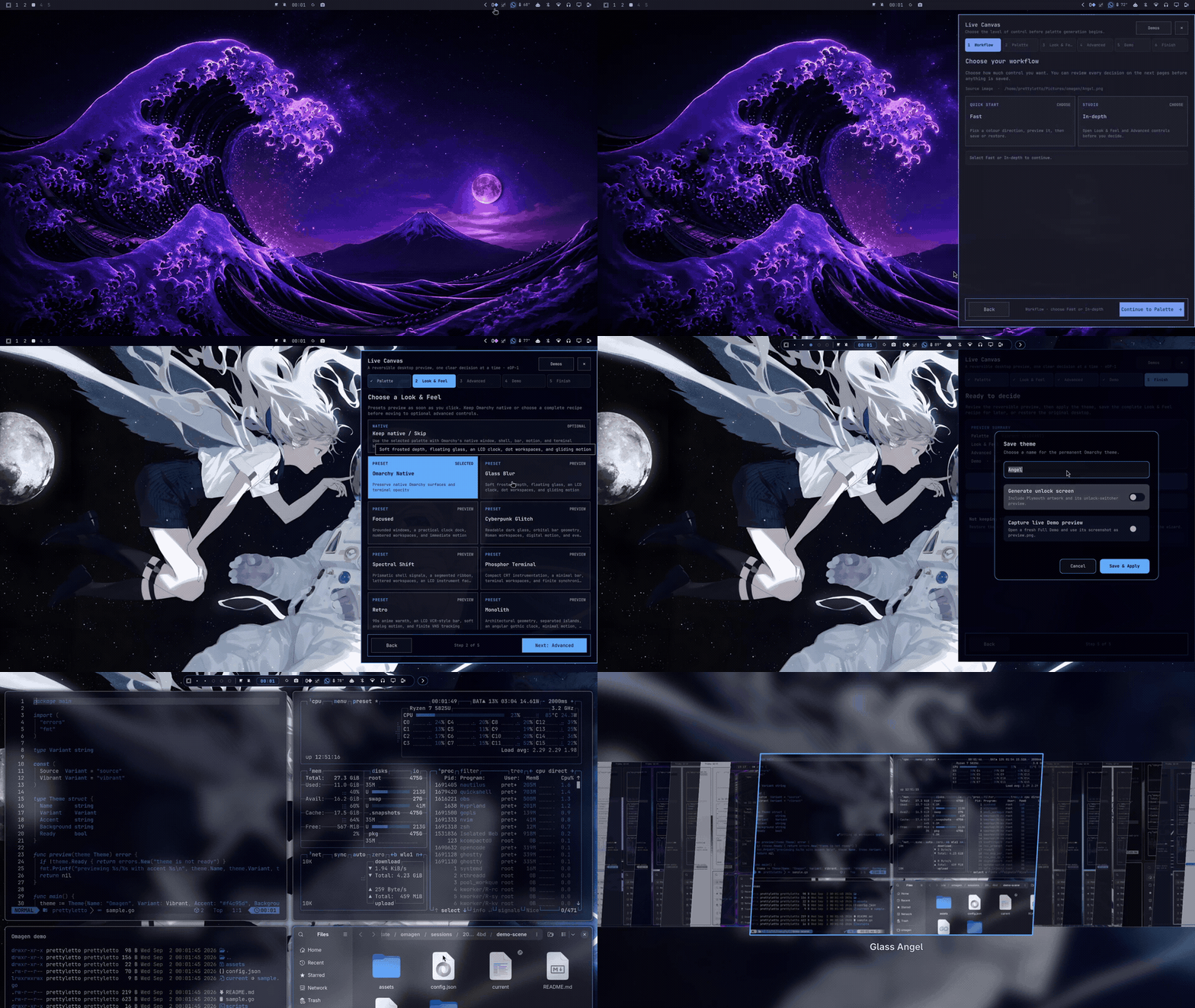
Get started
Omagen is built for Omarchy Quattro with Hyprland and Quickshell on Linux x86_64. Install the stable repository through Omarchy's plugin manager, then run the bundled package installer once so the same repository materializes both Omagen plugin packages:
omarchy plugin add https://github.com/prettyletto/omagen.git --enable --yes && \
  "$HOME/.config/omarchy/plugins/pretty.omagen/install.sh" --bar-only
The first command installs and enables the Studio overlay. Omarchy's plugin
manager validates only the repository's root manifest, so the second command
also installs the separate pretty.omagen.bar package from the same checkout.
It does not select that bar; the native Quattro bar remains active until you
choose a full-bar preset in Omagen. The checked-in backend is used, so Go is not
required.
After updating the plugin with omarchy plugin update pretty.omagen --yes,
run "$HOME/.config/omarchy/plugins/pretty.omagen/install.sh" --bar-only
again to synchronize the full-bar package.
Then open Omagen from the Omarchy launcher, choose a local image, review a palette direction, and use Preview or Demo before selecting Apply. The getting started guide covers requirements, first launch, optional applications, and removal.
To remove the packages later:
omarchy plugin remove pretty.omagen --yes
omarchy plugin remove pretty.omagen.bar --yes
Removing the plugins does not delete permanent themes created by you. If an Omagen session is active, use its recovery or restore path before removing state manually.
What is Omagen?
Omagen is an image-to-theme studio for Omarchy Quattro. It turns the colors and atmosphere of a source image into a coherent desktop direction, then gives you a safe way to judge that direction before it becomes permanent.
The experience is designed around a simple loop:
image → palette directions → preview or Demo → apply or cancel
Omagen is one product suite with two technical plugin packages:
pretty.omagenprovides the Studio overlay, image generation, previews, Demo, lifecycle, recovery, and the launcher/status widget.pretty.omagen.baris the optional full-bar experience for users who want Omagen's Bar presets and behavior as their active bar.
They remain separate because Omarchy registers overlays/widgets and full bars as different plugin kinds. They are presented as one suite, but the full bar is explicit and opt-in so installing Omagen does not silently replace the native Quattro bar.
Why Omagen?
- Start from an image you already like instead of tuning colors from scratch.
- Compare six generated directions: Source, Calm, Mute, Deep, Vibrant, and Balanced.
- Preview Window, Shell, Bar, and Animation choices in context when you want more than a palette.
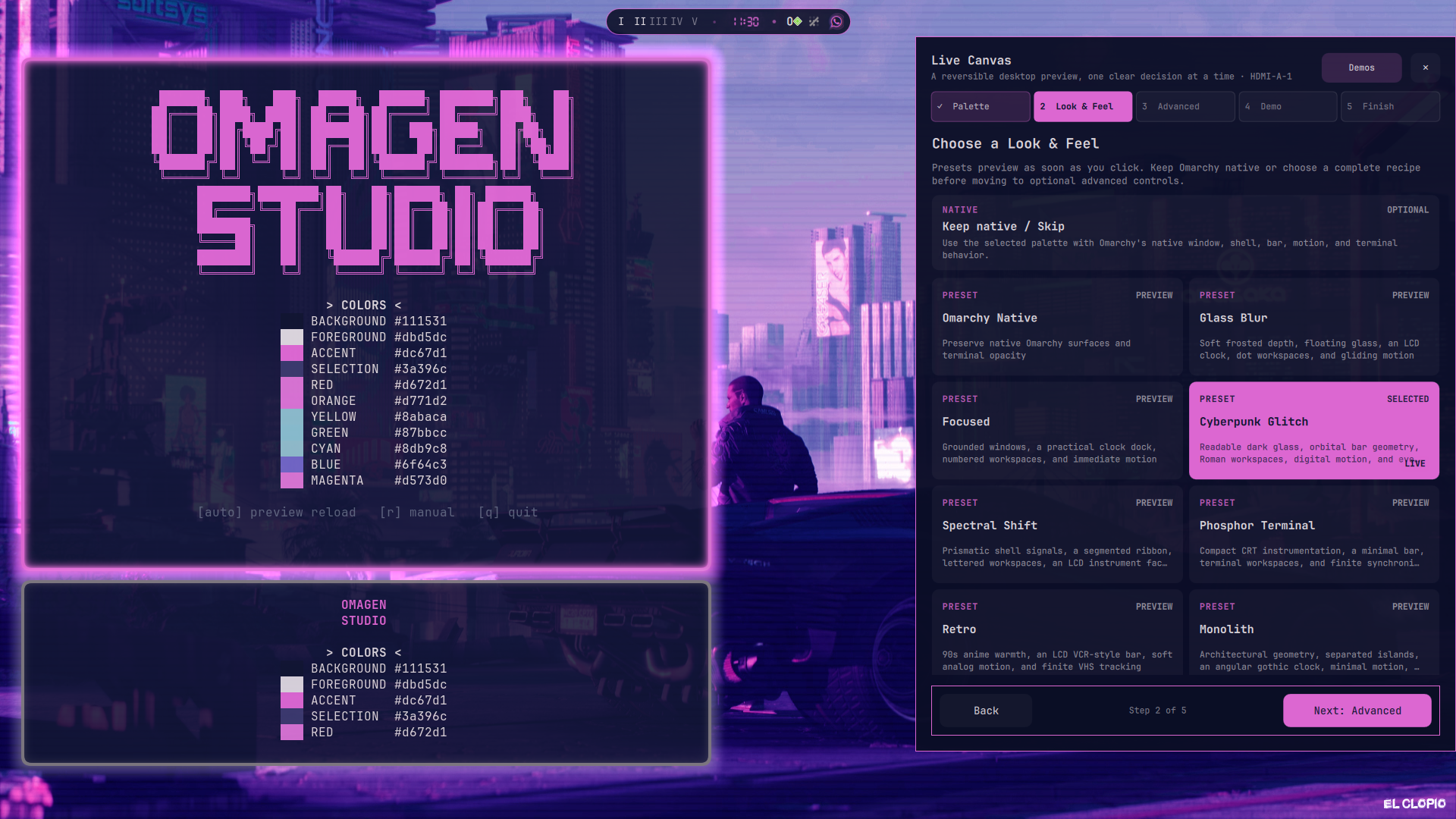
- Open a temporary Demo workspace to judge the theme across real desktop surfaces.
- Apply a named theme only when you are satisfied—or Cancel and leave the current desktop unchanged.
- Recover an interrupted session through the durable session record instead of guessing which temporary files are safe to remove.
The Omagen workflow
1. Choose an image
Choose a local image in a common raster format. Omagen extracts representative colors and keeps the selected image as the visual source for the session.
2. Explore directions
Review six palette directions generated by the same production pipeline used by the applied theme. The gallery is meant to help you choose a mood, not just a single dominant color.
3. Preview safely
Use Live Canvas to inspect the staged result. Use Test live for a reversible desktop preview, or open Demo to see the composition across a temporary editor, terminal, system monitor, and file manager workspace.
4. Apply or cancel
Apply writes a named permanent theme after the staged session is ready. Cancel restores the original theme, background, and Omagen-owned temporary resources. Quit uses the same recovery path when a session is active.
5. Recover when interrupted
If Omagen or the shell is interrupted during a preview or Apply, the next launch presents an explicit recovery choice. Restore the original desktop or resume the staged workspace when it can still be verified safely.
See it in action
Watch the full Omagen walkthrough on YouTube for the image-to-theme flow, preview paths, Demo, and Apply experience.
Bar examples
Here are a few examples of the optional Omagen bar direction across different placements and information densities. The full bar is an opt-in part of the Omagen suite; installing the core Studio does not silently replace Omarchy's native bar.
<p align="center"> <img src="docs/product/assets/screenshots/bar-examples/bar-01-left-wide.png" width="850" alt="Wide bar placed toward the left"> </p> <p align="center"> <img src="docs/product/assets/screenshots/bar-examples/bar-02-split-wide.png" width="850" alt="Wide split bar layout"> </p>See the full bar example gallery for all seven layouts, placement variants, and capture notes.
New v2 examples
The v2 gallery pairs each generated theme's source background with its clean desktop preview. These examples show the range of compositions Omagen can produce from very different images.
| Theme | Source background | Generated preview |
|---|---|---|
| Elastic Example | <img src="assets/examples/v2/elastic-example-background.webp" alt="Elastic Example source background" width="300"> | <img src="assets/examples/v2/elastic-example-preview.webp" alt="Elastic Example generated preview" width="300"> |
| Gothic Example | <img src="assets/examples/v2/gothic-example-background.webp" alt="Gothic Example source background" width="300"> | <img src="assets/examples/v2/gothic-example-preview.webp" alt="Gothic Example generated preview" width="300"> |
| Japan Example | <img src="assets/examples/v2/japan-example-background.webp" alt="Japan Example source background" width="300"> | <img src="assets/examples/v2/japan-example-preview.webp" alt="Japan Example generated preview" width="300"> |
| Nature Example | <img src="assets/examples/v2/nature-example-background.webp" alt="Nature Example source background" width="300"> | <img src="assets/examples/v2/nature-example-preview.webp" alt="Nature Example generated preview" width="300"> |
| Retro Example | <img src="assets/examples/v2/retro-example-background.webp" alt="Retro Example source background" width="300"> | <img src="assets/examples/v2/retro-example-preview.webp" alt="Retro Example generated preview" width="300"> |
See the complete v2 example gallery, including the historical examples explicitly labeled made with Omagen v1.
Product documentation
| Guide | What it covers |
|---|---|
| Getting started | Installation, first launch, and the shortest path to a theme. |
| Product workflow | Preview, Test live, Demo, Apply, Cancel, and Quit. |
| Capabilities and trust | What Omagen can read, write, invoke, and preserve. |
| Recovery and rollback | Interrupted sessions, restoration, ownership, and safe removal. |
| Examples | Curated v2 wallpaper/theme pairs and example metadata. |
| Demo materials | Product walkthroughs and the capture plan for v2. |
| Asset catalog | Screenshots, recordings, examples, and provenance notes. |
| Asset checklist | Evidence still required before stable release. |
| v2.0.0 release notes | Release scope, upgrade notes, limitations, and verification status. |
For implementation contracts, contributor setup, compatibility evidence, and maintainer release procedures, use the developer documentation and release process.
Trust boundary and capabilities
Omagen is unsandboxed user-level plugin code. It can read the image and Omarchy configuration you select, write generated themes and Omagen-owned session state, invoke its bundled backend and explicit user-level adapters, and interact with the current Omarchy/Hyprland session.
It does not require sudo, install system packages, or configure privileged
services. It does not own unrelated themes, shell configuration, backgrounds,
plugins, or user files. Read the capabilities and trust guide
before installing if you want the complete boundary.
The marketplace preflight is a release gate and exact-commit evidence; it is not a security certification, endorsement, or guarantee. See the developer security policy and release process for the maintainer-level details.