
Juicebar
Battery widget for the Omarchy shell with a loading-style charging animation.
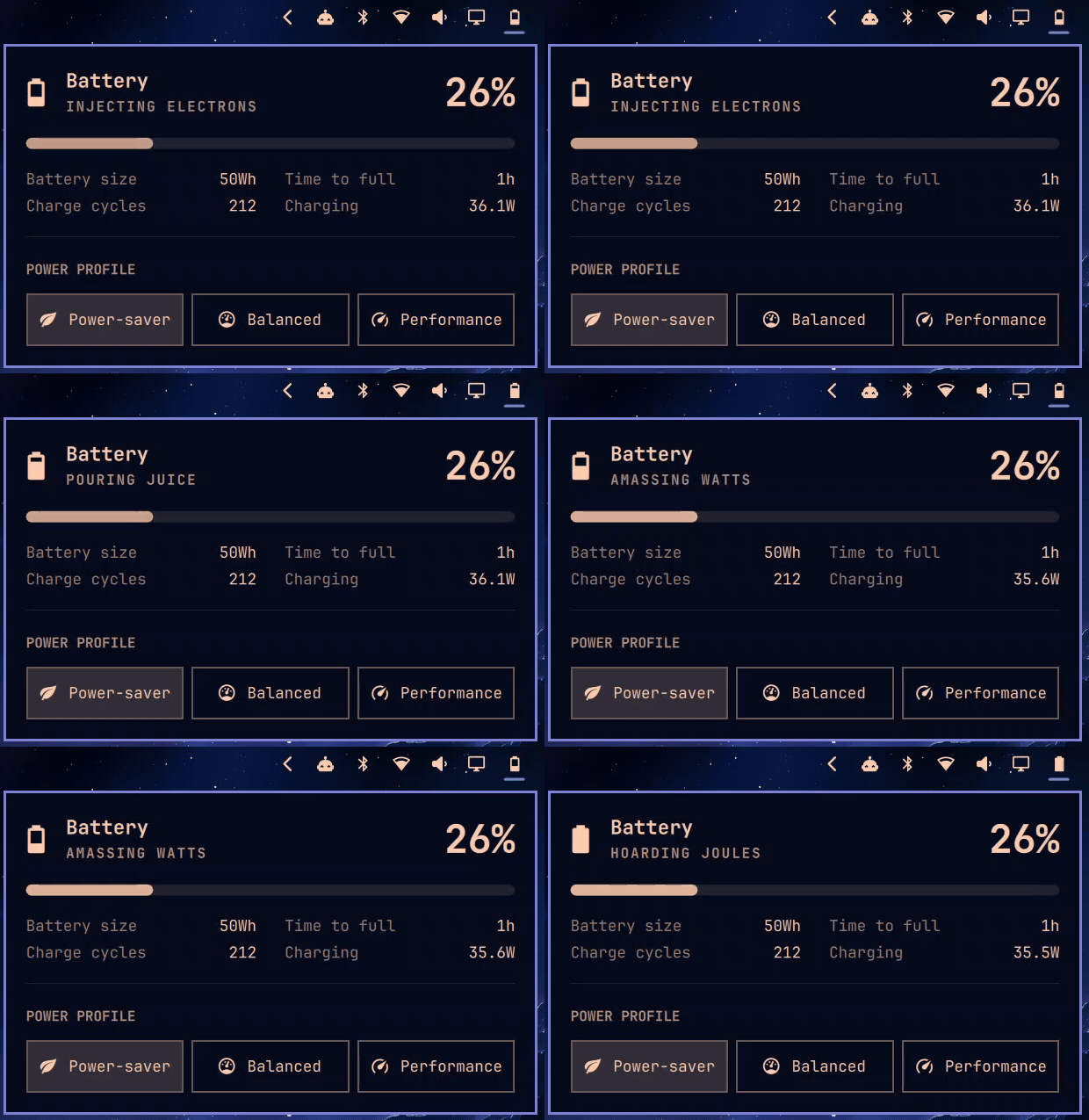
While charging, the bar icon holds at your real battery level for a beat, then climbs through 25 / 50 / 75 / 100 and wraps — like a loading spinner made of battery glyphs. No bolt icons. When full, you get a steady full-battery + bolt mark.
Everything else the stock power widget does is still here: click for the panel (battery stats, charge cycles, power profile picker), right-click to toggle the percentage readout in the bar.
Extras over stock:
- Charging animation in the bar (AC-presence keyed, so it doesn't flicker when UPower's state flaps)
- Rotating status phrases in the panel — "Injecting electrons", "Hoarding joules", "Slurping power" — cross-faded on a timer
- Animated progress bar with a soft pulse while charging
- Charge-threshold aware (laptops that hold at 80% show "Threshold" / "Holding", not a lying charge animation)
Install
omarchy plugin add https://github.com/remigius-labs/omarchy-juicebar.git --enable
Pick a bar section when prompted (right is where the stock power widget lives). Disable the built-in one so you don't have two batteries:
omarchy plugin disable omarchy.power
Remove
omarchy plugin remove remi.juicebar
omarchy plugin enable omarchy.power
IPC
omarchy-shell remi.juicebar toggle            # open/close the panel
omarchy-shell remi.juicebar togglePercentage  # show/hide % in the bar
Credits
Derived from Omarchy's built-in omarchy.power plugin (MIT).