
Things — Omarchy bar widget
Things 3 in your Omarchy bar: task counts at a glance, a full panel to work the list, and a "now" task pinned right in the bar — all synced with Things Cloud, so it's the same data as your Mac and iPhone apps.
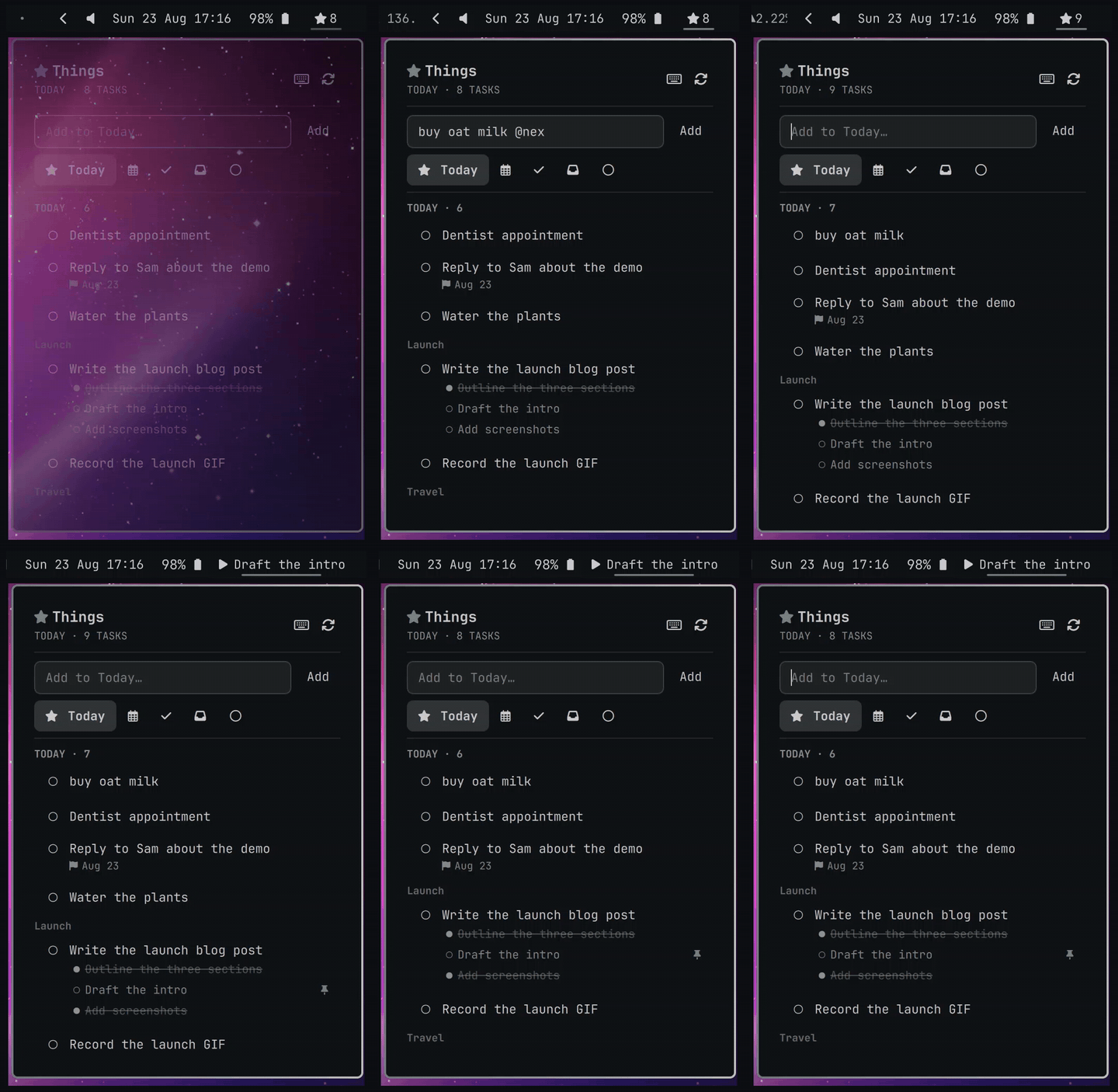
Features
- Five views — Today ★, Upcoming 🗓, Done today ✓, Inbox, and Projects ○ with Things-style pie progress per project (click a project to drill into its open tasks). Upcoming groups by the day each task actually falls on ("Tomorrow", "Mon Aug 24"). The selected tab shows its name, the rest are icons, so all five fit.
- Bar pill — shows the current view's icon + count. Left-click opens the panel, middle-click cycles views, right-click forces a cloud sync.
- Work the list — check tasks off (un-check from Done), quick-add (goes to Today, the Inbox, or the open project), rename inline, move between Today / This Evening / Tomorrow / Anytime / Someday / Inbox / any project, delete with confirmation.
- Type a date — the When… picker takes a typed date as well as the five
presets:
saturday,this fri,next sat,next week,in 3 days,aug 24,12/25,2026-09-01. A live preview spells out the result ("Enter → Sat Aug 29") before you commit it. - Quick-add grammar — one line carries the lot:
buy milk @next saturday #groceries +errand !aug 24 -- some notes.@sets when,!or--duethe deadline,#the project or area,+a tag. A preview under the field shows what it parsed. - Notes at a glance — a task with notes shows one faint line of them under the title. A pasted link renders as its host and path and opens in your browser when clicked.
- Pin a "now" task — right-click → Pin puts the task's title in the bar
(
▶ …, ellipsized). One pin at a time; finishing or deleting the task clears it. The pinned row wears a dotted outline in the list. - Instant + smooth — every action is optimistic: new tasks slide in at the top (and are reordered to the top server-side), completed/moved/deleted rows collapse in place, and background syncs reconcile without ever touching your scroll position.
- Full keyboard control — see the
?help card in the panel. Highlights: arrows/j·kmove,Spacechecks off,Tabhops between quick-add and the list,Shift+Tabcycles views,t/u/d/i/pjump straight to Today / Upcoming / Done / Inbox / Projects,s/mschedule and move,e/xrename and delete,Shift+Ppins,oopens the full app for anything the panel deliberately leaves out (notes body, checklists).
Install
omarchy plugin add https://github.com/reysu/omarchy-things --enable
~/.config/omarchy/plugins/reysu.things/setup
The first command installs the widget and asks which bar section to place it in. The second builds the bundled Things Cloud CLI (first run only), asks for your Things Cloud email and password (the same account as your Mac and iPhone apps), and runs the first sync — when it finishes, your tasks are in the bar.
Optional Hyprland keybind to toggle the panel from anywhere:
o.bind("SUPER + SHIFT + T", "Things tasks", "qs -p /usr/share/omarchy/shell ipc call reysu.things toggle")
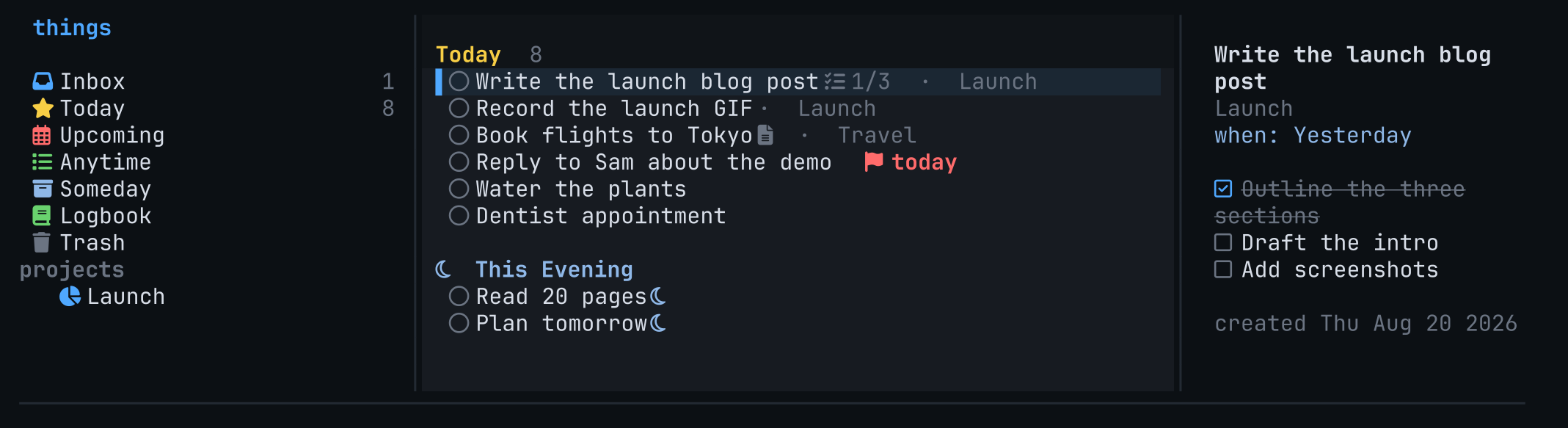
Companion app: things-tui ships in this repo — the same data
in a full terminal UI, plus an ALT+SPACE quick-add popup (grammar shared with
the panel). Install it with things-tui/linux/install.sh (macOS:
things-tui/macos/install.sh).
Remove
omarchy plugin remove reysu.things
sudo rm -f /usr/local/bin/things3      # the CLI `setup` built
rm -rf ~/.local/state/things3          # Things Cloud login + local cache
Nothing here touches Things Cloud — your tasks stay in the Mac and iPhone apps.
If you added the SUPER + SHIFT + T keybind, delete that line from
~/.config/hypr/bindings.lua.
If you also installed the companion app:
pipx uninstall things-tui             # or: rm -f ~/.local/bin/things-tui
rm -f ~/.local/share/applications/things.desktop
rm -f ~/.local/share/icons/hicolor/scalable/apps/things-tui.svg
Requirements
Nothing beyond what setup handles. The Things Cloud CLI ships in this repo
at things3-cloud/ — a fork of Evan Purkhiser's
things3-cloud (MIT) —
and setup builds and installs it.
Why bundle a fork? The released CLI (0.8.3) only understands the
Task6wire entity. Newer Things clients also emitTask7— an identical property set, just a version bump — and stock builds silently discard those records, so to-dos and completions made on those devices never appear. The bundled copy carries our fix.
A Nerd Font in the bar (Omarchy's default setup qualifies).
setup compiles that CLI with cargo and needs sudo once to place the
binary at /usr/local/bin/things3. If cargo or jq are missing it installs
them with omarchy pkg add. It writes no user configuration; the only state it
creates is your Things Cloud login and cache under ~/.local/state/things3.
How it syncs
Fetches run things3 against Things Cloud: a full refresh (panel open +
every 10 minutes) syncs and rebuilds everything including project progress;
action reconciles are lighter syncs. All mutations go through the CLI
(new, mark, edit, schedule, delete, reorder), so changes show up
on your other devices immediately.
State (active view, pinned task) lives in
~/.local/state/omarchy/reysu.things/settings.json.
License
MIT