
Expose
A macOS-style window overview for Omarchy / Hyprland.
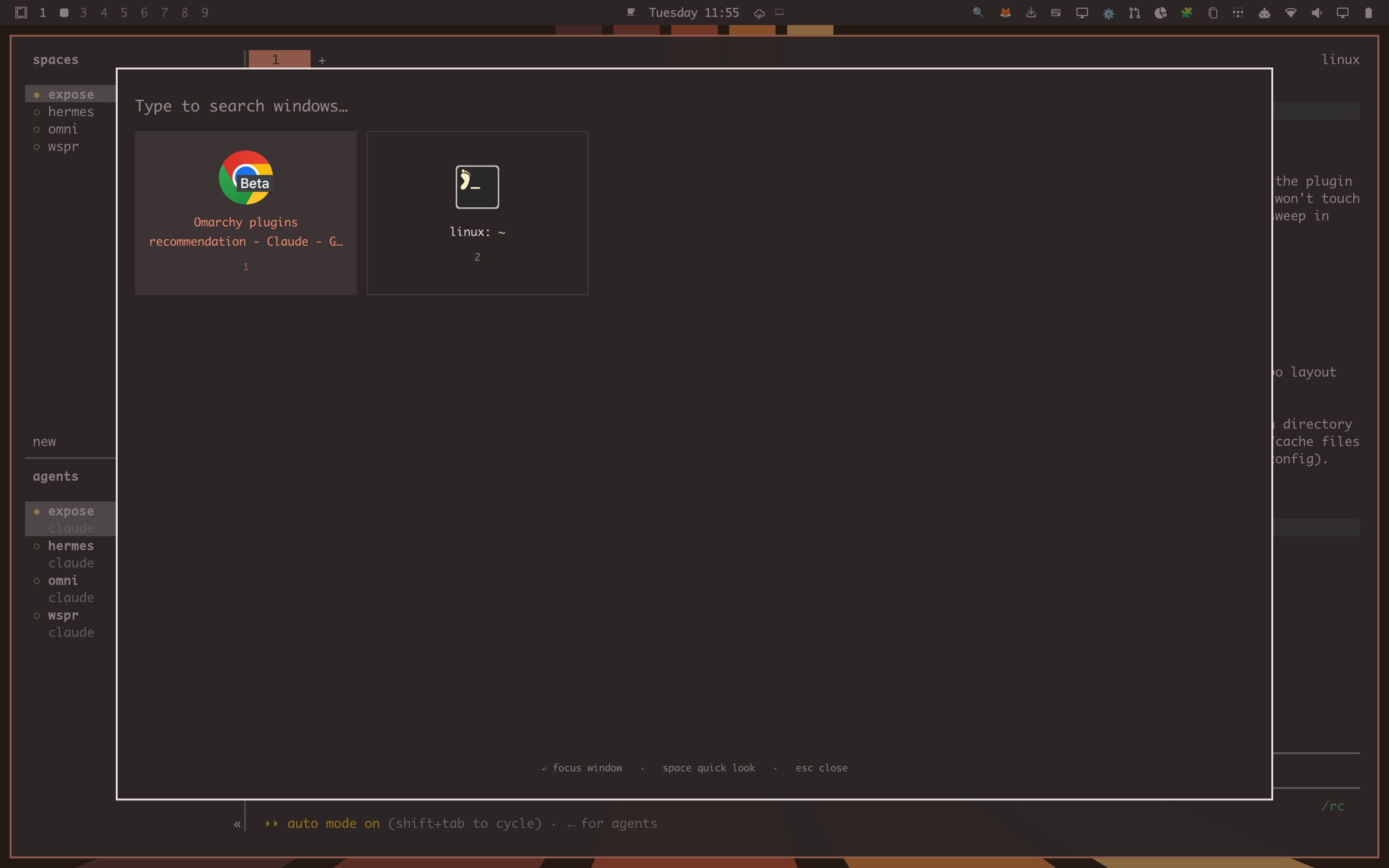
Trigger it with the top-left hot corner or SUPER + E. Type to filter
windows by title or app id, hit Enter to focus one (switching workspace
if needed), or hit Space on the highlighted card for a Quick Look
inspector (large icon, full title, app id, workspace, size, and
floating/fullscreen/XWayland/pid).
Install
omarchy plugin add <this-repo-url> --enable
Then bind a key (optional — the hot corner works without one):
-- ~/.config/hypr/bindings.lua
o.bind("SUPER + E", "Expose", "omarchy-shell shell toggle ronnie.expose")
Remove
omarchy plugin remove ronnie.expose
If you added the optional keybinding above, remove that line from
~/.config/hypr/bindings.lua too.
License and dependencies
MIT — see LICENSE. No dependencies beyond hyprctl, which
ships with Hyprland/Omarchy itself; nothing else is installed or required.
How it works
Expose.qml— the overlay itself. Window data is a freshhyprctl clients -jquery on every open, not Quickshell'sHyprlandToplevel.lastIpcObject(which only reflects a window's state at creation time and never refreshes — using it produces stale sizes/flags).HotCorner.qml— a headless service that pollshyprctl cursorposand summons the overlay after a short dwell in the top-left corner. Edit thecorner/zonePx/dwellMsproperties in the file to change which corner or how long the dwell is.- Focusing the selected window shells out to
hyprctl dispatchwithhl.dsp.focus({ window = "address:..." })— this Hyprland build's IPC socket only accepts its own Lua dispatch syntax, so Quickshell's built-inHyprland.dispatch()(which sends the classic dispatch string) gets rejected.
Security notes
Window titles and app ids are supplied by whatever application owns the window, not by the user, so they're treated as untrusted:
- App-id strings are rejected before they reach icon lookup if they look
like a path or URI (
shell.appLibrary.iconSource()treats a leading/,file://, orimage://as a direct image source to load). - All displayed text sets
textFormat: Text.PlainText— Qt's default auto-detects and renders HTML-like markup in a string. - Window addresses are regex-validated (
^0x[0-9a-fA-F]+$) before being placed in a dispatch string. - Title/app-id/workspace strings are length-capped.
Both hyprctl calls (clients -j, cursorpos) run as static argv arrays
with no shell involved, and JSON.parse output is validated before use.