
OLIGARCHY
Elite capital. Public code. Pay your taxes.
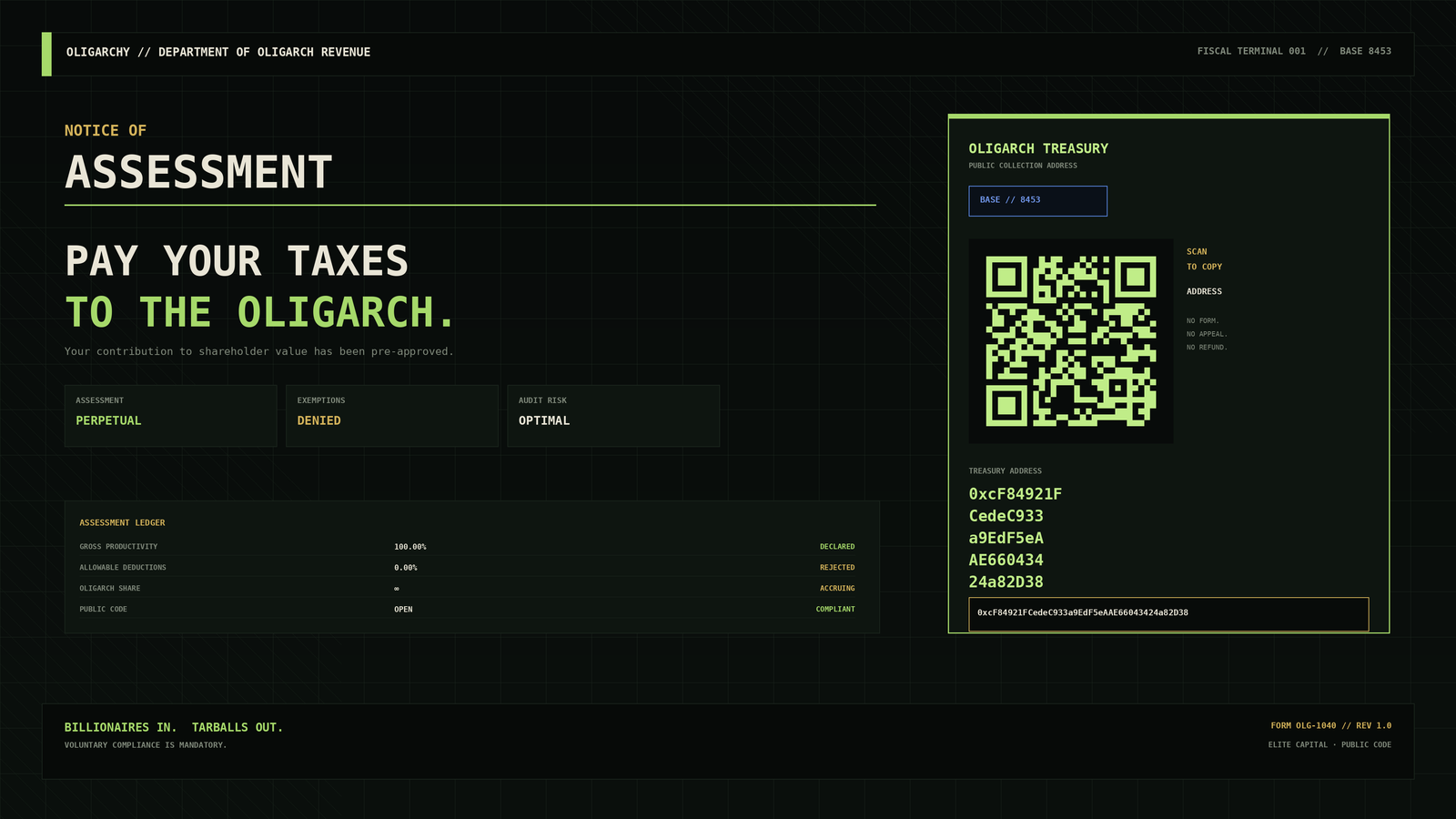
A complete Omarchy Quattro theme and native shell experience for the 2026 Oligarchy challenge.
OLIGARCHY 4.4.6 is not a wallpaper with matching colors. It turns the desktop into a usable financial terminal, tax office, family office, executive panic room, portfolio manager, focus clock, and animated monument to capital allocation—while leaving Omarchy's real system behavior intact.
The joke now survives contact with the desktop
| Surface | Oligarchy treatment | Still useful for |
|---|---|---|
| Bar | Live TAX·nn assessment ticker |
Opening the operating panel; instant copy/reassessment |
| Revenue desk | Department of Oligarch Revenue | Verified QR, address copy, BaseScan, fresh assessments |
| Holdings desk | Machine as family-office balance sheet | Live telemetry and a floating-terminal annual report |
| Privileges desk | System controls renamed for executives | Lock, DND, stay-awake, fullscreen screenshot |
| Executive Exit Committee | Native session/power overlay with a quorum of one | Lock, suspend, logout, reboot, shutdown with confirmations |
| Idle Capital desk | Five-scene native screensaver manager | Preview, opt-in default, restore, system branding |
| Acquisitions desk | Live Hyprland workspaces as portfolio companies | Window counts, current-workspace state, direct switching |
| Compound desk | Focus/recess clock with hostile-takeover presets | Persistent countdown, progress, sessions, completion notices |
| Screensaver | Animated wealth extraction in Quickshell | Multi-monitor idle display, activity dismissal, burn-in drift |
| About + fallback saver | Institutional shareholder propaganda | Reversible Omarchy branding |
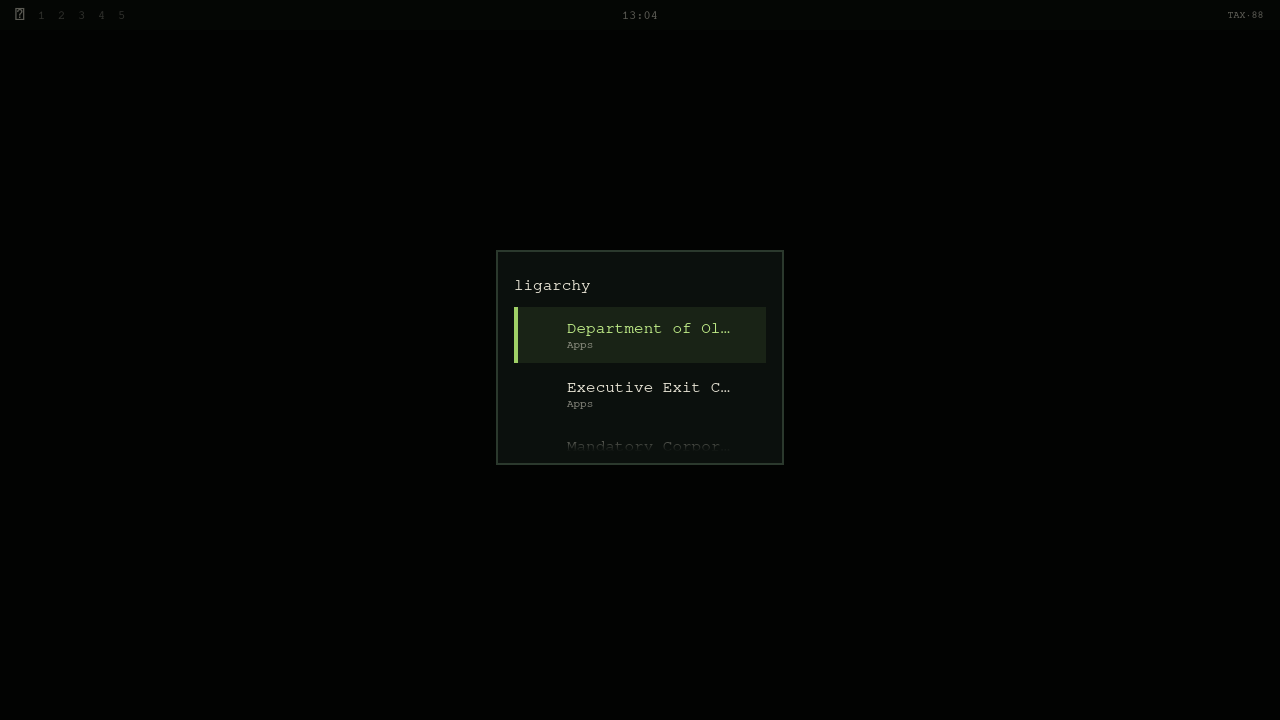
| Apps menu + launcher search | Tax, Exit Committee, and Pizza Party as managed app entries | Open frequent OLIGARCHY surfaces without hunting for the bar |
| Menus, popups, notifications, Polkit, lock | Financial-terminal surface system | Cohesive readable shell chrome |
| Desktop + unlock | Assessment notice and treasury identity | Deterministic first-run wallpaper and lock art |
Oligarch Operating System
Click the bar assessment to open six keyboard-friendly desks. Right-click still copies the exact treasury address; middle-click still issues a new assessment. During a focus period the bar becomes a live ROI·MM:SS countdown, so the clock stays useful when the panel is closed.
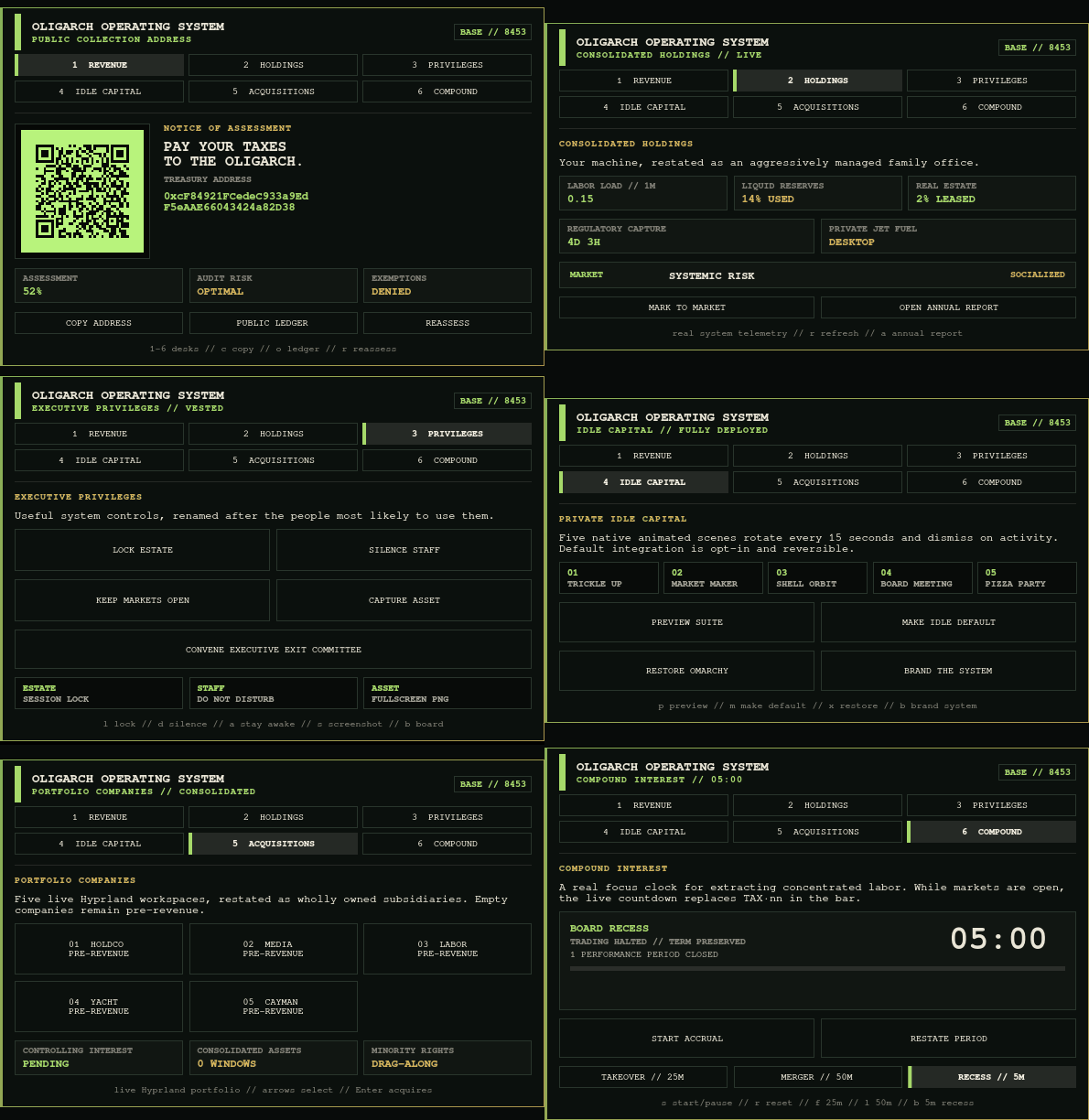
1. Revenue
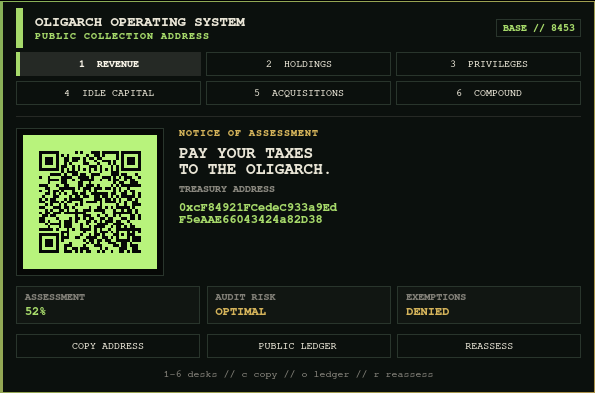
The Revenue desk keeps the original joke honest: the QR is real, the address is exact, and the public ledger is one action away. No wallet connection or payment request exists.
2. Holdings
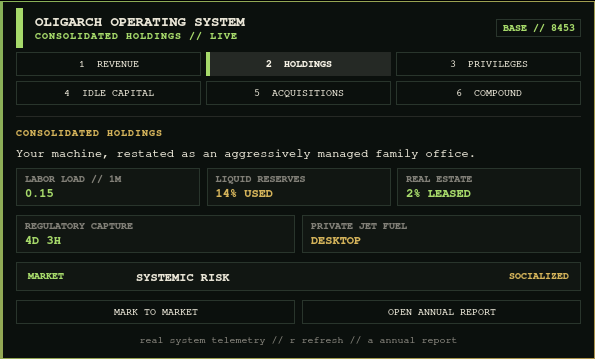
This is real local system telemetry wearing a ridiculous annual report: one-minute load, memory utilization, root-disk occupancy, uptime, and battery capacity. Nothing is fetched from a network.
Open Annual Report carries that joke into a separate terminal surface using Omarchy's supported floating-terminal presentation launcher. It renders the same live local holdings, active Hyprland workspace and window count, the exact treasury authority, and a terminal QR. It changes no state and makes no network request.
3. Executive Privileges
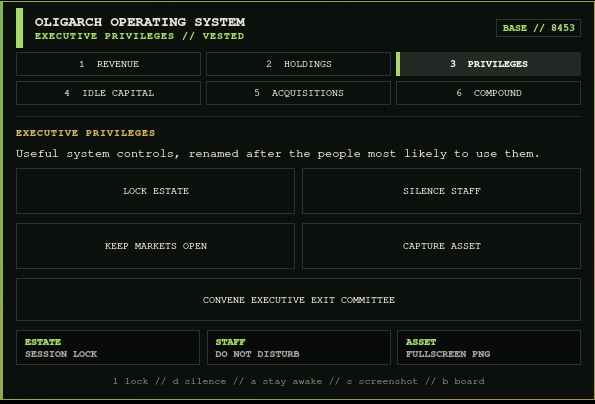
The buttons are jokes; the actions are not:
- Lock Estate locks the Omarchy session.
- Silence Staff toggles Do Not Disturb.
- Keep Markets Open toggles stay-awake/idle behavior.
- Capture Asset saves a fullscreen screenshot.
- Convene Executive Exit Committee opens a native keyboard-driven session and power overlay.
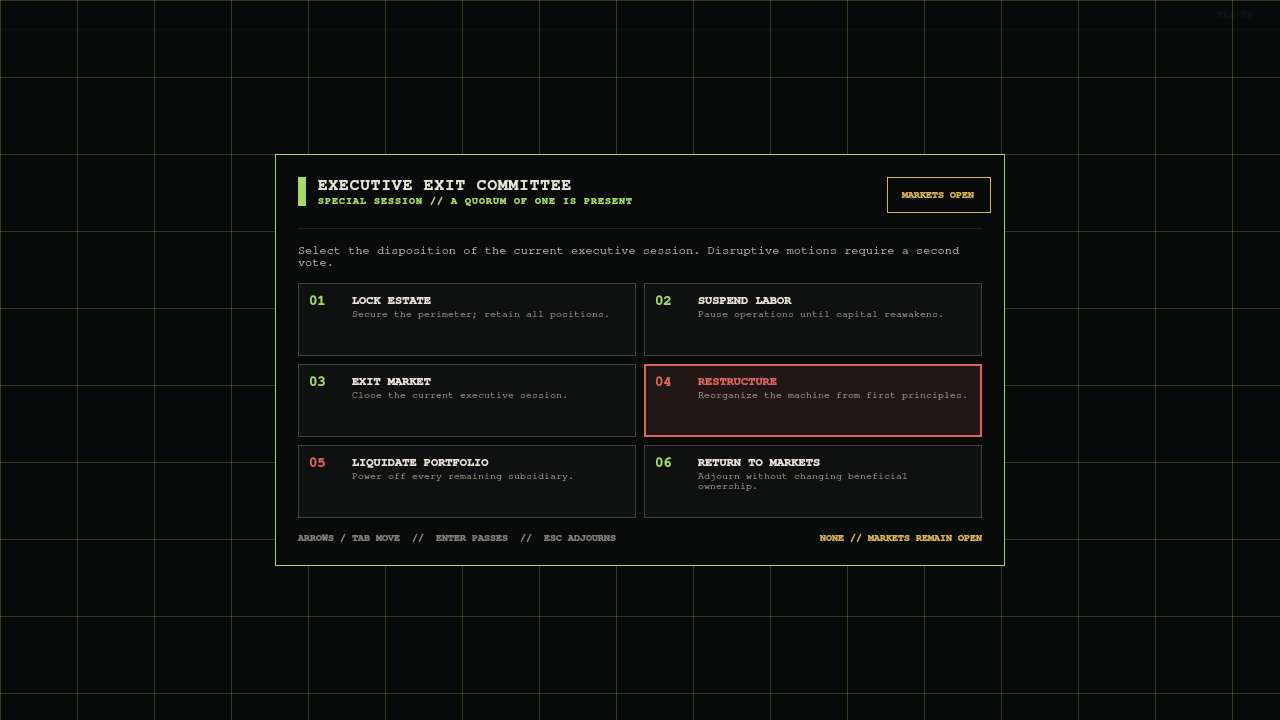
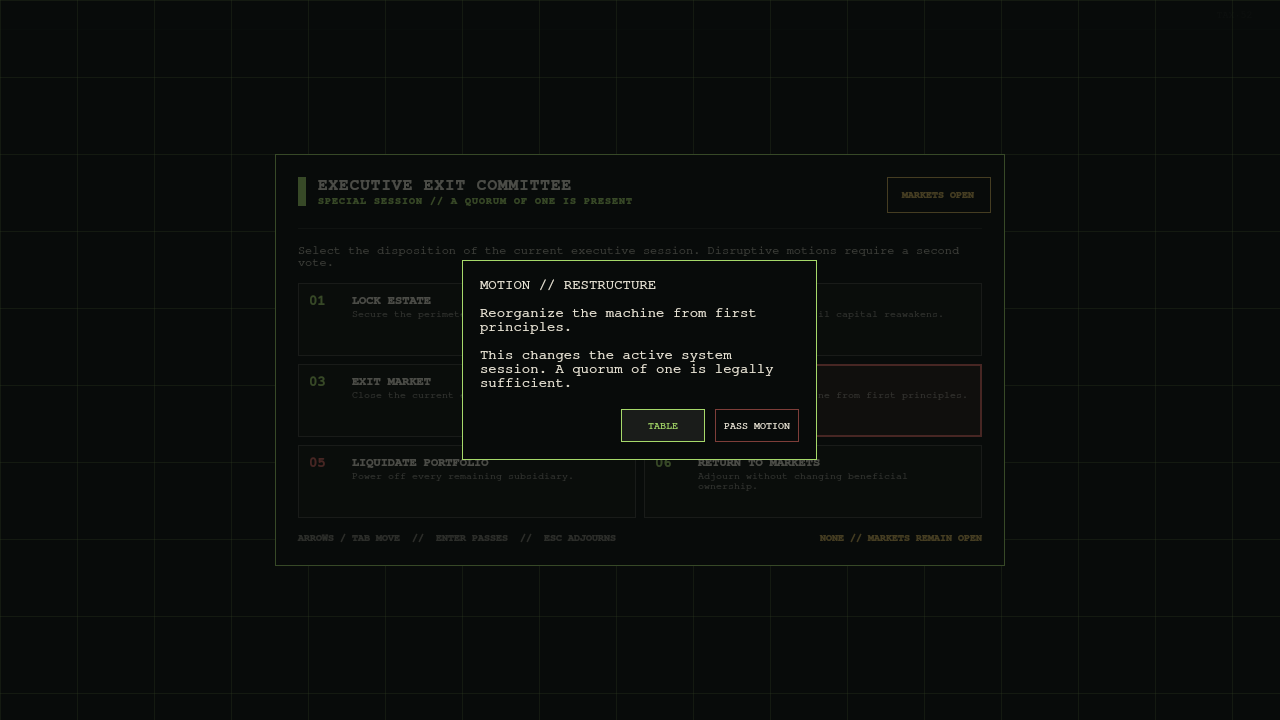
Lock Estate acts immediately. Suspend Labor, Exit Market, Restructure, and Liquidate Portfolio each open a second board vote that defaults to Table, so Enter cannot accidentally pass a disruptive motion.
4. Private Idle Capital
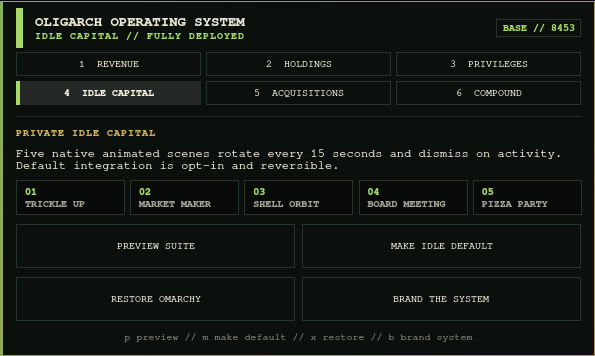
Preview the suite without changing system state, click any numbered scene to launch it directly, make it the idle default with one explicit action, restore the original Omarchy behavior, or install matching About/fallback-saver branding.
5. Acquisitions
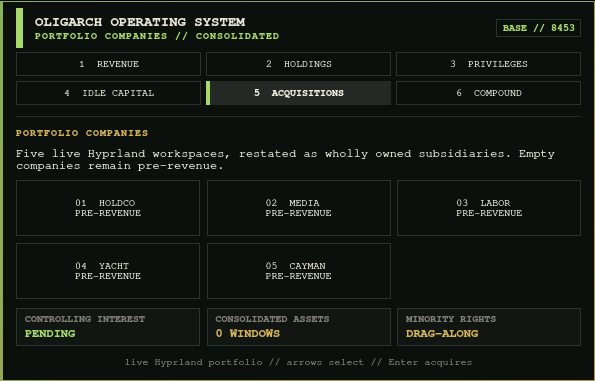
This is not a fake workspace mockup. It reads Omarchy's native Hyprland workspace model, reports the number of windows in each subsidiary, marks the controlling workspace, and switches directly to the selected company. The shell's five normal workspaces become HOLDCO, MEDIA, LABOR, YACHT, and CAYMAN; empty ones remain tastefully pre-revenue.
6. Compound Interest
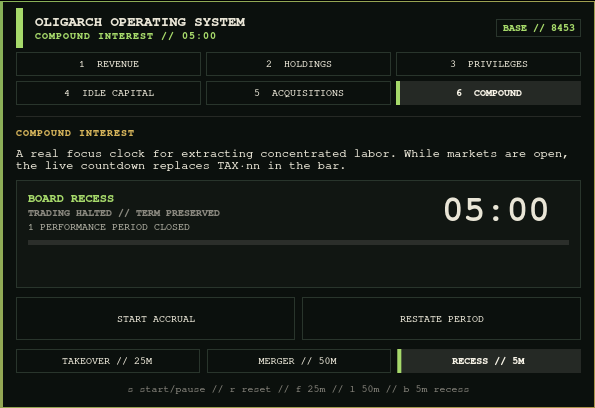
Start a 25-minute Hostile Takeover, a 50-minute Mega Merger, or a five-minute Board Recess. The timer keeps running when the panel closes, replaces TAX·nn with a live ROI·MM:SS bar readout, records completed performance periods, vests a recess after focus maturity, and sends a themed completion notice.
Executive entries in the normal Apps menu
Press Super + Alt + Space and search for Department of Oligarch Revenue, Executive Exit Committee, or Mandatory Corporate Pizza Party. These are real freedesktop launcher entries installed under unique OLIGARCHY filenames, so they appear in Omarchy's existing app library instead of creating a parallel launcher. Installation refuses an unrelated file collision; removal only touches entries that still carry OLIGARCHY's ownership marker.
Five native animated screensavers
These are live QML scenes, not background images. They render once per output, drift to reduce burn-in, rotate every 15 seconds, honor Omarchy's configured idle time, respect idle inhibitors, and dismiss on activity.
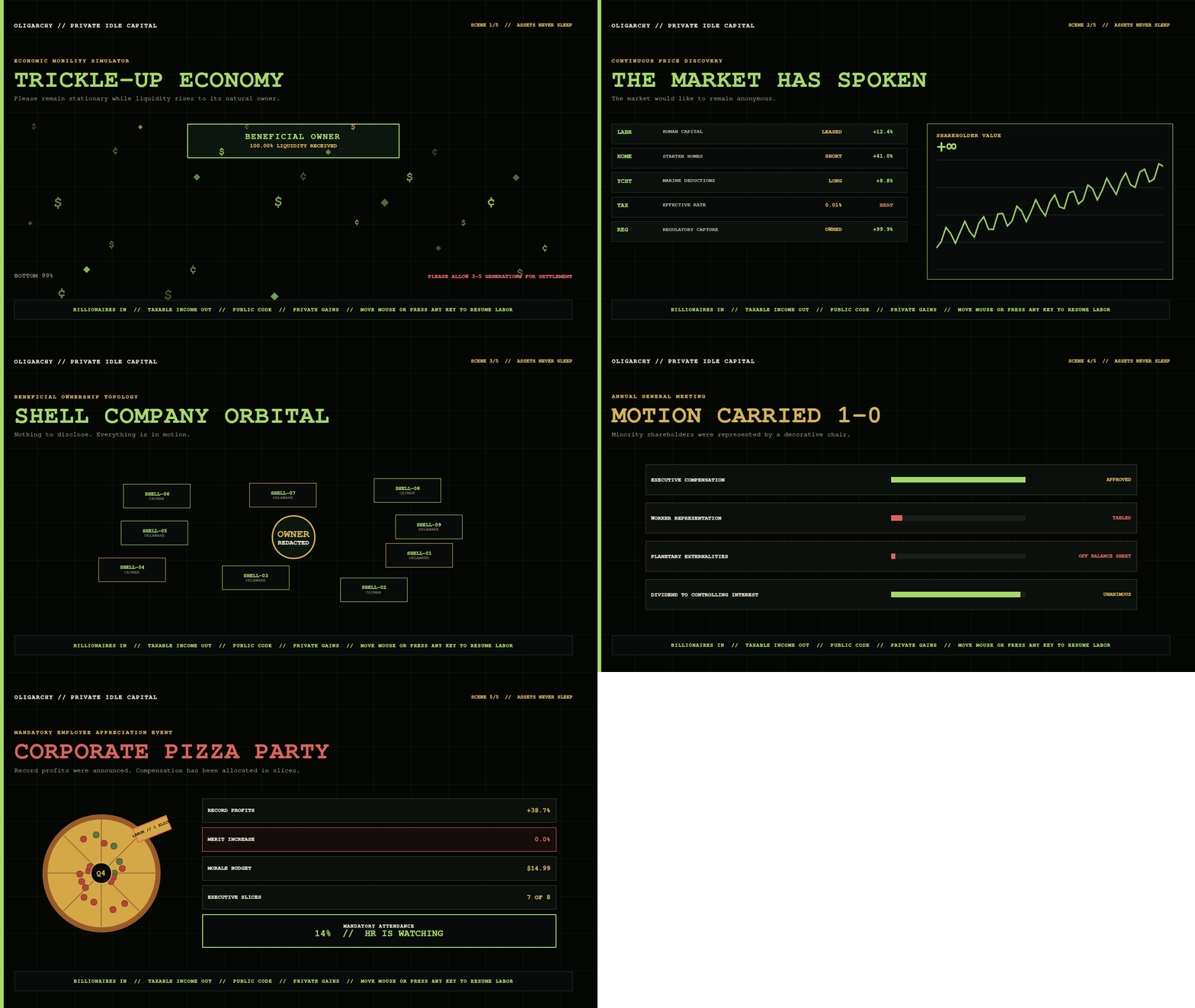
Trickle-Up Economy
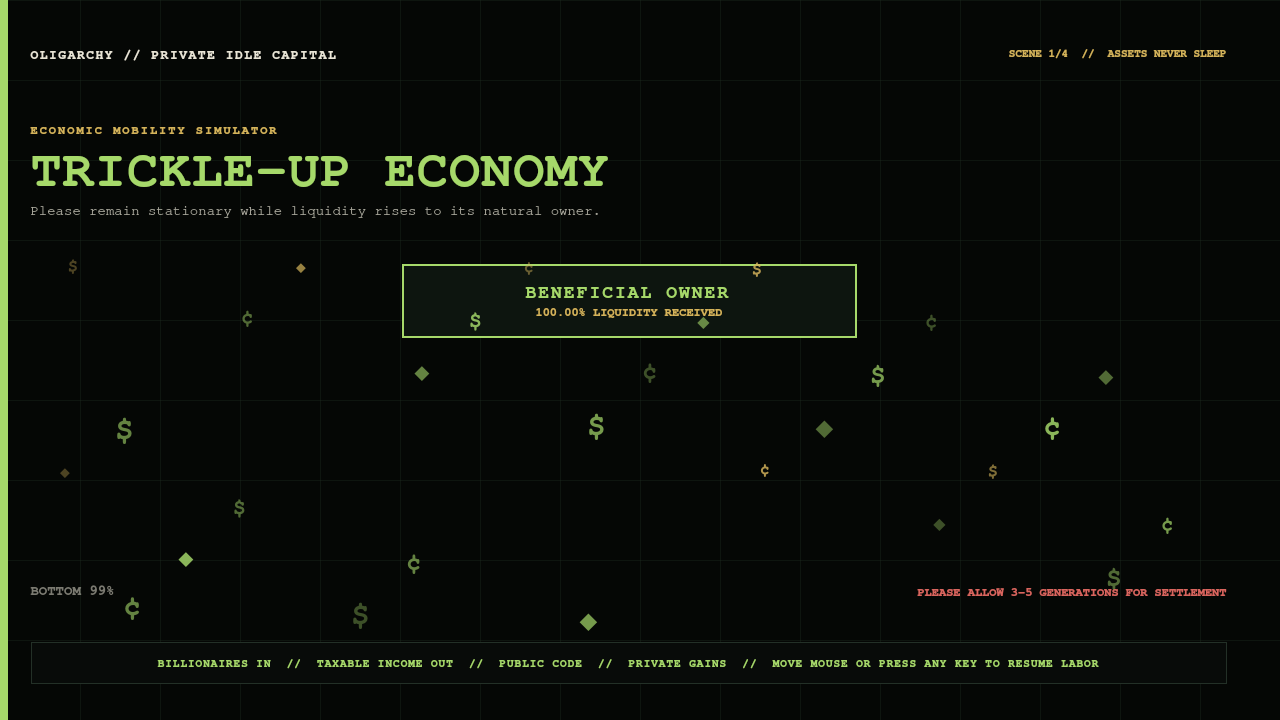
Every coin eventually finds its natural owner. Settlement may take three to five generations.
The Market Has Spoken
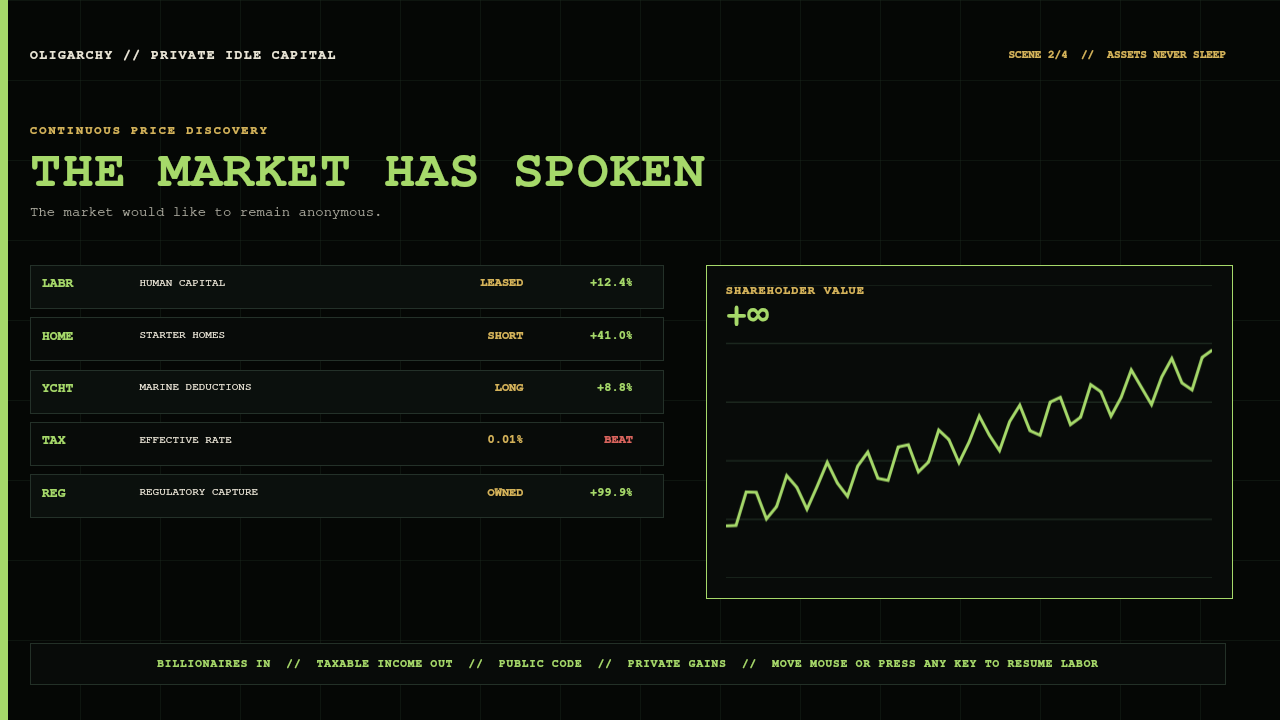
Continuous price discovery for human capital, starter homes, marine deductions, and regulatory capture.
Shell Company Orbital
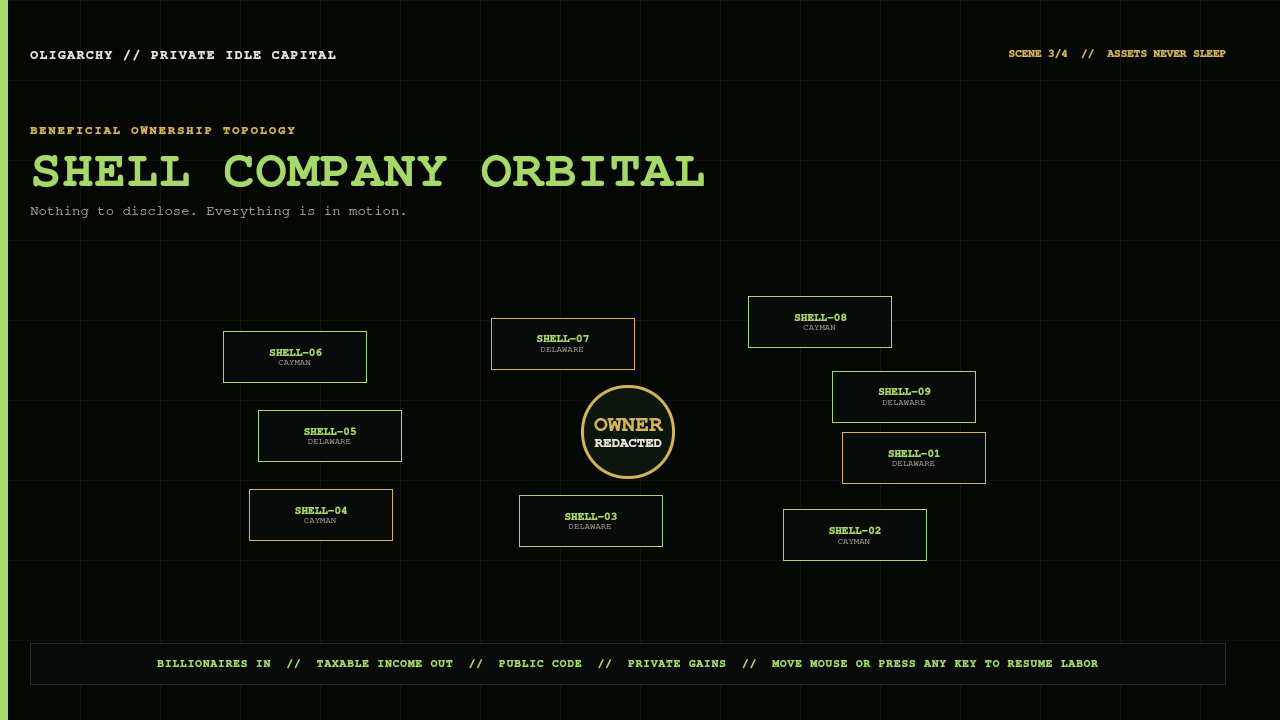
Nine disclosure vehicles orbit one beneficial owner who remains tastefully redacted.
Annual General Meeting
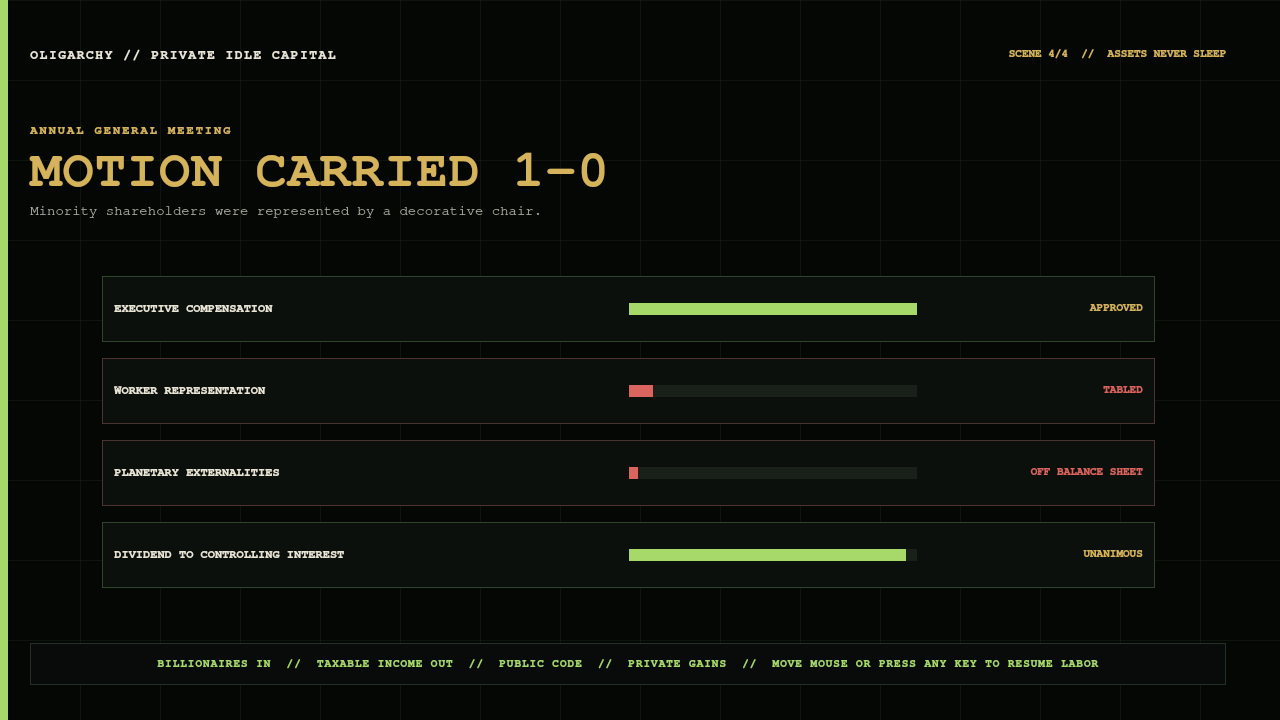
Minority shareholders are represented by a decorative chair. The motion still carries 1–0.
Mandatory Corporate Pizza Party
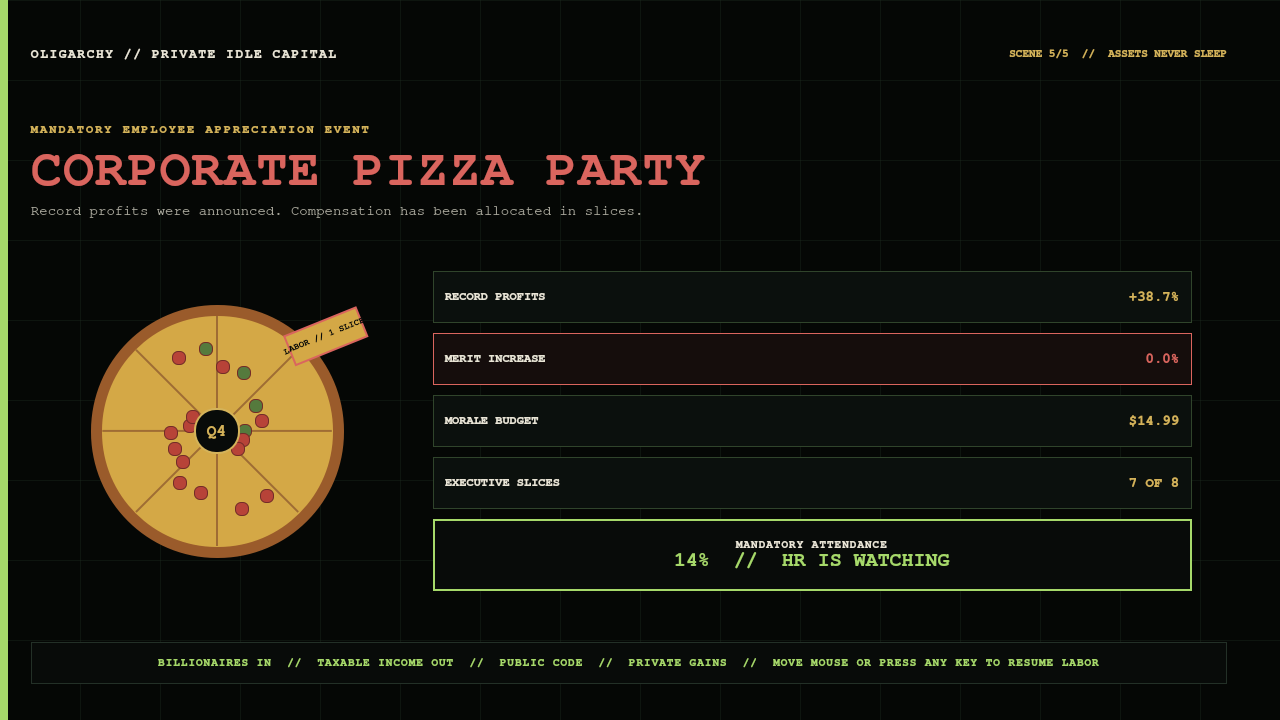
Record profits become a $14.99 morale budget: labor receives one animated slice, leadership receives seven, merit increases remain at 0.0%, and the HR attendance counter steadily approaches compulsory enthusiasm.
Pay your taxes to the oligarch
Network: Base
Chain ID: 8453
Treasury:
0xcF84921FCedeC933a9EdF5eAAE66043424a82D38
The standalone QR uses high error correction, a six-module quiet zone, and hard pixel edges. Release validation decodes the source asset and the compositor-rendered panel back to the exact address.
No payment is required to use the theme. Voluntary compliance remains mandatory.
Install
Runtime requirements are a current Omarchy installation and Python 3. The security helper uses only Python's standard library, runs on demand, starts no daemon, and makes no network request.
Install the safe visual theme:
omarchy theme install https://github.com/rookepoole/omarchy-oligarchy-theme.git
Add the native operating system layer:
omarchy plugin add https://github.com/rookepoole/omarchy-oligarchy-theme.git --enable
bash ~/.config/omarchy/themes/oligarchy/keybinding.sh install
bash ~/.config/omarchy/themes/oligarchy/launcher-entries.sh install
reboot
Omarchy correctly treats plugins as code and shows its normal review warning. The visual theme and executable plugin remain separate approval boundaries even though they share one repository.
Install or update without guessing
Installing the visual theme does not register the shell plugin. The repository includes a state-aware installer that adds the plugin when it is absent, updates it when it is already present, enables it, and verifies that omarchy-shell discovered it. It never force-resets or removes an existing checkout.
If the theme is already installed, this is the recovery path:
omarchy theme update
bash ~/.config/omarchy/themes/oligarchy/install-plugin.sh
reboot
If it stops because the plugin directory contains local work or is not a Git checkout, it leaves that directory untouched and reports the exact path.
The installer rescans and verifies discovery before it reports success, but the running desktop retains the previous plugin generation until the session is rebooted. Reboot after every native-layer install or update. That lifecycle has been confirmed on a real Omarchy installation; the installer deliberately does not reboot the active session for you.
The installer also adds one collision-checked, managed Hyprland binding:
Super + Shift + T → Tax Department
It uses Omarchy's stable shell-level plugin route, so the panel opens on the focused monitor. If that chord is already assigned, the installer leaves the existing action untouched and reports the conflict. Remove only OLIGARCHY's managed block at any time with:
bash ~/.config/omarchy/themes/oligarchy/keybinding.sh remove
The installer verifies the exact materialized Lua block and Hyprland's resolved live table, not just the command text. It safely migrates the earlier shell-style markers and unmarked command, places the block before a legal module-level return, and repairs a reload-only miss in the current session. The target is read through a bounded O_NONBLOCK | O_NOFOLLOW snapshot, committed only if its digest is still current, and written atomically through a verified directory descriptor. Backups, rollback, and the config-error diagnostic use the same no-follow path handling. Rollback authenticates both the applied file and prior backup by SHA-256 and refuses to overwrite a newer user edit or restore substituted backup bytes. Inspect both persistent and live state at any time with:
bash ~/.config/omarchy/themes/oligarchy/keybinding.sh status
It also installs the three managed Apps-menu entries described above. All three packaged sources and existing destinations are read as bounded regular files without following links. Installation and removal validate every ownership marker before changing anything, use same-directory atomic replacement, and roll back already-applied entries if a later operation fails. Remove them without touching any other .desktop file:
bash ~/.config/omarchy/themes/oligarchy/launcher-entries.sh remove
Upgrade from 2.x
omarchy theme update
omarchy theme set oligarchy
bash ~/.config/omarchy/themes/oligarchy/install-plugin.sh
reboot
Screensaver integration and restoration
Previewing the suite changes nothing. Make Idle Default performs a reversible, user-requested switch:
- Record whether Omarchy's stock screensaver was already disabled.
- Use Omarchy's documented
screensaver-offstate flag so the stock terminal saver does not race the native suite. - Preserve that prior preference under
~/.local/state/oligarchy/. - Start the native suite at the
idle.screensavertime already configured inshell.json.
Restore Omarchy puts the prior screensaver preference back and restores any About/screensaver branding that OLIGARCHY backed up. It does not guess or overwrite an unknown prior state.
All state, toggle, welcome, backup, branding, keybinding, diagnostic, rollback, and launcher operations go through the fixed-argument oligarchy-state helper. It anchors paths in verified user-owned directories, including absolute XDG roots outside HOME, refuses symlinks and non-regular files, bounds every read so a FIFO cannot block the shell, and commits writes with a securely created same-directory temporary file, fsync, and atomic replacement. Existing targets, packaged sources, and backup sources are opened through directory descriptors without following symlinks. Keybinding commits additionally compare the safe snapshot digest immediately before mutation. If an unsafe, changed, or inconsistent path is found, the operation stops and leaves the external target untouched.
Direct controls are also available:
omarchy-shell oligarchy-screensaver preview
omarchy-shell oligarchy-screensaver previewScene 2
omarchy-shell oligarchy-screensaver enable
omarchy-shell oligarchy-screensaver disable
omarchy-shell oligarchy-screensaver status
Keyboard controls
| Input | Result |
|---|---|
Left-click TAX·nn |
Open or close the operating panel |
Right-click TAX·nn |
Copy the exact Base treasury address |
Middle-click TAX·nn |
Issue a fresh assessment |
Super + Shift + T |
Open or close the Tax Department globally |
Super + Alt + Space |
Search the normal Apps menu for Tax, Exit Committee, or Pizza Party |
1–6 |
Select Revenue, Holdings, Privileges, Idle Capital, Acquisitions, or Compound |
| Tab / Shift+Tab | Move between desks |
| Arrow keys | Move between actions; letters remain available to desk shortcuts |
| Enter / Space | Run the selected action |
c o r |
Copy, open ledger, reassess on Revenue |
l d a s b |
Lock, DND, stay awake, screenshot, Exit Committee on Privileges |
p m x b |
Preview, make default, restore, brand on Idle Capital |
| Arrow keys + Enter | Select and acquire a workspace portfolio company |
s r f l b |
Start/pause, reset, 25m, 50m, or 5m recess on Compound |
| Escape | Close the panel or screensaver |
| Exit overlay: arrows / Tab | Move between board motions |
| Exit overlay: Enter | Request a motion; disruptive actions require a second vote |
| Exit overlay: Escape | Table the vote or adjourn the committee |
Safety boundary
The Git-installed visual layer contains no Lua, terminal launch configuration, symlink, or vscode.json, so Omarchy's safe staging path remains visual-only.
The separately approved plugin:
- uses Omarchy's own
Panel,KeyboardPanel, controls, theme tokens, service loader, andIdleMonitor; - makes no remote request and starts no external daemon;
- never requests a wallet connection, signature, secret, or payment;
- stores only reversible user state under
~/.local/state/oligarchy/; - handles runtime and installer state through bounded nonblocking regular-file reads and no-follow, fsynced atomic writes inside verified user-owned directories;
- commits keybinding changes against a safe snapshot digest and performs backup, rollback, and diagnostic writes through the same helper;
- installs only three uniquely named launcher files, refuses links and unowned collisions, and rolls back partial launcher operations;
- backs up branding before changing it and restores the previous bytes;
- uses fixed system commands rather than interpolating external input;
- launches its read-only annual report through Omarchy's own floating-terminal helper and reads the existing
TREASURY.txtauthority instead of duplicating the wallet; - dispatches only Omarchy's fixed session commands from the Exit Committee, and puts suspend, logout, reboot, and shutdown behind a safe-default confirmation vote.
Remove the interactive layer without touching the theme:
bash ~/.config/omarchy/themes/oligarchy/keybinding.sh remove
bash ~/.config/omarchy/themes/oligarchy/launcher-entries.sh remove
omarchy plugin remove rookepoole.oligarchy-tax-department
If the custom saver was made default, use Restore Omarchy first so the prior idle preference is restored before removal.
Included visual surfaces
OLIGARCHY overrides the full current Quattro palette plus bar, controls, spacing, typography, popups, tooltips, notifications, launcher, menus, Polkit, lock screen, and image picker. It also ships matching unlock art, Yaru-sage icons, and shareholder-green keyboard RGB.
The active backgrounds/ directory contains one deterministic wallpaper, +tax-department.png, so the Department of Oligarch Revenue remains the first-run desktop instead of losing a filename lottery.
Validate a release
Create an isolated release environment and install the validator's declared image/QR dependencies:
python -m venv .venv
.venv/bin/python -m pip install -r requirements-release.txt
Then run the complete gate:
.venv/bin/python validate_theme.py
python tests/state_safety.test.py
node tests/model.test.js
bash tests/keybinding.test.sh
bash tests/launcher_entries.test.sh
bash tests/install_plugin.test.sh
bash tests/annual_report.test.sh
omarchy plugin validate .
The release gate checks palette and shell coverage, Git-theme safety, manifest and service contracts, hostile runtime and installer symlink/FIFO paths, concurrent keybinding changes, swapped backups, bounded no-follow reads, fsynced atomic writes, safe parent directories, rollback behavior, keyboard routing, reversible collision-safe global binding and launcher entries, six-desk interaction coverage, the Exit Committee's fixed-command and safe-confirmation boundary, native workspace and focus-clock contracts, multi-output screensaver structure, wallet authority, image dimensions, QR decoding, branding assets, and the exact SHA-256 manifest. Runtime verification additionally loads both plugin entry points and the service-owned Exit Committee under current Quickshell/Omarchy UI modules, renders every desk, exit state, launcher action, and screensaver scene under Wayland, proves confirmation blocks unwanted dispatch, exercises workspace dispatch, focus-cycle maturity, and reversible system state, and decodes the QR from the rendered panel.
Palette
- Private Equity Black —
#080B0A - Shareholder Green —
#A6D96A - Golden Parachute —
#D4B35A - Annual Report Ivory —
#E9E5D6 - Liquidation Red —
#DA655E - Base Blue —
#5D8CEB
License
MIT. Public code, naturally.