
Fizzy for Omarchy
Fizzy is 37signals' delightfully simple kanban. This plugin puts it in your Omarchy bar: browse boards, triage cards, tick steps, write comments, and capture new ideas without leaving your desktop. All of it works from the keyboard, vim style. 🫧
<p align="center"> <img src="assets/hero.png" alt="The Fizzy panel showing a board with filter chips, cards, and the quick-add field" width="420"> </p> <p align="center"><img src="assets/demo.gif" alt="15 second demo: navigating cards with j and k, opening a card, quick-adding a new one, the shortcut cheat sheet, and live theme switching ending on Tokyo Night" width="420"></p> <p align="center"><a href="assets/demo.mp4">▶ Watch the full-quality demo (mp4, 15s)</a></p>What you get
- 🔴 A bar badge that behaves. The bubbles mark plus a live count of your Maybe? pile. Digits swap in a reserved cell with a quiet fade, so the clock next door never moves.
- 🗂️ Boards and filters. Switch between every board on your account. Filter chips for Maybe?, each column (in its own Fizzy color), Not Now, and Done.
- 🃏 A full card page. Move a card anywhere with one tap, read the notes, tick off steps, assign people, toggle tags, make it golden, and read or write comments.
- ✍️ Two ways to capture. Quick-add files straight to Maybe? from the board. The full composer adds notes, a destination column, tags, and people in one screen.
- ⌨️ Vim at heart. Every action is reachable from the home row. Press <kbd>?</kbd> for the cheat sheet.
- 🎨 Native in every theme. All colors come from Omarchy's theme tokens, with light and dark variants of Fizzy's own card palette.
Keyboard
| Keys | Action |
|---|---|
| <kbd>j</kbd> / <kbd>k</kbd> or <kbd>↑</kbd> <kbd>↓</kbd> | Move the cursor, scroll a card |
| <kbd>h</kbd> / <kbd>l</kbd> or <kbd>←</kbd> <kbd>→</kbd> | Switch filter |
| <kbd>g</kbd><kbd>g</kbd> / <kbd>G</kbd> | Jump to first or last |
| <kbd>Enter</kbd> / <kbd>o</kbd> | Open the focused card |
| <kbd>a</kbd> | Focus quick-add, or the comment box on a card |
| <kbd>n</kbd> / <kbd>c</kbd> | Open the full composer |
| <kbd>x</kbd> | Mark the focused card done |
| <kbd>s</kbd> | Toggle golden |
| <kbd>1</kbd>…<kbd>9</kbd> | Jump straight to a filter |
| <kbd>r</kbd> | Refresh |
| <kbd>Tab</kbd> | Next bar panel |
| <kbd>Esc</kbd> | Back, then close |
| <kbd>?</kbd> | The cheat sheet |
Install
omarchy plugin add https://github.com/ryanyogan/omarchy-fizzy.git --enable
Then add the Fizzy widget to your bar from the bar settings if it does not appear automatically.
Connect your account
Open the widget and paste a personal access token. Get one in Fizzy under Settings → API Tokens (create it with read + write).
[!NOTE] The token is stored in
~/.local/state/omarchy/settings/fizzy.jsonwith mode0600and is handed tocurlthrough a private config file. It never appears on a process command line.
Your account is detected automatically. Pick a board and you are in business.
Settings
Via omarchy bar set or the shell settings UI:
| Key | Default | Meaning |
|---|---|---|
refreshIntervalSec |
300 |
Background poll for the bar badge |
showBadge |
true |
Show the Maybe? count next to the icon |
Mouse extras on the bar icon: left click opens the panel, middle click refreshes, right click toggles the count badge.
Themes
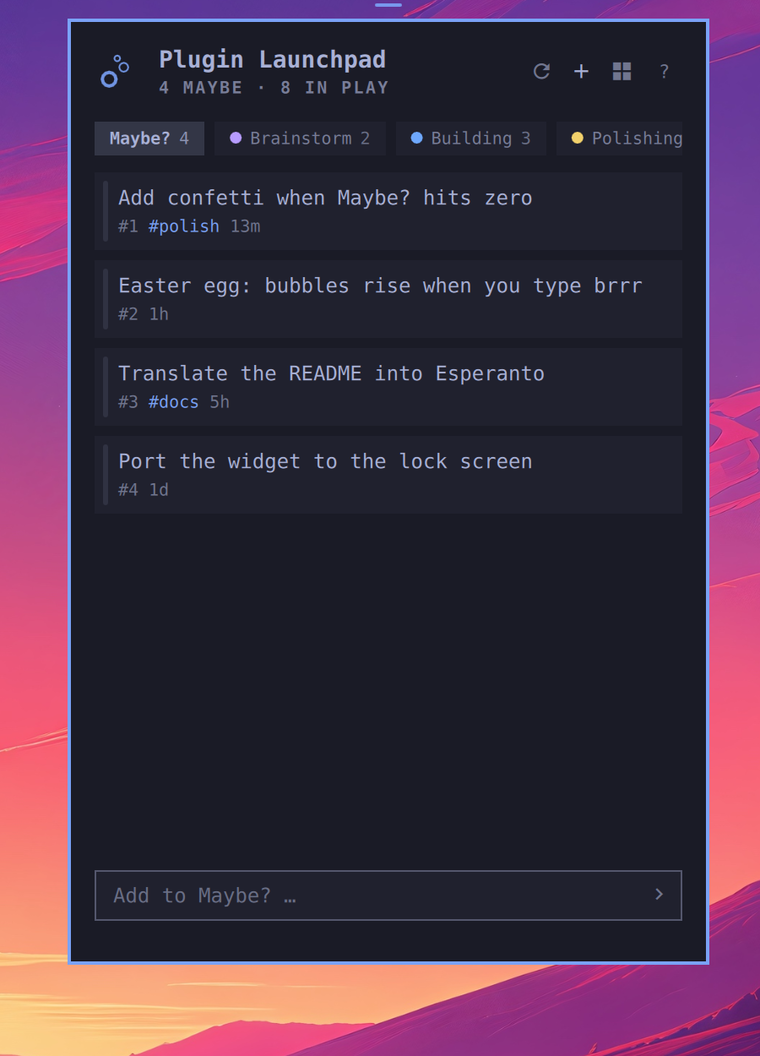
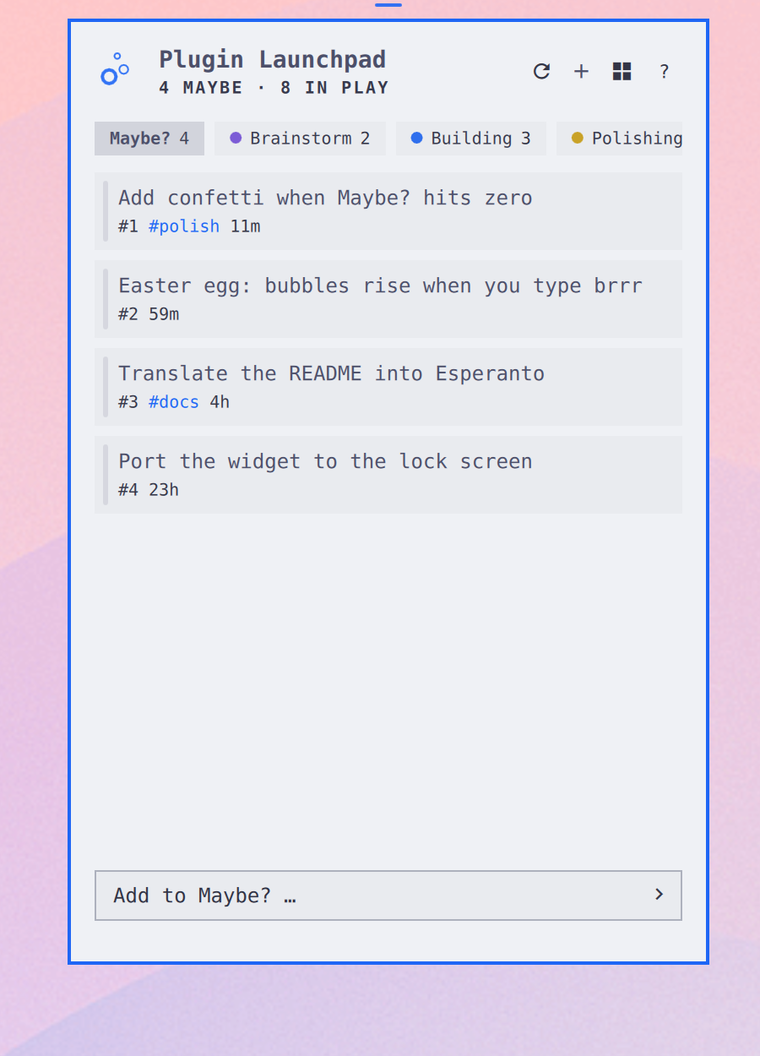
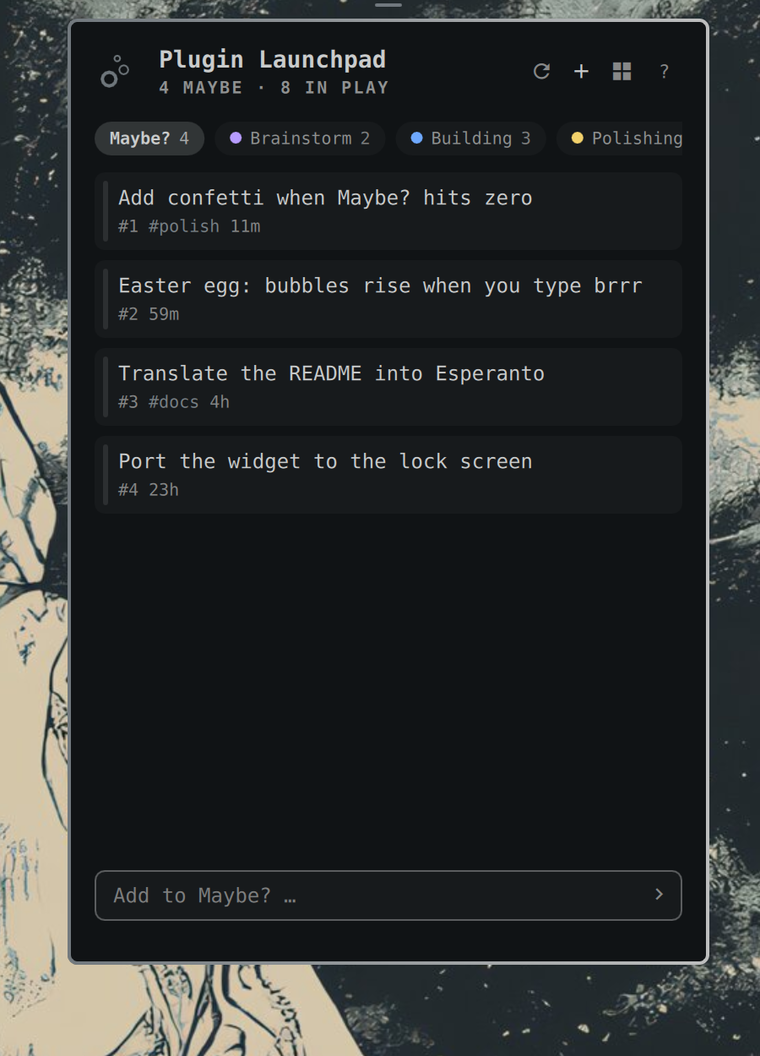
The panel is drawn entirely with Omarchy theme tokens, so it follows whatever theme you run. Here it is in Tokyo Night, Catppuccin Latte, and Solitude:
| Tokyo Night | Catppuccin Latte | Solitude |
|---|---|---|
 |
 |
 |
Point the plugin at your own instance by setting base_url in
~/.local/state/omarchy/settings/fizzy.json:
{ "base_url": "https://fizzy.example.com" }
Everything else works the same.
</details>Requirements
curl and jq. Both ship with Omarchy.
Remove
omarchy plugin remove ryanyogan.fizzy
Your token file is yours: delete ~/.local/state/omarchy/settings/fizzy.json if you want it gone too.