
Hydrate 💧
A water tracker for the Omarchy bar, built for people who look up at 4pm and realise the coffee was the only liquid.
A small glass sits in your bar and fills as you sip. Click it and a living water meter drops down: waves, bubbles, the day by the hour, the week at a glance. Go quiet for too long and it nudges you. Reach the goal and it stops.
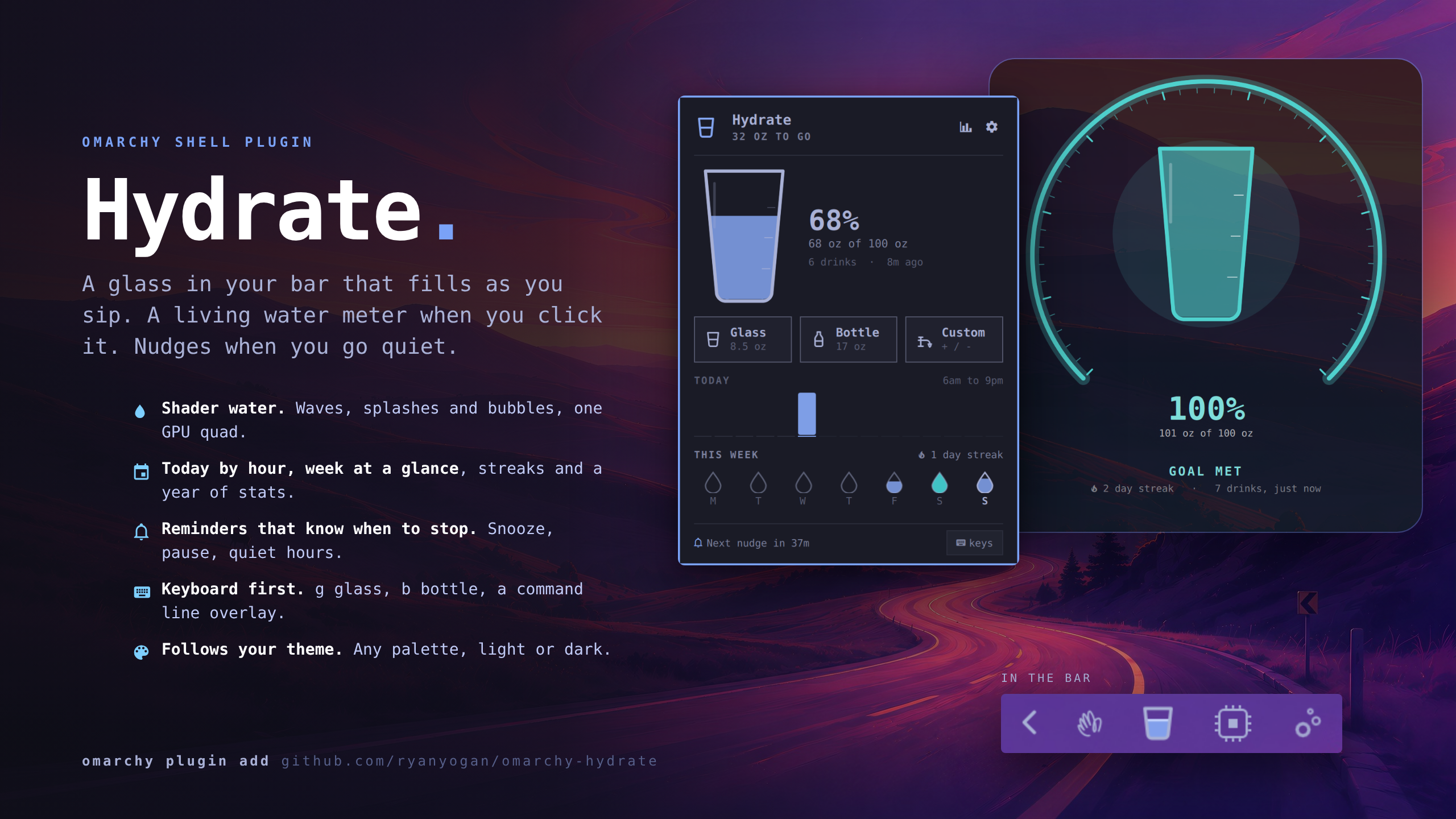
The overlay
SUPER + CTRL + ALT + G (or omarchy-shell hydrate overlay) takes over the screen: a gauge that sweeps on open, the living glass in its middle, and a command line that understands plain words. Type add 12oz and watch the preview, hit Enter and the water rises. stats, help, undo, Esc.

What it does
- 🥛 Bar glass that fills through the day. Left click opens the dropdown, middle click logs a glass, right click opens the overlay.
- 🌊 Pixel water meter with stepped waves, drifting square bubbles, and a splash on every pour. One fragment shader renders the water; reduced motion freezes it. Neutral themes get turquoise water.
- ⏰ Reminders after N minutes without a drink. Snooze, pause, quiet hours, and they rest once the goal is met.
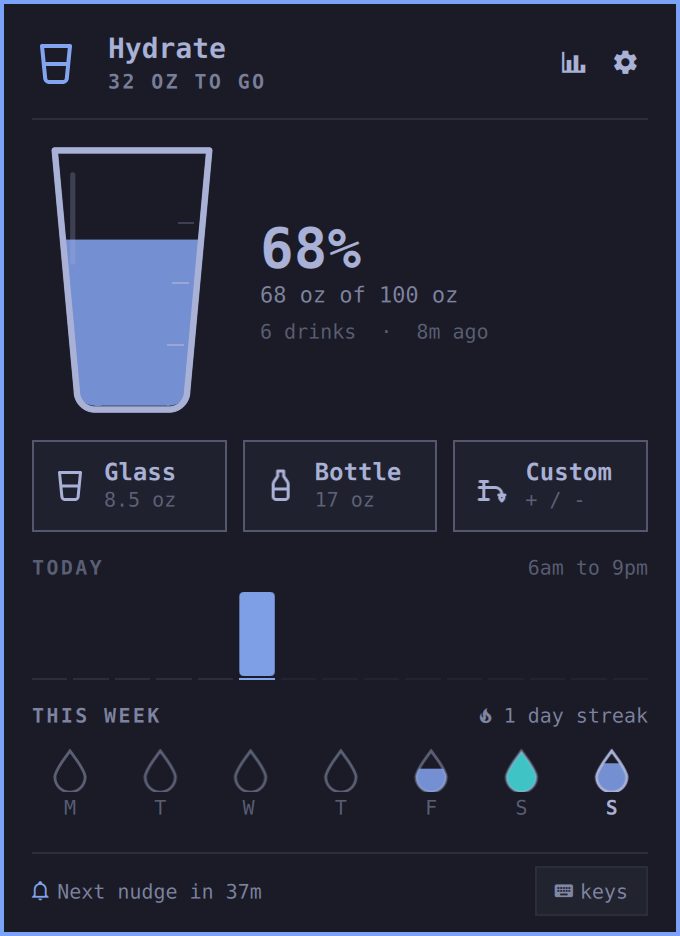
- 🥤 Dropdown with a large intake readout, segmented goal meter, drink tiles with keyboard hints, undo, and a full-screen shortcut.
- 📊 Today by hour and this week as little droplets.
- 🔥 Streak of days that hit the goal.
- 🖥️ Overlay:
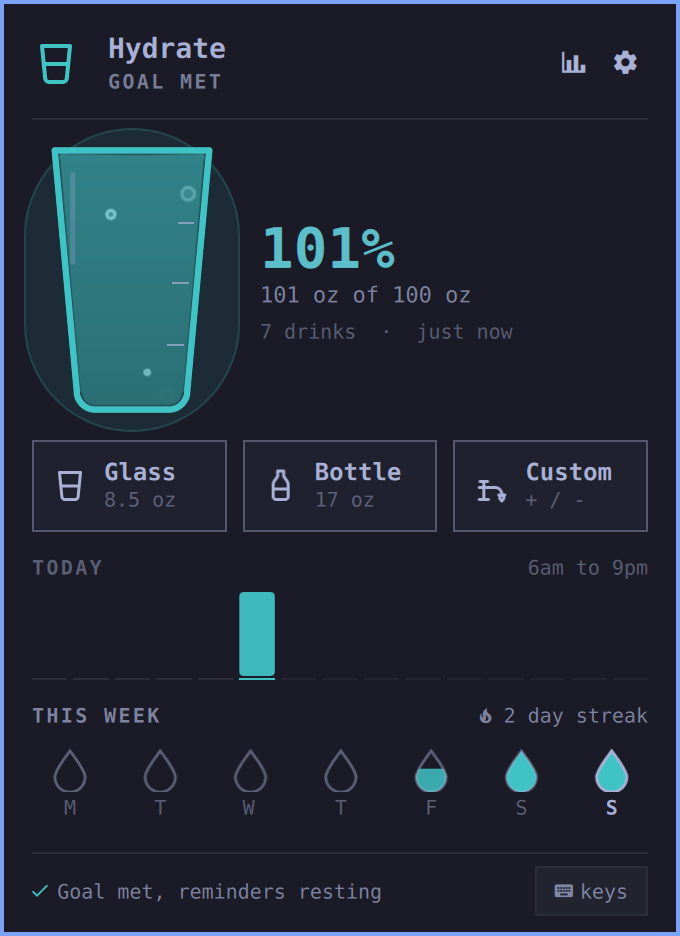
omarchy-shell hydrate overlayopens an opaque midnight surface with a command line. Typeglass,add 12oz,undo,goal 100oz,snooze 30,history,stats,help. Tab completes, Enter runs, Esc closes. - ✅ Done state: hit the goal and the glass fills to the brim in a refreshing blue, in the bar and the dropdown.
- ⚙️ Settings behind the gear (the card flips): reminders, animations, ounces or millilitres, a daily goal editor (type it, step it, or pick a preset; the recommended one is starred), reset today, reset everything (asks first).
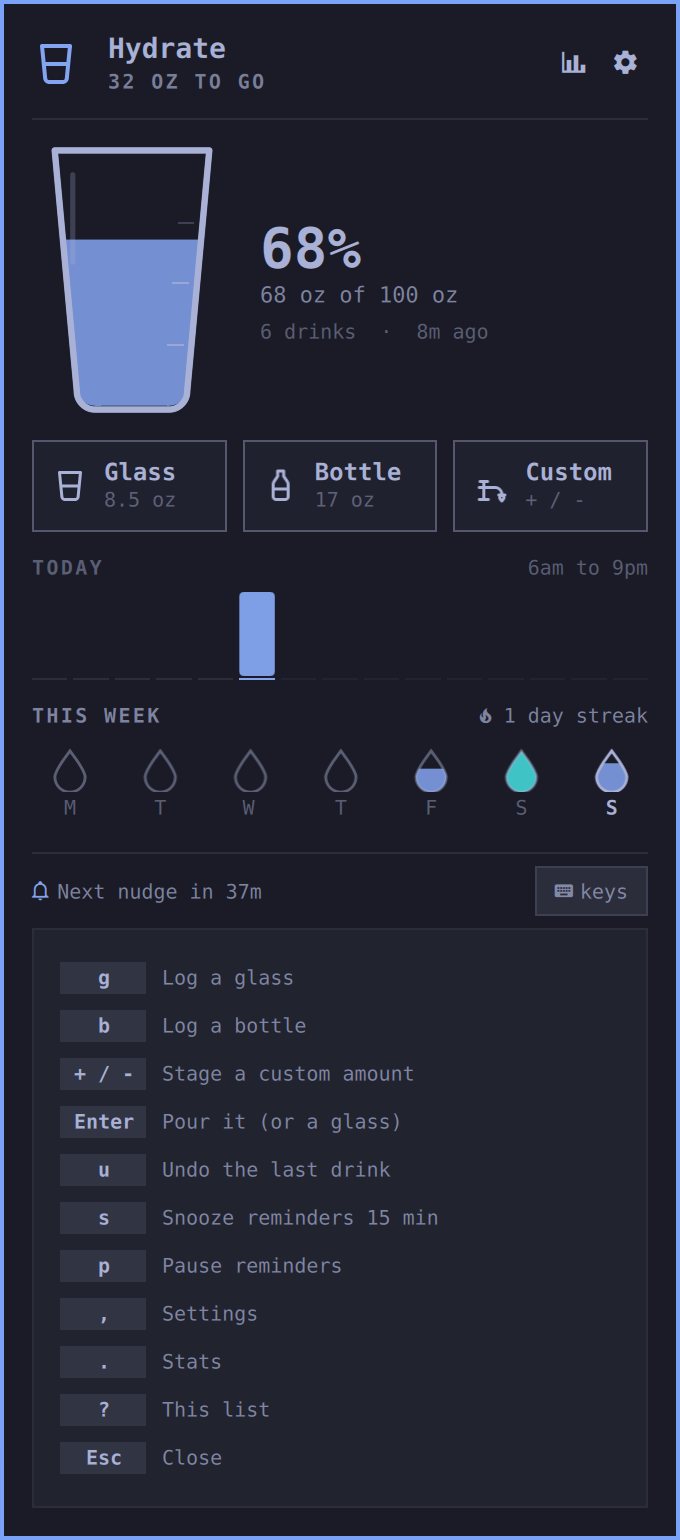
- ⌨️ Keys everywhere. Press
?in the dropdown for the list. The short version:gglass,bbottle,+/-thenEnterfor a custom pour,uundo,ssnooze,ppause,,settings,.stats (h/lpage months,tback to this month),Escclose. - 🧪 IPC so a keybinding or a shell alias can log for you.
Install
omarchy plugin add https://github.com/ryanyogan/omarchy-hydrate --enable
Or drop the folder at ~/.config/omarchy/plugins/ryanyogan.hydrate and run omarchy bar put ryanyogan.hydrate.
Remove
omarchy plugin remove ryanyogan.hydrate
That takes the widget out of the bar and deletes the plugin folder. Your drink history stays in ~/.local/state/hydrate/; delete that directory too if you want a clean slate. Nothing else on the system is touched.
IPC
omarchy-shell hydrate glass          # log a glass
omarchy-shell hydrate bottle         # log a bottle
omarchy-shell hydrate add 330        # log any amount in ml
omarchy-shell hydrate undo
omarchy-shell hydrate snooze 20      # minutes
omarchy-shell hydrate pause          # toggle reminders
omarchy-shell hydrate status         # "1.3 L / 2.5 L · 53%"
omarchy-shell hydrate nudge          # fire a reminder now
omarchy-shell hydrate reset          # wipe today (testing, regret)
omarchy-shell hydrate resetAll
omarchy-shell hydrate overlay            # full-screen overlay
omarchy-shell hydrate run "add 12oz"     # any command line, handy for a keybind
omarchy-shell ryanyogan.hydrate toggle   # the dropdown
Hotkeys, in ~/.config/hypr/bindings.lua:
o.bind("SUPER + CTRL + G", "Hydrate", "omarchy-shell ryanyogan.hydrate toggle")
o.bind("SUPER + CTRL + ALT + G", "Hydrate overlay", "omarchy-shell shell toggle ryanyogan.hydrate")
o.bind("SUPER + CTRL + U", "Log a glass", "omarchy-shell hydrate glass")   -- optional, pick any free key
A closer look
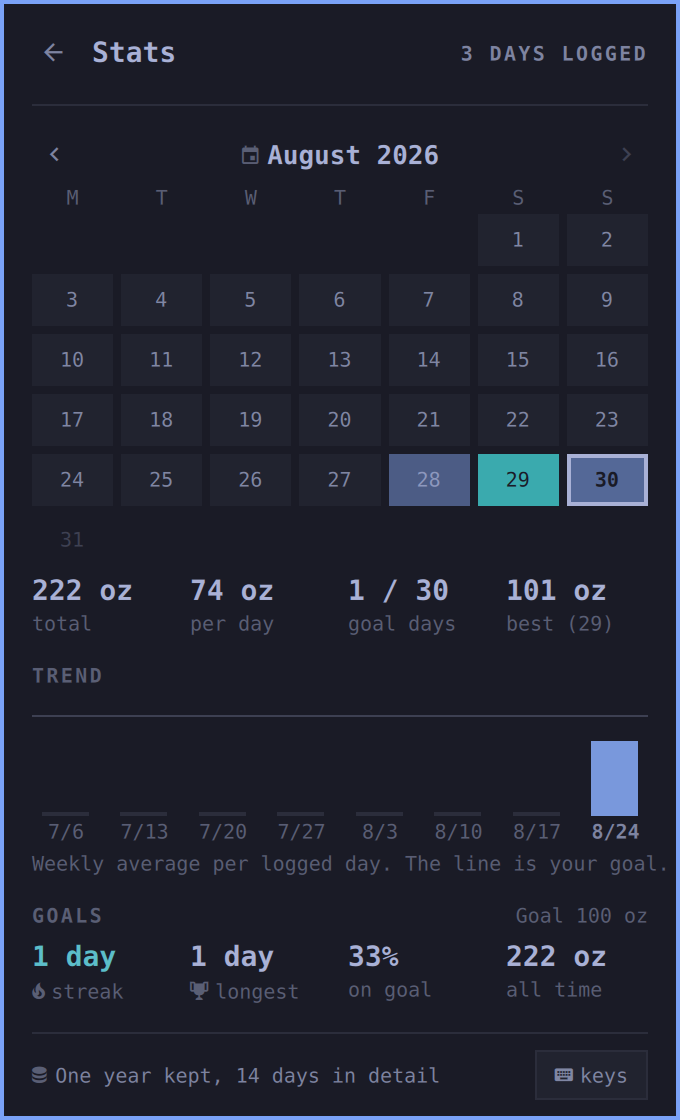
Shot on the Tokyo Night theme. Everything takes its colours from whatever theme you run.
| Dropdown | Goal met | Stats |
|---|---|---|
 |
 |
 |
| Settings | Keys | In the bar |
|---|---|---|
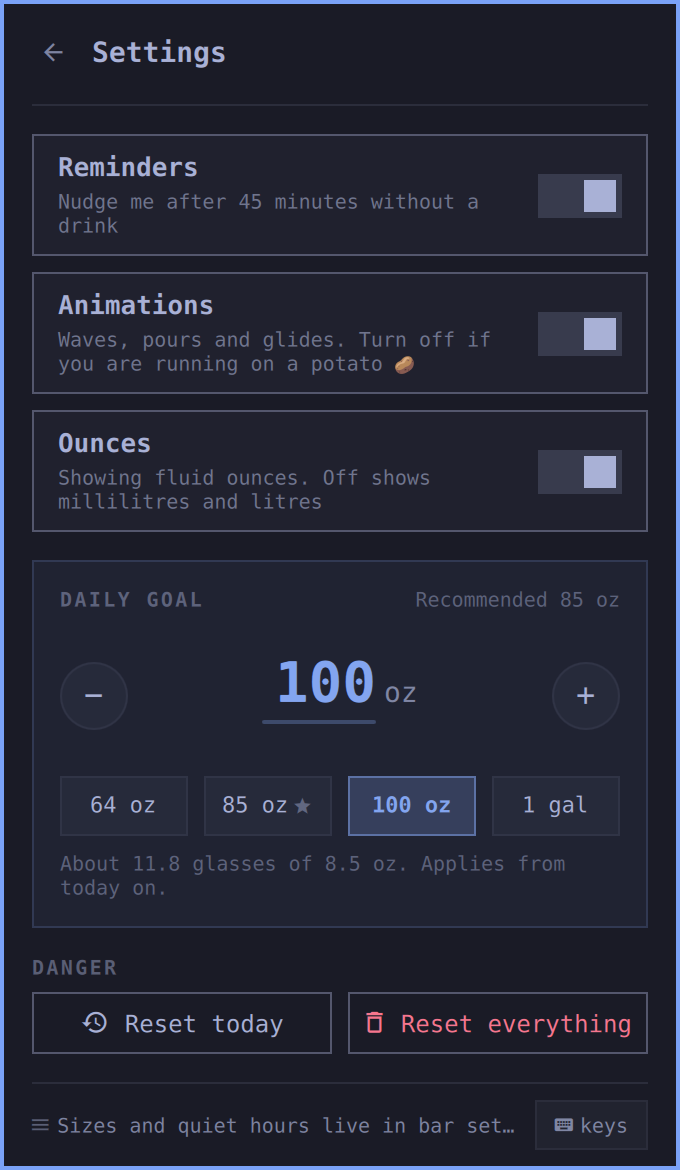 |
 |
  |
| Overlay | Overlay, goal met | Command line and history |
|---|---|---|
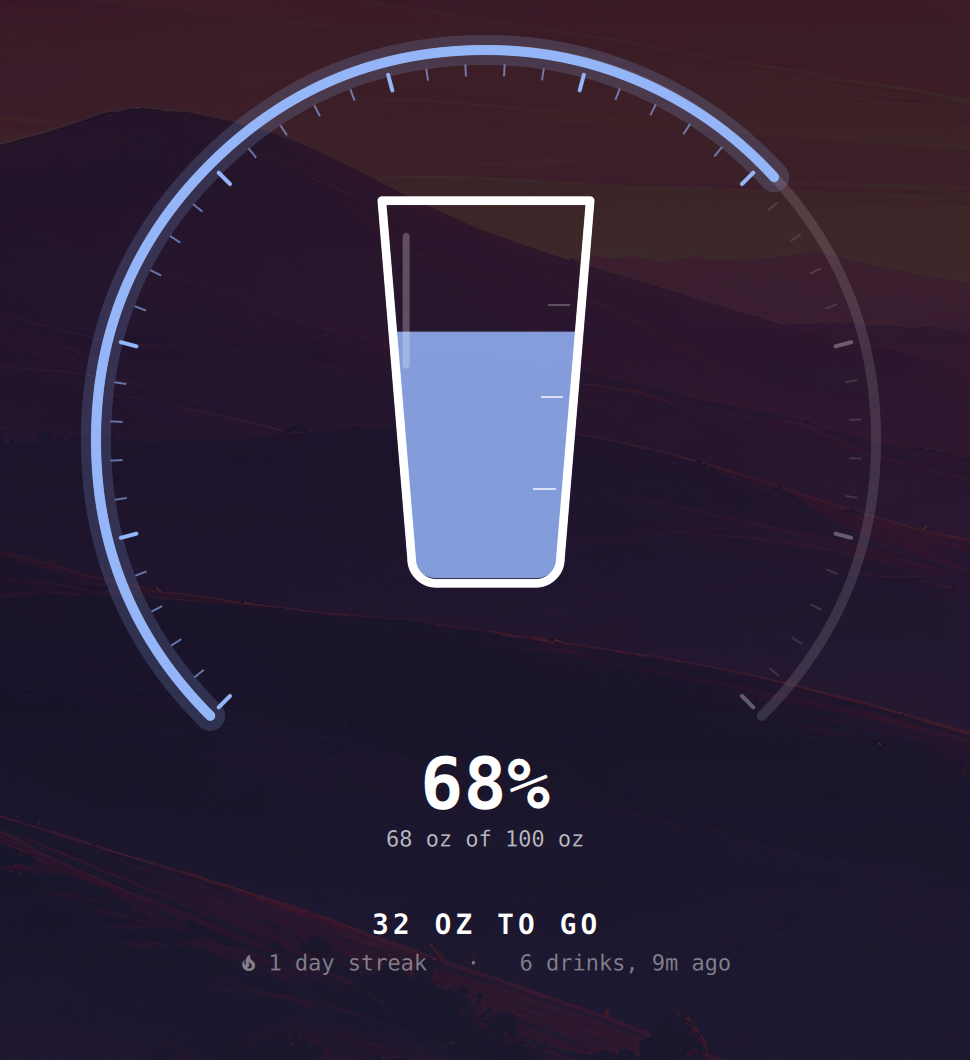 |
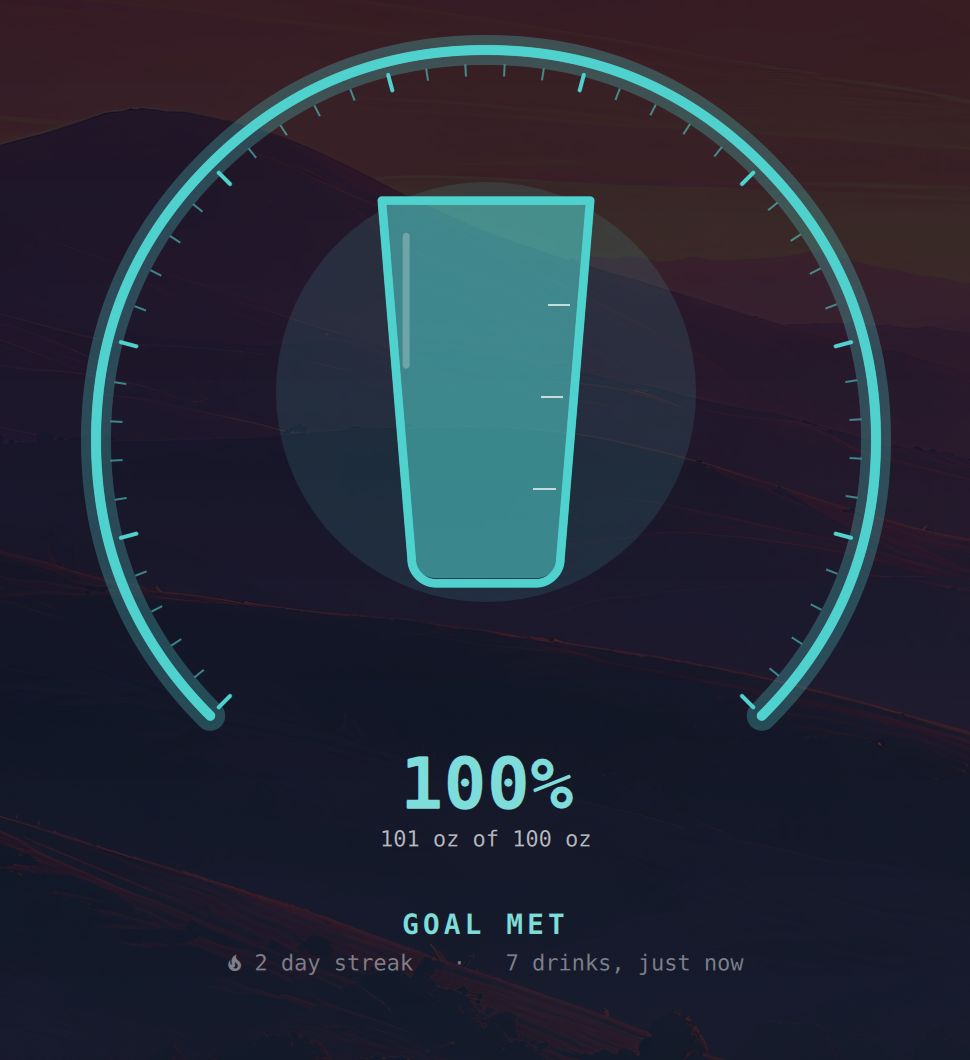 |
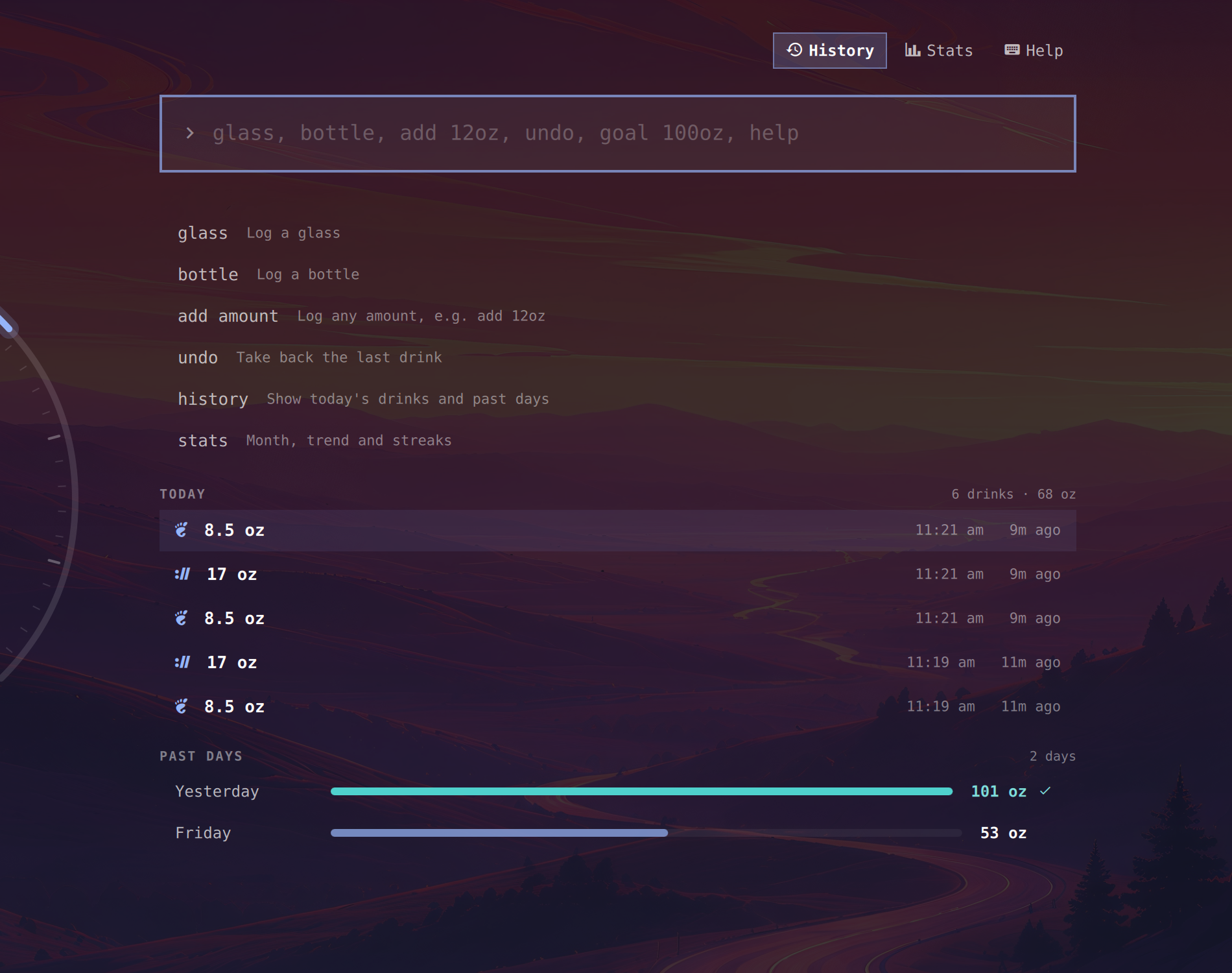 |
Settings
Everything lives on the widget's entry in ~/.config/omarchy/shell.json. The bar's settings UI edits all of them; the dropdown's gear covers the everyday ones.
| Key | Default | Meaning |
|---|---|---|
goalMl |
2500 | Daily goal |
glassMl |
250 | What a glass is |
bottleMl |
500 | What a bottle is |
units |
oz |
oz or ml for display |
remindersEnabled |
true | Nudge when you go quiet |
remindEveryMinutes |
45 | Minutes without a drink before a nudge |
quietStartHour |
21 | No nudges from here |
quietEndHour |
8 | Until here |
showAmount |
false | Today's total next to the glass |
reducedMotion |
false | No waves, no glides |
motionHz |
30 | Wave frame rate while the dropdown is open. 0 keeps the water still |
- 📈 Stats behind the chart icon (same flip): a month grid you can page through, totals, per day, goal days, best day, an eight week trend against your goal, streaks and all time.
Where things live
State: ~/.local/state/hydrate/hydrate.json, one file, written atomically. The last 14 days keep every drink; older days are compacted to a total, a count and the goal they were scored against, and anything past a year is dropped. A full year is about 10 KB. Each write carries a revision, and a writer that finds a newer revision on disk re-reads and replays its unsaved changes instead of overwriting. Delete the file to start over.
Hacking on it
Keep the plugin as a real directory under ~/.config/omarchy/plugins/ and symlink your code folder to it, not the other way round: the shell watches with inotifywait -r, which does not follow symlinked directories, so a symlinked plugin never triggers a reload.
Even then, run omarchy restart shell after editing QML. The shell's hot reload re-creates instances from Quickshell's component cache (Qt.clearComponentCache does not exist in Quickshell 0.3.1), so new code does not land until the process restarts. Upstream shell issue, not something a plugin can fix.
Performance
Closed, the plugin costs nothing: one 30 second timer doing integer compares. Open, the wave runs at motionHz and is the entire cost of motion. Measured on a 5K display at 30 fps: about 5% of one core while open, 0% closed. Details in docs/performance.md.
Coworker mode 🫗
Two of you forgetting together? Both install it, both set the same remindEveryMinutes, and race the streak.
License
MIT