
Omarchy Beatbar
Beatbar is a live, theme-reactive frequency visualizer for the Omarchy 4.x Quickshell bar. It listens to the monitor of the current default PipeWire sink, so every application routed to that output contributes to the visualization. It does not record, save, or transmit audio.
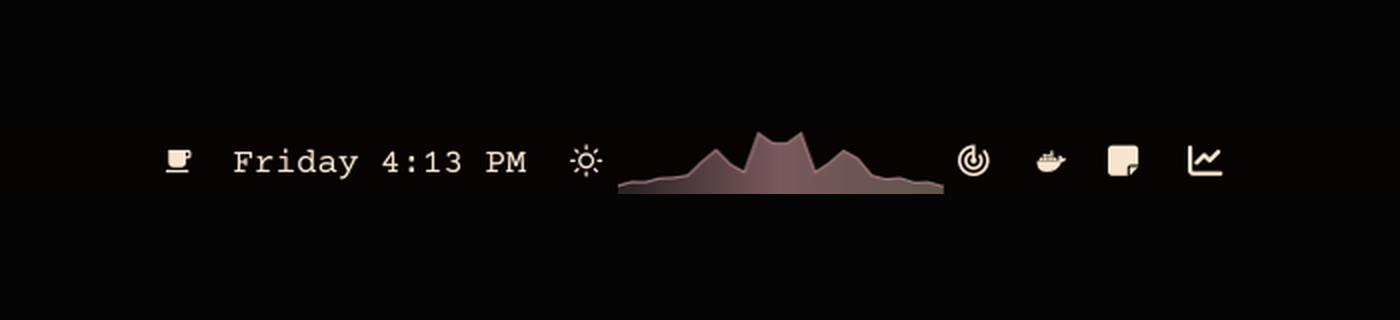
The plugin runs one CAVA analyzer for the graphical session and shares its 24-band spectrum with every monitor's bar widget. Garden grows frequency reeds from the bar edge, Mirror expands around a centerline, and Aurora draws a filled spectral ribbon with a left-to-right, bass-driven light wave. Low-frequency transients add a short configurable spring kick. All colors bind to Omarchy's live bar palette and change with the active theme.
Install
Beatbar requires the cava executable to already be available on PATH.
Install that dependency separately using your normal trusted system software
workflow, then confirm it is present:
command -v cava
If CAVA is unavailable, Beatbar remains idle and shows one Omarchy OSD directing
the user to this README. The check does not fetch software, invoke a package
tool, or alter the system. Beatbar also uses setpriv from Omarchy's base
util-linux package only to stop CAVA when the shell exits.
Add Beatbar from its public repository:
omarchy plugin add https://github.com/ryrobes/omarchy-beatbar.git --enable
Beatbar declares the center as its default bar section. Omarchy asks you to confirm placement when enabling it. Beatbar itself never invokes a package manager, installs dependencies, or requests elevated access.
Interact
- Left click cycles Garden -> Mirror -> Aurora.
- Mouse wheel changes visual gain from 40% to 250%.
- Widget settings control mode, width, gain, bass motion, the Aurora sweep, and the silent baseline.
Inspect or restart the analyzer service:
omarchy-shell ryrobes.beatbar status | jq
omarchy-shell ryrobes.beatbar restart
Update or remove
omarchy plugin update ryrobes.beatbar
omarchy plugin remove ryrobes.beatbar
cava is shared system software and is deliberately not removed with the
plugin. Manage that separate prerequisite through your normal system software
workflow.
Audio and permissions
- External dependency: the Arch package
cava. - Platform utility:
setpriv, supplied by Omarchy's baseutil-linuxpackage. - Audio access: CAVA reads
source = auto, the monitor of the current default PipeWire output. This normally includes browsers, players, games, calls, andomarchy-motion; it intentionally excludes microphone input. - Runtime process: Beatbar starts
setpriv --pdeathsig TERM cava -p <plugin>/cava.confas the current desktop user. The process ends with the Omarchy shell. - Privileges: Beatbar runs entirely as the current desktop user. It does not request administrator or root access.
- Network and storage: no network requests, audio files, recordings, databases, or background system services.
Like all Omarchy shell plugins, Beatbar runs unsandboxed inside the shell. Read SECURITY.md for the complete trust boundary and data flow.
Local development
The repository intentionally contains no installer or setup helper. The community installation path is Omarchy's own plugin manager. Validate a source checkout with:
./tests/test.sh
qmllint -I /usr/share/omarchy/shell BarWidget.qml
The system Qt 6.8 qmllint does not understand Quickshell IPC functions with
typed return values, so Service.qml is covered by Omarchy plugin validation,
the structural tests, and the live status IPC check.