
Omahub
← All plugins
S

fzf

by Stefan Gründel

Fuzzy-find files in your XDG user directories and open them

Security review

Review recommended · 5 findings

Deterministic scan — not a security guarantee

Medium
Risk level
Medium
Analyzed commit
920ef76
Scanned
6 days ago
  • medium package_manager …/workflows/test.yaml:27

    System package manager operation.

    apt-get update
  • medium package_manager …/workflows/test.yaml:28

    System package manager operation.

    apt-get install --yes --no-install-recommends fd-find fzf
  • Command runs with sudo, elevating the process beyond the plugin environment.

    sudo apt-get update
  • Command runs with sudo, elevating the process beyond the plugin environment.

    sudo apt-get install --yes --no-install-recommends fd-find fzf
  • Command runs with sudo, elevating the process beyond the plugin environment.

    sudo ln -s "$(command -v fdfind)" /usr/local/bin/fd

Automated analysis only — not a security guarantee.

AI advisory review

No obvious issues detected

Language-model assessment · ~deepseek/deepseek-v4-flash-latest — advisory only

None
AI risk level
None
Recommendation
install
Model
~deepseek/deepseek-v4-flash-latest
Analyzed commit
920ef76
Reviewed
6 days ago

The runtime code is a QML overlay that runs bounded fd/fzf searches over XDG user directories and writes a small private state file; the sampled files show careful argument-array construction, symlink checks, and output limits, with no install-time or privileged operations. The deterministic scan's medium findings are confined to `sudo apt-get` in the GitHub Actions test workflow, which never executes on a user's machine. No obfuscation, credential access, persistence, or destructive behavior was found.

How this check works

This review combines the deterministic scan (the rule-based results above) with an independent look at the plugin's code by a language model. The model reads a trimmed sample of the repository's files, the manifest, and the README, then gives a plain-language risk level and a recommendation: install (no notable danger), review (look closer first), or avoid (clearly dangerous).

It runs on the same analyzed commit as the deterministic scan and is strictly advisory — it is not a security guarantee and never blocks a plugin by itself. A human moderator still reviews plugins before they are listed.

AI advisory only — automated analysis, not a security guarantee.

Install
$ omarchy plugin add https://github.com/sgruendel/omarchy-fzf --enable
Productivity #quickshell #launcher

fzf for Omarchy

A Quickshell overlay for Omarchy that fuzzy-finds files in your XDG user directories and opens them.

The overlay reads ${XDG_CONFIG_HOME:-$HOME/.config}/user-dirs.dirs and shows one search field per configured directory (Downloads, Documents, Music, Pictures, …). Entries that point at your home directory itself are skipped, since searching there would dwarf every other directory.

As soon as you type into a field, the other fields disappear and matching files from that directory appear below, ranked by fzf. The field stays visible so you can keep refining the search. Selecting an entry opens the file with xdg-open. The most recently focused directory is restored the next time the overlay opens; search queries are not saved.

Screenshots

Choose an XDG user directory to search:
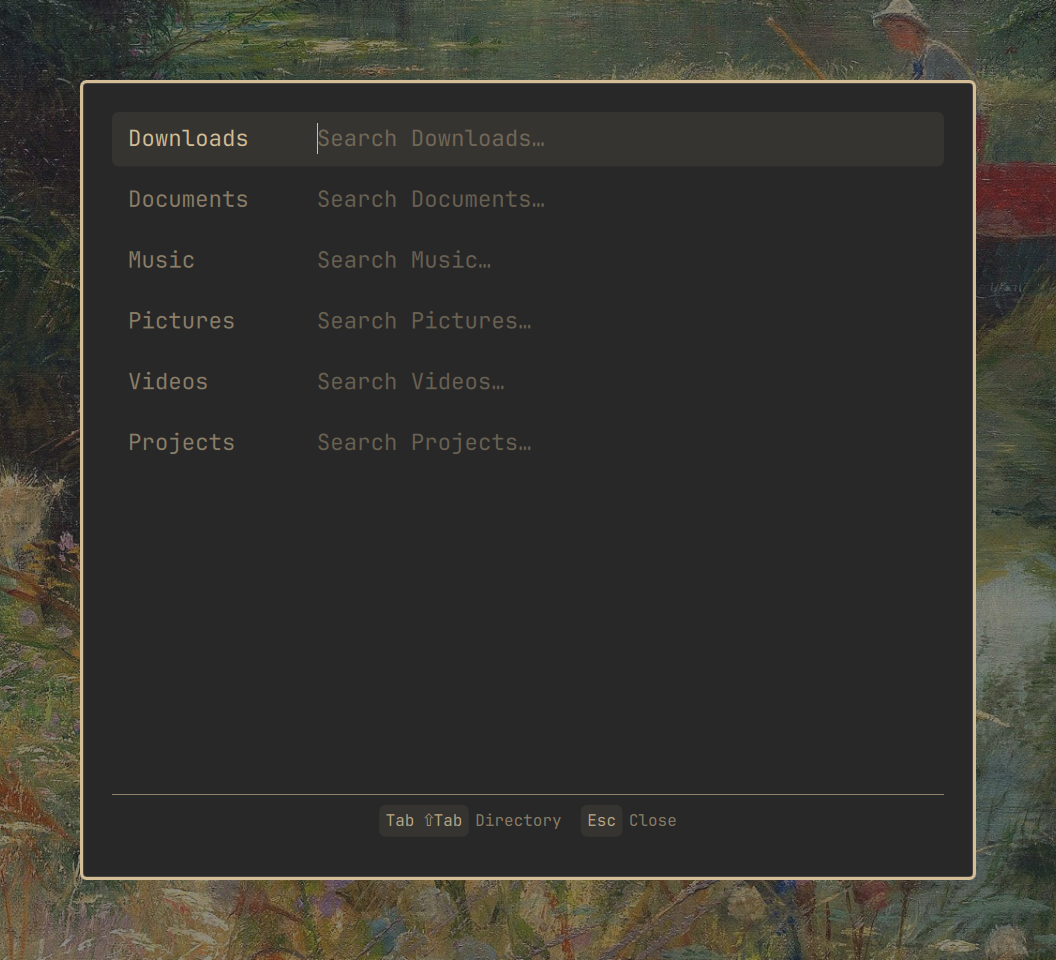
Initial fzf overlay with one search field per XDG user directory

Review fuzzy-ranked file results without leaving the keyboard:
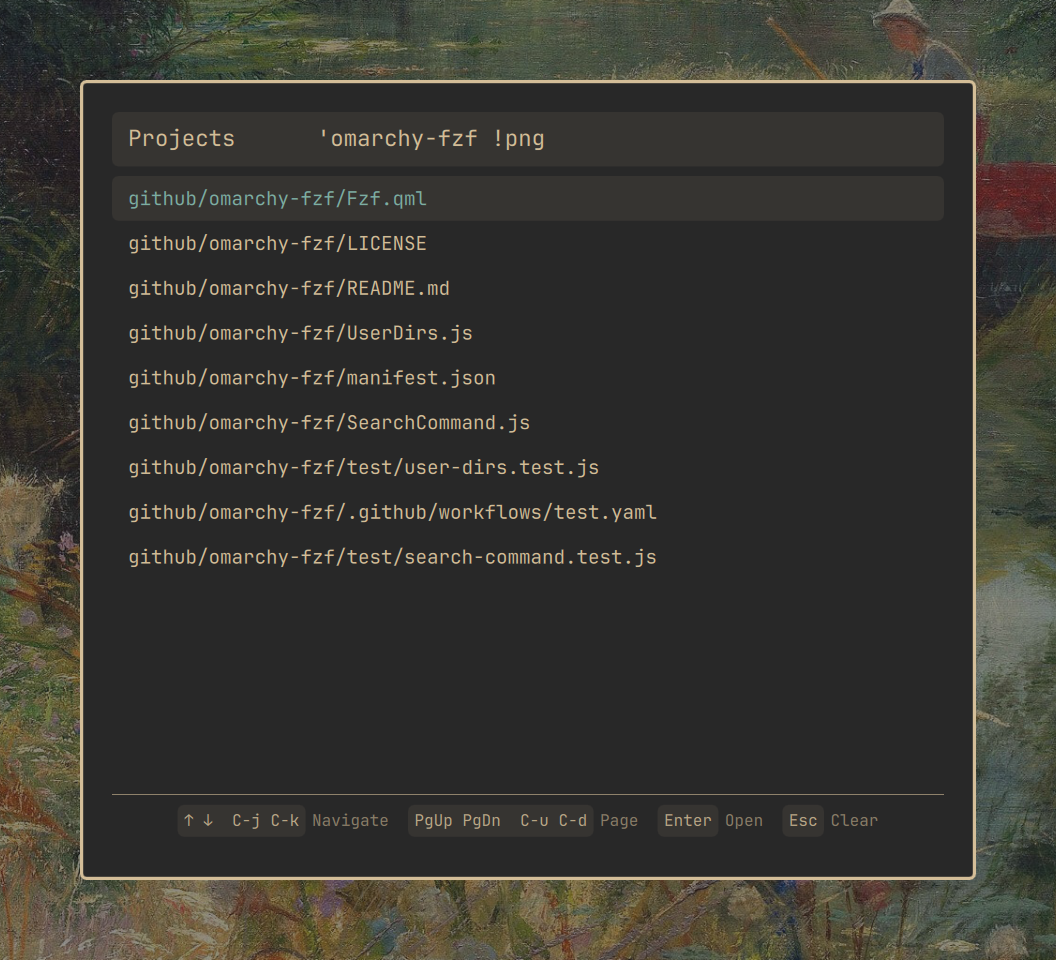
fzf overlay showing fuzzy-ranked files and keyboard shortcuts

Requirements

  • Omarchy 4.0.4+ with the Quickshell plugin API
  • fzf
  • fd
  • xdg-open

Install

omarchy plugin add https://github.com/sgruendel/omarchy-fzf.git --enable

Remove

omarchy plugin remove sgruendel.fzf --yes
rm -f -- "${XDG_STATE_HOME:-$HOME/.local/state}/sgruendel.fzf/state.json"
rmdir -- "${XDG_STATE_HOME:-$HOME/.local/state}/sgruendel.fzf" 2>/dev/null || true

Usage

Summon the overlay through the shell:

omarchy-shell shell toggle sgruendel.fzf

To bind it to a key, add a line like this to ~/.config/hypr/bindings.lua:

o.bind("XF86Search", nil, "omarchy-shell shell toggle sgruendel.fzf")

Controls

  • Type in a field: fuzzy-search that directory
  • Tab / Shift+Tab: move between directory fields
  • Up / Down or Ctrl+K / Ctrl+J: move the result selection
  • PageUp / PageDown or Ctrl+U / Ctrl+D: move by ten results
  • Enter: open the selected file with xdg-open
  • Escape: clear the current search, or close the overlay when empty
  • Click a result to open it; click outside the card to close the overlay

State

The last focused directory path is stored in ${XDG_STATE_HOME:-$HOME/.local/state}/sgruendel.fzf/state.json. The state file is limited to 8 KiB and written atomically with mode 0600 inside a mode 0700 plugin directory. No search query or result history is persisted.

How it works

Each keystroke is debounced (150 ms) and runs fd --type f --hidden --exclude .git | fzf --scheme=path --filter=<query> inside the directory, so results use fzf's path-oriented ranking. Hidden files are included except .git; fd also respects your .gitignore. Input files and search output are byte-limited before entering QML collectors; the UI additionally caps directory entries, path lengths, and result count.

Development

The plugin uses the standard third-party overlay lifecycle: Omarchy injects the scoped shell and public manifest facades, calls open(payloadJson) when the overlay is summoned, and calls close() when it is hidden. The overlay is loaded on demand and reports its state through opened.

Run the parser and search-pipeline tests with:

node --test

License

MIT