
Quick Translate for Omarchy
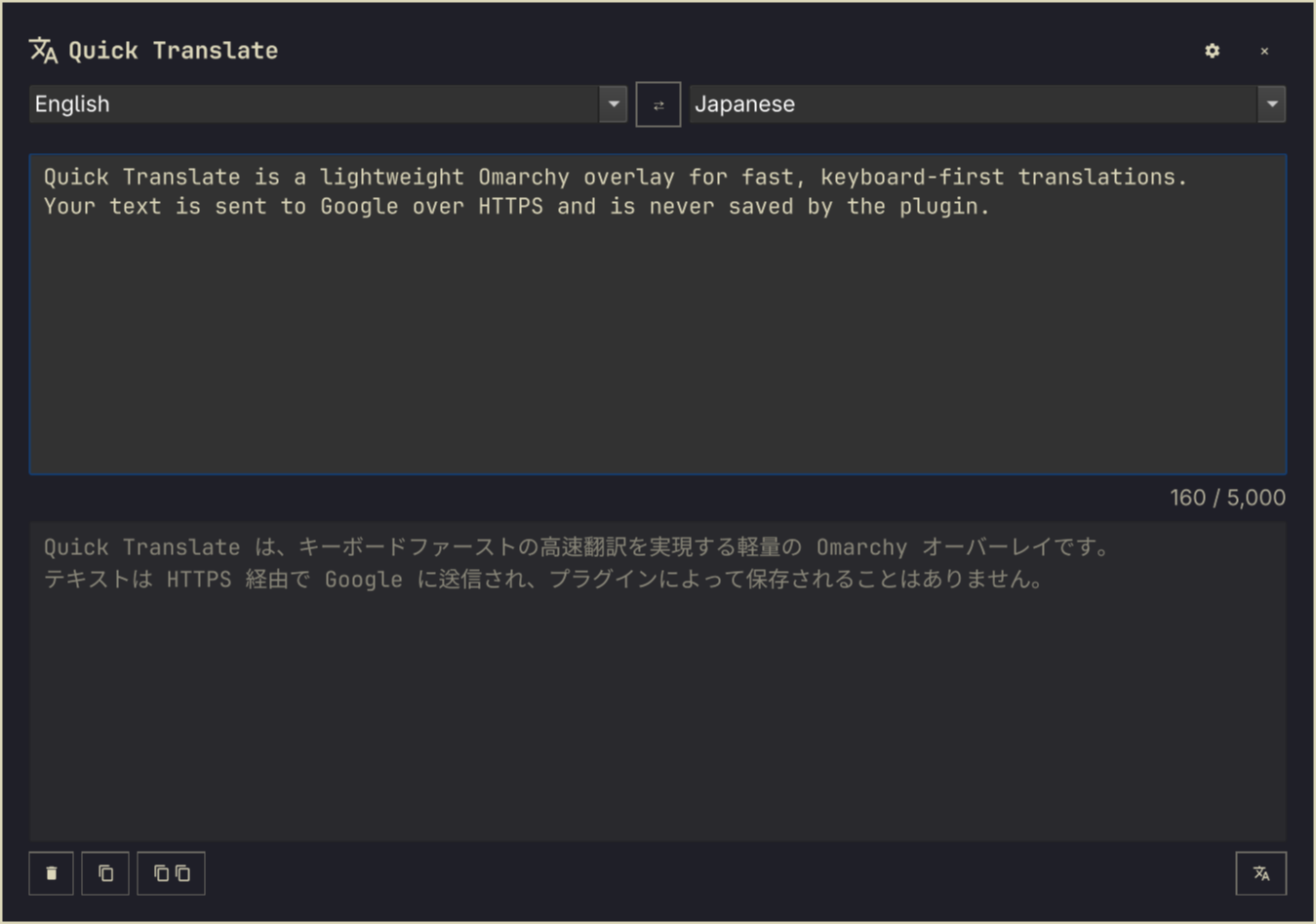
A fast, keyboard-first translation overlay for Omarchy. It starts with Google and English → Japanese, remembers your selected translator and language pair, and keeps text only for the current Omarchy Shell session.
Install
Install from a public Git repository:
omarchy plugin add https://github.com/seshna/quick-translate.git --enable
The overlay can then be opened from a terminal:
omarchy-shell shell toggle shaun.quick-translate '{}'
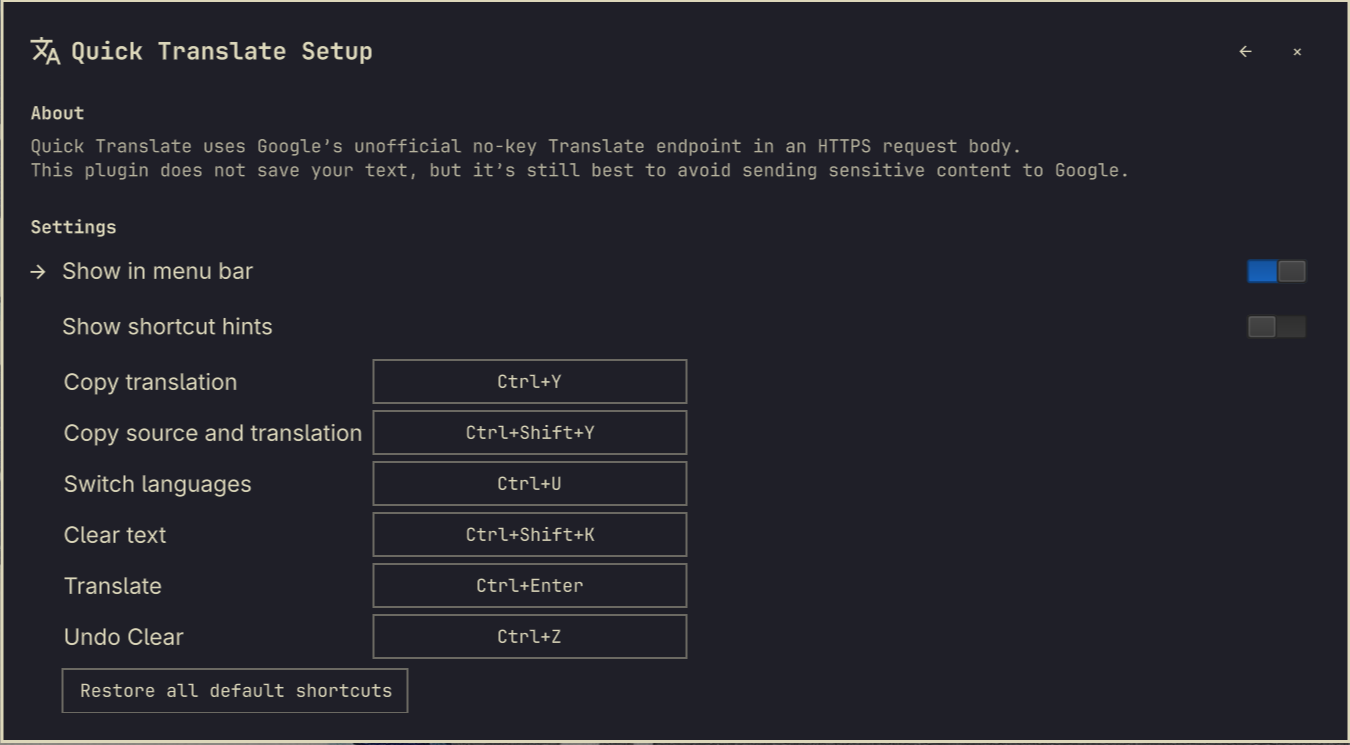
It also adds a translate icon to the right side of the Omarchy bar. Open the overlay and select the gear icon to hide that bar button or change shortcuts.
To add the suggested Super+Shift+T binding, add this to ~/.config/hypr/bindings.lua and reload Hyprland:
o.bind("SUPER + SHIFT + T", "Quick Translate",
  "omarchy-shell shell toggle shaun.quick-translate '{}'")
If you already use that shortcut, choose another binding or unbind the existing one first.
Remove
Disable and remove the plugin with:
omarchy plugin remove shaun.quick-translate
Features
- Google (default), Apertium, Bing, Reverso, Ollama Local, and OpenAI translators
- Searchable, engine-aware From and To language selectors
- Multiline input and read-only translated output
- English → Japanese by default; selected languages save immediately
- Copy translation, or copy source and translation together
- Clear both text boxes and undo the clear
- A matching Omarchy bar launcher that can be hidden from Setup
- Reconfigurable action shortcuts, recorded directly from the keyboard
- Optional shortcut hints on the main page, and
Ctrl+?to open Setup - Up to 5,000 input characters.
Shortcuts
| Shortcut | Action |
|---|---|
| Ctrl+Enter | Translate (configurable) |
| Ctrl+U | Swap languages and both text boxes (configurable) |
| Ctrl+Y | Copy the translation (configurable) |
| Ctrl+Shift+Y | Copy source, two newlines, then translation (configurable) |
| Ctrl+Shift+K | Clear both text boxes (configurable) |
| Ctrl+Z | Undo the most recent Clear (configurable) |
| Ctrl+? | Open Setup |
| Escape | Close the overlay |
Privacy and network use
Translation requests use public, no-key web endpoints for Google, Apertium,
Bing, and Reverso. These are not supported commercial APIs; they may change,
rate-limit, or become unavailable without notice. Ollama Local sends requests
to your local Ollama service; install the gemma3 model with ollama pull gemma3.
OpenAI sends requests to OpenAI and requires an API key entered in Setup. Entered
text is sent to the selected provider, so do not use this plugin for sensitive content.
The selected translator and language pair, shortcut and display preferences, translation contexts, OpenAI reasoning effort, and optional OpenAI API key are persisted under the XDG state directory, normally:
~/.local/state/omarchy/quick-translate/preferences.json
The preferences file is written atomically with permissions 0600. An OpenAI API key, when configured, is stored there and is never returned to the UI after it is saved. Source and translated text are never written to disk by the plugin.
Requirements
- Omarchy / Omarchy Shell with third-party plugin support
- Python 3 (standard library only)
- wl-copy from wl-clipboard for clipboard actions
- Internet access for translation
Development
Validate the manifest and run the test suite from the plugin directory:
omarchy plugin validate .
python3 -m unittest discover -s tests -v
To reload a local edit while Omarchy Shell is running:
omarchy-shell shell rescanPlugins
License
MIT. See LICENSE.