
Scheduled Jobs — Omarchy bar widget
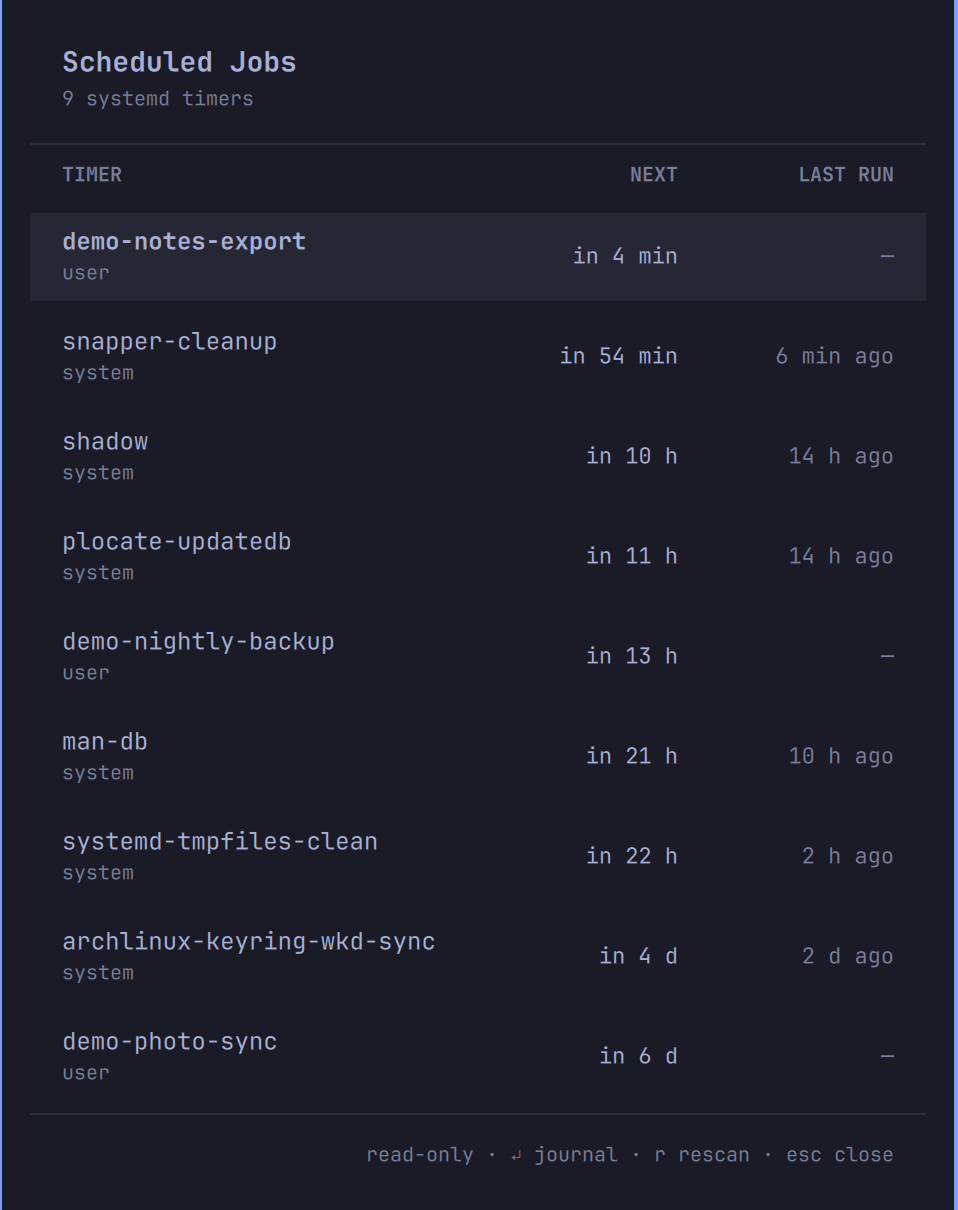
A native Omarchy bar panel answering one question at a glance: what is scheduled to run on this machine, when does it fire next, and did the last run succeed?
It lists every systemd timer — system and user scope — sorted soonest-first, with relative NEXT / LAST RUN times and the activated service's last result. A failed last run is flagged in red right on the row. If you use classic cron, your crontab entries appear in their own section (the section hides itself when there's no crontab, which is the Omarchy default).
Read-only, by design
This widget observes your schedule; it never changes it:
- The only commands it runs are
systemctl list-timers,systemctl show,systemctl status,journalctl, and (when present)crontab -l. All read-only. - No start/stop/enable/disable, no unit mutations of any kind. If you want to manage units from the bar, use oSystemd — this plugin deliberately stays out of that business.
- No sudo, no pkexec, no polkit prompts. System-scope timers are listed
via the same unprivileged query
systemctl list-timersgives any user. - Hard bounds on everything it reads: at most 256 KB of
systemctlJSON and 150 timers per scope, 100 crontab lines of 300 characters each — imposed at capture time, before anything is held in memory or handed to the panel, which additionally refuses oversized payloads outright. All unit names and crontab content render as plain text (Text.PlainText). - No network access, no telemetry, nothing written to disk. Scans run
only when you open the panel or press
r; nothing polls in the background.
The helper script is list-jobs — short plain bash; read it
before installing, as you should for any shell plugin (Omarchy plugins run
unsandboxed inside your shell process).
The screenshot above shows staged demo timers, not anyone's real setup.
Requirements
None beyond Omarchy 4.x itself. systemd is the data source; jq and the
floating terminal come with Omarchy. cronie is optional — the crontab
section simply appears if you have one.
Install
omarchy plugin add https://github.com/Sudhanshugtm/omarchy-scheduled-jobs.git --enable
Use
| Action | Result |
|---|---|
| Left-click bar icon | Open the schedule panel |
Click a row / Enter |
Peek at that unit's status + recent journal in a floating terminal |
j/k or arrows |
Move the selection |
r |
Rescan |
Esc |
Close panel |
| Tab | Switch to the neighboring bar panel |
| Right-click bar icon | Raw systemctl list-timers --all for both scopes in a floating terminal |
IPC target for keybindings: omarchy-shell sid.scheduled-jobs toggle.
Remove
omarchy plugin remove sid.scheduled-jobs
Deletes the plugin folder and removes the widget from the bar; nothing else is touched — this plugin never created or modified any unit to begin with.
License
MIT — see LICENSE.