
Papyrus
Sticky-note style quick notes for the Omarchy Quattro bar.
Screenshots
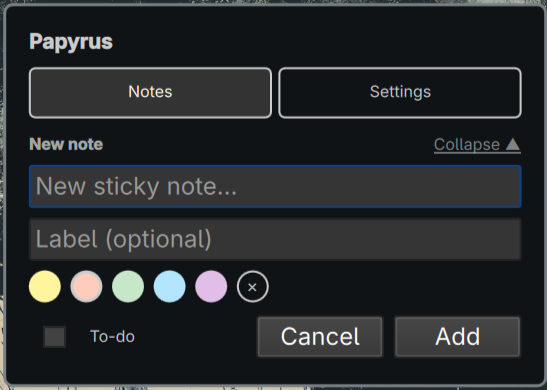
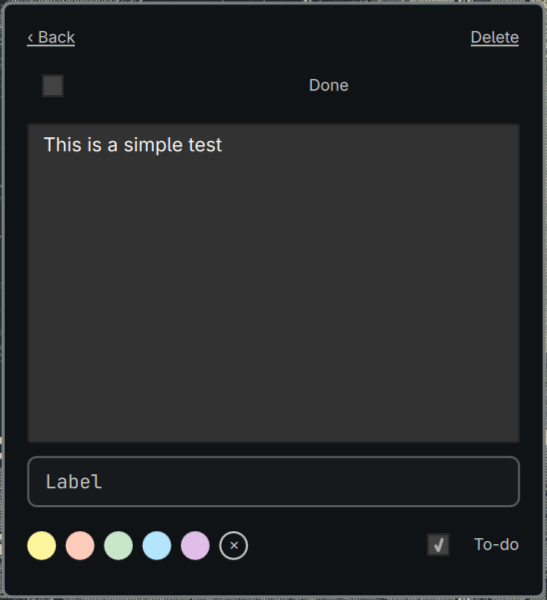
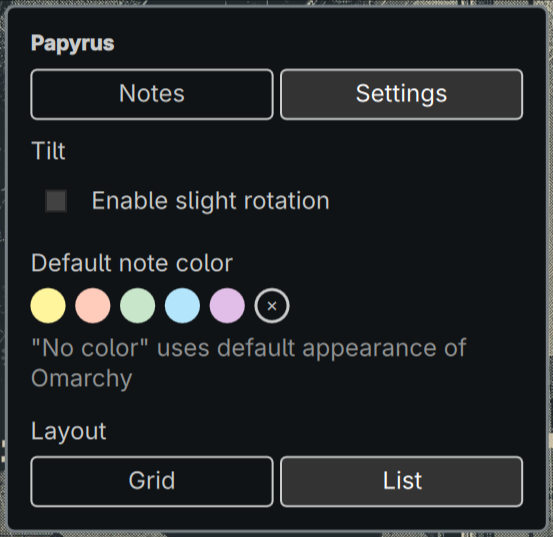
| Notes tab | Open note | Settings tab |
|---|---|---|
 |
 |
 |
Dependencies
- Omarchy Quattro (provides Quickshell and the
qs.*shell modules)
Install
omarchy plugin add https://github.com/jpdatahive/papyrus.git --enable
Update
omarchy plugin update sisyphus.papyrus
Usage
Click the notes button () in the bar to open or close the panel. The button shows the current note count and to-do progress tooltip. Press Escape to close the panel.
Notes tab
- Collapsible composer: Click + New note… to expand the composition form, select a color, add an optional label, toggle to-do status, and press Enter or click Add. Press Escape or click Collapse to minimize the form.
- Sticky colors: Choose from five sticky colors or "no color", which uses the default Omarchy theme.
- To-do helper: When notes are marked as to-do, a progress badge appears in the header (e.g.
2/5) showing completed vs. total items, and the bar widget tooltip displays completion status. - Real-time search: Filter notes instantly by content or label using the search bar. Supports quick filters:
:todo/is:todo,:done/is:done, and:pending/is:pending. - Pin notes: Pin important notes to keep them pinned at the top of your list ().
- Reorder: Move notes directly on cards using the move buttons (
‹/›in grid,▲/▼in list). - Click a note card to open it: edit text, label, color, to-do status, pinned status, reorder, or delete.
- Press Escape inside an open note to save and go back to the list.
Settings tab
- Tilt: enable or disable the slight rotation of note cards.
- Default note color: the color applied to new notes.
- Layout: switch between grid (two columns) and list.
Notes and preferences are stored on disk at
~/.local/state/omarchy/papyrus-notes.jsonand survive shell restarts.
Configure
omarchy bar move sisyphus.papyrus --section right
The widget is placed in the right section of the bar by default.
Remove
omarchy plugin remove sisyphus.papyrus
License
MIT — see LICENSE.