
Omahub
← All plugins
M

Soprano

by maiosx

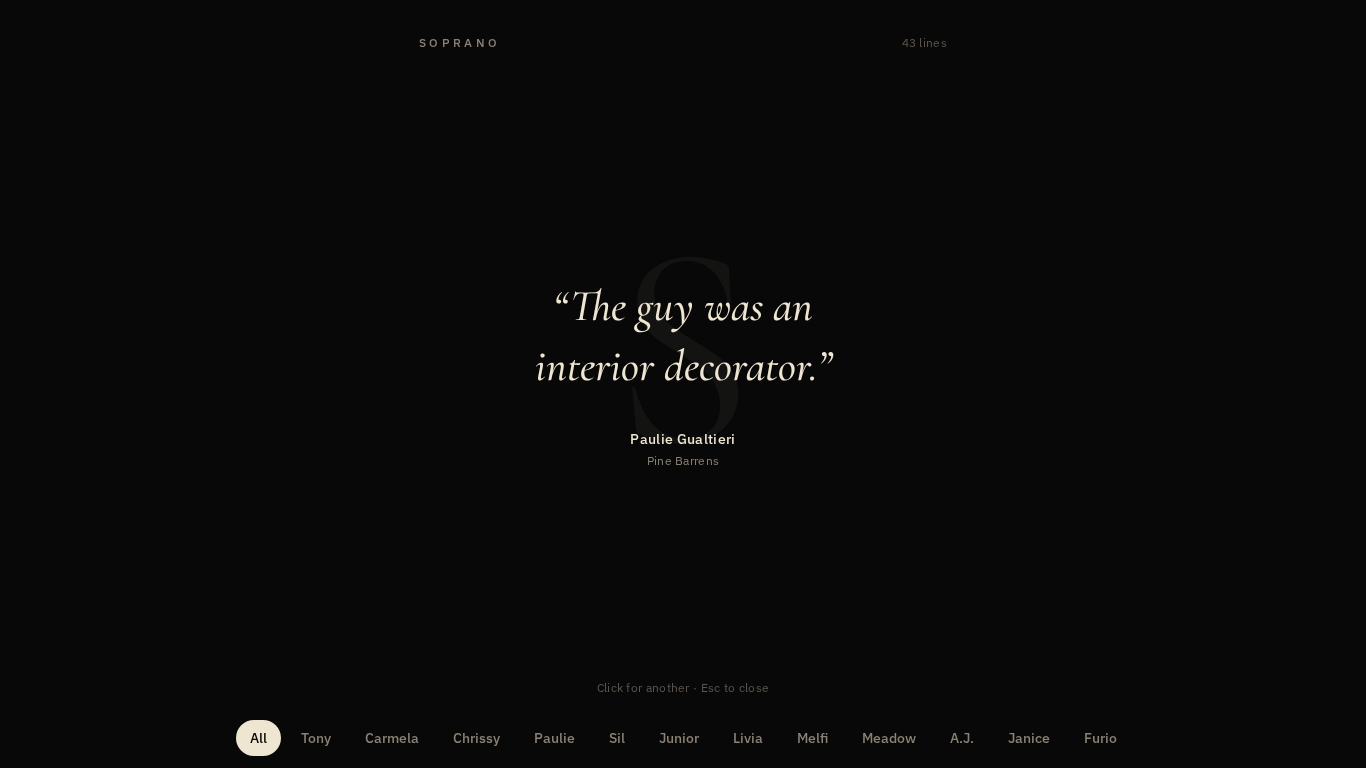
Fullscreen overlay of quotes from The Sopranos. Click for another.

Security review

No obvious issues detected

Deterministic scan — not a security guarantee

None
Risk level
None
Analyzed commit
7285f71
Scanned
1 month ago

No potentially dangerous behavior detected in the analyzed commit.

Automated analysis only — not a security guarantee.

AI advisory review

No obvious issues detected

Language-model assessment · ~deepseek/deepseek-v4-flash-latest — advisory only

None
AI risk level
None
Recommendation
install
Model
~deepseek/deepseek-v4-flash-latest
Analyzed commit
7285f71
Reviewed
1 month ago

This is a benign overlay plugin that displays quotes from The Sopranos. It uses only Qt Quick and Quickshell components, contains no network calls, file writes, or destructive commands, and the only shell invocation is a standard IPC toggle. The deterministic scan found no issues, and manual review confirms no hidden or malicious behavior.

How this check works

This review combines the deterministic scan (the rule-based results above) with an independent look at the plugin's code by a language model. The model reads a trimmed sample of the repository's files, the manifest, and the README, then gives a plain-language risk level and a recommendation: install (no notable danger), review (look closer first), or avoid (clearly dangerous).

It runs on the same analyzed commit as the deterministic scan and is strictly advisory — it is not a security guarantee and never blocks a plugin by itself. A human moderator still reviews plugins before they are listed.

AI advisory only — automated analysis, not a security guarantee.

Install
$ omarchy plugin add https://github.com/maiosx/Soprano --enable
Other #bar

Soprano

Soprano preview

A fullscreen Omarchy overlay of quotes from The Sopranos. Click anywhere for another line. Escape dismisses. The bar widget is an S.

Built from the same overlay template as Runway: WlrLayer.Overlay, exclusive keyboard focus, keepLoaded, bar-widget toggle.

Install

omarchy plugin add https://github.com/maiosx/Soprano.git --enable --yes

For a local checkout:

plugin_dir="$HOME/.config/omarchy/plugins/soprano.quotes"
mkdir -p "$(dirname "$plugin_dir")"
ln -s "$PWD" "$plugin_dir"
omarchy-shell shell rescanPlugins
omarchy plugin enable soprano.quotes

Enable the Soprano bar widget from Setup → Bar if it does not appear on the right side.

Use

  • Click S in the bar to open or close the overlay.
  • Click anywhere on the overlay — or Space / Enter / → — for a new quote.
  • Tap a name along the bottom to hear only that character.
  • Escape dismisses.

IPC:

omarchy-shell shell toggle soprano.quotes
omarchy-shell soprano toggle|open|close|status

The plugin targets Omarchy Quattro and uses only Qt Quick and Quickshell components already present in Omarchy. It does not install packages, write config, or run background executables. Quotes live in js/quotes.js.

Remove

omarchy plugin disable soprano.quotes
omarchy plugin remove soprano.quotes --yes