
omarchy-speed-reader
Reads the clipboard to you one word at a time, in the bar.
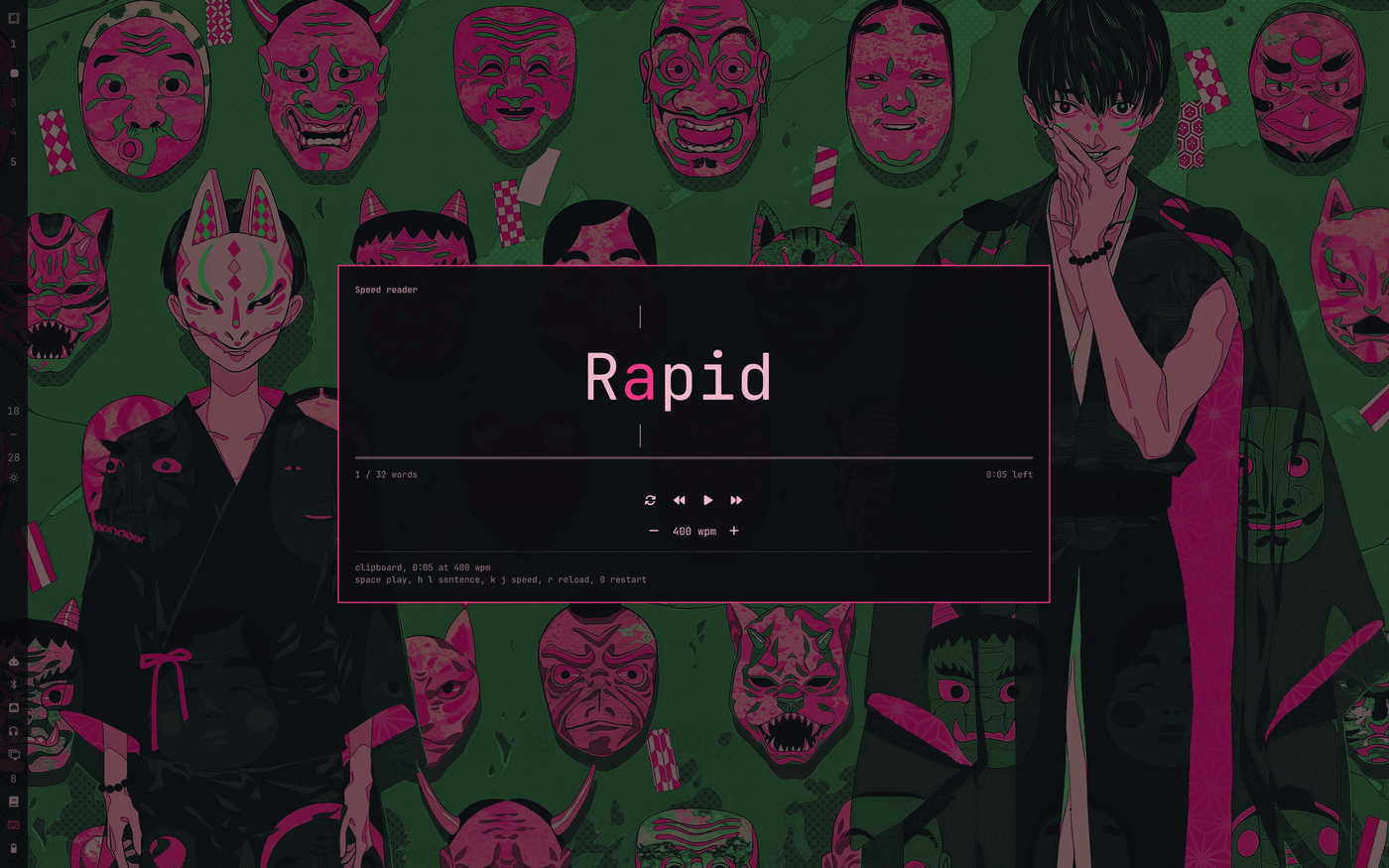
Rapid serial visual presentation: instead of your eyes travelling along a line, the words come to a fixed point. Each word is pinned so that its optimal recognition point, roughly a third of the way in, sits on the same pixel every time. That is the marked spot between the two ticks.
The word before and the word after are drawn either side, faded and smaller, so you can see where the sentence is going without looking away from the marked spot. They hang off the ends of the focus word rather than sharing a row with it, so a long neighbour never shifts the letter you are fixed on.
Long words, commas and full stops each get proportionally more time, so 500 wpm does not mean every word flashes for exactly 120 ms.
Install
omarchy plugin add https://github.com/sterre-g/omarchy-speed-reader.git --enable
omarchy plugin enable sterre.speed-reader --section right
Using it
Copy some text, then click the bar button. The reader opens in the middle of the screen, over a dimmed background, and the clipboard loads automatically.
That position is the point: the whole idea of RSVP is that your eyes stop travelling, so the word sits where you are already looking rather than in a popup pinned to the bar.
- Left click opens the reader, right click reloads the clipboard without opening.
- Clicking the dimmed background or pressing
Esccloses it. spaceplay and pause,handlmove a sentence back and forward,kandjchange speed by 25 wpm,rreloads the clipboard,0restarts,Esccloses.- Closing the panel pauses. Reopening keeps your place.
From a keybinding:
omarchy-shell sterre.speed-reader readnow   # open, load the clipboard and start
omarchy-shell sterre.speed-reader read      # open and load, without starting
omarchy-shell sterre.speed-reader play
omarchy-shell sterre.speed-reader pause
omarchy-shell sterre.speed-reader speed 600
omarchy-shell sterre.speed-reader status
A good ~/.config/hypr/bindings.lua entry:
o.bind("SUPER + SHIFT + R", "Speed read clipboard", "omarchy-shell sterre.speed-reader readnow")
Settings
wpm and autoLoad, editable from the widget settings UI or inline on the
entry in ~/.config/omarchy/shell.json. See barWidget.schema in
manifest.json.
How it works
Model.js holds everything worth testing: tokenizing, the optimal recognition point per word, the per word dwell multipliers, sentence boundaries for jumping, the neighbouring words, and the readouts. test/model.test.js covers it with plain node assertions.
Panel.qml is the widget. It reads the clipboard with
wl-paste -n through a Quickshell Process, and drives a Timer whose
interval is recomputed per word.
Only the widget on the focused monitor answers IPC, so read opens the reader
on the screen you are looking at rather than on whichever monitor replied first.
Text is never written anywhere. It is read from the clipboard into memory and dropped when you load something else.
Development
./run-tests
./dev-sync
omarchy plugin validate ~/.config/omarchy/plugins/sterre.speed-reader
omarchy-shell shell rescanPlugins
License
MIT, see LICENSE.