
Portboard
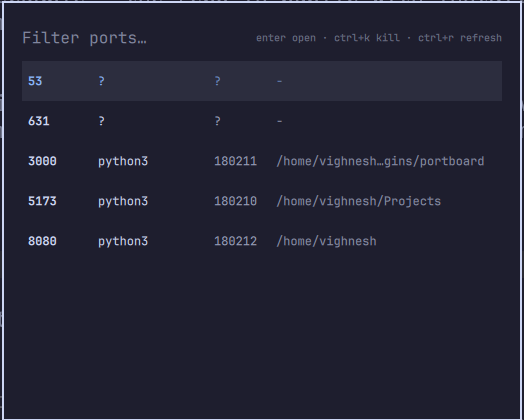
A summonable Omarchy shell overlay showing every listening localhost TCP port, with the owning process, PID, and working directory. Answers "which dev server is on 5173?" without leaving the keyboard.

Keys
| Key | Action |
|---|---|
| type | Filter the list (e.g. 3000, node, or a directory name) |
enter / click |
Open http://localhost:<port> in the browser |
ctrl+k |
Kill the owning process and refresh the list |
ctrl+r |
Refresh the list |
arrows / ctrl+n / ctrl+p |
Move selection |
esc |
Clear the filter, then close |
Install
omarchy plugin add https://github.com/SVIGHNESH/omarchy-portboard --enable
Then bind a key in ~/.config/hypr/bindings.lua:
o.bind("SUPER + ALT + P", "Portboard", "omarchy-shell shell summon svighnesh.portboard '{}'")
How it works
The overlay runs list-ports.sh (a small ss -tlnp wrapper) each time it opens or refreshes, and renders the result with the active Omarchy theme.
Only sockets bound to loopback or wildcard addresses are shown; IPv4/IPv6 duplicates are collapsed to one row per port.
Ports owned by other users (for example root services like CUPS) show ? for process and PID, since ss can't read their process info without root.
ctrl+k does nothing for those.
Fallback CLI
bin/portboard is a standalone fzf version of the same panel for use outside the shell (SSH sessions, plain terminals).
Run it directly, or bin/portboard --list for a raw table.
Uninstall
omarchy plugin remove svighnesh.portboard
License
MIT