
Omahub
← All plugins
A

Manicule

by Abhinav Gupta

A daily passage from your private local commonplace library

Security review

No obvious issues detected

Deterministic scan — not a security guarantee

None
Risk level
None
Analyzed commit
41120b5
Scanned
1 month ago

No potentially dangerous behavior detected in the analyzed commit.

Automated analysis only — not a security guarantee.

AI advisory review

No obvious issues detected

Language-model assessment · ~deepseek/deepseek-v4-flash-latest — advisory only

None
AI risk level
None
Recommendation
install
Model
~deepseek/deepseek-v4-flash-latest
Analyzed commit
41120b5
Reviewed
1 month ago

Manicule is a local-first bar widget that reads a user-provided JSON library, displays passages, copies to clipboard, and optionally runs a user-configured AI CLI. It makes no network requests, writes no persistent data beyond the user's own library, and executes external commands only when the user explicitly clicks 'Ask AI'. The AI adapter spawns processes safely with shell:false and bounded output capture, and the migration script uses atomic operations to avoid overwriting data.

How this check works

This review combines the deterministic scan (the rule-based results above) with an independent look at the plugin's code by a language model. The model reads a trimmed sample of the repository's files, the manifest, and the README, then gives a plain-language risk level and a recommendation: install (no notable danger), review (look closer first), or avoid (clearly dangerous).

It runs on the same analyzed commit as the deterministic scan and is strictly advisory — it is not a security guarantee and never blocks a plugin by itself. A human moderator still reviews plugins before they are listed.

AI advisory only — automated analysis, not a security guarantee.

Install
$ omarchy plugin add https://github.com/maybeabhinav/manicule --enable

Manicule

Manicule is a local-first Omarchy bar widget for a personal commonplace library. It presents one passage each day, lets you browse and copy your collection, and can ask a local AI CLI for attribution, context, and meaning.
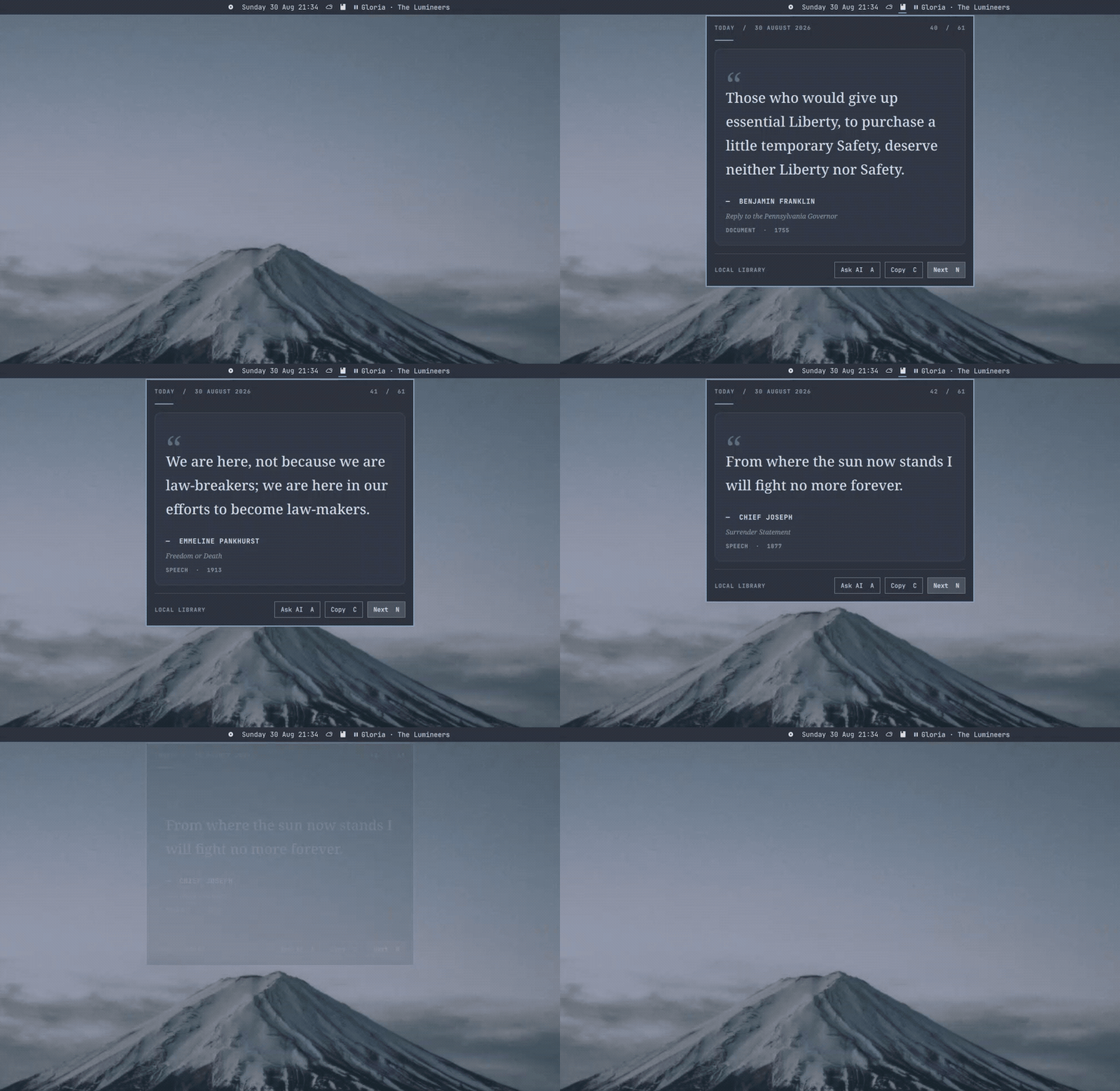
Manicule opening and browsing passages

The plugin ships without a quotation library. Your entries stay in ~/.local/share/manicule/entries.json.

Install

omarchy plugin add https://github.com/maybeabhinav/manicule.git --enable

Create your library with Adding your data. Existing Good Stuff users can run scripts/migrate-good-stuff.sh; it never overwrites a Manicule library or removes the old file.

Use

  • Click the pointing hand to open Manicule.
  • Press N for next, C to copy, or A to ask AI.
  • Edit the library while Manicule is running; valid changes appear live.

Requirements

  • Omarchy Quattro with omarchy-shell
  • wl-copy from wl-clipboard for copying
  • Node.js and an authenticated AI CLI only for Ask AI

Ask AI defaults to the local Codex CLI. Manicule does not store API keys or make direct network requests; the selected CLI owns its credentials and permissions. Replace it with any non-interactive CLI whose prompt is its final argument:

omarchy bar set thanatos.manicule aiCommand '["claude","--print","--no-session-persistence"]' --json

If your Omarchy release rejects JSON arrays, edit aiCommand on Manicule's entry in ~/.config/omarchy/shell.json, then run omarchy restart shell.

Update or remove

omarchy plugin update thanatos.manicule
omarchy plugin remove thanatos.manicule

Removal leaves ~/.local/share/manicule/entries.json untouched.

Extend

Model.js owns normalization and validation. BarWidget.qml owns library state and actions. AiRunner.qml and scripts/ai-adapter.mjs own the bounded, replaceable process boundary. Presentation stays in small QML components.

scripts/check.sh

See Contributing for the project boundaries and Publishing for the release checklist.