
Thunderbolt
Approve and manage Thunderbolt devices from the Omarchy bar.
Omarchy already ships bolt and loads the thunderbolt kernel module early
enough for docks to work at boot. Hyprland itself never authorizes a device:
until bolt enrolls it, PCIe and DisplayPort tunnels stay down and
hyprctl monitors will not show a dock display. This plugin is the missing
approval UI — the Hyprland equivalent of GNOME Control Center / Plasma
Thunderbolt.
It talks to boltd over D-Bus. It does not write udev rules that
authorize every device, and it does not edit Hyprland monitor config.
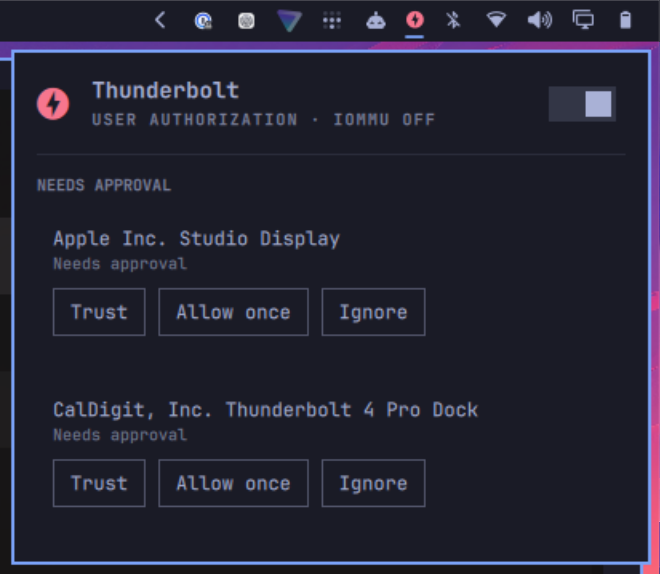 |
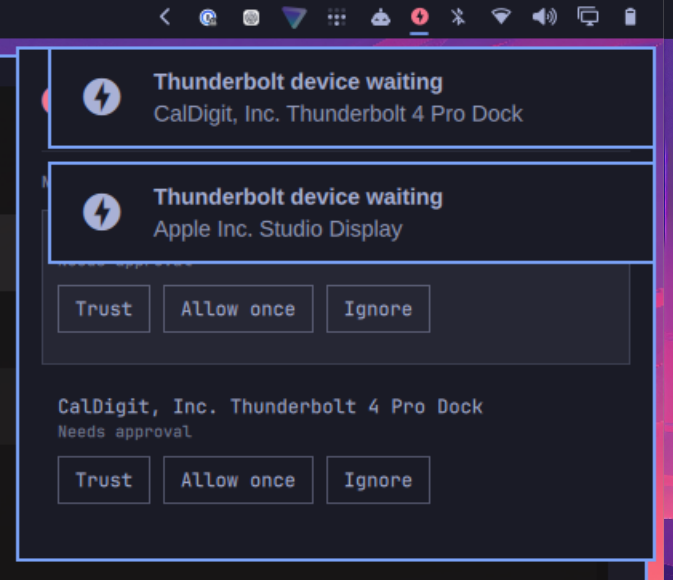 |
|---|---|
| Needs approval | Connect notifications |
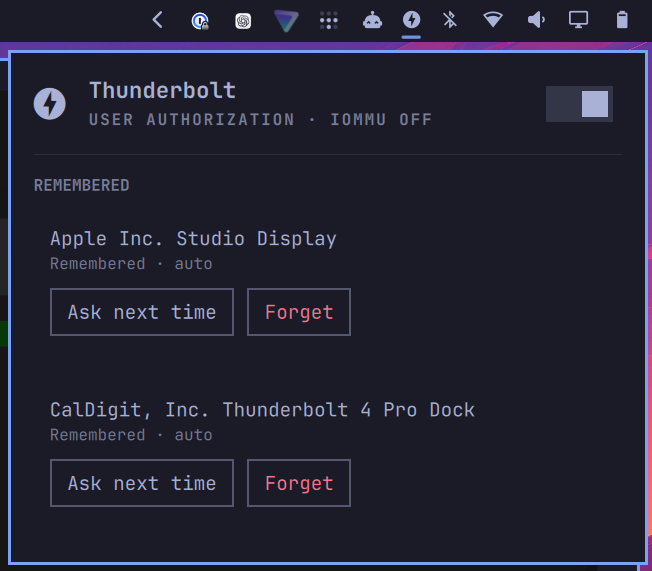 |
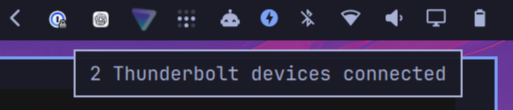 |
| Remembered devices | Bar hover |
Install
omarchy plugin add https://github.com/unleashed-nick/omarchy-thunderbolt.git --enable
The widget lands on the right of the bar. Move it if you want:
omarchy bar move unleashed-nick.thunderbolt --section right
Requirements
Omarchy Quattro and the bolt package with bolt.service running. Current
Omarchy already installs both. The plugin calls omarchy notification send
and omarchy-shell; nothing else is installed.
Updating
omarchy plugin update unleashed-nick.thunderbolt
Removing it
omarchy plugin remove unleashed-nick.thunderbolt
Enrolled devices stay in bolt's store (boltctl list). Forget them from the
panel before removal if you want them gone.
Usage
| Left click | open the device panel |
| Middle click | refresh bolt's state |
| Escape | close the panel |
| Enter on a pending row | Trust |
| Delete | Ignore (pending) or Forget (remembered) |
- A new unauthorized device sends a critical notification and opens the panel.
- Trust enrolls the device (
autopolicy) so bolt authorizes it next time. - Allow once authorizes this session only.
- Ignore leaves it unauthorized and stops prompting until unplug.
- Forget removes a stored enrollment.
- The header switch is bolt's
AuthMode(GNOME called this Direct Access). Off keeps DisplayPort and USB working and blocks PCIe tunnels.
The icon hides on machines with no Thunderbolt controller and no remembered devices. It stays visible when a controller or stored device exists. Turn on Always show in bar if you want the icon everywhere.
Security
Unknown devices are prompted, never auto-enrolled. Automatically trusting new devices is an opt-in setting and a DMA risk on hosts without IOMMU — leave it off unless you want GNOME Shell's behaviour.
Authorize, enroll, and forget go through bolt's polkit actions. The plugin
never calls sudo and never writes /etc/udev. On Omarchy, bolt's packaged
rule typically allows an active local wheel session to manage devices
without a password prompt.
After approval
Displays appear through ordinary DRM hotplug. If a monitor is missing after
Trust, check hyprctl monitors all and ~/.config/hypr/monitors.lua. This
plugin will not rewrite that file.
License
MIT. See LICENSE.