
Omahub
← All plugins
U

OmaJob Tracker

by urveeshdadhich

Track job applications from the status bar.

Security review

No obvious issues detected

Deterministic scan — not a security guarantee

None
Risk level
None
Analyzed commit
bdcf132
Scanned
1 month ago

No potentially dangerous behavior detected in the analyzed commit.

Automated analysis only — not a security guarantee.

AI advisory review

No obvious issues detected

Language-model assessment · ~deepseek/deepseek-v4-flash-latest — advisory only

None
AI risk level
None
Recommendation
install
Model
~deepseek/deepseek-v4-flash-latest
Analyzed commit
bdcf132
Reviewed
1 month ago

The plugin is a job application tracker widget that stores data locally with a well-hardened Python backend using O_NOFOLLOW, dir_fd, and atomic writes. No malicious or dangerous behavior found.

How this check works

This review combines the deterministic scan (the rule-based results above) with an independent look at the plugin's code by a language model. The model reads a trimmed sample of the repository's files, the manifest, and the README, then gives a plain-language risk level and a recommendation: install (no notable danger), review (look closer first), or avoid (clearly dangerous).

It runs on the same analyzed commit as the deterministic scan and is strictly advisory — it is not a security guarantee and never blocks a plugin by itself. A human moderator still reviews plugins before they are listed.

AI advisory only — automated analysis, not a security guarantee.

Install
$ omarchy plugin add https://github.com/urveeshdadhich/omarchy-job-tracker --enable
Productivity #bar #quickshell

OmaJob Tracker

A compact, feature-rich Job Application Tracker widget for the Omarchy status bar.
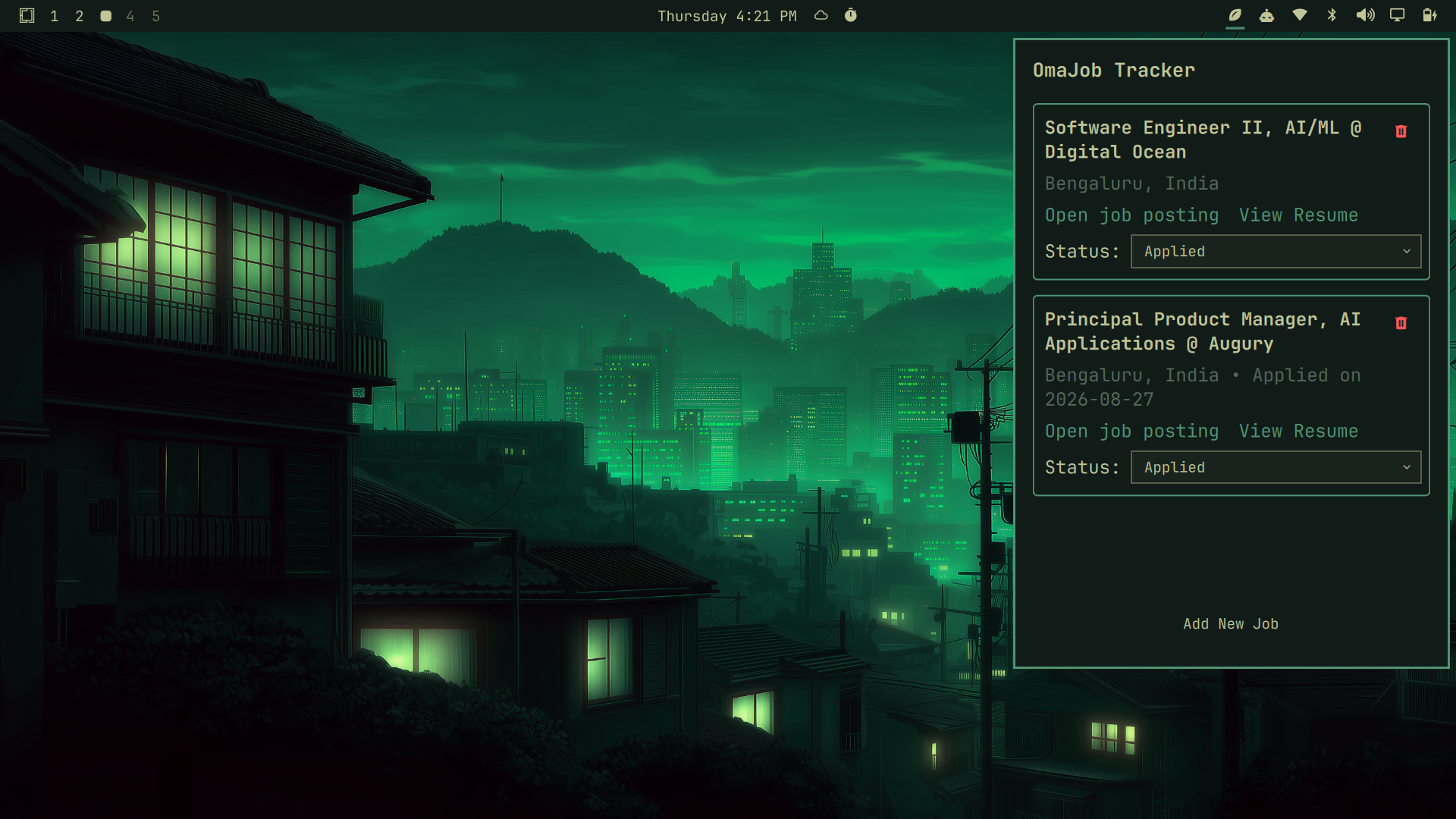
OmaJob Tracker Preview

Features

  • Add and track job applications (Position, Company, Location, Date, Status, URL, and Resume path).
  • Update statuses directly from a dropdown in the list.
  • Delete applications with a single click.
  • Clickable URLs to easily launch the original job posting.
  • Graphical date and file pickers powered by Zenity.
  • Persistent local data stored safely at ~/.config/job_tracker/jobs.json.

Requirements

  • omarchy / quickshell
  • jq (for data processing)
  • zenity (for graphical file and date pickers)

Installation

You can install and enable the plugin with a single command:

omarchy plugin add https://github.com/urveeshdadhich/omarchy-job-tracker.git --enable

(Note: Depending on your shell setup, you might need to run omarchy restart shell for it to fully load).

Removal

  1. Remove the plugin:
omarchy plugin remove urveesh.job-tracker
  1. (Optional) Remove your tracker data:
rm -rf ~/.config/job_tracker/

License

MIT