
omaStream
YouTube search, playback, and download in Quickshell.
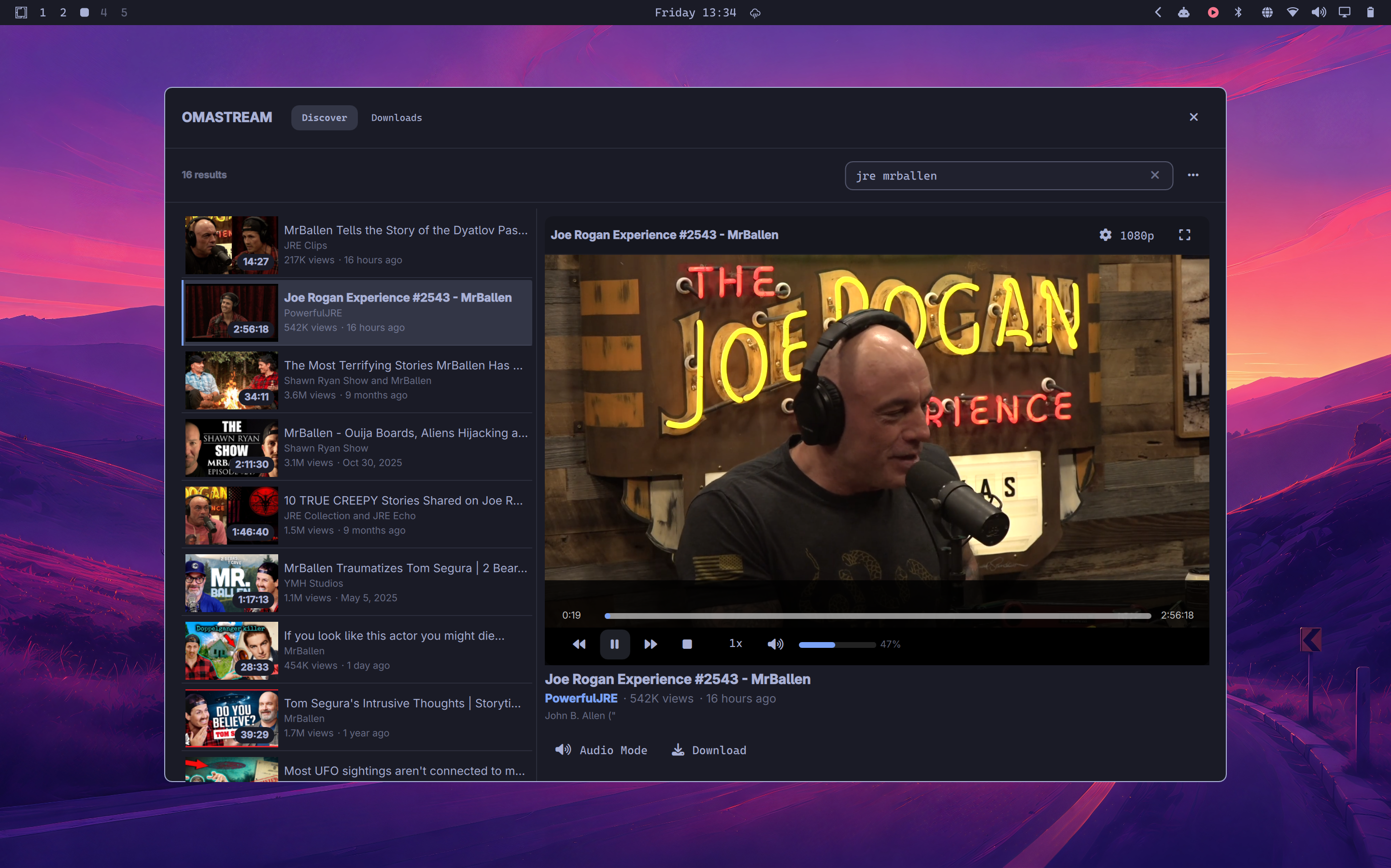
omaStream brings YouTube Discovery, an embedded player, and a fully-featured download manager directly into the Omarchy shell. Videos play locally through Qt Multimedia and yt-dlp, skipping the heavy browser client entirely.
Why you will love it
- Lightweight by design. Playback is natively integrated into Quickshell, not an Electron YouTube client.
- Discover. Bounded search with exact date hydration, filtering, and timestamp-aware sorting.
- Player. Embedded Discover preview plus fullscreen video, audio-only mode with automatic stream fallback, playback rate, volume, and progressive quality selection.
- Downloads Manager. Observable transfer queue, persistent history, real-time speed, ETA, and cancellation.
- Custom Download Flow. Select container (MP4, MKV, WebM, MP3, M4A), audio-only extraction, or specific video resolutions merged via FFmpeg.
- Persistent Service. Shared playback and download queue state between the overlay and bar widget.
Familiar from the first click
| Shortcut | What it does |
|---|---|
Space |
Play or pause |
Left / Right |
Seek backward or forward 10 seconds |
Up / Down |
Change volume |
M |
Mute or unmute |
F |
Enter or leave fullscreen video |
/ |
Focus search in Discover mode |
C |
Toggle fullscreen controls |
Escape |
Leave fullscreen, or close the overlay |
Clearing search or starting a new search stops any active playback session so media cannot keep playing without a player surface.
Closing the overlay leaves playback running so the bar widget can still pause, stop, or change volume.
The bar widget uses middle click for play/pause, right click to stop, and the mouse wheel for volume.
Install
omarchy plugin add https://github.com/yaredow/omastream.git --enable
Requires Omarchy 4, Python 3, ffmpeg, jq, and yt-dlp:
omarchy pkg add ffmpeg yt-dlp python jq
From a local checkout:
omarchy plugin clone user.omastream --edit
Remove
To completely remove this plugin from your system:
omarchy plugin remove user.omastream
This will also delete your downloads history. To keep your downloaded media, ensure your configured downloads folder is outside of the plugin directory (the default is ~/Downloads).
Architecture
PlaybackService.qml         # Long-lived playback singleton & download service host
OmaStreamOverlay.qml        # Overlay shell, search, fullscreen player chrome
BarWidget.qml               # Compact bar transport controls
services/
  DownloadService.qml       # Transfer queue, event parser, and JSON history persistence
  MediaModel.js             # Metadata normalization, formatting, filtering, sorting
  DownloadModel.js          # Job normalization, status badges, byte/speed formatters
providers/
  YoutubeProvider.js        # Progressive format normalization & download catalog
views/
  DiscoverView.qml          # Search, list, embedded player, audio mode, errors
  DownloadsView.qml         # Queue & history lists, filter tabs, folder actions
components/
  QualityMenu.qml           # Stream quality selection menu
  DownloadPicker.qml        # Custom download options
  DownloadRow.qml           # Transfer progress bar, speed, ETA, and actions

scripts/
  omastream-search          # Fast two-stage relative time search adapter
  omastream-upload-time     # NDJSON streaming exact date hydration worker
  omastream-formats         # Machine-readable format extractor
  omastream-resolve         # yt-dlp URL resolver wrapper
  omastream-download        # NDJSON event-streaming download process with process-group cleanup