
Omahub
← All plugins
U

Okata

by ussego

Omarchy overlay that transforms text between 21 cases.

Security review

No obvious issues detected

Deterministic scan — not a security guarantee

None
Risk level
None
Analyzed commit
25605e4
Scanned
1 month ago

No potentially dangerous behavior detected in the analyzed commit.

Automated analysis only — not a security guarantee.

AI advisory review

No obvious issues detected

Language-model assessment · ~deepseek/deepseek-v4-flash-latest — advisory only

None
AI risk level
None
Recommendation
install
Model
~deepseek/deepseek-v4-flash-latest
Analyzed commit
25605e4
Reviewed
1 month ago

Okata is a straightforward text case-conversion overlay with no network access, no destructive operations, and no hidden behavior. The only external interaction is copying text to the clipboard via wl-copy, which is expected functionality. The deterministic scan found no issues, and the code is clean and transparent.

How this check works

This review combines the deterministic scan (the rule-based results above) with an independent look at the plugin's code by a language model. The model reads a trimmed sample of the repository's files, the manifest, and the README, then gives a plain-language risk level and a recommendation: install (no notable danger), review (look closer first), or avoid (clearly dangerous).

It runs on the same analyzed commit as the deterministic scan and is strictly advisory — it is not a security guarantee and never blocks a plugin by itself. A human moderator still reviews plugins before they are listed.

AI advisory only — automated analysis, not a security guarantee.

Install
$ omarchy plugin add https://github.com/ussego/okata --enable
Productivity #quickshell #launcher

Okata

Transform text between 21 cases and copy the result — a change-case overlay for the Omarchy shell.
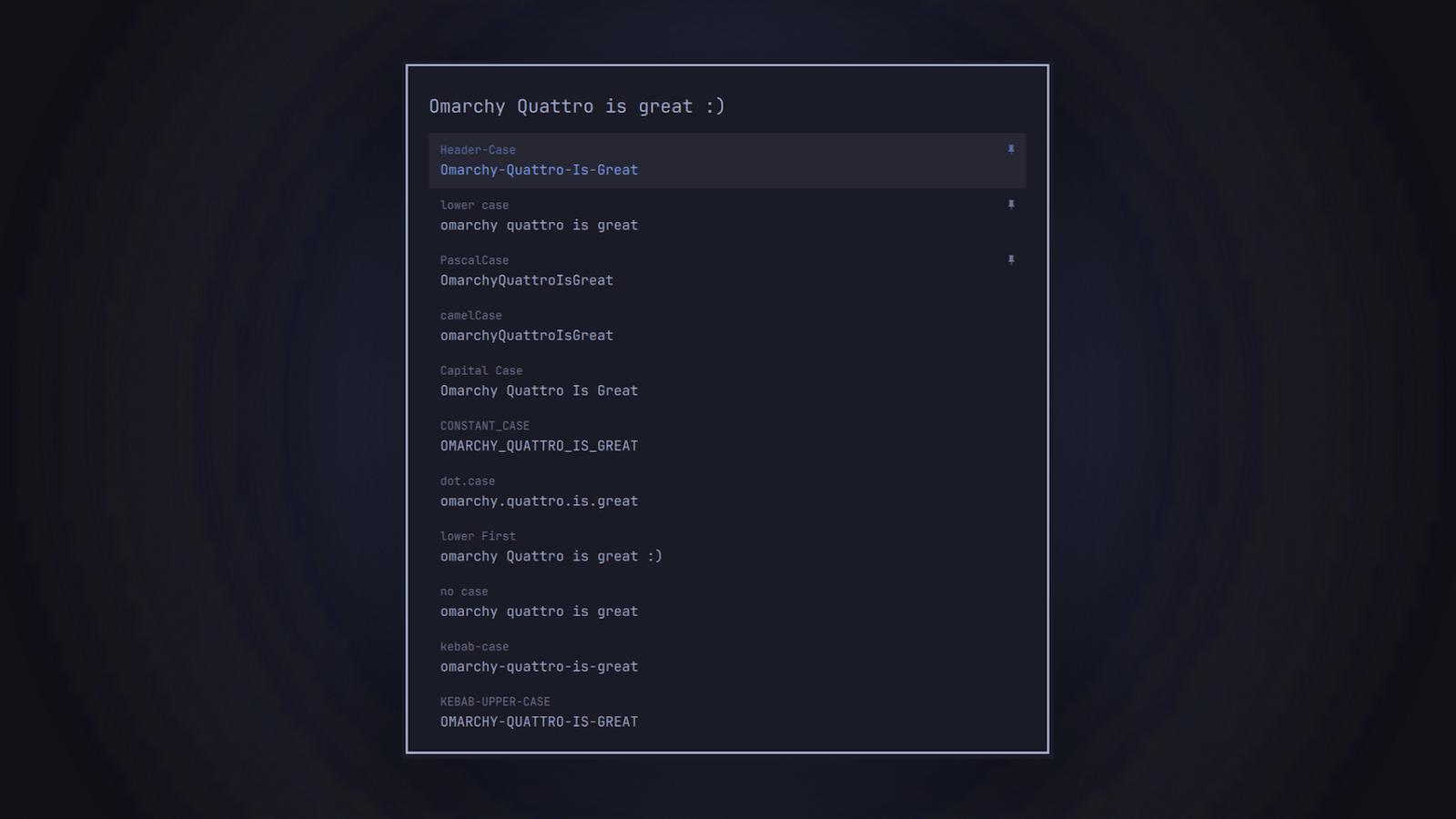
okata overlay

Install

omarchy plugin add https://github.com/ussego/okata.git --enable

Removal

omarchy plugin remove ussego.okata

Usage

Summon the overlay and type — every case row updates live as you type:

omarchy-shell shell summon ussego.okata
  • Type in the input at the top to transform the text into all 21 cases at once.
  • Press Enter or click a row to copy that row's result to the clipboard and close.
  • Up/Down (PageUp/PageDown) move the selection; Esc clears the input (or closes), clicking the backdrop closes.
  • Right-click a row to pin/unpin it at the top; pins persist between sessions.

Included cases: camelCase, Capital Case, CONSTANT_CASE, dot.case, Header-Case, lower case, lower First, no case, kebab-case, KEBAB-UPPER-CASE, PascalCase, Pascal_Snake_Case, path/case, AlTeRnAtInG cAsE, rAndOm cAsE, Sentence case, snake_case, sWAP cASE, Title Case, UPPER CASE, Upper first.

IPC

omarchy-shell shell summon ussego.okata '{"text":"hello world"}'
omarchy-shell shell hide ussego.okata
omarchy-shell shell toggle ussego.okata

Payload: {"text": "..."} pre-fills the input.

Keybinding

Add to ~/.config/hypr/bindings.lua:

hl.unbind("SUPER + CTRL + U")
o.bind("SUPER + CTRL + U", "Transform case", "omarchy-shell shell toggle ussego.okata")

Dependencies

Uses wl-copy from wl-clipboard, which ships with Omarchy.