
Omagotchi
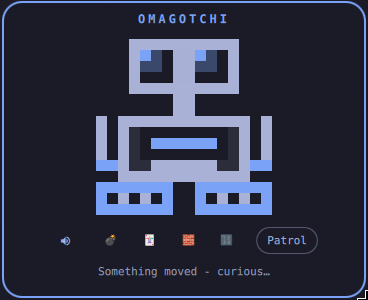
A cute tiny robot that sits in your Omarchy bar and keeps you company while you work.
Install
omarchy plugin add git@github.com:vdsabev/omagotchi.git --enable --yes
omarchy plugin enable vdsabev.omagotchi --section right
Or clone the repo at ~/.config/omarchy/plugins/vdsabev.omagotchi/ and run:
omarchy-shell shell rescanPlugins
omarchy plugin enable vdsabev.omagotchi
Remove
omarchy plugin disable vdsabev.omagotchi
omarchy plugin remove vdsabev.omagotchi
Dependencies
- Omarchy Quattro (
omarchy-shell/ Quickshell) - Hyprland socket -
cursorposis used to track the cursor for eye pupil direction - UPower - charger plug/unplug sounds, if you have a battery
$TERMINAL- required to launch TUI games (e.g. Omasweeper, Quattrolitaire)
Features
- Omagotchi lives in the status bar and watches your moving mouse cursor
- Left click to open the popup
- Click the name to rename your Omagotchi
- Send your Omagotchi out to patrol your screen
- Shortcuts to games: Omasweeper, Quattrolitaire, Tetris, and Sudoku. You can add custom games in
~/.config/omagotchi/games.json - Moods and sound effects - mute in the popup
- Current state stored in:
~/.config/omagotchi/state.json
File structure
BarBot.qml- the bar icon: that head on a stubby bodyBarWidget.qml- bar eyes + popup (one Panel-rooted entry point)binbeep.sh- beep sound scriptcharge.sh- charger plug-in chirpland.sh- thud when it comes downlaunch.sh- whoosh when the robot is slung into the airplay.sh- shared playback for the sound scriptsroll.sh- motor whirr on the way out and backunplug.sh- charger unplug tonewhir.sh- whir sound script
checkManifest.mjs- CI guard requiring a version bump on every PRCursorTracker.qml- Hyprland socketcursorpos→ look directionEyes.qml- shared binocular headGames.js- game list, launch and install commandsGames.test.mjs- game list testsGameStrip.qml- game icon strip, install confirmloadLib.mjs- test helper that loads QML libraries into Nodemanifest.json- plugin contract (kind: bar-widget)NicknameField.qml- editable pet namepackage.json- test runner configPetPanel.qml- popup card centered on the bar iconPetState.js- moods, flavor, nickname and state-file rulesPetState.test.mjs- mood testsPowerWatcher.qml- UPoweronBattery→ charger plug and unplug soundsRoamWindow.qml- the strip at the foot of the screen the robot paces onRobot.qml- full bodySoundEngine.qml- sound effect playback
Run tests with npm test.