
Notification Sounds
The KDE Ocean sound theme, wired into the whole Omarchy desktop — not just notifications.
Every desktop notification is voiced according to the freedesktop spec, and the events that never produce a notification get a sound too: volume keys, login and logout, the AC cable, the battery, USB and bluetooth hotplug, the network coming and going. All 45 Ocean samples have a trigger, and every one of them goes quiet together when you mute the bar widget or switch on Do Not Disturb.
Sounds ship inside the plugin, so there is nothing else to install.
Why you will love it
- Genuinely system-wide. One mute switch covers notifications, keybindings, hooks and background watchers alike.
- Lightweight by design. A ~3 MB folder of Ocean sounds, one QML service, and a few hundred lines of bash — no browser, no Electron.
- Made for Omarchy. It reads the
omarchy-glyphhint that first-party Omarchy notifications already carry, so a reminder firing, a download finishing and a crash being captured each get their own sound without patching a singleomarchy-*script. - Respects your focus. Do Not Disturb silences the whole system, not just toasts.
- Speaks your apps' language. Senders use standard
categoryandsound-namehints; the plugin does the rest.
What makes a sound
Four layers, checked in order, then urgency as the backstop.
1. Notifications
| Signal | Example | Sound |
|---|---|---|
sound-name hint |
anything the sender picks | that sound, if the theme has it |
suppress-sound hint |
true |
silence |
category sub-event |
im.sent, transfer.failed, media.error |
the specific sound |
any other *error |
network.error |
dialog-error |
category base |
im, transfer, call |
the category sound |
omarchy-glyph hint |
reminder, download, crash, game install | see below |
| notification icon | battery-caution, dialog-password |
the matching sound |
| urgency | low / normal / critical | message-highlight / dialog-information / dialog-error-critical |
Sub-events beat the generic error rule, which in turn beats base categories — so media.error is a media error, network.error is still an error, and plain network is just news.
Matching on the glyph is what catches Omarchy's own notifications, which carry no category at all. Where Omarchy reuses one glyph for both halves of an outcome — is both "Sent to $name" and, at critical urgency, "Could not send to $name" — the rule splits on urgency so a failure never chimes like a success.
2. Keybindings
Volume up, volume down, mute and their precise ALT variants play audio-volume-change, throttled so a held key does not stack a dozen copies. PRINT plays button-pressed after a successful capture, so a cancelled region picker stays silent.
3. Hooks
| Hook | Sound |
|---|---|
post-boot |
desktop-login |
theme-set |
completion-rotation |
font-set |
completion-partial |
post-update |
complete-media-burn |
There is deliberately no battery-low hook: Omarchy already sends a low-battery notification, and the plugin sounds it from its battery-caution icon. A hook would play a second sound over the top of the first.
4. Background watchers
omarchy-sound-watch (a systemd user service) covers what nothing else reports:
| Event | Sound |
|---|---|
| AC connected / disconnected | power-plug / power-unplug |
| battery full | battery-full |
| battery critical | battery-caution (with a toast) |
| network online / offline | service-login / service-logout |
| bluetooth connect / disconnect | device-added / device-removed |
| USB connect / disconnect | device-added / device-removed |
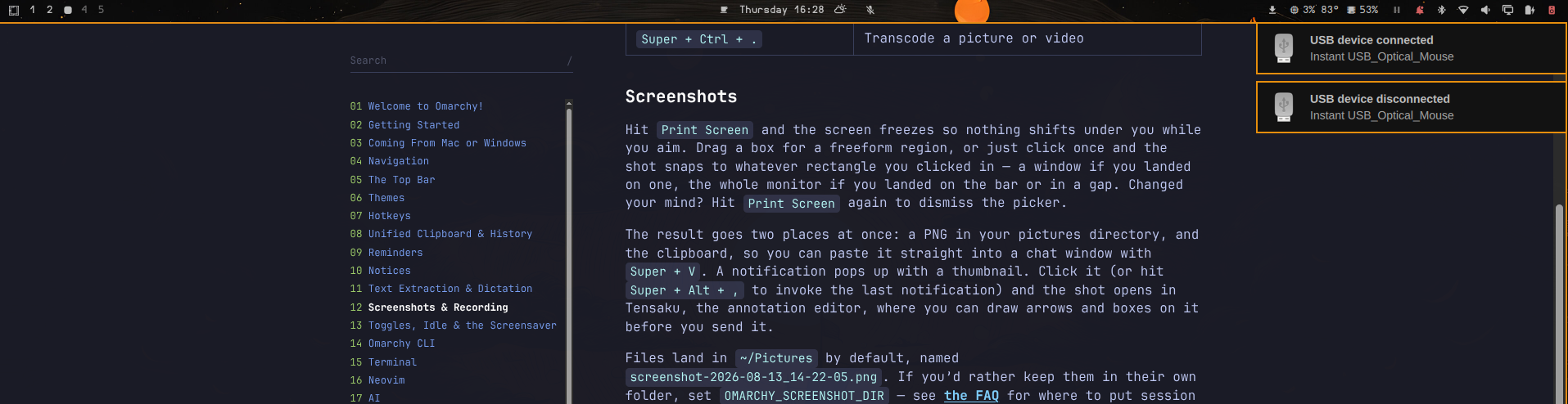
USB toasts name the kind of device, not just the vendor string: Mouse connected, Keyboard connected, USB drive connected, Webcam connected. The type comes from ID_USB_INTERFACES, the list of USB interface classes udev publishes for the device, which is the only thing that actually says what a device is — a marketing name in ID_MODEL does not. Composite devices claim several interfaces at once, so the most informative one wins: a webcam that also exposes a microphone is a webcam. Root hubs are skipped, since nobody plugged those in.
Check it against your own hardware without unplugging anything:
bash tools/test-device-alert.sh add
Each watcher blocks on a real event source (udev, nmcli monitor, D-Bus) and re-reads the actual state when woken, with a slow poll behind it so a missed event self-corrects instead of wedging the watcher.
Logout is handled separately by omarchy-sound-session, whose ExecStop plays desktop-logout synchronously and is ordered before PipeWire shuts down, so the chime actually reaches the speakers.
Turn individual watchers off in ~/.config/omarchy/sound-events.conf.
The omarchy-sound command
omarchy-sound power-plug              # play one sound
omarchy-sound notify message-new-email "Inbox" "1 new message"
make -j8; omarchy-sound outcome $?    # success / failure chime
omarchy-sound status                  # what is wired up, and whether it is audible
omarchy-sound test                    # play all 45 in order
omarchy-sound list
play makes noise with no toast; notify raises a real notification carrying a sound-name hint, so the shell plugin stays the single audio path and one event can never produce two overlapping sounds. Both honour the mute toggle and Do Not Disturb.
Check that nothing has lost its trigger:
python3 tools/audit-coverage.py     # 45/45 sounds have at least one automatic trigger
bash tools/test-power-transitions.sh
Sounds are bundled
The full Ocean sound set lives in the plugin's sounds/ folder—no system package needed. If you prefer to follow your system theme instead, install it with omarchy pkg add ocean-sound-theme and delete the sounds/ folder; the plugin then falls back to /usr/share/sounds/ocean/stereo.
Install
Two commands. The first is the standard Omarchy plugin install; the second wires up the parts that live outside the shell.
omarchy plugin add https://github.com/fab679/virtuoso.notification-sounds.git --enable
~/.config/omarchy/plugins/virtuoso.notification-sounds/install.sh
After the first command notification sounds already work — that half is pure plugin, and it needs nothing else. The second adds the volume-key and screenshot bindings, the login/logout chimes, the hooks, and the AC/battery/network/ bluetooth watchers. Skip it if you only want notifications voiced.
Requires PipeWire or PulseAudio with pw-play:
omarchy pkg add pipewire-utils
Update
omarchy plugin update virtuoso.notification-sounds
That is the whole update. The CLI, the watcher, the USB device alert and all four hooks are symlinked into the plugin directory rather than copied, so a single fast-forward refreshes every one of them — there is no second command to forget.
Two things a git merge cannot refresh on its own: systemd units (systemd
caches unit contents until a daemon-reload) and the Hyprland keybinding block.
Those change rarely, and omarchy-sound doctor tells you when they have fallen
behind:
omarchy-sound doctor # re-run install.sh if it reports drift
Installing from a clone
If you would rather clone it yourself:
git clone https://github.com/fab679/virtuoso.notification-sounds.git
cd virtuoso.notification-sounds && ./install.sh
install.sh knows where it is running from. Inside the plugin directory it
copies nothing, leaving the .git that omarchy plugin update needs; from a
clone elsewhere it refuses to overwrite a git-managed install rather than
silently breaking future updates. Use --no-system for notifications only, or
--no-usb to skip the USB hotplug service.
Toggle
- Bar widget (speaker glyph, far right): click to mute or unmute.
- Menu: Trigger → Notification Sounds (shows ✓ when on).
- Terminal:
omarchy-shell virtuoso.notification-sounds toggle
Unmuting plays the Ocean theme's own demo sample, so the click that turns sound back on also confirms the audio path works. Muting stays silent, which is the point of muting.
The state persists in ~/.local/state/omarchy/notification-sounds.json, and omarchy-sound reads that same file — which is why one toggle covers keybindings, hooks and watchers too.
Remove
While the plugin is still installed:
~/.config/omarchy/plugins/virtuoso.notification-sounds/uninstall.sh
That removes the symlinks, the hooks, the event config, the three user units, the launcher-menu toggle, the shell.json entries and the keybinding block it appended to ~/.config/hypr/bindings.lua (backing that file up first), then restarts the shell. Follow it with omarchy plugin remove virtuoso.notification-sounds to delete the plugin directory itself.
Credits
Sound effects are from the KDE Ocean theme (CC BY-SA 4.0); the .license files ship alongside them in sounds/. Playback uses pw-play.
Omarchy Notification Sounds is an independent project and is not affiliated with KDE. Ocean is a trademark of KDE e.V.
Licensed under the MIT License.