
Todoist for the Omarchy bar
Your due tasks in the Omarchy status bar, with a popup that completes them, reschedules them from a real date picker, and quick-adds new ones — without leaving the desktop.
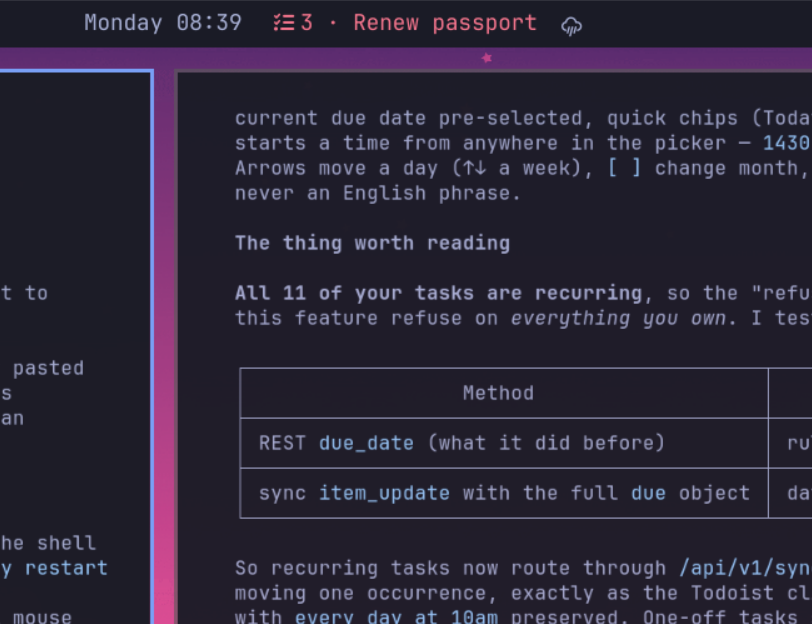
- In the bar: a count of what's due plus the next task's title, turning urgent-colored the moment something is overdue.
- Two views:
TodayandUpcoming, switchable by click or arrow keys, and configurable — the tabs are just Todoist filter queries. - One click completes a task, with a 12-second undo strip.
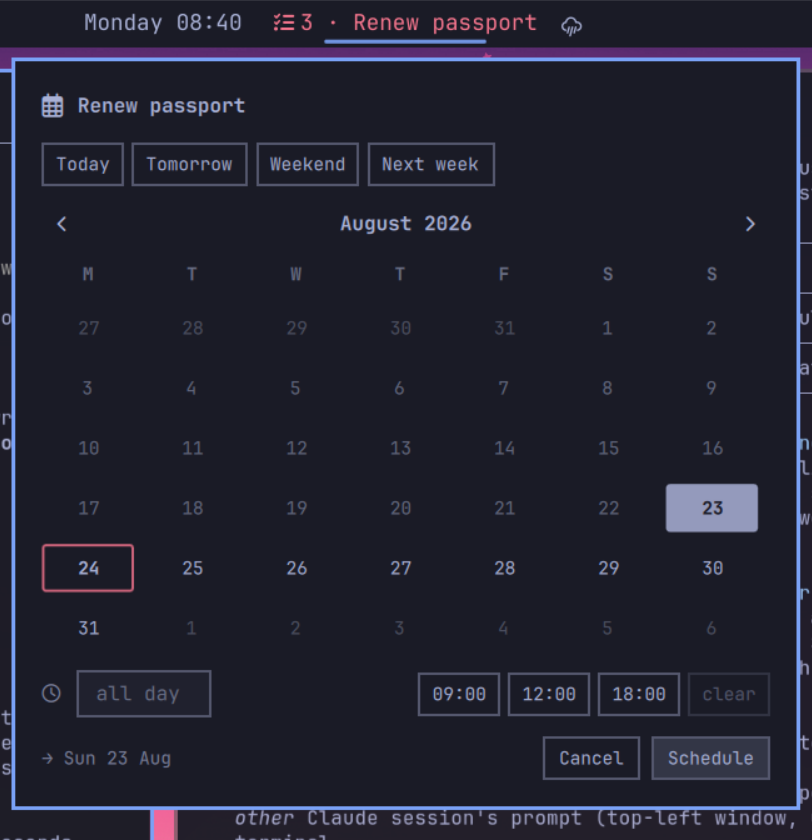
- A date and time picker for rescheduling, including a recurrence-safe path for repeating tasks (see Recurring tasks).
- Quick add using Todoist's own syntax:
pay rent tomorrow p1 #Home. - Keyboard driven end to end.
Requirements
- Omarchy 4.x (the Quickshell-based
omarchy-shell) python3— the helper script uses only the standard library- A Todoist account and an API token
Install
omarchy plugin add https://github.com/xak47d/omarchy-todoist.git --enable --yes
The widget lands in the bar's center section. Move it wherever you like:
omarchy bar move xak47d.todoist --section right
Plugins install as a plain git checkout under
~/.config/omarchy/plugins/xak47d.todoist/, and nothing outside that directory
is touched at install time. To install by hand instead, clone into that path and
run omarchy-shell shell rescanPlugins, then omarchy plugin enable xak47d.todoist.
Connect your account
Click the widget. With no token stored it shows a Connect your Todoist account card: paste an API token and press Enter. Get a token opens Todoist's developer settings for you.
Your token is:
- passed to the helper over stdin, never as a command-line argument, so it stays out of the process list and your shell history
- verified with Todoist before it is stored, so a bad paste can never displace a working token
- written to
~/.config/omarchy/todoist.tokenwith mode0600, through a temp file created exclusively (random name,O_EXCL) inside a directory checked to be yours and unwritable by anyone else, then renamed into place - read back with
O_NOFOLLOW,O_NONBLOCKand a size cap, so a symlink, a fifo or an oversized file left at that path is refused rather than followed or waited on
A token that Todoist later rejects brings the card back rather than dead-ending,
so rotating one is the same gesture. If you would rather place the file
yourself, install -m600 /dev/stdin ~/.config/omarchy/todoist.token works, as
does exporting TODOIST_API_TOKEN.
Using it
| Where | Action |
|---|---|
| Bar, left click | Open the popup |
| Bar, right click | Open Todoist as a web app |
| Bar, middle click | Refresh now |
| Row, click | Complete the task |
| Row, hover | → tomorrow · 🗓 pick a date · ↗ open in Todoist |
| Row, middle click | Open that task in Todoist |
Keyboard, while the popup is open:
| Key | Action |
|---|---|
j / k or ↑ / ↓ |
Move between tasks |
← / → |
Switch view |
Enter / Space / x |
Complete |
s |
Open the date picker |
t / w |
Tomorrow / next week |
u |
Undo the last completion |
a |
Jump to the quick-add field |
r |
Refresh |
o / g |
Open the task / open Todoist |
Esc |
Close |
In the date picker: arrows move a day (↑/↓ a week), [ and ] change
month, typing any digit starts a time (1430 becomes 14:30), Enter
schedules, Esc cancels.
Settings
Every setting lives in the widget's entry in ~/.config/omarchy/shell.json and
applies without a restart:
omarchy bar set xak47d.todoist filter "today | overdue | @work"
omarchy bar set xak47d.todoist interval 300
| Key | Default | What it does |
|---|---|---|
views |
Today + Upcoming | The popup's tabs, as [{"name": …, "query": …}] |
defaultView |
"Today" |
Which tab opens, by name or index |
filter |
today | overdue |
Query for the first tab when views is unset |
interval |
120 |
Seconds between refreshes |
maxTasks |
25 |
Tasks fetched per query |
maxRows |
14 |
Rows drawn before a "+N more" line |
showNextTask |
true |
Show the next task's title in the bar |
nextTaskChars |
22 |
How much of that title to show |
hideWhenEmpty |
false |
Hide the widget when nothing is due |
webUrl |
Todoist Today | Opened on right click |
Adding a third tab is one command:
omarchy bar set xak47d.todoist views \
  '[{"name":"Today","query":"today | overdue"},
    {"name":"Upcoming","query":"overdue | 7 days"},
    {"name":"Work","query":"@work & 7 days"}]' --json
Any Todoist filter query works as a view.
Recurring tasks
Rescheduling a repeating task is not the same operation as rescheduling a
one-off, and getting it wrong silently destroys the recurrence rule. Writing a
due date through the REST endpoint turns every monday at 9am into a literal
date with is_recurring: false — verified against the live API.
So this plugin routes recurring tasks through the Sync API's item_update
command instead, carrying the task's string, is_recurring and lang
through with the new date. That moves the single occurrence you picked and
leaves the rule intact, which is what the first-party Todoist clients do. One-off
tasks take the simpler REST path.
Both paths write floating local wall-clock time, matching how Todoist stores a time you typed in the app, so a task does not shift hours when you change timezone.
How it works
The bar widget is QML running inside omarchy-shell. It never speaks HTTP and
never sees your token: everything goes through scripts/todoist-cli, a
stdlib-only Python helper that prints one line of JSON per call and always exits
0, reporting failures in that JSON so a dead network never looks like a crashed
widget.
Panel.qml ── Process ──► scripts/todoist-cli ──► api.todoist.com/api/v1
The helper is usable on its own:
scripts/todoist-cli fetch --query "today | overdue" --limit 25
scripts/todoist-cli close <task-id>
scripts/todoist-cli reschedule <task-id> --date 2026-09-04 --time 08:15
scripts/todoist-cli add "buy milk tomorrow p1 #Home"
Project names and colors are cached for an hour in
$XDG_CACHE_HOME/omarchy-todoist/, written the same way the token is and read
back with the same symlink and size checks.
Everything the helper reads from outside itself is bounded before it is parsed:
API responses at 8 MiB, error bodies at 4 KiB, the token file at 4 KiB, the
cache at 4 MiB, and each task field it hands the widget at 500 characters. Its
own arguments are bounded too — filter queries at 1024 characters, quick-add
text at 2000 — and a task id must be short and alphanumeric before it is spliced
into a URL path, since percent-encoding leaves / alone by default.
Uninstall
omarchy plugin remove xak47d.todoist --yes
That removes the plugin directory and its bar entry. Two things live outside it and are yours to delete if you want them gone:
rm -f ~/.config/omarchy/todoist.token          # your API token
rm -rf ~/.cache/omarchy-todoist                # cached project names
Revoking the token itself is done in Todoist under Settings → Integrations → Developer.
Development
Plugin QML is compiled and cached by Qt, so edits need a restart rather than the usual hot reload:
omarchy restart shell
qs log --pid "$(pgrep -f 'quickshell -n -p /usr/share/omarchy/shell')" -t 50
omarchy plugin validate .
License
MIT — see LICENSE.
Not affiliated with Doist. "Todoist" is a trademark of Doist Inc.