
Omahub
← All plugins
Y

Jot

by Yordan Yordanov

Quick capture for Omarchy — hotkey, one thought, appended to your inbox

Security review

Review recommended · 3 findings

Deterministic scan — not a security guarantee

Medium
Risk level
Medium
Analyzed commit
1886b25
Scanned
1 month ago
  • medium external_hosts …/workflows/test.yml:33

    Downloads or connects to an external HTTP(S) host.

    git clone --depth 1 https://github.com/basecamp/omarchy.git omarchy
  • medium external_hosts …/workflows/test.yml:57

    Downloads or connects to an external HTTP(S) host.

    git clone --depth 1 https://github.com/basecamp/omarchy.git /omarchy
  • Docs external_hosts CONTRIBUTING.md:10

    Downloads or connects to an external HTTP(S) host.

    git clone https://github.com/yordanbuilds/jot.git ~/.config/omarchy/plugins/yordanbuilds.jot

Automated analysis only — not a security guarantee.

AI advisory review

No obvious issues detected

Language-model assessment · ~deepseek/deepseek-v4-flash-latest — advisory only

Low
AI risk level
Low
Recommendation
install
Model
~deepseek/deepseek-v4-flash-latest
Analyzed commit
1886b25
Reviewed
1 month ago

The plugin is a straightforward QML overlay that appends user text to a local file, with clearly documented bash scripts for setup, config, and uninstall. The deterministic scan flagged external hosts only in CI workflows and documentation, not in the plugin's runtime code, so those findings do not represent user-facing risk. No obfuscation, credential theft, or destructive behavior was found.

  • The setup script modifies ~/.config/hypr/bindings.lua and the Omarchy menu file, but only with clearly marked blocks and only after user consent (the keybinding is never added automatically).
  • The plugin runs a setup process on first load, which writes config and menu entries; this is disclosed in the README and is idempotent.
How this check works

This review combines the deterministic scan (the rule-based results above) with an independent look at the plugin's code by a language model. The model reads a trimmed sample of the repository's files, the manifest, and the README, then gives a plain-language risk level and a recommendation: install (no notable danger), review (look closer first), or avoid (clearly dangerous).

It runs on the same analyzed commit as the deterministic scan and is strictly advisory — it is not a security guarantee and never blocks a plugin by itself. A human moderator still reviews plugins before they are listed.

AI advisory only — automated analysis, not a security guarantee.

Install
$ omarchy plugin add https://github.com/yordanbuilds/jot --enable
Productivity #quickshell

Jot

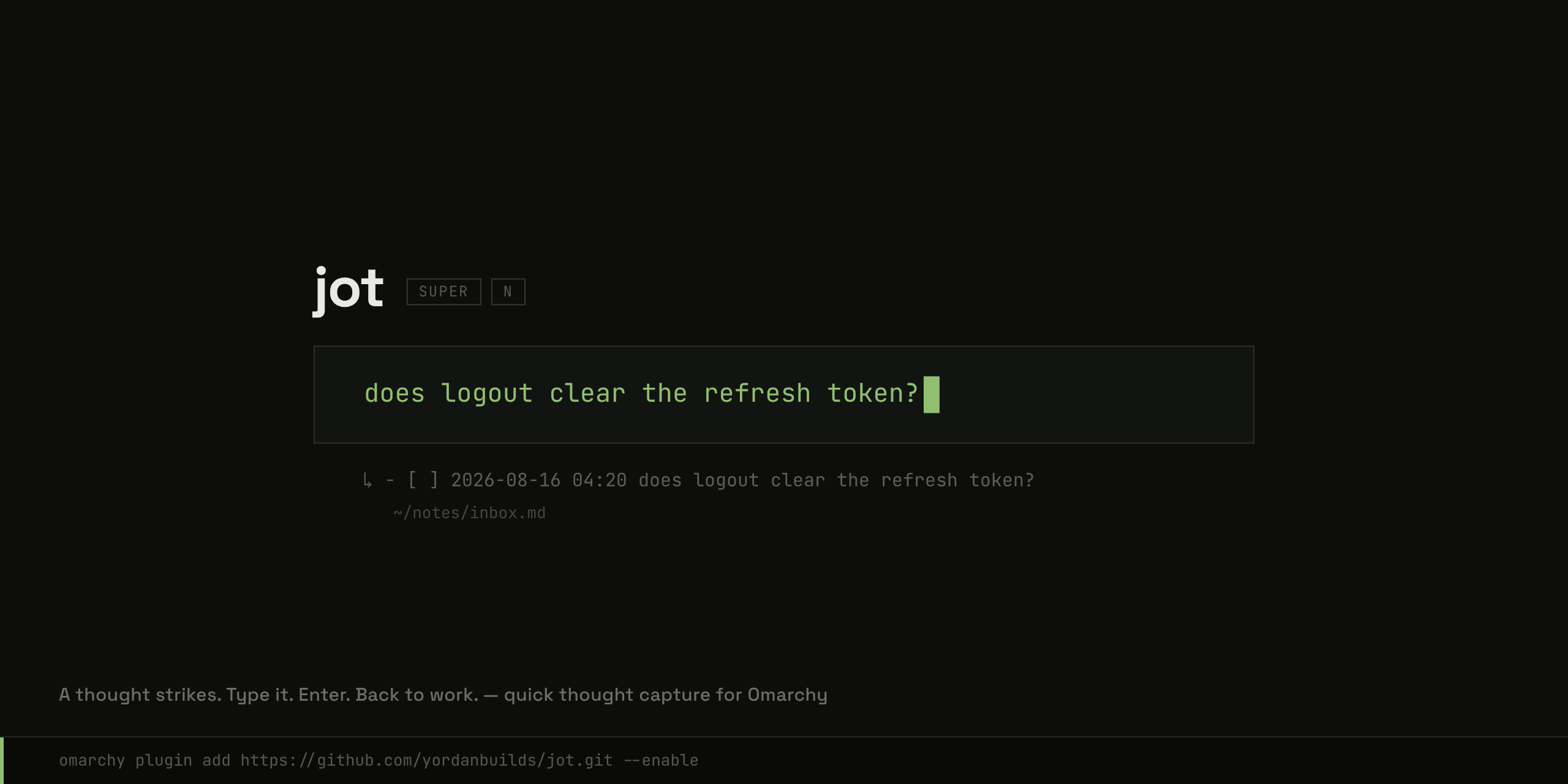
Jot in action

A thought strikes. Type it. Enter. Back to work.

A minimal overlay with one text field. Whatever you type is appended as a timestamped - [ ] line to ~/notes/inbox.md, and the overlay is gone. Capturing and organizing are separate moments: Jot owns the capture; you own the rest.

Installation

Jot needs Omarchy 4 or newer.

omarchy plugin add https://github.com/yordanbuilds/jot.git --enable

On first load:

  • Jot appears in the Omarchy menu, under Trigger — Jot down and Open inbox
  • ~/.config/jot/config.json is created with the defaults
  • the jot command lands on your PATH — jot, jot inbox, jot uninstall
  • Jot asks about the <kbd>SUPER</kbd>+<kbd>N</kbd> shortcut — decline, and Add SUPER+N shortcut waits in the menu (or jot bind-key)

Prefer another key? Write it yourself in ~/.config/hypr/bindings.lua:

o.bind("SUPER + SHIFT + N", "Jot", "omarchy-shell shell toggle yordanbuilds.jot '{}'")

Everything Jot adds is marked and yours.

Usage

Key What happens
<kbd>SUPER</kbd>+<kbd>N</kbd> Open the overlay, once you add it
type Compose the thought
<kbd>Shift</kbd>+<kbd>Enter</kbd> New line — the thought stays one item
<kbd>Enter</kbd> Append to the inbox and close
<kbd>Esc</kbd> / empty <kbd>Enter</kbd> Close without saving
click outside the card Close without saving

From a terminal: jot opens the same overlay, jot inbox opens your inbox.

Multi-line thoughts land as one markdown todo with indented continuation lines:

- [ ] 2026-08-16 14:32 does logout clear the refresh token?
  check SessionGuard, and the mobile client too

Configuration

~/.config/jot/config.json:

{
  "file": "~/notes/inbox.md",
  "template": "- [ ] %Y-%m-%d %H:%M {text}"
}

file is where captures land (created on first capture).

template is the line format: {text} is your thought; everything else goes through date(1), so any strftime code works — or delete the codes for no timestamp at all.

Uninstall

jot uninstall

It confirms, asks about ~/.config/jot (--purge skips that question), then removes the plugin itself. Your notes file is never touched.

License

Jot is open-source software licensed under the MIT license.