
Snooze
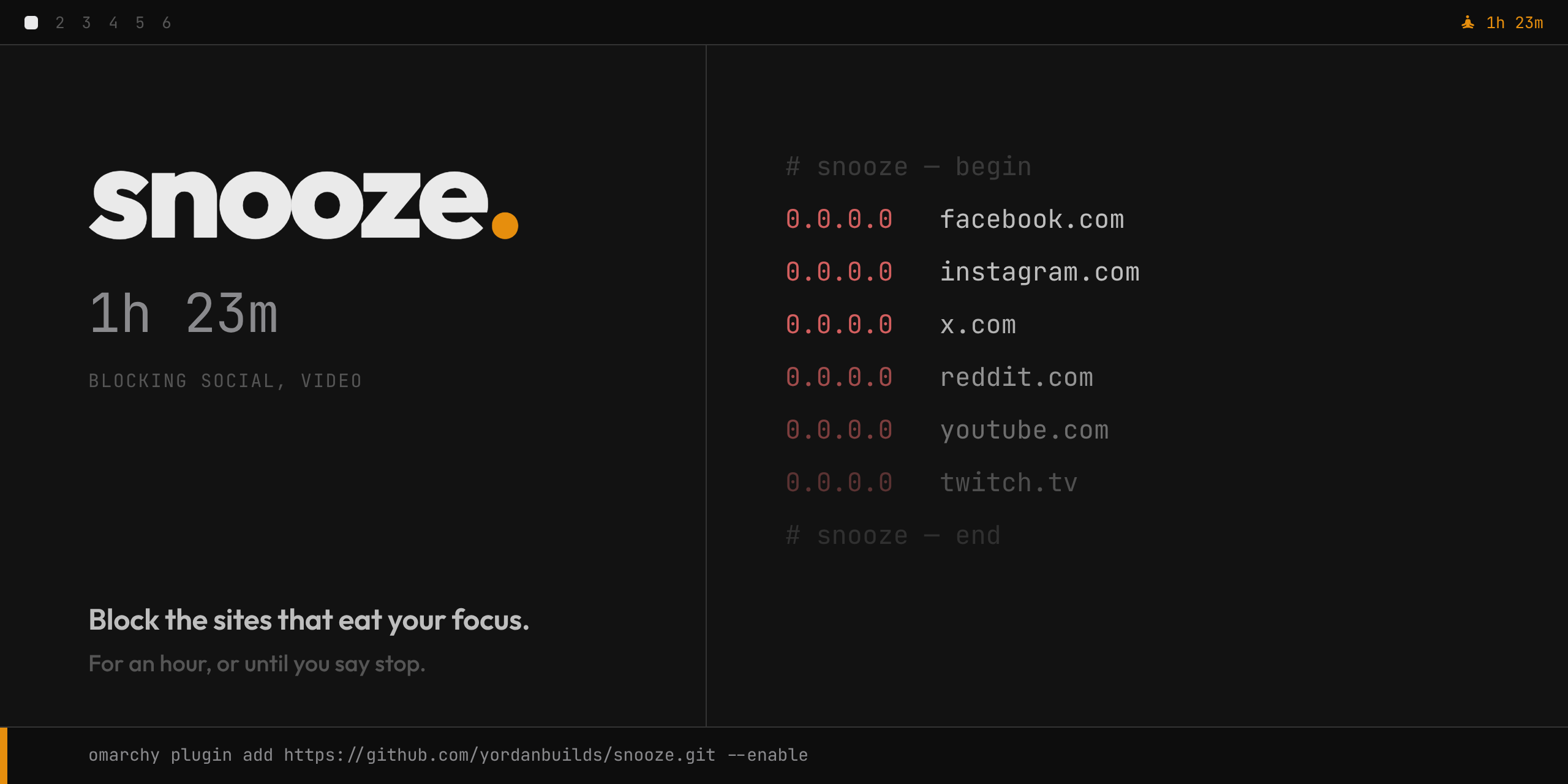
Block the sites that eat your focus — for an hour, or until you say stop.
A bar widget for Omarchy. Pick the groups you want out
of the way, pick a duration, and Snooze writes a marked block of 0.0.0.0
entries into /etc/hosts — then takes it out again when the time is up. The
block sits in the system resolver, so it covers every browser, every profile,
every Electron app and every terminal on the machine: no extensions, no proxy,
nothing to install per browser.
Snooze is friction, not a wall. Anyone who really wants a feed can stop the session, use their phone, or edit a file. That is the point: it interrupts the reflex of opening a tab you didn't decide to open, and it never pretends to be more than that.
Installation
Snooze needs Omarchy 4 or newer.
omarchy plugin add https://github.com/yordanbuilds/snooze.git --enable
The icon appears with a dot on it: click it, then Run setup. A floating terminal shows the plan and asks for your password once. Setup installs:
- the helper, root-owned at
/usr/local/bin/snooze-helper /etc/sudoers.d/snooze(visudo-checked):%wheel ALL=(root) NOPASSWD: /usr/local/bin/snooze-helper- the
snoozeCLI in~/.local/bin, default groups in~/.config/snooze/groups.json
The passwordless rule covers one small root-owned script that can only write
0.0.0.0 <domain> lines inside its own marked block of /etc/hosts — the
worst anything can do through it is block a site. Audit it first with
snooze setup --print.
Updating? omarchy plugin update yordanbuilds.snooze — if the helper changed,
the panel asks for setup again.
Usage
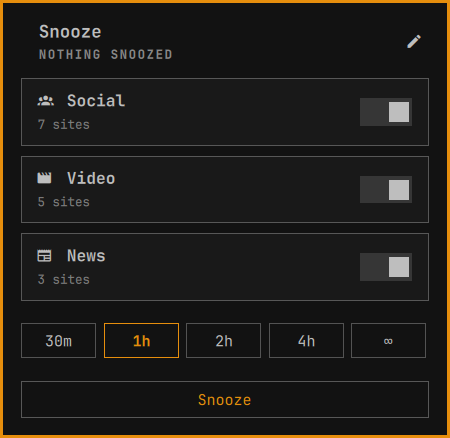
Click the bar icon: groups, a duration, one button.
Once a session is running, the panel is the countdown.
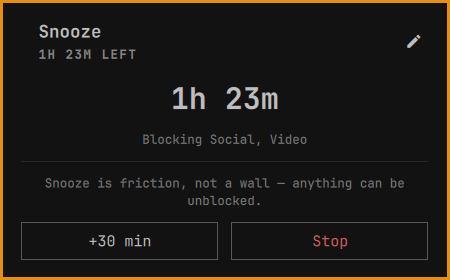
Timed sessions end themselves; an ∞ session runs until you press Stop, which is behind a confirm. +30 min is there whenever a deadline is.
The time left rides along in the bar:
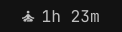
Turn that off with the widget's Show remaining time in bar setting.
| Shortcut | What happens |
|---|---|
| <kbd>←</kbd> / <kbd>→</kbd> | Pick a duration |
| <kbd>Enter</kbd> | Snooze — or run setup, whichever is up |
| <kbd>Esc</kbd> | Back out of the confirm, the editor, the panel |
| middle-click the bar icon | Re-read the status now |
Groups
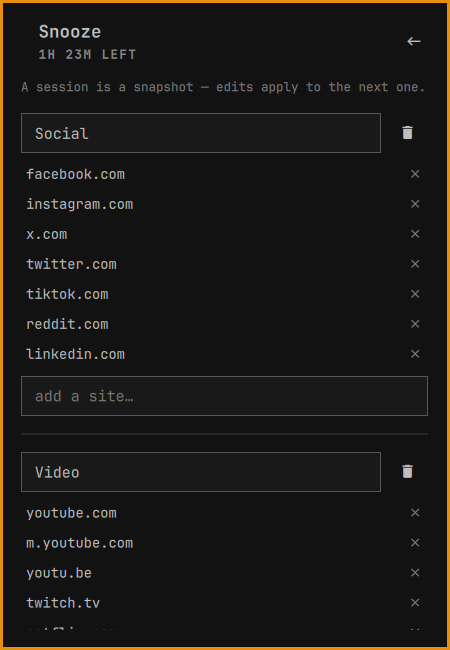
Three groups ship by default; the pencil edits everything, and anything that
isn't a domain is refused. It all lands in ~/.config/snooze/groups.json —
plain JSON, dotfile-friendly, hand-editable while the panel is open:
{
"version": 1,
"groups": [
{ "id": "social", "name": "Social", "icon": "",
"sites": ["facebook.com", "instagram.com", "x.com"] }
]
}
Sites are bare domains; x.com also covers www.x.com. Deeper names are
taken as written — that's why Video ships youtube.com, m.youtube.com and
youtu.be separately.
A session is a snapshot: edits apply to the next one, never to the block already in place.
The CLI
Everything the panel does is also a command:
snooze start --group social --for 2h   block those groups (default: all) for that long
snooze start --forever                 block until you stop it
snooze extend 30m                      push the current deadline further out
snooze stop                            unblock everything now
snooze status                          what is blocked, and for how long
snooze status --json                   the same, for scripts
snooze sweep                           drop the block if its time is up
snooze setup [--force] [--print]       install the helper and its one sudo rule
snooze uninstall                       remove Snooze and the plugin (asks about your groups)
Durations: 30m, 2h, 1h30m. --group takes the group's id from
groups.json and repeats; leave it out and every group is in.
The CLI works without the shell running. A user timer ends timed sessions; if the machine slept through the deadline, the widget sweeps the leftover on the next shell start.
Known limits
Worth knowing before you trust it with a deadline:
- An already-open tab can outlive the whole session. Blocking stops new DNS lookups; it cannot reach connections that already exist. A loaded SPA — X, YouTube — keeps clicking along on its live sockets and service worker without ever asking for the name again. Close its tabs and it's gone: the next lookup hits the block.
- Secure DNS bypasses
/etc/hostsentirely. With DNS-over-HTTPS on, the browser resolves names over the network and never consults the system resolver, so Snooze cannot touch it. In Chromium: Settings → Privacy and security → Security → Use secure DNS, off. Firefox has the same switch under Privacy & Security → DNS over HTTPS. - No wildcards.
/etc/hostsmatches exact names, soreddit.comsays nothing aboutold.reddit.com. The defaults ship the variants that matter; add your own in the edit view. - Docker containers inherit the block. Omarchy points Docker's DNS at the
host (
"dns": ["172.17.0.1"]in/etc/docker/daemon.json, answered by systemd-resolved), so container lookups see the same hosts entries. A container started with its own--dnsdoes not. - It is bypassable, deliberately.
snooze stopis one click, your phone is right there, and/etc/hostsis a text file. Friction, not a wall.
Uninstall
snooze uninstall
It prints what it will remove and asks first: unblocks anything still blocked,
removes the helper, the sudoers rule, the link and the session state, then
hands the plugin to omarchy plugin remove. One sudo prompt. Your groups are
a separate question — answer no and ~/.config/snooze/ stays put.
License
Snooze is open-source software licensed under the MIT license.