
Omaports
Find open TCP ports and close them from the Omarchy bar.
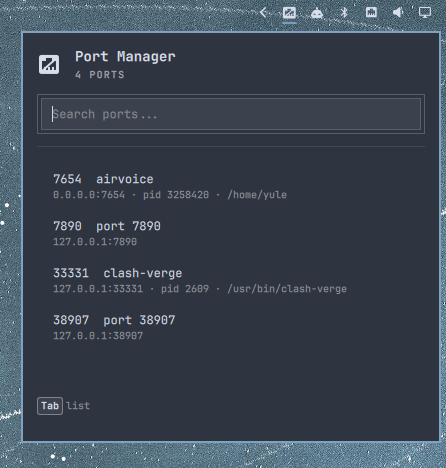
Bar panel (drops from the Port Manager mark in the Omarchy bar):
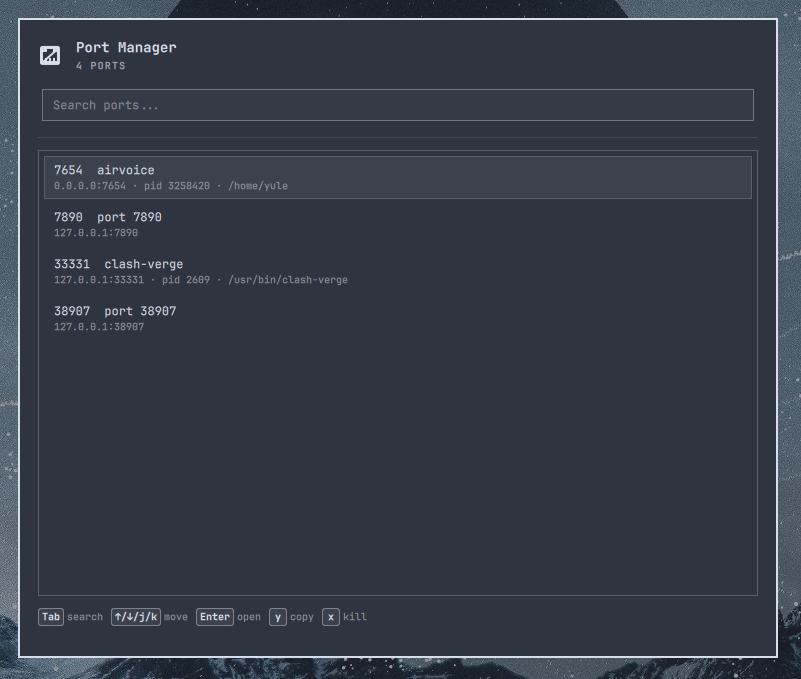
Centered overlay (same content, larger window; Super+Ctrl+P):
Install
omarchy plugin add https://github.com/yuler/omaports.git --enable
Local checkout (symlink, so edits reload without copying):
make link enable
That replaces a previously copied ~/.config/omarchy/plugins/yuler.omaports with a symlink to this repo. Saved QML/JS reloads in the shell automatically.
omarchy plugin validate refuses a plugin path that is itself a symlink (it walks -type l). make validate therefore checks this checkout, which is a real directory. omarchy plugin add still installs a normal clone.
make test       # Model.js unit tests
make validate   # tests + omarchy plugin validate
make unlink     # remove the symlink only
make restart    # omarchy restart shell
Summon the overlay (larger centered window, same content as the bar panel):
omarchy-shell shell toggle yuler.omaports
Suggested Hyprland binding (~/.config/hypr/bindings.lua):
o.bind("SUPER + CTRL + P", "Port Manager", "omarchy-shell shell toggle yuler.omaports")
Usage
- Bar: Port Manager mark (RJ45 jack with a slash, theme-colored — not the network ethernet glyph). Left click opens the panel. Right click refreshes.
- Panel / overlay: icon + Port Manager + port count, then search and the port list. Super+Ctrl+P opens the larger centered overlay; shortcuts are the same as the bar panel.
Kill always asks first. Only the current user's processes are signaled, after checking /proc uid and start time. Docker stop runs only when you already have permission to talk to the daemon. Names live in ~/.local/state/omarchy/omaports/names.json.
Keyboard shortcuts
Search starts focused. Tab switches focus between search and the list (the active pane gets a border). Arrows and j/k move in the list. Single-letter actions apply once the list is focused.
| Key | Action |
|---|---|
| Type | Filter ports (search focused) |
| Tab | Switch focus between search and list |
| ↑/↓/j/k | Move in the list (from search, ↓ enters the list; from the first row, ↑ returns to search) |
| Enter | Open the selected port in a browser (http(s)://localhost:<port>) |
| y/c | Copy the URL |
| x/K | Kill / stop (confirmation; docker stop for published container ports). Lowercase k still moves up; K (Shift+k) kills |
| r | Refresh |
| Esc | Clear search, or close |
The footer follows focus. Search shows Tab. The list shows Tab, ↑/↓/j/k move, then r refresh last; only after a row is selected also Enter / y/c / x/K before refresh.
Configure
Bar settings expose kill signal (TERM/KILL), Docker, UDP, ignored ports, HTTPS ports, and refresh interval.
Remove
omarchy plugin remove yuler.omaports
Dependencies
ss(iproute2) — requireddocker— optional, for published container portsxdg-open,wl-copy— optional actions