
Blackwall
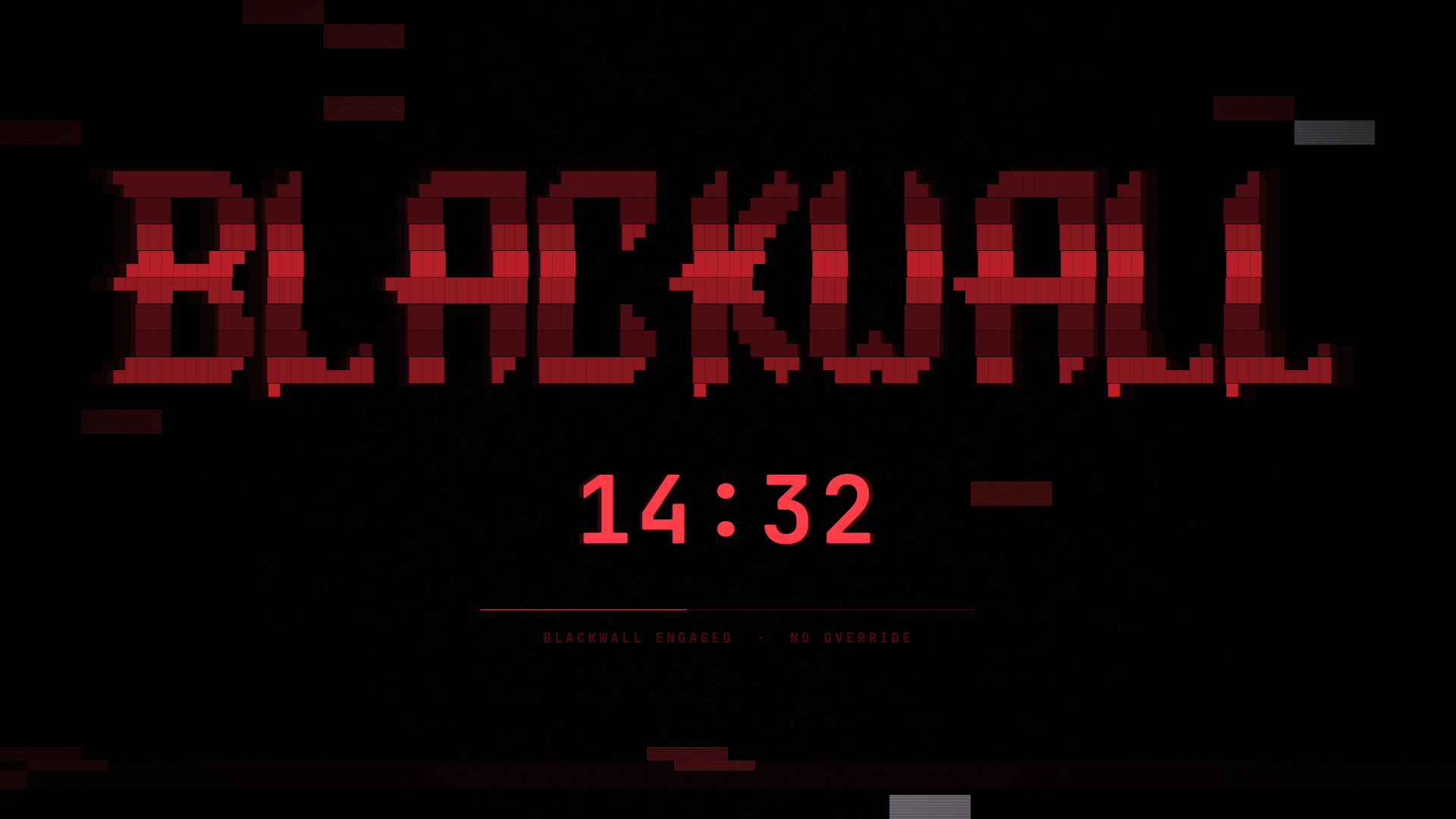
A timed session lock with no way out. Pick a duration from the bar; the session locks and stays locked until the timer runs out.
There is no password prompt, no cancel button, and no unlock IPC method. That is the point.
Install
omarchy plugin add https://github.com/zdsdeveloper/blackwall.git
omarchy plugin enable zds.blackwall
omarchy plugin add clones into ~/.config/omarchy/plugins/zds.blackwall/
(named by the manifest id) and leaves the plugin disabled so you can read
the code before running it. Plugins run unsandboxed inside omarchy-shell;
that pause is the point, so take it.
Enabling puts the button in the bar's right section. Move it with:
omarchy bar move zds.blackwall --section center
Optional: give it a soundtrack
No audio ships with the plugin, so the lock is silent out of the box. Drop any
audio file into sounds/ and it loops while locked — the filename does not
matter:
cp ~/Downloads/whatever.mp3 ~/.config/omarchy/plugins/zds.blackwall/sounds/
Recommended: "Cyberpunk 2077 — Standing in front of the Blackwall
(Ambience)" by Anendale, which is what this was built against. Source your
own copy; it is not redistributed here. See
sounds/README.md for formats, pointing at a file
elsewhere, and volume.
Remove
omarchy plugin remove zds.blackwall
That takes the widget out of the bar and deletes the checkout. Two things live outside the plugin directory and are left behind on purpose — remove them by hand if you want no trace:
rm ~/.config/omarchy/zds.blackwall.json              # the persistence toggle
rm -rf ~/.local/state/omarchy/blackwall              # live lock state
Removing the plugin while a lock is engaged does not unlock the session. The compositor holds the lock, not the plugin. Let the timer run out first, or use the recovery path below.
Requirements
- Omarchy 4.0+ — the Quickshell shell,
WlSessionLock, and theomarchy plugincommands. It will not load on the older waybar-based shell. - A monospace font with block-drawing glyphs (
▀ ▄ █ ░ ▒ ▓). Any Nerd Font has them; Omarchy's default JetBrainsMono Nerd Font is fine. qt6-multimedia(optional) — only for the ambience. Without it, or with no audio file insounds/, the lock is simply silent.qt6-shadertools(only to develop) — suppliesqsbfor rebuildingglitch.frag.qsb. Not needed to run the plugin; the compiled shader ships in the repo.python3— runsbin/blackwall-file-guard, which is how the two state files are read and written (see State files). Already present on every Omarchy system:omarchydepends onuwsm, which depends onpython. Nothing is installed withpip; the guard uses only the standard library.
No network access, no privilege escalation, no systemd units. The only external
processes it starts are mkdir/chmod for its state directory,
cat /proc/sys/kernel/random/boot_id, a bash glob to find an audio file, and
python3 bin/blackwall-file-guard to touch its own two files.
Files
| File | What it is |
|---|---|
manifest.json |
Plugin manifest — one bar-widget, one service |
BarWidget.qml |
Bar button, duration menu, persistence toggle |
Service.qml |
Owns the session lock, the countdown, and both files |
GuardedFile.qml |
Read/write access to one file, via the guard below |
bin/blackwall-file-guard |
Bounded, no-follow reads and writes (see below) |
tests/test-file-guard.sh |
Exercises the guard against symlinks, FIFOs, and the rest |
BlackwallLockView.qml |
What the lock surface paints, and the ambience |
GhostFaces.qml |
The apparition layer for the release sequence |
Faces.js |
The faces, as shaded block text |
GlitchBackground.qml |
Static field behind the wall (wraps the shader) |
glitch.frag |
Shader source |
glitch.frag.qsb |
Compiled shader — what Qt actually loads |
Logo.js |
The wall itself, as text |
logo.txt |
Source the logo was generated from |
Model.js |
Duration parsing, formatting, config, and the ripple math |
sounds/ |
Drop audio here to give the lock a soundtrack (optional) |
Two files outside this directory:
| Path | What it is |
|---|---|
~/.config/omarchy/zds.blackwall.json |
User config (the toggle) |
~/.local/state/omarchy/blackwall/deadline |
Live lock state (mode 0600) |
Everything under ~/.config/omarchy/plugins/ hot-reloads on save. If a change
does not take, omarchy-shell shell rescanPlugins forces a reload — but note
that the QML engine caches a type that failed to compile, so after fixing a
syntax error you need omarchy restart shell, not a rescan.
State files
Both of Blackwall's files live at paths that are entirely predictable, and one
of them decides whether a lock is still owed. Qt's FileView is not a safe way
to open either: it has no size ceiling, so a read lands whole in the shell's
heap; it has no type check, so a FIFO left at the path blocks the open; and its
atomic write resolves a symlink and writes through to the target.
So neither file is touched through FileView. Everything goes through
bin/blackwall-file-guard, which validates an already-open descriptor rather
than a path:
open(O_NOFOLLOW | O_NONBLOCK) -> fstat(fd) -> read(fd, <= 64 KiB)
O_NOFOLLOW makes a planted symlink fail at open(). O_NONBLOCK is what
stops a FIFO from hanging the open itself — the one check that cannot be made
after the fact. Because the type, owner, mode and size are checked against the
descriptor and not the path, there is no window in which the file can be swapped
underneath the check. Writes go to a fresh 0600 temp file in the same
directory and are renamed into place; rename(2) replaces the name rather than
writing through a link.
A file is refused if it is not a regular file, is not owned by you, is writable
by other users, is larger than 64 KiB, or sits in a directory other users can
write to. The state directory is created 0700.
The two files get deliberately different treatment:
deadlineis Blackwall's own, in a directory nothing else uses. Symlinks are refused. A write may take the name back from something planted there — refusing forever would quietly stop the deadline persisting, which would turn restarting the shell into a way out of a lock.zds.blackwall.jsonis yours. Symlinks are allowed, so keeping it in a dotfiles repo and linking it into place works; the link has to resolve inside$HOMEand the target still faces every check above. Nothing there is ever replaced or deleted. If the path is refused, Blackwall runs on defaults in memory and will not write to it at all —blackwall statusreportsconfigWritable: false, and the settings commands say so.
A refused read never stalls startup: it resolves as "no saved lock", exactly as an empty file would, and every guard run has a 5-second watchdog behind it.
All of the above is covered by tests/test-file-guard.sh, which plants each
kind of entry at a real path and checks what the guard does with it:
./tests/test-file-guard.sh
How it works
The service owns a Quickshell WlSessionLock — the same ext-session-lock
primitive omarchy.lock uses. While it holds the lock the compositor routes
all keyboard and pointer input to the lock surface and nothing else, so input
is blocked at the compositor, not by a window that merely covers the screen.
It is a service rather than part of the bar widget because bar widgets are
instantiated once per monitor and a session lock has to be a singleton. The
widget reaches the service through shell.serviceFor("zds.blackwall"), and
falls back to omarchy-shell blackwall engage <seconds> if that lookup fails.
Three things keep the wall standing:
- Wall-clock deadline. The countdown is
deadline - Date.now(), not an accumulated tick count, so a suspend, a resume, or a late timer callback cannot stretch or shorten the lock. - Idle suppression. With no input arriving, the idle monitor keeps
counting and would fire
omarchy-system-lockon top of us atidle.lock. The service holds the idle cycle off for the duration, without touching the stay-awake state file or its bar indicator. - Re-assertion. If the compositor hands the session lock to something
else while time remains, the service takes it back (bounded to 20 attempts)
and tells
omarchy.lockto stand down.
The reconnection sequence
The countdown reaching zero does not unlock anything. It starts a ~4.6s sequence — the wall opening — and only the end of that hands the session back.
| Fraction | Phase | What happens |
|---|---|---|
| 0.00 – 0.16 | breach |
BREACH DETECTED flickers at ~7Hz, glitch and ripple spike |
| 0.16 – 0.70 | press |
Faces come up against the wall, block meter fills |
| 0.70 – 0.88 | surge |
WALL FAILING, everything peaks, the wall goes white-hot |
| 0.88 – 1.00 | shatter |
Rows part and fade, then a white seal shuts to a point |
Every curve — glitch intensity, ripple amplitude, bleaching, face pressure,
shatter travel, the meter, the audio fade — is a pure function of one
releaseProgress value in Model.js. Nothing has its own timeline, so
nothing can drift out of step with anything else.
Service.tick runs at 5Hz normally and 16ms while releasing: the
countdown only ever renders whole seconds, but the sequence derives its
motion from the same clock, and at 200ms the shatter steps visibly. One
clock, sped up, rather than a second timeline that could drift from the
authoritative one.
It always opens
Two things guarantee the session comes back:
- The watchdog.
releaseWatchdogfires atRELEASE_MS + 2000and unlocks regardless of what the progress clock is doing. A ceremony that can hang is a lock that never opens. This path is tested by shortening the watchdog until it wins the race; it logsreleased: watchdog. - The state file is cleared when the sequence starts, not when it ends. The timer is genuinely over at that point, so a crash mid-ceremony comes back as an unlocked session, never as a resumed lock.
While the sequence runs the lock is still held — holding is
engaged || releasing, and every guard that keeps the wall up asks that
rather than engaged, or the wall would drop the instant the timer hit zero
and the sequence would play to an empty room.
The faces
Faces.js holds three shaded block faces in the same character vocabulary as
the logo — a soft ░ halo falling off to a solid ██ core, with eyes and mouth
carved out to empty. Negative space is what makes them read as faces at this
size; the halo is what keeps them reading as apparitions rather than stickers.
They are generated from ellipse falloff by scratchpad/faces.py, so every row
is the same width. Hand-edit freely, but keep the rows rectangular.
GhostFaces.qml runs a pool of five independent apparition slots. Each picks
a face, a position, and a scale, swells out of nothing, holds, and sinks back.
Nothing is synchronised between slots, so the layer never pulses in unison.
One trap worth knowing about: the timings live on the slot, not on the
animation. A ScriptAction that rewrites the durations of the
SequentialAnimation containing it restarts that group, which re-fires the
script, which restarts it again — an infinite synchronous loop that hangs the
QML engine at component creation with no error message at all. Animation
durations are only ever written while the animation is stopped; all the
per-cycle jitter lives on a Timer interval, which is safe to rewrite at any
point.
Persist Across Reboot
The menu carries one setting, stored in ~/.config/omarchy/zds.blackwall.json:
{
  "version": 1,
  "persistAcrossReboot": true,
  "soundPath": ""
}
(soundPath is the ambience override — see sounds/README.md.
Empty means auto-discovery.)
The file is created with defaults on first run, is watched, so hand-edits take effect without a restart, and is also reachable over IPC.
ON — a lock outlives a reboot and resumes for whatever time is left.
OFF — the lock is session-only. A reboot clears it.
Note what OFF does not mean: inside a single boot the lock always comes back, however the shell went down. Restarting or crashing the shell is not an escape hatch either way — only a reboot is, and only with the toggle off.
Telling those two cases apart is why the state file carries a boot id:
{ "version": 1, "deadline": 1787530843043, "bootId": "7aa0960c-…" }
On resume the stored id is compared against
/proc/sys/kernel/random/boot_id. Same id means the shell restarted; a
different id (or a state file old enough to have no id at all) means the
machine rebooted. Only the second case consults the toggle.
Restarting the shell while locked
omarchy restart shell refuses while a Blackwall lock is up — Omarchy
guards against restarting a live lock client and stranding the session behind
Hyprland's failsafe. That is the desired behaviour here, so it is left alone.
If the shell dies anyway, the next one resumes the lock and tells
omarchy.lock to stand down — otherwise its stranded-lock recovery would put
a password prompt in front of an unexpired Blackwall, which would be the
escape hatch this plugin exists to not have.
Recovery
This needs a TTY, and it is deliberately not reachable from the locked session:
Ctrl+Alt+F2, log in.rm ~/.local/state/omarchy/blackwall/deadlinepkill -f 'quickshell.*omarchy/shell'
The process is quickshell -n -p /usr/share/omarchy/shell, so a pattern of
quickshell -p will not match it.
Hyprland keeps the screen locked when a lock client dies, so on the next shell
start omarchy.lock picks up the stranded lock and offers its normal password
prompt. Skipping step 2 means Blackwall resumes instead.
Commands
omarchy-shell blackwall status         # JSON: engaged, remaining, deadline
omarchy-shell blackwall remaining      # MM:SS
omarchy-shell blackwall engage 600     # lock for 600 seconds
omarchy-shell blackwall persist            # true / false
omarchy-shell blackwall setPersist false   # flip the toggle
engage clamps to 30 seconds minimum and 12 hours maximum, and is refused
while a lock is already up. There is no release. setPersist is safe to
call while locked — it decides what happens at the next boot, so it is not
an unlock path.
Tuning the look
Everything visual lives in BlackwallLockView.qml:
rippleStrength(default0.14) — sideways travel per slice, as a fraction of the font size. The block art only survives displacement well under one character cell; much past0.2and the rows shear into mush.sliceCount— one band per character row. Slicing finer puts the shear line through the middle of the glyphs.- The
phaseanimation (2600ms) drives the travelling wave; thebreathsequence (1900ms in, 2500ms out) drives the swell.
Preset durations and the 30-minute warning threshold are PRESET_MINUTES and
WARN_MINUTES in Model.js. The custom field accepts 1 to 720 minutes
(12 hours, MAX_SECONDS); anything longer is clamped rather than refused.
The confirmation screen always spells out the real duration — "The session locks for 8 hours" — so read that line before engaging. It is the last point at which a mistyped number is still recoverable.
The glitch field
glitch.frag is GLSL; Qt 6 will not accept it as an inline string the way Qt 5
did, so it has to be baked. After any edit, rebuild it or nothing changes:
qsb --qt6 -o glitch.frag.qsb glitch.frag # /usr/lib/qt6/bin/qsb
Uniforms are all scalar floats so std140 packs them consecutively with no
alignment traps. intensity is driven from the lock view and breathes with
the wall. If the shader ever fails to load the effect hides itself and the
surface falls back to flat black — a broken background must never be the
reason the Blackwall does not come up.
The sequence
Phase boundaries, durations, and every curve are at the bottom of Model.js.
RELEASE_MS sets the total length; the watchdog tracks it automatically.
Face count, opacity, and colour are at the top of GhostFaces.qml.
The ambience
Whatever audio is in sounds/, looped at volume 0.3 (audioVolume in
BlackwallLockView.qml), fading out across the shatter so it is not cut off
mid-note when the session hands back. See sounds/README.md.
Resolution order, done at startup and again whenever the config changes: an
explicit soundPath in the config file, then the first audio file in
sounds/ regardless of name, then nothing. When nothing resolves,
soundSource stays empty, no player is built, and the lock is silent — that
is the entire missing-file handling.
On a multi-monitor setup one lock surface exists per output, all running the
same view. Exactly one claims the audio via Service.claimAudio(), or the
ambience plays once per monitor slightly out of phase.
License
GPL-3.0-or-later. See LICENSE.
Copyright (C) 2026 Zamil Suarez.
No audio is distributed with this plugin. The recommended track —
"Cyberpunk 2077 — Standing in front of the Blackwall (Ambience)" by Anendale —
is named in the docs but not included, because it is not mine to license.
sounds/ is gitignored: whatever you put there is yours and stays local.