
CineWall
CineWall is an Omarchy Quattro bar widget that finds films either by title through TMDB or by mood, scene, lighting, and composition through FrameThrower. It then detects the focused Hyprland display, downloads every suitable 4K backdrop from TMDB with live progress, and sets the highest-rated match as the current Omarchy background.
The plugin ID is zen.cinewall.
About
CineWall brings movie artwork into Omarchy without embedding shared API credentials. Its optional FrameThrower discovery mode turns visual ideas such as “neon rain at night” into films, while TMDB remains the source of downloadable 4K artwork. CineWall analyzes the focused display before fetching files, accepts only display-matched original backdrops at least 3840 pixels wide, shows per-file download progress, and provides confirmed controls for deleting one wallpaper or the full CineWall collection. Provider metadata responses and credential input have explicit byte limits.
This product uses the TMDB API but is not endorsed or certified by TMDB. The plugin displays TMDB's approved logo and required notice in its credits footer. Movie metadata and artwork remain subject to TMDB's terms and their respective owners' rights.
FrameThrower is used only for optional reference discovery. CineWall displays its reduced-resolution reference thumbnails in search results, links the chosen reference back to its film identity, and obtains wallpaper files from TMDB—not FrameThrower. FrameThrower calls are credit-metered and governed by its Terms of Service and Intended Use Policy.
Remote preview URLs never reach QML. CineWall accepts previews only from the fixed TMDB image host or approved HTTPS FrameThrower hosts, rejects redirects, enforces media-type and byte limits, converts each result sequentially into a local user-only cache file under explicit ImageMagick resource limits, and displays only that local file.
Screenshots
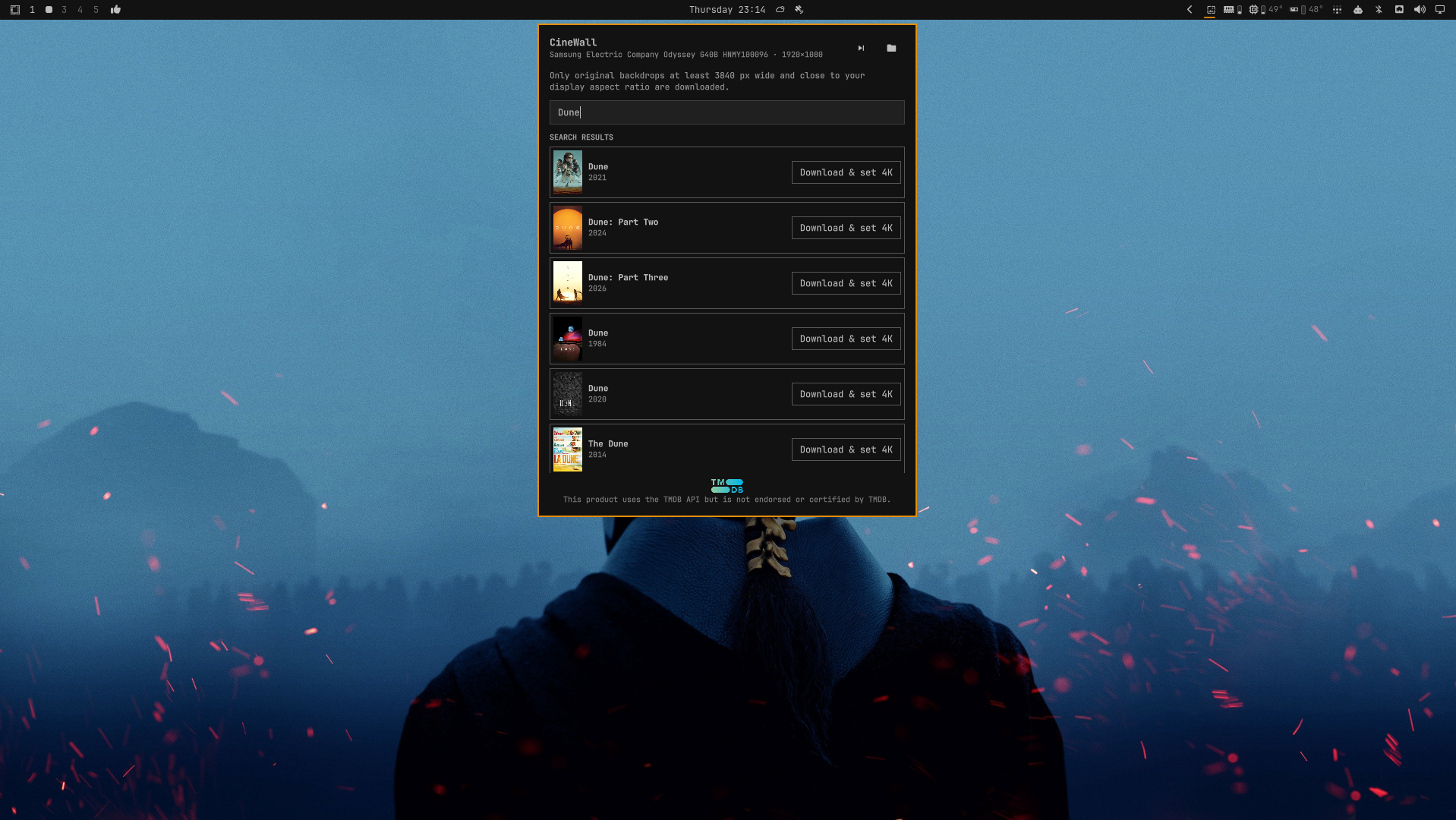
Search and download
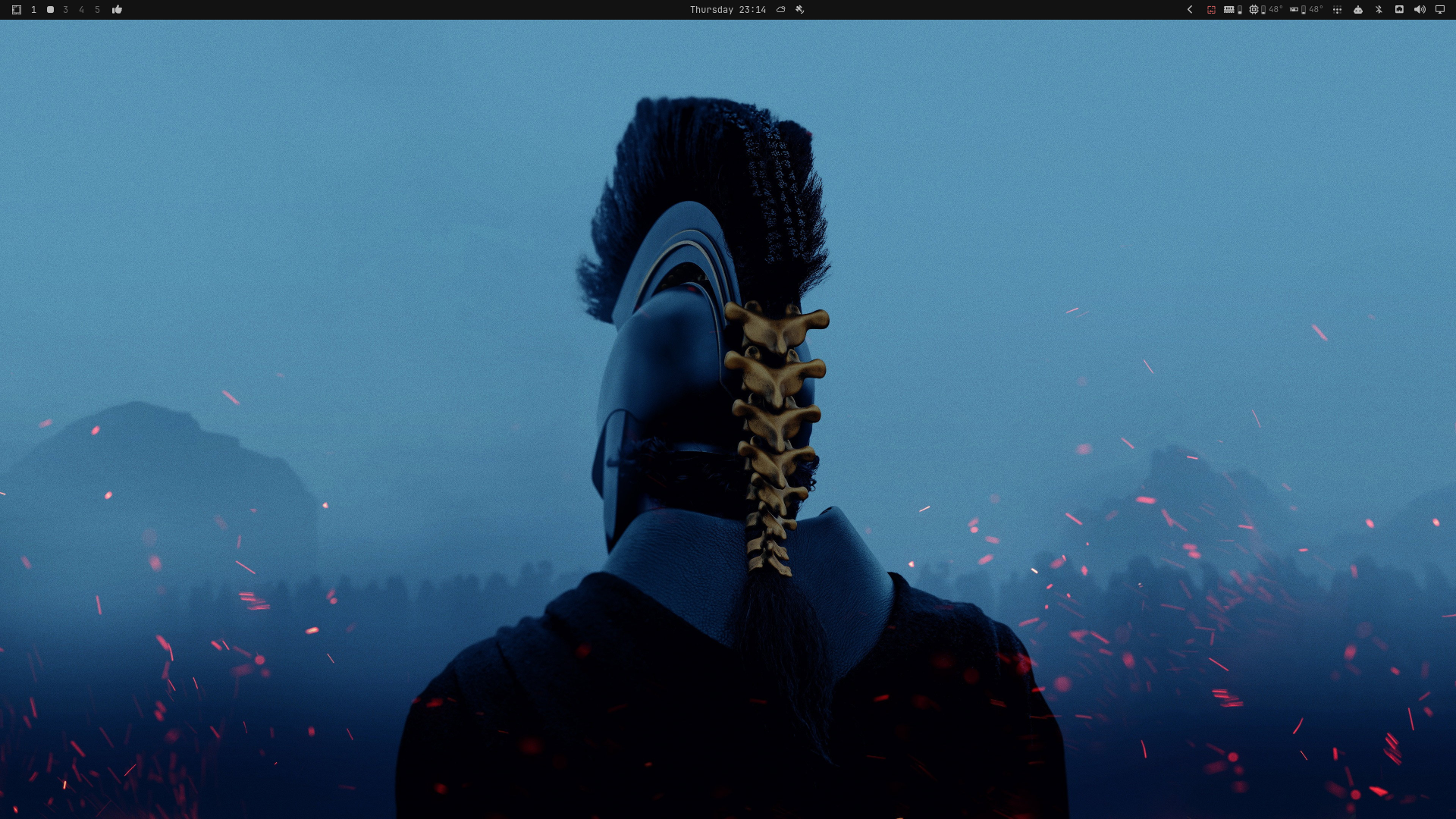
Applied wallpaper
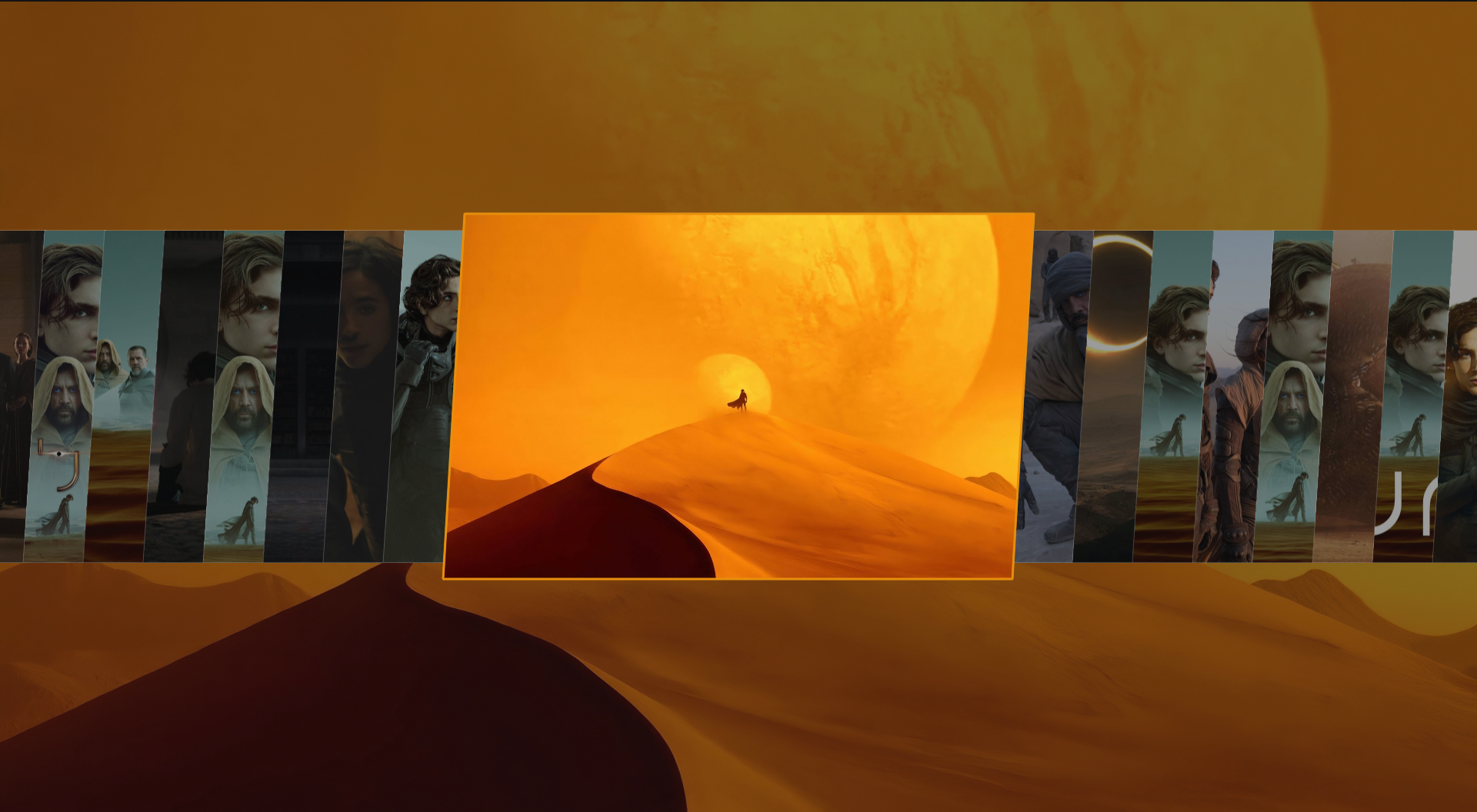
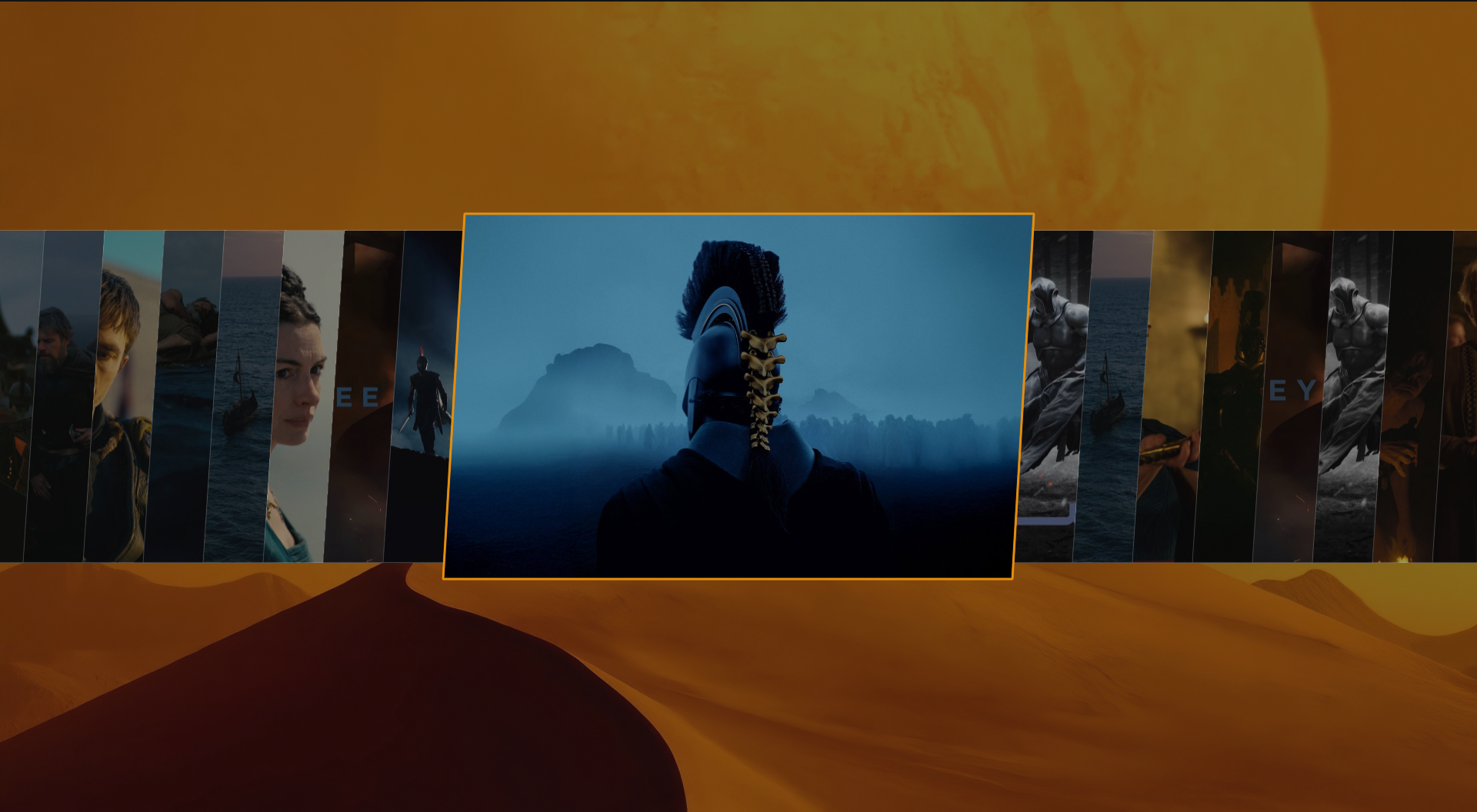
Omarchy background picker
Installation
omarchy plugin add https://github.com/ZenDeveloper7/CineWall.git --enable
Selection rules
Before fetching image files, the helper reads hyprctl -j monitors and selects the focused active display (or the largest active display as a fallback). It then requests the movie's image metadata and keeps only backdrops that:
- are at least 3840 pixels wide;
- are large enough for the detected display;
- are landscape images;
- are within 10% of the display's aspect ratio, avoiding severe cropping.
Up to the 24 highest-rated matching originals are downloaded per operation, preventing a provider response from triggering unbounded network and disk use. The highest-rated match is set immediately; the others are available through Omarchy's regular background cycle.
Requirements
- Omarchy 4 (Quattro) on Hyprland
- Node.js 20 or newer
libsecret(secret-tool) and a working desktop keyring- ImageMagick (
magick) to convert FrameThrower WebP reference thumbnails for Qt display - A free TMDB API Read Access Token
- Optional: a personal FrameThrower API token for Mood / scene discovery
API credentials and marketplace releases
CineWall deliberately ships without API keys. Every user supplies their own TMDB API Read Access Token and, if desired, their own FrameThrower API token. Both are stored only in that user's desktop keyring. Never commit an API key or bearer token to the repository, manifest, screenshots, examples, or marketplace package.
TMDB's developer API is for non-commercial use with attribution. CineWall displays TMDB's approved logo and required notice in its credits footer. A paid, ad-supported, or otherwise revenue-generating release requires a separate written commercial agreement with TMDB; it is not enabled by generating a different token in account settings.
Storage
The token is stored in the desktop keyring. Downloaded images are placed in the supported per-theme user background folder:
${XDG_CONFIG_HOME:-~/.config}/omarchy/backgrounds/<current-theme>/
Widget state is stored with user-only permissions at:
${XDG_STATE_HOME:-~/.local/state}/omarchy-cinewall/state.json
TMDB-sourced downloads expire after 180 days. CineWall removes expired files that it created and their state entries when the service next loads.
Remove the token with:
secret-tool clear service zen.cinewall credential tmdb-read-token
Remove the optional FrameThrower token with:
secret-tool clear service zen.cinewall credential framethrower-api-token
Removal
Disable and remove the plugin with:
omarchy plugin remove zen.cinewall
Before uninstalling, use CineWall's confirmed Delete all action if you also want to remove every downloaded wallpaper. Plugin removal intentionally leaves wallpapers and local state in place so uninstalling never deletes user files unexpectedly. To remove the remaining state, delete ${XDG_STATE_HOME:-~/.local/state}/omarchy-cinewall/. Clear the keyring token with the secret-tool clear command above.
Usage
- Open CineWall from the bar.
- Paste a TMDB API Read Access Token if one is not already stored.
- Choose Movie title and search TMDB directly, or choose Mood / scene, add a personal FrameThrower token, and describe a visual reference.
- Choose Download & set 4K. This explicitly downloads every matching backdrop and sets the highest-rated one as the current background.
- Use Set on any downloaded image, or middle-click the bar icon to cycle backgrounds.
- Use the trash button beside one wallpaper to delete it, or the trash button in the header to delete all CineWall wallpapers. Both actions require confirmation.
Validation
node tests/worker.test.mjs
qmllint -I /usr/share/omarchy/shell Service.qml BarWidget.qml
omarchy plugin validate .
This product uses the TMDB API but is not endorsed or certified by TMDB.
FrameThrower reference discovery is optional and credit-metered. FrameThrower does not supply the wallpaper downloads; CineWall uses its reference result only to identify a film and then requests qualifying artwork from TMDB.
The TMDB logo in assets/tmdb-short-blue.svg is an official approved attribution asset and remains a TMDB trademark; it is not covered by CineWall's MIT license. Movie metadata and images remain subject to TMDB's terms and their respective owners' rights.
License
MIT