
All plugins
1954 plugins
PrimoDock
by primo
Application dock for Omarchy. Tracks Hyprland windows across workspaces with smart launch, focus and cycling behavior, per-window minimize-to-dock and restore, drag & drop reordering, and a rich right-click action card featuring .desktop quick actions. Touch-friendly long-press gestures mirror every mouse interaction, a Super-held System menu handles pinning and custom icon overrides, and Chromium webapps launch reliably alongside seamless Omarchy theme integration.

Printbar
by mryll
Printer status, supplies, trays and jobs (printbar) in the Omarchy bar.
Prism Instances
by Aledev
View and launch Prism Launcher Minecraft instances from the Omarchy bar.

Privacy Devices
by bolens
Unified, configurable privacy indicators for microphones, audio playback, cameras, screen sharing, screenshots, screen recording, and location access.
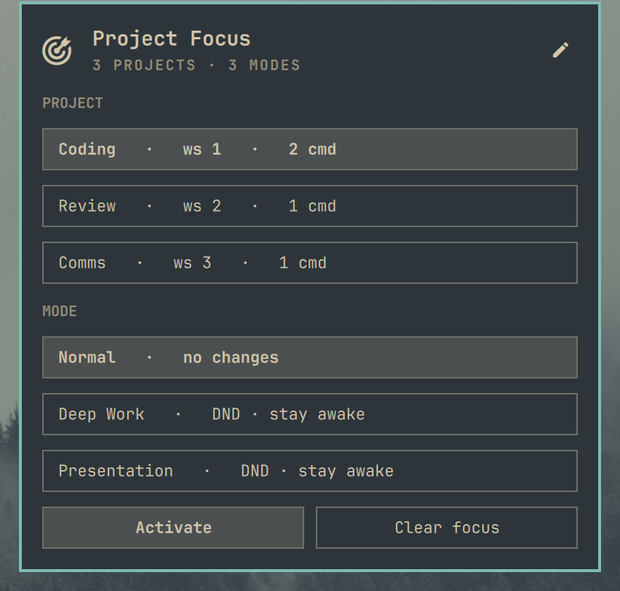
Project Focus
by André Conde
Launch a named project setup and apply a focus mode from the Omarchy bar.
Project Presets
by Weaklund
Snapshot a project workspace and bring it back with one click — apps on their workspaces, terminals in the directories they were in and running what they ran, Docker Compose stacks and browser pages.

Projector & Cast
by Jeff Cortez
Screen mirroring to Epson projectors, smart TVs, and wireless displays (Miracast) with resolution, scale and multi-aspect ratio presets (16:9, 16:10, 21:9, 32:9, 4:3).
Prompter
by Dominic Boettger
Elgato Prompter control center for Omarchy. Eye-contact mirroring for video calls (your 4K screen share stays untouched), a native theme-aware teleprompter with markdown scripts, meeting autopilot, hotplug profiles per monitor setup, Stream Deck / keybinding control via IPC, and a setup doctor that automates the DisplayLink driver install.
Proofreader
by Matteo Mangoni
Proofread or translate short messages
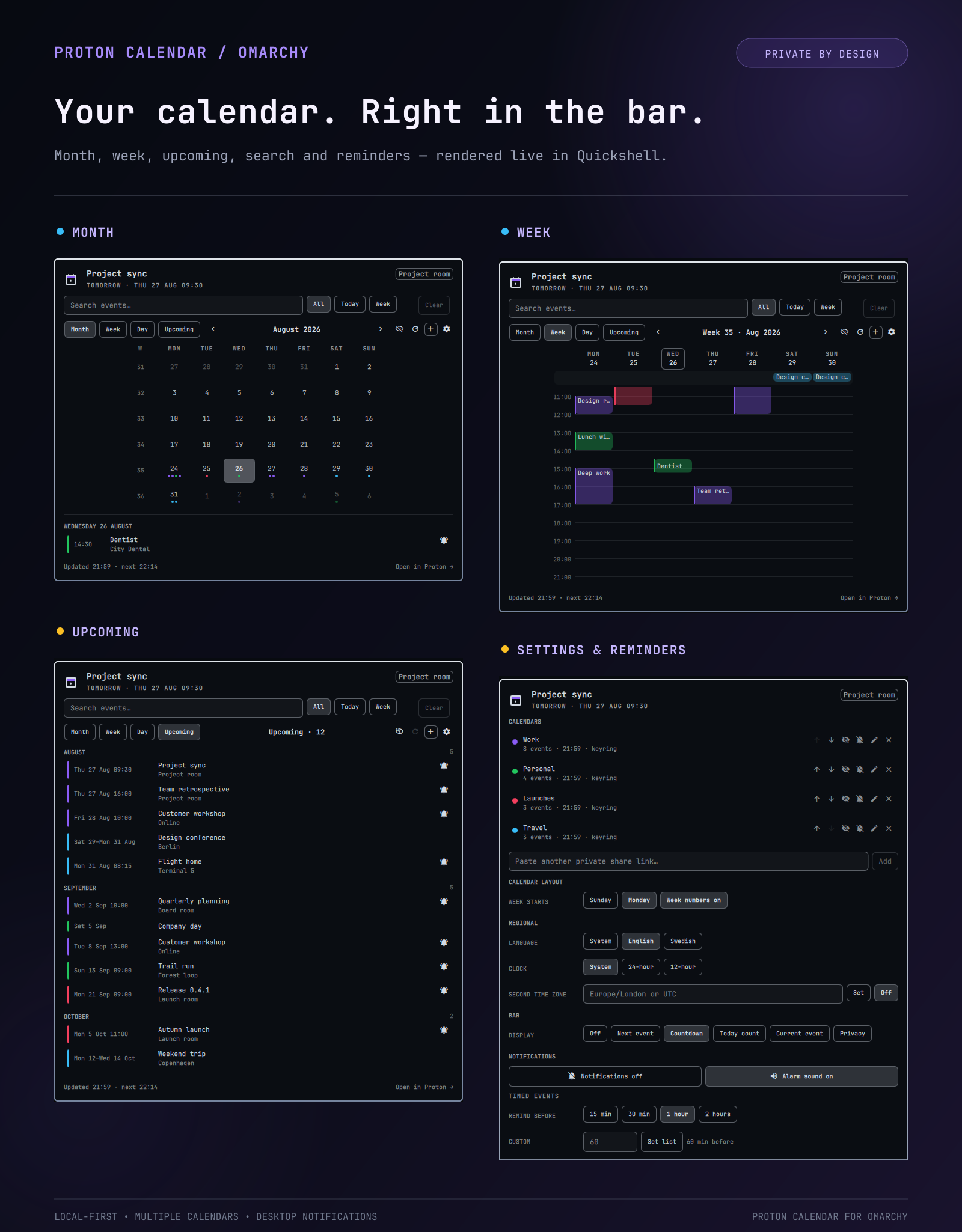
Proton Calendar
by moorgrove
Proton Calendar in the Omarchy bar: next event, month grid, and week grid.
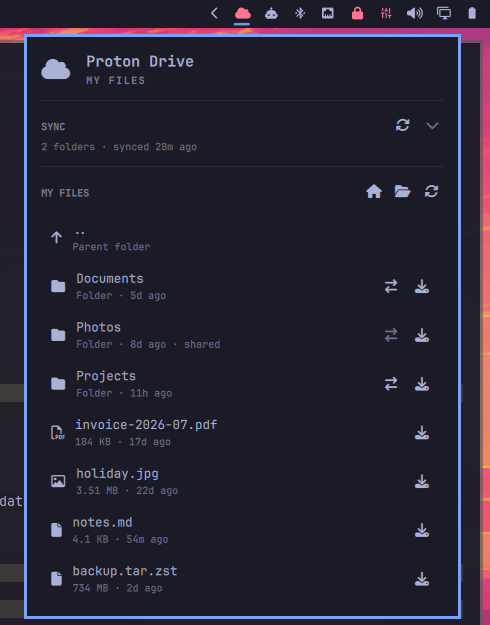
Proton Drive
by rams
Browse Proton Drive from the bar and download files to disk.
Proton Drive Backup
by gabrielharfield
Proton Drive panel: Backup creates dated, Déjà Dup-style copies of a chosen file or folder on your Drive; Browse lets you navigate, download from, or upload to any folder. Uses a specific, pinned CLI build (not the AUR package) for predictability, downloaded and verified by the plugin itself. Deliberately no background sync — every action is explicit and one-shot, since Proton Drive lacks a safe, documented way to build real-time multi-device sync. See README for the full reasoning.